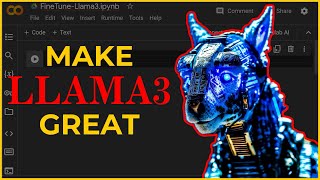

Fine-tuning LLMs: From General Ed to Specialist
45sThe analogy of a general education student becoming a specialist makes a complex concept instantly relatable and engaging.
▶ Play Clip"Title accurately describes the tutorial: fine-tuning Llama3-8b on free Google Colab GPUs is demonstrated step-by-step."
This video demystifies fine-tuning large language models (LLMs) for AI agent tasks, using Meta's Llama 3 8B model on free Google Colab GPUs. The creator argues that raw chat-trained LLMs underperform as action-oriented agents and demonstrates how to fine-tune a model to use first-principles reasoning for generating structured outputs.
Raw LLMs trained as chatbots fail as action models; they need fine-tuning to output structured, reliable responses for AI agents.
Training a decision-making model based on first-principles reasoning (boiling down to fundamental truths) rather than reasoning by analogy improves agent performance.
Raw Llama 3 8B cannot reliably output a Python list without extra notes; even Llama 3 70B fails to maintain correct format.
Fine-tuning on just 40 high-quality examples enables Llama 3 8B to break out of chatbot behavior and generate proper task lists for AI agents.
The dataset should be small but high-quality; each example shows the model the perfect response. The creator used Mixtral 8x22B for drafts, then manually edited for quality.
Steps include: upload dataset JSON, select T4 GPU runtime, install libraries, log into Hugging Face, load model, configure LoRA, run trainer, quantize model, and test locally with LM Studio.
One epoch is default; increasing epochs improves training loss but uses more memory. Ideal for this dataset was 15-20 epochs before diminishing returns.
Fine-tuning a small, high-quality dataset on a free T4 GPU in Google Colab can transform a general-purpose LLM into a specialized AI agent that reliably outputs structured, first-principles reasoning. The key is quality over quantity in dataset creation.
What is the main problem with using raw chat-trained LLMs for AI agents?
They are trained to respond as intelligent chatbots, not as action models, so they fail to output structured, reliable commands for AI agents.
00:40
What is first-principles reasoning?
Boiling things down to the most fundamental truths and reasoning up from there, rather than reasoning by analogy.
01:26
How many examples were used in the fine-tuning dataset in this tutorial?
40 examples.
03:18
What tool was used to generate rough draft responses for the dataset?
Mixtral 8x22B.
04:37
What is the recommended number of epochs for this dataset before diminishing returns?
15 to 20 epochs.
08:57
What does training loss represent during fine-tuning?
The difference between the model's predicted response and the example response in the dataset; lower loss means predictions are closer to the desired output.
07:51
What is the purpose of quantizing the fine-tuned model?
To allow the model to perform much faster on a local machine.
09:12
What free GPU does the tutorial use in Google Colab?
T4 GPU.
06:02
Raw LLMs fail as action models
Identifies the core issue with current AI agent implementations: using chat-trained models for action-oriented tasks.
00:40First-principles reasoning for agents
Proposes a solution: train decision-making models based on first-principles reasoning rather than analogy.
01:24Fine-tuning on 40 examples works
Demonstrates that a tiny, high-quality dataset can significantly improve model behavior for specific tasks.
03:14Quality over quantity in datasets
Emphasizes that dataset quality is more important than size for fine-tuning specialized models.
04:00Optimal epochs for small dataset
Provides a practical guideline: 15-20 epochs for a 40-example dataset before diminishing returns.
08:57[00:00] everybody training new large language
[00:02] models are training them out the box for
[00:04] chat a chat trained llm is like an
[00:07] intelligent student who finished general
[00:09] education in 50 languages now think of
[00:12] fine-tuning these llms like kicking the
[00:14] broke General ed student out of the
[00:16] house and choosing exactly what
[00:18] specialized degree they will get in this
[00:20] video I'm going to demystify the concept
[00:22] of fine-tuning a language model no
[00:25] programming experience will be needed to
[00:27] follow along this tutorial I'll be
[00:29] showing how to fine tune meta's latest
[00:31] llama 38 billion parameter model on free
[00:35] gpus in Google collab let's discuss a
[00:38] huge problem with implementation of
[00:40] every team of AI agent project we have
[00:43] seen to date it started with auto GPT
[00:46] and now the current leader in hype crew
[00:49] AI the reason most teams of AI agents
[00:52] that people are creating to attempt to
[00:54] accomplish complex tasks sucks is
[00:57] because they are using raw large
[00:59] language models trained to respond as
[01:02] intelligent chat Bots and not as action
[01:04] models out of the box these models are
[01:07] trained to have decent general
[01:09] intelligence and serve a general
[01:11] audience like chat gbt as an AI software
[01:14] engineer the first step I would take to
[01:16] develop a system to outperform any of
[01:19] these current existing AI agent swarms
[01:22] is to train a decision-making model
[01:24] based on first principal reasoning I
[01:26] think it's also important to reason from
[01:28] first principles rather than by analogy
[01:31] the normal way that we conduct Our Lives
[01:32] is we Reason by analogy we're doing this
[01:34] because it's like something else that
[01:36] was done hold up wait a minute and what
[01:39] that really means is you kind of boil
[01:41] things down to the most fundamental
[01:43] truths say okay what are we sure as
[01:44] possible is true and then reason up from
[01:47] there that takes a lot more mental
[01:48] energy think of each response from an
[01:50] llm as a thought we want this
[01:53] intelligent AI to generate in 10 seconds
[01:56] or less instead of expecting our AI to
[01:58] use first principle reasoning break the
[02:01] prompt into multiple needles in a
[02:03] haystack of facts the model needs to
[02:05] understand or tasks the AI needs to
[02:08] complete all in a single response in
[02:10] this video I will fine-tune a llama
[02:12] model to power the first AI agent of
[02:14] contact in a team of AI agents I want
[02:17] the AI agent to be able to use first
[02:19] principal reasoning to Output highly
[02:22] logical order of steps that need to be
[02:24] completed to actually provide a factual
[02:27] response and better yet automate a
[02:29] complex task before we get into
[02:31] fine-tuning a model let's first demo raw
[02:34] llama 3 8bs ability to accomplish just
[02:37] the task of generating first principal
[02:39] reasoning outputs if I go try to get
[02:42] llama 38b to act as a decision model the
[02:45] reasoning is as though it came from a
[02:47] mind who wasn't trained to make actions
[02:49] in the real world tell llama to respond
[02:52] with just a python list and it
[02:54] constantly adds notes before or after
[02:56] the list making the responses unreliable
[02:59] as commands for a Python program or even
[03:01] other AI agents to process we can even
[03:04] try these same tasks on llama 370b the
[03:07] chat tune model still cannot manage to
[03:10] Output the correct response format
[03:12] reliably now let's look at the responses
[03:14] from llama 3 8B fine-tuned on a tiny but
[03:18] highquality data set that I created to
[03:20] show the model exactly how I want it to
[03:23] respond to agent prompts fine tuning on
[03:26] just 40 parameters in this case allowed
[03:28] the model to break break out of thinking
[03:30] it is just a chatbot limited to
[03:33] generating text now llama 3 thinks
[03:35] freely about what tasks would need to be
[03:38] accomplished by an AI to actually
[03:41] accomplish my instructions despite half
[03:43] of them claiming to in the title all of
[03:46] the video fine-tuning tutorials I have
[03:48] found do not show how to fine-tune on
[03:50] your own data set in this video I will
[03:53] show you how to create your own data set
[03:55] to fine tune on instead of using some
[03:58] pre-existing data set the data set you
[04:00] use for fine-tuning is about quality and
[04:03] not quantity since we are training a
[04:06] specialized model we want to take full
[04:08] control of maximizing our data set's
[04:11] response examples quality on exactly the
[04:14] task we need it to work at as my data
[04:16] set I have a Json file called Data set.
[04:19] Json inside this file I have one long
[04:22] list of dictionaries each dictionary
[04:25] consist of the same system prompt I'm
[04:27] trying to get the model to properly
[04:29] respond to as well as the prompt for the
[04:32] input value and the response as the
[04:34] output value to create my data set for
[04:37] each response I used mixl 8X 22b to
[04:40] generate rough draft responses before
[04:43] adding any of these responses to my data
[04:46] set I'll go through and manually edit
[04:48] each to improve upon the quality and
[04:50] ensure perfect formatting as a python
[04:52] list your data set for fine tuning could
[04:55] be 20 examples or thousands of examples
[04:58] while larger fine tuning data sets can
[05:01] improve upon your model's performance I
[05:03] can't stress it enough the importance of
[05:05] adding only highquality examples to your
[05:08] data set each example in your data set
[05:10] is an example showing llama 3 what you
[05:13] expect a perfect response from that
[05:16] input should be so if you are
[05:17] fine-tuning on Mid data expect the
[05:20] quality from your fine-tune model to be
[05:23] mid if you want a copy of my data set to
[05:25] skip making your own for this tutorial
[05:27] or just have a copy of my data to ask on
[05:29] to for your own fine tuning it's
[05:31] available in the Pro learning docs
[05:33] channel of my Discord for anyone with an
[05:36] AI Austin Pro membership with my data
[05:38] set of 40 examples complete I now am
[05:41] ready to start loading them into my
[05:42] collab notebook and start fine-tuning
[05:45] llama 3 check the comment section for my
[05:48] pinned comment with the link to the
[05:49] Google collab notebook that I will be
[05:51] going through in this video Once the
[05:53] notebook loads I can drag my data set.
[05:56] Json file into the main content folder
[05:59] then I will select my runtime type to
[06:02] use a free T4 GPU and save it to start
[06:05] the runtime once it is up and running
[06:07] click the play button on the first code
[06:09] Block in step one to install the needed
[06:12] python libraries for a T4 GPU I'll run
[06:15] step two to import the libraries into my
[06:18] runtime once the installations and
[06:20] imports complete we'll run this next
[06:22] oneline block to log into our hugging
[06:25] face account with a right access token
[06:27] if you don't have a hugging face access
[06:30] token yet you can get one for free by
[06:32] logging into your account going to
[06:34] settings clicking access tokens and
[06:36] create a token with right access granted
[06:39] copy that and paste that into the field
[06:41] to log into your hugging face in the
[06:43] next block we have some python code that
[06:45] loads our data set. Json file and
[06:48] converts our examples into llama 3's
[06:50] correct template format you'll see the
[06:52] hugging phore userv value is set as my
[06:56] username make sure you change this to
[06:58] your actual hugging face username our
[07:01] next code block will set up our
[07:03] configuration settings for the
[07:04] fine-tuning the fine-tuned model
[07:07] variable sets the name you want to save
[07:09] the model as in your hugging face
[07:11] repository so feel free to change this
[07:13] too we can run the configuration
[07:15] settings block now and the next block to
[07:18] load the Llama 38b Cur and trainer model
[07:22] now we'll run the trainer to start the
[07:24] fine-tuning process on our data set
[07:27] you'll see the trainer going through
[07:28] multiple training steps before
[07:30] completing each training step is a batch
[07:33] of our training data being ran each
[07:35] batch in the training steps you will see
[07:37] this training loss number start to drop
[07:40] when our model is training it is going
[07:42] through each of our prompts from the
[07:44] data set and blind generating what it
[07:46] expects our example response in the data
[07:48] set is training loss is a value to
[07:51] represent the difference between the
[07:53] model in training's predicted response
[07:55] to the example response in our data set
[07:58] a lower training loss value means that
[08:00] the predicted outputs during fine-tuning
[08:03] are getting closer to the responses in
[08:05] our data set this code with its current
[08:07] configuration settings runs one Epoch
[08:10] one Epoch equals one pass through of our
[08:13] entire training data set running more
[08:15] Epoch up to a certain threshold will
[08:18] absolutely allow your model to achieve a
[08:21] lower training loss during fine-tuning
[08:23] going back up to your Laura
[08:25] configurations you can change the num
[08:27] train epox variable to the number of
[08:30] passes through your data you want it to
[08:31] run now there is a few things to note
[08:34] before changing this increasing this
[08:36] number will increase memory usage
[08:38] meaning you can only raise it so much on
[08:40] the free collab gpus before the runtime
[08:43] will fail from exceeding memory another
[08:46] consideration is that the benefits of
[08:47] raising the epoch is diminishing meaning
[08:50] at some point running more Epoch will
[08:52] not decrease the training loss value the
[08:55] ideal number for my training data set
[08:57] was about 15 to 20 EP talks before the
[09:00] training loss was practically staying
[09:02] the same step eight will save the
[09:04] trainer stats. Json file to your collabs
[09:07] content folder step nine will quantize
[09:10] your fine-tune model and save it to your
[09:12] hugging face quantizing the model will
[09:14] allow it to perform much faster on your
[09:17] local machine this code block will take
[09:19] about 20 minutes to complete in the last
[09:21] step of the notebook you can test some
[09:23] of your prompts to your custom model a
[09:26] better option I can recommend for anyone
[09:28] with a computer with at least 8 GB of
[09:31] RAM and ideally 16 or more you can test
[09:34] the model locally with LM Studio LM
[09:37] studio is completely free to use and
[09:39] easy to install inside LM Studio I can
[09:42] go to the search Tab and type my hugging
[09:45] face username inside there I can click
[09:47] my Project's repository locate the file
[09:50] with Q4 korm at the end of the file and
[09:55] download that model file once downloaded
[09:57] I can go to the chat tab click new chat
[10:00] and load my custom fine-tuned model in
[10:02] the system prompt tab I will paste in
[10:05] the same exact system prompt that I used
[10:07] to fine-tune my model on while this is
[10:09] not going to be a tutorial on how to use
[10:12] LM studio just note that there's also a
[10:14] lot of settings for optimizing the speed
[10:16] of your model on your machine don't
[10:18] forget to hit the like button on this
[10:20] video If you learned anything new about
[10:22] fine-tuning this has been AI Austin I
[10:25] will see you in the next one
⚡ Saved you 0h 10m reading this? Transcribe any YouTube video for free — no signup needed.