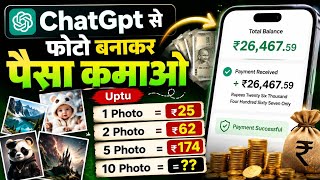

Earn $26 per AI Photo!
45sImmediately shows a bank account credit and a specific dollar amount per photo, sparking curiosity and the promise of easy money.
▶ Play Clip"The title promises easy money, but the actual earnings shown are minimal ($0.26 per photo), and the process requires significant effort and setup, making it average at best."
This video demonstrates a method for earning money by creating AI-generated photos and uploading them to Facebook, where users can earn revenue through the platform's monetization features. The creator shows the entire process from generating an image with ChatGPT to setting up a payout account, claiming to have earned money from this method.
The video claims that viewers can earn money by creating AI photos and uploading them to Facebook, with the creator showing a bank account credit as proof of earnings.
The creator shows a post that received a certain number of views, earning $0.26 (about 26 rupees) for a single photo, suggesting that uploading 10 photos a day could yield significant income.
The process involves opening ChatGPT, entering a prompt describing the desired photo, and generating the image. The creator emphasizes that the prompt should be detailed to get a good result.
After downloading the generated photo, the creator instructs to open Facebook, click the plus button to create a post, and upload the photo. Important to add a description and relevant hashtags.
The creator advises adding hashtags, starting with the profile name, and warns against spreading fake news, as it could cause problems. The post should be related to news or trending topics.
To earn more, users can click on the 'Add Product' option to link products to their posts, potentially increasing revenue. The creator shows how to select and share a product.
To access monetization, users must enable professional mode on their Facebook profile by going to profile settings, clicking the three dots, and turning on the 'Turn on professional mode' option. This converts friends to followers and adds a dashboard.
The dashboard shows earnings, with the creator noting about $7 earned. The 'Monetize by' option displays the commission earned, which depends on the number of photos uploaded.
To receive payments, users must set up a payout account in the monetization settings. This involves entering legal name (as per Aadhaar), country (India), business type (Individual/Sole Proprietor), and address details.
The earnings are directly transferred to the bank account. The creator mentions that if there are any doubts, viewers can comment for clarification.
For those who cannot use ChatGPT, the creator suggests using Gemini (likely Google's AI) to generate photos, following a similar process.
The video presents a step-by-step method to earn money by creating AI-generated photos and uploading them to Facebook with monetization enabled. While the potential earnings are highlighted, the actual income depends on the number of photos uploaded and engagement.
Earnings Example
Provides a concrete example of potential earnings, though minimal, to illustrate the method.
00:25Professional Mode Activation
Explains a crucial step to access monetization features on Facebook.
05:21Payout Account Setup
Details the necessary steps to receive payments, a key part of the earning process.
07:19[00:00] दोस्तों आज की वीडियो में बात करने वाले हैं कि फ्री में एइट फोटो बनाकर पैसा कैसे कमाएं और दोस्तों मैं फोटो ही बनाकर इतना रपया रिसीव किया हूं आप लोग देख सकते हैं मेरे बैंक अकाउंट में इतना रपया क्रेडिट हुआ है
[00:13] सोचिए अगर एक फोटो का 20 या 25 रुका भी मिल रहा है तो दिन का अगर आप 10 फोटो भी अपलोड कर दिये तो आपको इतना रुका हो जाएगा तो यहाँ पर मैं आप लोगो फोटो बनाने से लेकर बेंड अकाउंट में पैसा आने तक पूरा प्रोसेस आप लोगों को समझाने वाला हूँ. तो चलिए मैं सबसे पहले
[00:25] आप लोगों को लाइक प्रूप दिखा दू कि मैं एक फोटो को बना कर कितना रुपया कमा रहा हूँ. अभी आप आप लोग देख सकते हैं यहां पर मैं एक पोस्ट किया हूँ जिस पर इतना लाख यूज गया हुआ है तदीरा में इसके earning को आप लोगो check कराते हैं zero point two six dollar बना हुआ है अगर आप लोग इसको in
[00:38] रुपया में कन्वर्ट करिएगा या कितना रुपया होता है तो लिए मैं आप लोग यहाँ पर दिखा दिता हूँ यानी कि एक फोटो को बनाने का हमको छदीस रुपया मिल जा है सोचिए दोस्तो अगर दिन भर में दस फोटो भी अपलोड कर दियो तो कितना होता है. अब दोस्तों आप लोगो करना क्या है? Simple Chat GPT को open कर लेना है. और यहाँ पे
[00:54] आप लोगो जो भी फोटो बनाना है उसका यहाँ पे prompt डालिएगा. यानी कि prompt का मतलब होता है जिस तरफ आप भूटो बनाना चाहते हैं और यहां पर आप लोगों को लिखना होगा अब दो तो हम कैसा भूटो बनाना चाहते हैं तो यहाँ पर आप लोग देख सकते हैं मैं यहां पर ट्रॉमट आने की जो भी हमको लिखना तो हम लिख दिये
[01:08] थी यहां पर सकते हैं कि मैं आप लोग तीम स्पेन साठ लिखना है वह इसने बता रहे हैं और यह जिल्देषिघों पर सब्सक्राइब आप भागी कर लीजिए अव्हाटिक दैट्डे के अंदर यह फोटो बना का देगा मैं लोगों अपलोड कैसे कर
[01:29] और हमारे bank account तक पैसा कैसे आएगा तो अभी आप लोग देख सकते हैं यहाँ जो photo है कितना बेहतरीन तरीके से बना कर दिया हुआ है और कुछ इस तरह का photo आप लोग भी तैयार कर सकते हैं जैसा कि मैंने तरीका बताया दोस्तो यही तरीका है जिसके दुआरा हम photo को तैयार क
[01:59] कलता है कि यह बनाया जया है. अभी दोस्तों इस photo में बहुत काम करना है. तो आप लोग करना क्या है? इस photo को simply उस पार डाउनलोड रक्षन से लिख करके डाउनलोड कर लेना है. और दोस्तों आप लोगों को इस photo को upload
[02:11] लेकिन upload करने से पहले कुछ जरूरी बातें याद रखना है। अब आप लोग करना क्या है Facebook ओपन करना है। plus click click post
[02:48] Então, what's on your mind? यहाँ पर आप लोग इस फोटो को बारे में क्या लिखना चाहते हैं? So, सिंपल सा बात है, जो आप लोगों ने फोटो में दिखाया है, उस फोटो के बारे में यहाँ पर आप लोग लिख सकते हैं. जैसे कि डिली में बार रहा हुआ है,
[03:00] अब हमारी के लिए कुछ हेस्ट्केट्ट में आपको देना पड़ेगा अगर कुछ हेअस्ट्सेक नहीं दी बचला है गीयू सबसे पहले सबसे लोग को न्यूज है और नीचे आपको हेंस्ट्सेक सेलाई है और हेस्ट्सेक में पहला तुम्हा पति कारण होगा
[03:13] जो भी आप के और फेस्टबुक रॉफाइल का नाम है उसको सबसे पहले आपलोग को पहले नंबर पर देना है तो यहां पर अपने सेट्टेस्टू प्रोफाइल का नाम दे रही है पहले उसके बाद आपको करना क्या है डियाल सेट्टू ओकाइट दोस्तों कुछ इतना करके आपको यहां पर लिखना है । यह news है। तों यहां पर news एक hashtag देंगे, तों
[03:34] यहां पर देखको news feed, दोस्तों इतना hashtag आपको देना है, देने के बाद done पर click करना है और आप ज़क देख ऊपर यहाँ पर हैं, stack लग चुका है, और मैंने आप लोग को बताया, जो भी news है, news को आप लोग को add कर देना है, अब दोस्तों, इतना करने के बाद, याद रहे, fake news नहीं फैलाना है, अगर आप fake news फैलाते हैं, तो यहाँ आपके लिए problem सावित कर सकता है, इसलिए, जो news अ
[04:11] अब दोस्तों यहां पे आपए लोग अपने क्या है? अगर आप यहाँ पे ज्यादा पैसे कमाना चाहते है, तो यहाँ पे एक ओप्शन देखने को मिलेगा एन्ड प्रोड़ॉक्ट का, इस पे आप लोगे क्लिक करना है. इस पे जैसे जैसे क्लिक करते हैं तो यहां पर देख सकते हैं बहुत सारा product आप लोगों को दिखाया जाएगा तो यहां पर आप
[04:26] लोग चाहे तो see all product पर click करके और भी product link कर सकते हैं लेकिन मैं पहले से ही एक item को पे शेयर करने के लिए स्थेर पे कलिक करेंगे
[04:38] , तो कृपया हम का निर्मला हिडुअ साल कहते हैं
[04:56] इस समय के बाद यह फोटो अपलोड भी हो जाएगा तो यहां पर हम कुछ समय वेट कर लेते हैं अब दोस्तों हम आप लोगों को बताएंगे यहां जितना की पैसा है यह आप लोगों के बैंक अकाउंट में कैसे आएगा क्योंकि मेल तो हमारा
[05:08] आपलोग कुछ लिया कहां देना अब हम टेक्स अलेकटेंग है दैन कैसे चुका है अगर चलिए हम बदाते हैं कि इसमें आप लोगों को यूज की होगा और आप लोगे में का तालन है पैसा कैसे यादा इसकी लिए आप लोग करना की आहे अपने प्रोफाइल
[05:21] click करना है profile पे click करने के बाद यहाँ पर आप लोग करना किया है three dot पे click करना है इस पर जैसे click करते हैं तो यहाँ पर आप लोग देख सकते है turn off mod अगर आप लोग यह on off है तो आप लोग को
[05:34] कु ओन कर लेना है? अगर आप off करके रखे हैं तो इसको on कर लिएगा. और इसका पहताम क्या है? कैसे off है? कैसे on है? तो simple ता बात है? यहाँ पे आप लोग यह option पे आना है. अगर यहाँ पे ओंख लिखा रहेगा कि इसका
[05:46] इसका मतलब आपका profile on है अगर यहाँ पे on लिखा रहेगा, तो समझिए का आपका profile off है, तो इसलिए आप लोग यहाँ पर देख सकते हैं मेरा off लिखा हुआ है इसका मतलब हमारा on है कि उल्टा आप लोगों को समझना है बस दोस्ते इतना करने के लिए आप लोग करना क्या है जैसे ही उसको आप लोग आउन कर देते हैं
[06:02] तो आपका जो भी फ्रेंड रहेगा वो followers में change हो जाएगा और नीचे आप लोगों को एक dashboard का option आकर add हो जाएगा इस dashboard बारे अप्सन पे आप लोगों क्लिक करना है इस पर क्लिक करने के बाद मैं अभी फोटो अपलोड नहीं कर रहा हूँ इस पर इस पर अर्निंग बहुत कम हो गया है
[06:17] इसलिए यहाँ पर देख सकते हैं लगभग 7 डॉलर के करीम में इंकम हुआ है तो यह monetize by option पर क्लिक करते हैं इसपे क्लीक करते हैं तो यहाँ पर आप लोग देख सकते हैं जितना भी कामिश्युक हुआ है यह आप सबकुछ देखने को मिलेगा
[06:31] जोनकि यह आपके मेहनत भी व्यक्ति उठालता है कि आप लोग कितना काम करते है कि आप यह थे जिस हिसाब से काम करिये उसी ही साथ से यहाँ पर आप लोग का earning होने वाला है अगर आप photo upload करते हैं तो कम earning कर पाइएगा अगर आप लोग ज्यादा photo upload करते हैं तो यहाँ पर ज्यादा पैसे कमा
[06:45] पाइएगा तो दोस्तो कुछ इस तरह से करके आप लोग भी कमा सकते हैं. अब चलिए मैं आप लोगों को बताता हूँ कि इसमें अपने बैंक अकाउंट को कैसे एड करना है? और पैसा कैसे मिलेगा? तो दोस्तों इसके लिए हम करेंगे कि एक नए Facebook प्रोफाइल को बना पर policy रखे हैं उसमें add करके दिखाने वाले है क्योंकि मेरा पुराना वाला तो add है policy तो एक नए वाला facebook
[07:02] profile को open करते हैं तो अभी आप लोग देख सकते हैं मैं अपने नए वाले facebook profile को open कर लिया हूँ इसके dashboard click earning Jio upload monetize option click
[07:19] मोनिटाइज में अपनी आकाउंट पर जैसा क्लिक करेंगे, तो यहाँ पर देख सकते हैं एक ऑप्शन आकर add हो जाएगा, यहाँ पर देख सकते हैं Start Your Earnings Away in Getpad, Set up Your Payout Account, तो यहाँ पर अपने Payout Account को
[07:32] पर नियुक्त करना पड़ता है इसलिए हम लोग करेंगे तो यहां पर देख सकते हैं फर्स्ट लीगल नेम यानि कि जो भी आपका नीजर नेम हो जिससे कि आपका अधार कार्ड हो वहीं नेम यहां पर आप लोगों डालना है बस दोस्तों नेम डालना है यहां पर
[07:47] उस पर जैसे क्लिक करते हैं, तो यहां पर देख सकते हैं country आ चुका है इंडिया और यहां पर business type पर क्लिक करना है और जो सबसे first number थे है individual, sole proprietor इस पर आप लोगो क्लिक कर देना है, इतना करने के बाद next पर क्लिक कर देना है, अब दोस्ते इस पर जैसे क्लिक करते हैं, तो यह
[08:17] लोगों को डाल जाना है. यादवय एड्रेस आपको ओरिज्नल होना चाहिए. जो भी आप अधार कार्ड में है. यहाँ पे चेक्चल लालेना है. जो भी आपके घर के आसपास शहर हो. प्रेमेंट या प्रेमेंट या अगर आप नियुक्त करने से लेकर आधे साथ ही के बीच में आ जाता है
[08:55] और यह जो पैसा है आपके bank account में direct आता है तो लोग तो कुछ इस पर से करके आप लोग आसानी से पैसे कमा सकते हैं अगर अभी कोई doubt हो तो comment करके कूछ सकते हैं अब बहुत लोग का एक problem ए है कि जो इसकी ओन कर आने अगर आप पता है बिड़क हो सबसे नहीं कर खंटे हैं ईसे ज़ापने के हाउटपल की है हवी टाइपिसर ने
[09:14] कहाट है। ब इसे नियुक्त रहा है कि आप एक पैसे एक धिमिनाई के परवाग कर सकते हैं और यह दी मिलने जर्मिनी को ओपन करना है जर्मिनी को ओपन करने के बाद यहाँ पे आप लोगों जो भी फोटो चाहिए वो यहाँ पे लिखियेगा और यहाँ पे आप लोग बनवा सकते हैं
[09:30] I hope कि आप लोगों सब कुछ समझ में आया होगा, अगर अभी कोई doubt हो तो comment करके पूछ सकते हैं, अगर वीडियो पसंद आया तो वीडियो को like करके, channel को subscribe जरूर करें.
⚡ Saved you 0h 09m reading this? Transcribe any YouTube video for free — no signup needed.