
How to Switch to a Business Account for Reels Monetization
44sClear step-by-step tutorial on the essential first step to monetize Instagram Reels, which many users find confusing.
▶ Play Clip"Title promises a 2025 monetization guide, but the video is a basic walkthrough with no advanced tips and ends with a region-lock caveat."
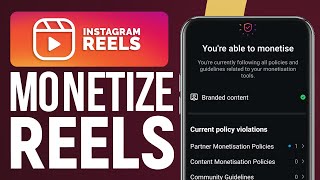
This video provides a step-by-step guide on how to monetize Instagram Reels by switching to a business account and accessing the monetization features. The creator demonstrates the process on their phone, highlighting the essential steps and noting regional availability of the payment feature.
Open the Instagram application on your phone and navigate to your profile by clicking the bottom right corner icon.
Click the three lines in the top right corner, scroll down to 'Creator tools and controls', then select 'Switch Account type'.
Click 'Switch to business account' — an essential step for monetization. Confirm the switch to see the account type updated.
Go to 'Business tools and controls', then 'Monetization status' to see if your account is eligible for monetization.
Navigate to 'Payments' to add your payment method and view earnings from Reels. More views on Reels lead to higher payments.
The payment feature may not be available in all regions (e.g., not available in the creator's region), but works in regions like Europe and the United States.
To monetize Instagram Reels, switch to a business account, check monetization status, and add a payment method. Note that the feature's availability depends on your region.
What is the first step to monetize Instagram Reels?
Open the Instagram app and go to your profile.
00:01
Where do you find the option to switch to a business account?
In 'Creator tools and controls' under 'Switch Account type'.
00:14
Why is switching to a business account essential?
It is a very essential step in order to monetize your account.
00:27
How do you check if your account is eligible for monetization?
Go to 'Business tools and controls' then 'Monetization status'.
00:40
What determines the payment you receive from Instagram Reels?
The more views you get on your Instagram Reels, the more payment you get.
00:53
In which regions is the Instagram Reels payment feature available?
It works in regions like Europe and the United States.
01:07
Business account is essential
Clearly states the prerequisite for monetization, a key fact for beginners.
00:27Views directly impact earnings
Explains the core revenue model for Reels monetization.
00:53Regional availability limitation
Highlights a critical caveat that affects many users, saving them from wasted effort.
01:07[00:01] going to show you how to monetize Instagram reads now first thing you Instagram application on your phone then once you open it you will have to go to your profile so click on the bottom right corner right here now you will
[00:14] have to go on the top right corner and click on these three lines and now what you should do is to Simply scroll down till you find Creator tools and controls then scroll down till you find Switch Account type so I'm going to click on it
[00:27] then now click on switch to business account it is a very essential step in order to monetize your account so I'm going to click on switch then here as you can see it shows me that my account has been switched to business account so
[00:40] what you should do right now is simply go to business tools and controls then go to monetization status and here as you can see you will find out that I'm able to monetize as you can see now when I go back and click on at payments you
[00:53] will be able to add your payment message and you will be able to see all of your earnings from Instagram res and the more views you get on your Instagram re the more payment you get but here in my case for sorry when I go into payment methods
[01:07] I get this message because this feature actually is not totally available in my region but it will work in other regions like Europe and United States and that's helpful please don't forget support us with like subscribe comment share and
[01:20] with like subscribe comment share and see you guys in a new video
⚡ Saved you 0h 01m reading this? Transcribe any YouTube video for free — no signup needed.