
Transform Your Stream with Punto TV
43sVisually demonstrates how to upgrade stream aesthetics, appealing to creators seeking quick, easy improvements.
▶ Play Clip"The title promises monetization in one stream, and the video delivers a realistic path to achieve it."
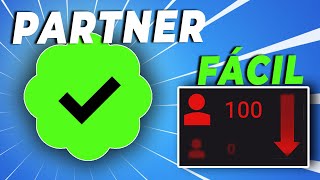
This video provides a step-by-step guide on how to become a Kick affiliate and start monetizing your streams, including the requirements, the process to enable subscriptions, and payment details. The host explains that you need only 75 followers and 5 hours of streaming time to qualify, and then walks through setting up a Stripe account to receive payments.
You need 75 followers and 5 hours of streaming time. The host suggests creating an account, streaming for 5 hours (can be deleted later), and sharing the link to get followers.
Go to the creator dashboard, click on 'Achievements', and once requirements are met, enable subscriptions by selecting your country.
Stripe is the only payment method. You need to enter your email, phone number, and interbank code. Verify your country's compatibility with Stripe.
You receive 100% of subscription revenue minus Stripe fees (approx. $4.74 per subscription). Payout threshold is $10, and payments are made 30 days after the end of the month.
Kick does not handle taxes; it is your responsibility to declare and pay taxes on your earnings.
Becoming a Kick affiliate is simpler than Twitch, with lower requirements and a $10 payout threshold. However, you must use Stripe and handle taxes yourself.
What are the two requirements to become a Kick affiliate?
75 followers and 5 hours of streaming time.
00:57
What is the only payment method for Kick affiliates?
Stripe.
02:04
How much do you earn per subscription after Stripe fees?
Approximately $4.74.
02:46
What is the payout threshold for Kick?
$10.
04:21
When are Kick payments made?
30 days after the end of the month.
04:51
Low Barrier to Entry
Kick requires only 75 followers and 5 hours, much lower than Twitch's 50 followers and 500 minutes.
00:57100% Revenue Share
Kick offers 100% of subscription revenue minus Stripe fees, which is higher than Twitch's 50% for most affiliates.
02:46Low Payout Threshold
The $10 threshold allows new streamers to get paid quickly, unlike Twitch's $50 minimum.
04:21[00:02] whole process involved. Tired of your streams looking dull and lifeless? Let me introduce you to Punto TV, the site where you can improve the design and appearance of your streams: animated overlays and scenes,
[00:16] animated frames for your webcam, alerts, panels, and banners for your channel. winning look. It has hundreds of designs and styles that adapt to your tastes and needs. Even if you only stream one game, there's
[00:30] sure to be one for you. You can buy them separately, but if you buy a bundle, it's much cheaper. The prices you see on the page are in to use the code Alex for a super discount. Don't think twice! In the
[00:43] make your purchase and support the channel. Find everything you need at Punto TV. Hey everyone, welcome! I'm Alex. You might know me from the video on how to fill out the Twitch affiliate form.
[00:57] Give it a thumbs up if you liked that video, because now... We'll do the same thing, but with the Kick platform. The requirements and what you need to become an affiliate will be explained to you right now, but the Alex from
[01:09] the previous video only needs 75 followers and to can do that in one day, one hour each day, however you want. My advice to the following: Create your account, don't share it, do a stream by capturing a
[01:24] leave it there for 5 hours (you can delete that stream later), then share the link with follow you. Once you have 75 followers, you're all set! You can now activate a community, it will take you a little longer. If you follow these steps,
[01:39] you'll be able to do your first stream and monetize it. That's great! Now let's go to the dashboard to see what the process is after meeting these the Kick page, and now what we're going to do is go to the creator dashboard. Once
[01:52] here, we're going to click on "Achievements," and since we've already completed everything, let's... To enable subscriptions, we'll click on the option there. Now we simply have to select our country. We'll click
[02:04] receive our Kick payments. It's necessary to use a Stripe account, investigate if this company operates in your country. Okay, you have to go to the We'll enter an email address and our phone number, verifying
[02:20] asks us to enter our interbank code. This will have to request it. Okay, I'll show you so you know what it's going to ask for. This information will be so
[02:34] that the Stripe platform can make your payment to you. Okay, we'll click " save." Done. Now we just review our information, accept, and submit. And that's it! We have income activated. In fact, here it says, "Congratulations on
[02:46] use Kick subscriptions! You're very excited to see your channel grow, and in the streaming world for now." You'll be receiving 100% of the subscription revenue after deducting Stripe fees. This is
[03:00] approximately $4.74 per subscription, and that's it. It tells us when and how much it covers, which is very, very, very, very similar to our revenue panel on the purple platform, you know which one, right?
[03:12] And that's it, it's so simple. It didn't ask us for anything. However, well, this seems a little strange to me because there should be something related to taxes here, but they don't have it. But well, it will depend entirely on you. I
[03:24] mean you don't have to declare it and pay your corresponding taxes, so be careful. But now let's move on to the other one, Alex. That was simple. One very important thing before you go in here: check that your country is
[03:37] compatible with the Stripe platform. Why? Because it's the only payment method, and no, Jairo, you can't use any other method. Okay? Didn't you see the video? It does n't let you select any other method. But what? I didn't say anything. As
[03:52] Alex from the tutorial told you, here on Kickstarter, you don't have to fill out any strange forms like we have to on Twitch. What you saw is the whole process in the link so you can check for yourselves if your country
[04:06] is compatible with the Stripe platform. Alex, and a question: when will I get paid? Very good question. According to the website's terms of service, it's very simple. It's very similar to how it
[04:21] a little longer. Although it has its advantages, since the minimum amount, or the payment threshold as some call it, is also much better. Here, you'll get paid when you reach $10. That's right, you just need to
[04:36] get three subscriptions, and they'll pay you. When will they pay you? If you start streaming today, subscriptions, let's say, it's very simple. You just have to wait until the
[04:51] end of the month, that is, you have to wait until the last day of June, and they'll pay you 30 days later, that is, by the end of July. If you only get one or two subscriptions, that is... Once you exceed
[05:04] $10, the money will accumulate just like on Twitch. When you have two or three more subscriptions, and you have a total of five, for example, then you'll be August, just like everywhere else. From what I've seen, there's no
[05:19] payment threshold or anything like that like there was on Twitch. But we know the platform is just starting out, so hopefully, later on, there will be more information, more details, and all that. Well, that's all from
[05:32] but above all, that it was helpful. If so, don't forget to so you don't miss any other videos. See you next time! I if you had a bad day, go to sleep. Wake up and press play. Goodbye!
⚡ Saved you 0h 05m reading this? Transcribe any YouTube video for free — no signup needed.