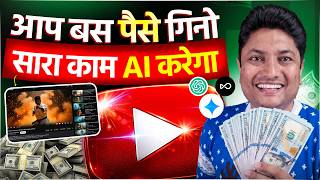

I Earn $100 Bills From YouTube Without Any Skills
48sShows real money and challenges common belief that you need skills to earn on YouTube.
▶ Play Clip"Delivers on the promised step-by-step guide, but heavy sponsorship and self-promotion reduce content density."
This video presents a complete system for starting and growing a YouTube channel in 2026 using AI tools. The creator claims AI can handle 90% of the work—from niche selection to SEO—while emphasizing that consistency and patience are essential for success.
The speaker shows a $100 note and claims to earn dollars monthly from YouTube, highlighting that YouTube pays in dollars.
AI simplifies content creation, making it possible for anyone to start a channel without editing, Photoshop, or scripting skills.
AI makes the journey 90% easier, but the remaining 10% requires consistency and patience, which are crucial for success.
Decide your channel niche either independently or with AI assistance by providing your interests and schedule.
Use AI like Gemini or ChatGPT to generate 50 video topics related to your niche, then select 5-10.
Use tools like Open Art or Smart Shot to create thumbnails in seconds instead of hours using Photoshop.
Smart Shot pre-plans the video (character design, scene layout, camera shots) before generating, ensuring consistency.
Provide topic and specify voiceover or facecam script; AI can refine the script through conversation.
Discuss thumbnail concepts with AI to finalize ideas, then generate using image tools like Open Art.
Add your own words to AI scripts for uniqueness; shoot with facecam or voiceover; use AI-assisted editing tools.
Use same AI chat to generate catchy titles, descriptions, hashtags, and tags optimized for YouTube.
Starting a YouTube channel in 2026 is easier than ever with AI handling most tasks, but success still requires passion and patience. The video encourages viewers to begin despite competition and offers a discount code for Smart Shot.
What percentage of work does AI do according to the video?
90%.
01:43
Which AI tool is recommended for generating video topics?
ChatGPT or Gemini.
03:11
What unique feature does Smart Shot by Open Art have?
It pre-plans the video (character design, scene layout, camera shots) before generating to ensure consistency.
04:58
What should you do to make an AI-written script unique?
Add your own words instead of reading it verbatim.
07:13
What two factors are essential for success on YouTube besides AI?
Consistency and patience.
01:43
AI's Role and Human Effort
Clarifies that AI is an enabler, not a magic solution; human consistency and patience remain critical.
01:43Smart Shot’s Pre-Planning Approach
Explains a unique method that reduces AI inconsistency by planning like a professional studio.
04:58Encouragement to Start Despite Competition
Motivational closing emphasizing passion and patience over fear of competition in 2026.
08:45[00:07] One two three four five six seven brother, what are you looking at, this is a US dollar note of $100, do you know what its value is, this is a note of approximately $900 in India and I have earned these dollars brother, from YouTube and I earn such dollars every month, do you
[00:24] know why, because YouTube pays us in dollars. Now let me tell you that pays us in dollars. Now let me tell you that brother, today in 2026, if you neither know editing , nor Photoshop, nor do you know how to make a thumbnail, nor do you know how to
[00:39] write a script. And some people do n't even know how to make videos. Still you can start your channel in 2026. You can grow it and you can also count such dollars. You will say brother, I am just creating hype. I am not creating hype brother.
[00:55] This has completely changed the game of content creation. It became easy and it also changed. Please watch this video till the end. Today in this video I am going to give you a complete system on how you can start your channel with AI and how you can grow it.
[01:11] If you have n't created a YouTube channel yet. Just thinking that friend, I don't know this, I don't know that, I don't know whether our channel will run or not. So this video is just for you because AI will do all the work and what will you do? You will
[01:26] count these dollars brother 1 2 3 [music] 4 What to do if you like the video? I have to like it. You must because I keep making such videos for you. Look, let me tell you one thing clearly that AI is not something that will make you successful on YouTube.
[01:43] But it is certain that it will make your journey and success on YouTube 90% easier. Because all the new creators basically have some problems. Like I don't know how to do good editing , I don't know how to make a good thumbnail. The
[01:58] biggest thing is that the niche is selected but the topics for the video are not available. So AI will do 90% of your work. But brother, you will have to work hard for 10%. Because if you want to be successful on social media, you will have to maintain consistency and
[02:13] also have patience. Here, passion alone is not enough. If you have patience along with passion, then definitely whatever channel you start from zero, you will make it successful. Now start listening to everything step by step. The first step is
[02:29] that brother, whatever channel you want to create, first of all you will have to decide what will be the niche of my channel decide what will be the niche of my channel and if you actually decide this niche yourself then it will be very good. Otherwise, you
[02:42] can take help from AI that brother, I am such a person, this is my schedule. I go to school , I am a student or I have a job. I am interested in these things and I know these things. I love learning these things. Because if you think that friend,
[02:57] I know everything. I will make everything. You will definitely fail on YouTube. Choosing a niche is very important. So you can talk to AI and get help from it. Otherwise, if you choose the niche yourself, it will be best for you. Once your niche is selected, you will
[03:11] Once your niche is selected, you will you can use Gemini. Rest Chat GPT is great for this. I will go to him and say, brother, this is my Nisha. I have created a new channel. Now give me 50
[03:25] video topics. He will give you 50 video topics. You can select five or ten topics from them. Now when your video idea is selected that I want to make a video on this idea, then first of all do not make the video. First of all you have to make
[03:41] a thumbnail of it. Here AI will help you. Look, first of all look at this thumbnail, how nice it is, if you make this thumbnail with Photoshop or any tool from your mobile then it will take you hours, but do you know, I have
[03:57] made this thumbnail brother, through AI and I have made it in seconds, it looks so good. Apart from this, you are seeing this image of how the lion is eating a burger. This image, brother, I have also created it using open art. And you will have to put such images in the video
[04:13] so that the video looks good. Actually Smart Short by Open Art, this Smart Short is not an image generator but actually a video generator. Look, it's good because it uses the current strongest models.
[04:27] If you want to generate an image, you will use GPT Image2 and if you want to generate a video, you will use Seedence 2.0. This is good because normally it is very difficult to maintain consistency in AI. The
[04:44] not match and the output has to be fixed again and again. But the approach of Smart Shot is different. Because when you enter an image or prompt, it does not directly generate the video. First of all it generates a complete short plan. Just like
[04:58] a professional studio plans a video shoot. Actually, character design, scene layout and camera shots are pre-decided within it. Then as soon as you confirm, it generates your video on that basis. Meaning you
[05:12] just give ideas. Planning and execution are handled automatically. That too without repeatedly fixing AI errors. So if you want to try this then the in the description. And yes, use our code Smart Shot. You will
[05:26] also get 15% off. Let's get back to the video now. Now comes the script part. So see how the script is written? Like you took a topic. You can put that topic on chat GPT. You can use any other AI. Chat GPT
[05:39] is the best. I use it myself. There you have to enter the topic and you have to tell that enter the topic and you have to tell that explain it and then give its solution. Even if a problem is being discussed,
[05:52] explained a little about what the problem is and then its solution has to be given. You will also have to tell how many minutes of script you have to write and you will also have to tell whether I am making this video for Facecam or I need a voice over ready script. So
[06:06] if you want a script with voice over, he will prepare it separately and if you want a script with face cam, he will write the script accordingly. Now it is not like that so you said brother, I did not like the script. Yes, you can definitely say that
[06:19] I did not like the script. I have to change it a little more. I have to put this feeling. As you chat with him, he will change the script again and again and then you will get a final script. Now as far as thumbnail
[06:32] is concerned, you can get it made. I told you that you can make thumbnails from Open Art. But you can also get the idea of thumbnail from AI. You can tell I want to create a thumbnail like this. It should have my photo or not
[06:44] and I want to put such logos in it. For example, if you put the monetization logo. What this will do is that Chat GPT or any AI that you are using will listen to your idea. You will
[07:00] talk to him again and again and after exchanging ideas, you will get a final output that yes brother, this thumbnail idea is the best and once you get the idea, you can get its prop written and then you can get your thumbnail generated from tools like Open Art.
[07:13] Now look, the biggest problem here is that brother, now we have to shoot the video. So look, let me tell you two-three things. You should never say the script of AI as it is in You should never say the script of AI as it is in
[07:26] Keep some of your own words. This will make your script unique. If you want, you can say this like me on FaceTime. The camera will shoot and then edit can be done. If you want, you can do voice over and later get the image generated by AI and get it installed.
[07:41] can do voice over and later get the image generated by AI and get it installed. you. It depends on you what kind of channel you want to make. But yes, it will definitely help you. Now after this comes the matter
[07:53] of editing brother. So see, if you know a little bit about editing then it is well and good. With that you can edit very good videos. Today, whether you use AOb Premer Pro, AI is coming in it. Use FMoro, AI is coming there too. So AI helps you there also
[08:06] and gives you a good edited video. Now when it comes to uploading, there the script written from? Just like you got the script written from Chat GPT, in the same chat you will have to write that brother, I want an SEO based catchy
[08:18] title. He will give you the title. You can say want in Hindi, provide you all types of titles, descriptions, hashtags and tags. Just upload the video. That means
[08:31] you can completely depend on AI. 90% of the work will be done by AI. You will have to do 10-15% work and your channel will start with AI. So brother, what are you waiting for? Now starting a channel has become very easy. And don't think that there is a lot of
[08:45] competition in 2026. So brother the channel will not work. Nothing like that. You start the channel. Along with a little passion, have some patience also. Definitely no one can stop you from being successful. If you have any other doubts then please comment. And yes, you will find the link to Smart Sort by
[09:00] Open Art in the description. And don't forget to use the code to get 15% off. See you in the next video with a new topic. Till then, in the next video with a new topic. Till then, Jai Hind.

⚡ Saved you 0h 09m reading this? Transcribe any YouTube video for free — no signup needed.