
My Studio Setup vs Reality
35sShows the contrast between a polished video and the actual messy setup, creating curiosity and relatability.
▶ Play Clip"Title promises practical YouTube tips and delivers exactly that with actionable advice and personal examples."
Dhruv Rathee shares his personal journey and practical tips for starting a YouTube channel with minimal equipment, emphasizing content quality over technical perfection. He demonstrates how to use a mobile phone, natural lighting, and free editing apps to create professional-looking videos.
Dhruv makes a personal video about his career and how to earn money from YouTube, requested by many viewers.
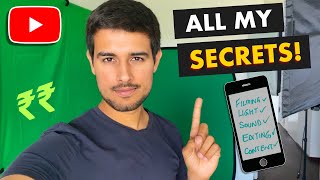
He shows his actual studio setup: two hanging lights, a green sheet, and a teleprompter, contrasting with the polished background seen in videos.
Dhruv started his YouTube career with just a mobile phone and emphasizes that you don't need expensive equipment to begin.
Use the back camera of your phone for better quality. Natural sunlight from the front provides the best lighting; stand in front of a window.
Practice talking to an object like an AirPod to simulate speaking to the camera. This helps improve delivery and confidence.
A professional microphone is optional if the room is quiet and echo-free. Use cushions or towels to reduce echo.
Most YouTube videos require a script. Dhruv writes 10-12 page scripts with bullet points, spending 3-4 hours to perfect a 10-minute video.
Don't stop the camera if you stumble; keep recording and edit out mistakes later. This maintains flow and saves time.
Vita is a free, user-friendly video editing app. He demonstrates cutting clips, adding music, transitions, speed changes, and effects.
Avoid copying successful YouTubers. Find your unique angle by combining your natural talents (e.g., research, public speaking) with hard work.
Release videos regularly and improve with each upload. Don't expect perfection from the first video.
Starting a YouTube channel is accessible with just a mobile phone and free tools. Focus on unique content, practice speaking, and edit diligently to grow your channel.
What is the best lighting setup for recording videos with a mobile phone?
Stand in front of a window so natural sunlight hits your face directly from the front.
02:25
How can you practice speaking in front of the camera?
Talk to an object like an AirPod as if you are telling a story to a person.
03:06
What can you use to reduce echo in a room without buying a microphone?
Place cushions or towels in the room to absorb sound and reduce echo.
03:51
How long does it take Dhruv to make a 10-minute video?
3-4 hours, because he repeats lines until satisfied with the delivery.
05:22
What is the recommended free video editing app according to Dhruv?
Vita App, which is simple to use and has no useless ads.
06:23
How can you remove the watermark in Vita App?
Toggle the watermark switch off in the settings.
08:51
What aspect ratio should you use for YouTube videos?
16:9 ratio.
08:37
Why should you avoid copying successful YouTubers?
Because viewers prefer the original creator, so you need a unique angle to stand out.
10:11
What combination of skills does Dhruv use to create his videos?
Public speaking, analyzing, researching, and videography.
11:39
Start with a Mobile Phone
Emphasizes that expensive equipment is not necessary to begin a YouTube career.
01:30Scripting is Crucial
Highlights the importance of preparation and practice over technical perfection.
04:37Content Uniqueness
Advises against copying others and encourages finding a unique combination of skills.
09:43Consistency and Practice
Stresses that improvement comes with regular uploads and not expecting perfection immediately.
12:06[00:02] Today, I'd like to make a video on a personal topic I'm talking about a "personal" video in the sense of my career and have requested me many times to make a video on this topic
[00:18] How to earn money from Youtube? And how do I make these videos? What is the truth behind them? First of all, this background should be removed because in reality, the background looks like this
[00:35] Before this, I used to make use of a green screen This is my studio set up these days
[00:48] There are two lights hanging, one green sheet that hands as well. And there's a third light down there I've even bought a teleprompter now The Netflix series that I have been filming- Decode with Dhruv Rathee- You can check it out if you haven't
[01:03] For this series, I was told by Netflix that the setup of my old studio was not sufficient and that the lighting wasn't great So, they told me to upgrade my setup so that they could make videos in collaboration with me You might recall, there used to be a table here
[01:17] If you compare with the videos today, the lighting in those videos were not that great But the set up is extremely good now, as you can see, but, you don't need such a huge and upgraded setup to start your Youtube career
[01:30] I started mine with merely a mobile phone In this video, I will tell you all that you can achieve on Youtube, with a mobile phone and without spending any money This awesome teleprompter that I have bought is actually Made In India
[01:45] Most of the videos that I have watched on how to start a Youtube channel- talk about technical things For instance, how to make an account on Google etc etc. But, But I'd like to tell you in detail that if you really want to make YouTube videos and want to pursue it as a career,
[02:00] Let us look at things point by point The first thing is- recording (how to film yourself) That is how easy it is to make videos
[02:12] But it is better to make use of the back camera of your phones, because in most of the phones, If you do not have studio lights, then you can make use of the natural lights- the sunlight- to make videos
[02:25] It is coming from this side and the video doesn't look good It looks the best when the sunlight comes from the front because the sunlight is coming from the front and hitting my face directly
[02:40] So, stand infront of the window and make videos for the best lighting This is a skill that you should have and this is not something that I knew right from my childhood
[02:53] I learnt this with trial and error over time and it requires some practice There is no one in the room and I'm talking as if I am speaking to a human
[03:06] To practice, initially I adopted the idea of taking any object- say this airpod- and just like you tell stories and talk to a person,
[03:21] Tell these airpods all that you did today This is how you can practice talking in front of the camera and what you need to do basically is tell stories to the object
[03:35] This microphone that I have bought is worth 5-6 thousand rupees I make my spotify podcasts with this microphone, which is even more professional But honestly speaking, if the environmental conditions are conducive in a room, then you will not need to buy a microphone
[03:51] If the voice in your room does not echo since there are not a lot of things here and the room is relatively empty And so I have placed these cushions here- it reduces the echo
[04:07] and have bought these sheets to reduce the echo too You can make use of sheets and towels- all of them reduce echoes The more your room is filled, the lesser you would need to buy a microphone
[04:21] This is the heavy weight camera that I am making use of these days But honestly speaking, it is only as effective as an iPhone if the lighting conditions are sufficient So, you can make use of whatever phones you have to make videos
[04:37] But more important that these technical things is- before making any video, on what you are going to say in the video. Have you researched on it?
[04:50] There are some exceptions to this though- for example, you do not need a script while vlogging But most of the videos that are made on Youtube, require a script Bhuvan Bam works on the scripts of his videos for weeks!
[05:07] My scripts look somewhat like this- the script is of 10-12 pages. There are bullet points and paragraphs and you can see that everything is not written line by line
[05:22] Things are explained here. I read them, understand them and then make you understand them and this is why it takes me 3-4 hours to make a 10 minute video because I keep repeating the lines until I am satisfied that I have delivered them perfectly
[05:38] and that the lines convey exactly what I want to say in a summarized manner And this is why I's like to say that when you make your own Youtube videos, there is no reason to get flustered if you stumble or say something wrong
[05:53] Let the camera run- That is what I do. The recording goes on and I keep on speaking After that, I cut out that part that I don't want and keep the part that I am satisfied with during editing
[06:08] Editing is one of the most important aspects for a Youtuber and if the editing is sub par, then even a good content can perform not so well You will get access to several free video editing apps on App store and Google Play store
[06:23] But one of the best apps for free video editing, according to me is Vita App It is very simple to use. For example, let me take this Switzerland clip
[06:35] Here is the editing option. Now, for the part I want to remove, I press edit and I can cut this part out very easily Let's see how it looks (and sounds)
[06:53] If I want the beat to overlap, I can move the sound clip around and place it These sound waves tell you that the music here is changing slightly
[07:10] You can resize it and decide where to place it in the video You can simply place this fire emoji at the desired place. The editing is as easy as that This is how memes, photos and any other icon can be added
[07:26] and I can join many clips together in this app Let me give you an example A clip that I have shot for this video itself
[07:44] You'll notice that I started to speak a little late, so there is no need for the part at the beginning You can see that I reduce this part and so the video starts from here I extend the music to this clip as well
[07:59] You can even add transitions in between to make the video look nicer and choose the kind of transition you want- the dissolve effect... Since, I like the black screen, I choose that one
[08:11] If you feel that the video is slightly slow, you can increase its speed And now, the video is a little sped up
[08:24] This is very easy to do as well. You can simply select the effects option- and there is the zoom in effect I really like this effect
[08:37] You can change the ratio here- a 16:9 ratio is used for shooting videos for Youtube You can easily change this on this app This is something that is difficult to do in most video editing apps
[08:51] Here, the watermark of the app is displayed. In most of the free video editing apps, there will be a water mark but, Toggle the watermark switch off in the settings
[09:04] As for the resolution, the highest one is the best . 1080p is full HD There are very few free video editing apps which have no useless ads and do not force insert their water marks either
[09:16] I will provide its link in the description below Editing is something that you will learn only through practice Experiment with it- where you should put some music and where you should cut the video
[09:31] where effects should be added- go with your feelings Think from a third person's perspective and evaluate how fun it is to see the video and then decide how you should edit
[09:43] Lighting, filming, sound, video editing- I've covered all of them But the most important thing for a Youtuber remains- his content What type of content would you want to make if you wish to become a Youtuber?
[09:55] How will you decide what type of videos you should make and how will you excel in that? How unique is your content? What most of the people do is look at a successful Youtuber like Technical Guruji
[10:11] and start making their own accounts names- Technical Rakesh, Technical Chintu, Technical Pintu because why would people want to watch you if you are making a copycat channel?
[10:23] The people would obviously prefer to watch Technical Guruji because he is original so why would people prefer to watch you? By uniqueness, I do not mean that you will have to think of an entirely new thing
[10:40] I am not saying that since Mumbaikar Nikhil and Flying Beast make vlogs, I cannot make them My vlogging channel has some unique things in different aspects
[10:53] Similarly, there are some unique things in the vlogs Mumbaikar Nikhil- which are no there in mine You can distinctly see how these contents are uniquely different on their own Had I copied that style exactly, I would not have been successful
[11:06] Similarly, when you make content, you will have to see what aspect can you be unique in And to make any type of unique content, you either should have the talent for that or you would need to work hard Take my example- I feel that I am naturally talented in researching and analyzing
[11:26] But public speaking was something I was not good at, naturally This is something I have learnt through hardwork and repeated practice
[11:39] So a combination of all- public speaking, analysing, researching and videography when used together to make a video makes a very good one because it employs all these great skills
[11:51] So, you too identify some skill sets that you are naturally good at Practice and make yourself even better and then, you can create unique content combining all these different skill sets
[12:06] And finally, when you release your videos, Keep releasing your videos regularly and with every video, As and when you release videos, you would do more and more practice,
[12:21] Do not think you will become perfect right with the first video Overall, I think I have covered all the aspects that you should know as a beginner to become a Youtuber I hope you would have found this video to be informative. Share it
[12:38] We will meet again in the next video Or maybe the next vlog! I would like to thank the Vita App for sponsoring this video
⚡ Saved you 0h 13m reading this? Transcribe any YouTube video for free — no signup needed.