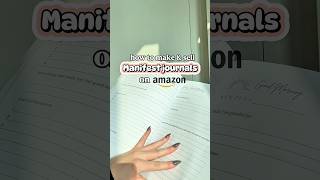

How I Made a Manifestation Journal on Amazon (No Experience!)
44sThe combination of a trending topic (manifestation) and the promise of a low-effort side hustle (no experience needed) is highly clickable and shareable.
▶ Play Clip"Delivers a basic walkthrough of the KDP process, but the 'no experience' promise is somewhat oversold given the reliance on outsourcing."
This video demonstrates how to create and sell a manifestation journal on Amazon using Amazon KDP, even with no prior experience. The creator outsources the book creation to a freelancer on Fiverr, uses Canva for an outline, and walks through the KDP upload process, highlighting the ease of the platform.
The creator hired a freelancer on Fiverr to create the manifestation journal because doing it herself was time-consuming.
She made an outline in Canva to communicate her vision to the freelancer, which resulted in files that matched her expectations.
The freelancer provided three cover options and the fully designed interior of the book.
To sell the physical book, you need to create an Amazon KDP account, which is the platform for selling on Amazon's marketplace.
You must come up with a title, description, keywords, categories, and choose the interior color and size (she chose 8.5x11).
Upload the pre-made files from the freelancer, and Amazon provides a preview of the book.
Set the price and upload the book to Amazon. The most complicated part is creating the book files, which she outsourced, so the upload process is easy.
Once approved, Amazon KDP takes care of printing, packing, and shipping, making it a hands-off business.
Starting an Amazon KDP business is accessible for beginners, especially by outsourcing the book creation to freelancers on Fiverr and leveraging Amazon's fulfillment services.
What platform does the creator use to outsource the book creation?
Fiverr
00:01
What tool does she use to create an outline for the freelancer?
Canva
00:29
What is the first step to selling a physical book on Amazon?
Create an Amazon KDP account.
00:57
What size did the creator choose for her journal?
8.5 x 11 inches
01:12
What does Amazon KDP handle after the book is published?
Printing, packing, and shipping.
01:50
Outsourcing as a Time-Saver
Shows that beginners can bypass the most time-consuming part of book creation by hiring freelancers.
00:01Using Canva for Clear Communication
Demonstrates a practical way to ensure outsourced work meets expectations.
00:29Amazon Handles Fulfillment
Highlights the hands-off nature of KDP, making it attractive for beginners.
01:50[00:01] create and sell a manifestation journal on Amazon and you don't need any prior manifestation journal, but I didn't want to create it myself because it's so timeconuming. So, I went over to Fiverr and I actually found a lot of options to
[00:16] me. I decided on a freelancer that I went ahead and wanted to work with her. So once I hired Trudy, I decided that I needed to make an outline for what exactly I was looking for in my journal.
[00:29] So I made one really easily in Canva. Creating an outline was really helpful because the first time that Shudy gave me all of the files, it was exactly what I was looking for. I was given three different cover options for my book and
[00:42] also the fully created interior of my book. After everything was ready, I had that I could start selling. You can create an Amazon KDP account, which is how you're going to sell the actual physical book on Amazon's marketplace.
[00:57] yellow create button, and then you can start the process of creating your book. have to come up with a title and description for your actual book. You'll fill in some keywords, you'll add the categories, and you'll also get the
[01:12] opportunity to pick what color you want your book to be on the inside. I chose an 8 1/2 by 11 size cuz I wanted mine a little bit bigger. And then I went ahead and started uploading all of the pre-made files that the freelancer made
[01:25] for me from Fiverr. And then Amazon will give you a preview of what your book love this part because I actually get to see the vision of what it's going to look like. Now I'm going to set my price and upload it onto Amazon. The good
[01:37] actually available to a lot of people in many different countries. And in my experience, the most complicated part is actually creating the book and the files which I outsourced. So this uploading process is not difficult at all. After
[01:50] approves it, this is what it will look like and it's ready to be purchased by a customer. Amazon KDP takes care of the printing, packing, and shipping. So it's And it's a really unique thing. So I highly recommend you check it out. And
[02:03] Fiverr has so many different options for freelancers to hire. So I definitely recommend you check it out. And there's more info in the caption.

⚡ Saved you 0h 02m reading this? Transcribe any YouTube video for free — no signup needed.