
Why Digital Products Are the Best Side Hustle
60sHighlights the lucrative potential of Etsy digital products with real revenue examples, appealing to aspiring entrepreneurs.
▶ Play Clip"Delivers a solid beginner's guide, but the 'FREE COURSE' promise oversells; it's a tutorial, not a full course."
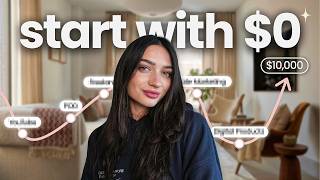
This video is a comprehensive guide for beginners on how to start an Etsy shop selling digital products in 2026. The creator walks through the entire process, from niche selection and product creation to setting up the shop, optimizing listings with SEO, and marketing strategies. Emphasizing the benefits of digital products—no inventory, no shipping, and passive income—the video provides actionable steps and tool recommendations to help viewers succeed on the Etsy marketplace.
The video introduces the opportunity of selling digital products on Etsy, highlighting that sellers create once and sell repeatedly, with no inventory or shipping, and Etsy handles delivery automatically.
The number one factor for success is deciding who you're selling to. It's important to pick a valuable niche with demand, specificity, and potential for multiple products, rather than a random niche.
Niche down examples: searching 'planner' yields 2 million results, but 'ADHD planner' yields 49,000, with examples like ADHD cleaning planners earning $8,000-$10,000 per month.
Validate by searching on Etsy, checking for bestseller badges and trending items, and analyzing successful sellers' positioning and photos. Use tools like Everbee Chrome extension to see revenue and trends.
Utilize AI like ChatGPT to validate product ideas by asking for demand analysis, similar successful products, and what would make a product stand out.
Digital products can be images, planners, templates, etc. Tools like Canva and KD (likely Kittl) are recommended: Canva for editable templates, KD for artistic prints. Templates must be customized to avoid copyright issues.
Create an Etsy shop using a new email, pay a one-time fee of $20-$35, choose a short, simple, niche-related shop name, and customize with a logo and banner.
Listings require a title, description, price, policies, and product upload. Use SEO: main keyword, secondary keyword, and details. Example: 'Budget Planner Printable, Money Finance Tracker, Debt Payoff Template PDF'.
Use a main image showcasing the product (e.g., mockup on iPad), plus additional images highlighting features. Indicate it's a digital download. Create mockups in Canva or use KD AI.
Price just below rounded numbers (e.g., $8.99 instead of $9), avoid random numbers, and don't underprice. Since digital products have no fulfillment costs, profit is higher.
External marketing isn't necessary initially; Etsy brings buyers. If desired, use social media, Pinterest (a search engine that converts well), and Etsy ads on already-converting listings.
Avoid copying other sellers (can lead to suspension), ensure SEO titles are descriptive, and don't give up too soon—most shops don't see sales in the first 1-3 weeks.
Starting an Etsy shop with digital products is a viable passive income opportunity, but success requires patience, consistency, and strategic niche selection. By following the steps outlined—research, creation, listing optimization, and marketing—beginners can build a profitable shop over time.
What are the three criteria for a profitable niche on Etsy?
Demand, specificity, and the ability to create multiple related products.
02:21
What is the benefit of selling digital products on Etsy?
No inventory, no shipping, and Etsy automatically delivers the download to the customer.
00:15
What is the recommended pricing strategy for digital products?
Price just below rounded numbers (e.g., $8.99 instead of $9) and avoid random numbers.
18:41
What is the most common mistake new Etsy sellers make?
Giving up too soon; most shops don't see sales in the first 1-3 weeks.
23:28
What is the purpose of using SEO in Etsy listings?
To tell Etsy what you're selling so it can show your product to the right buyers.
14:02
What is the recommended structure for an Etsy listing title?
Main keyword, secondary keyword, and additional details about the product.
14:28
What is the one-time fee to open an Etsy shop?
$20 to $35.
12:53
What is the benefit of using Pinterest for marketing Etsy products?
Pinterest is a search engine where people look for ideas and gifts, so pins often convert to Etsy sales.
21:12
What is the key to success on Etsy according to the video?
Choosing a profitable niche and being consistent; external marketing is not necessary initially.
20:19
What is the importance of adding your own creative elements to templates?
To avoid copyright issues and comply with Etsy's guidelines; you cannot sell a pre-made template as your own.
10:13
Niche Down Example: ADHD Planners
Demonstrates the financial potential of niche-specific products, with examples earning $8,000-$10,000 per month.
03:42Using AI for Validation
Shows a practical application of AI to save time and validate product ideas, a modern approach for new sellers.
06:02Template Customization Requirement
Highlights the legal and ethical need to add unique value to templates, preventing suspension and ensuring originality.
10:13External Marketing Not Necessary
Challenges the common belief that marketing is essential, emphasizing that Etsy's marketplace brings buyers if the product is relevant.
20:19Patience is Key
Stresses that most shops don't see sales for weeks, encouraging persistence and consistency as critical success factors.
23:28[00:02] digital products on Etsy in 2026, this video is for you. I'm going to walk you through my process and what I do in order to sell products on Etsy. We're going to be going over everything such as researching, picking what products to
[00:15] sell. And Etsy digital products are such a great opportunity because sellers are once and then can sell over and over again. So, for example, something like this downloadable invitation on Etsy has generated thousands of dollars a month
[00:29] products like this especially appealing is that there's no inventory and no shipping and no physical in fulfillment involved. Once the files created and listed, Etsy will automatically deliver it to your customer as a download. So,
[00:43] unlike a physical product, there's nothing additional that you need to do to fulfill it each time you get a sale. Millions of buyers are coming to Etsy make a purchase. Etsy is what's called a marketplace, meaning that there's active
[00:56] platform, selling lots of different things. Etsy will push your products to buyers. They bring the buyers to you. So, it's just about posting relevant your Etsy shop. You won't be starting from zero versus if you had to create
[01:11] your own website. There's more marketing and strategy involved in that. With minutes and then start listing products already to be purchased in the marketplace. All right, let's get into the actual process of how to decide what
[01:25] to sell on Etsy. So, the number one thing in success that I've seen over the helped is deciding who you're selling to. This can be really over complicated very easily. Sometimes people will get caught up on this and not actually
[01:38] and start spiraling through it. But do have an idea of who you want to sell to, something that you've heard before about on Etsy means that you're selling to a
[01:52] be pet lovers. Your niche could be lawyer or maybe you want to sell to different girly coette items. The list goes on and on for niches. But it's important not to just create a niche and to actually pick a niche that's valuable
[02:07] that we can sell in successfully. A lot of people will pick a random niche or posting listings and then wondering why they're not getting sales. We want to because it's a lot easier to sell to an established niche rather than trying to
[02:21] three things that we're looking at to know if we have a profitable niche or not that's going to be successful. The first is demand. Is there a demand already for this product? Are people actively looking and buying and want it?
[02:34] Two is specificity. Is there a way that we can be specific in that niche, meaning not too broad, so that we can actually market to people? And three, is it something that we can create multiple products for or products that relate to
[02:48] products, physical print on demand products, so on and so forth. Now, you absolutely can just sell a digital planner, right, for like 2026 like the ones that you see here. But full transparency that if you do niche down,
[03:02] I want to show you the benefits of that and how you can actually make way more money and get more visibility on Etsy. So, for example, on my Everbe Chrome extension here, I just typed in the word planner, which is not niched down. It's
[03:15] just a digital planner. Right? And we're seeing that there's around 2 million search results for the word planner now. If I were to type something ahead of this to make it more niche specific, so let's say ADHD planner and then search
[03:29] it, there's about 49,000 results or at least that are being analyzed. But still, that's cut way more than in half of how many people are selling this product. But we can still see here that there's a demand. They're getting
[03:42] monthly revenue. You can see that here. And sales on ADHD planners. This one here is an ADHD cleaning planner. So, that's pretty niche rather than just again selling a planner. And it's doing really good numbers monthly. $8,000 a
[03:55] month in revenue. Here's another one for an ADHD cleaning planner. So, obviously there is a market for that. Doing around $10,000 a month in revenue. And you're standing out and being niche specific. And then you could go ahead and sell all
[04:10] different sorts of ADHD planners in your store. You could also offer wall prints and then you'll see yourself kind of going more towards niche specific with that knowledge, let's talk about how we can actually validate our niche
[04:27] money with it. First step that you should do is go to Etsy and type in your interest in selling to. If I wanted to sell an ADHD planner, I would type that
[04:39] into the search bar and then take a look at what exactly is coming up. In a are selling this type of product because that again validates that there's a see if there's a lot of bestseller badges or trending to see if actually
[04:54] people are buying. That's a good way to see. What you do need to do is see what doing and then figure out how you can incorporate that and add something new looking at what's already working for other sellers that are successful, you
[05:10] also want to take note of how they're positioning or showcasing their products, meaning their photos. What types of ways are they showcasing it? Especially for digital products, because digital products are a digital download.
[05:22] It's not something that's physical. So, how are they showing the products being their photos? These are things that you're going to want to take into consideration when you create your listing. I'd also encourage you to
[05:35] consider using a Chrome extension like I did here. This can be very helpful and to just save you time. This is Everbee's Chrome extension. I use a few different favorites cuz it shows you growth rate trends and how much revenue the sellers
[05:49] goal is to make money. So, if other people are making money with it, odds are you can too. So, I find these very helpful. And I will link a tutorial on research. And then also I'll have links in the description for the ones that I
[06:02] use the most and recommend. Another method that you can use for your research is utilizing AI and things like chat GPT to validate if that product's a good idea to take your time to create. Here's an example of one that I use. It
[06:15] says I'm planning to sell then put your product type on Etsy target audience or your niche. Can you analyze if there's a demand? What are similar successful solve? And what would make a product stand out? This is a great ways to
[06:29] utilize AI and see what is actually beneficial for you and to save time. Again, now that we've done our research and we have an idea of what to sell, if to be creating our products. And creating your products is, in my
[06:43] put your own creativity and spin off of it. And don't be nervous if you're not a designer or you don't know how to create things. There's lots of different tools and apps that we can use to really help us with this process. Because we're
[06:56] creating digital products. These can be anything from a image. It can be a planner download templates. Anything digital is essentially something where when you purchase it on Etsy, your customer will get an instant download
[07:09] right after their payment confirms and they download it to their computer or device and have it instantly. And here's a few examples to give you some ideas of digital products that you can sell on Etsy. Of course, you want to apply the
[07:21] research and niche research that I just showed you before you go ahead and start designing, but these are just a few ideas if you're not really sure where to start yet. I'm sure you've heard of apps like Canva or KD. These are great
[07:33] digital design options and I'm sure you have an account on one of them or if not depending on what you're selling. I will say if you're somebody that's going to be selling different templates or outlines or planners as downloads or
[07:47] someone will be dragging and dropping something into, I would actually suggest using Canva because they have editable template links where your customers can edit templates. If you're selling something more on the artsy side or as a
[08:00] download where someone's going to print it, meaning maybe a resume template or maybe an art print or something along the artistic lines, I would recommend KD because they have more advanced designing and elements, graphics, all of
[08:14] that on there that just look better when printed or used in specific design. Both of these apps though, however, do have what's called templates. So utilizing templates is incredible because you can edit a already made template and make it
[08:27] with an actual starting point. So for example, if you go on Canva or KD and you type in the digital product you're trying to sell, most likely there is a template that you can follow and fill out to your own means or your own design
[08:41] process. You can see here on Canva that for digital planner, there's lots of templates that you can use and start creating with. Also, if you wanted to sell something like an ebook template or social media templates, they all can
[08:55] really be found on here. Even if you search something more niche specific like budget planner, you'll see that there's also these here like expense tracker. You could take something like this and make it completely your own and
[09:08] add in your colors or your more niche specific things. So on and so forth. There's also an AI you can use. Here I did a manifestation workbook where I gave it some things that I wanted to include and it actually did create
[09:22] something for me which I then again would have to add in on my own in the Canva editor. But still it's just a great place to start even if you're feeling overwhelmed with creating your digital product. On KD as well they have
[09:35] digital cards. So, if you wanted to make a template for that or a business card, you're thinking of creating something for people in the social media niches,
[09:47] you can find a lot of helpful things on KD as well. And I do recommend KD for downloadable art prints, which are very popular on Etsy, they have a lot of templates you can start with and then use their KD AI flows, which can create
[10:00] really beautiful things. I will leave a tutorial on both of these below so you can get started and actually create your digital product. And it doesn't have to be as hard as it seems, but the time that you put into it will definitely
[10:13] show in your results. Be very aware though when using templates that you are going to have to add your own creative design elements into this. You cannot take a pre-made template and sell it as your own. You need to add your own
[10:26] unique art into it or design your knowledge. whatever it is, you need to be adding something to it in order to go into Etsy's guidelines. I also want to mention that you can use AI to create your different digital products.
[10:38] selling, but if you're thinking of selling an ebook or a guide or a template, you do maybe want to see what's a specific outline or way that when you're creating from scratch, right? So, you can use Chachi BT. Here's
[10:53] an example of a prompt that you can use for this. So, you can say, "I'm creating a blank digital product for my blank audience to help them with X, Y, and Z. sections to include or design
[11:06] suggestions." As you can see, this gives us a lot of information. And we can implement this in creating our actual product. This even gives me color codes to use, specific sayings, headings, all of that. Just by asking chat GPT for a
[11:21] of that. Just by asking chat GPT for a Canva ready or KD ready outline for you to use and copy and paste, this can really save you time and I find it very helpful. But overall, in our digital product, it needs to solve a problem or
[11:33] be useful in a way that gives the person a reason to well to be downloading it or buying it. All right, now that we have our digital product created or our idea going to want to do is actually set up our Etsy shop. So, if you have not sold
[11:47] on Etsy before, it's very userfriendly to create an Etsy shop. And there's just going to leave a link in the description for Etsy that gives you your first 40 listings for free. It's usually 20 cents to list an item on Etsy, but your first
[12:02] below. Just make sure that you're using a new email address that you have not opened an Etsy shop with yet. Now, if you use that link below, it'll bring you to start selling on Etsy. You will have to sign up using some of your personal
[12:15] have to register because you will be making money. And you'll have to enter speak and the country that you're in and selling to. You'll also have to pick an Etsy shop name during your setup process. This can be changed later on,
[12:29] but I would recommend that you pick something that is short, is simple, it makes sense, and is relatable to your niche so that people can kind of get a feel for what you sell. And Etsy will ask you for two things. It will ask for
[12:41] a form of payment and a way to pay you. Both of these are necessary and totally normal when you're setting up a store and selling, especially on an e-commerce marketplace. When you do sign up to Etsy, you are going to have a fee for
[12:53] opening an Etsy shop, which is a 20 to $35 fee. It really can depend, but still, in my opinion, to open your own store, that's not a ton of money and it's a onetime fee. Once you have your Etsy shop created and it's ready and
[13:06] live, you'll then be prompt to actually start customizing your online store. These are very simple things. You'll want to create a quick shop logo and shop banner for your store. Obviously, again, that go along with what you're
[13:19] everything can be cohesive. These can also be created very easily in both the apps I mentioned earlier, such as Canva or KD. And I'm pretty sure both of them already have pre-made templates for Etsy banners and logos. So, very easy to use.
[13:34] we're going to move on to creating listings that actually sell. So, we have our product, we have our Etsy shop set up, we know who we're selling to. Let's talk about how those listings will actually sell. So, when you're setting
[13:47] up your Etsy listing on your shop, you will have to add a title, a description, a price, some policies, and then, of course, upload your digital product. your digital product and make them enticing so that a buyer actually wants
[14:02] to purchase. Etsy sellers rely heavily on SEO. This stands for search engine optimization, and this is just a fancy way of saying telling Etsy what we're selling so that they can put it in front of the right person. And with Etsy, you
[14:15] don't want to give too long and wordy titles, but you also want to be more specific than just having cute planner in your title. If you're selling a cute who would buy it? So, the way that I like to set this up is to have our main
[14:28] keyword, a secondary keyword, followed by additional details about the product. So, an example of this would be budget planner printable followed by money finance tracker followed by debt payoff template PDF. Then also if you wanted to
[14:43] include more details, it could be maybe the color or specific vibe, if it's aesthetic or if you want to add tan, pink, downloadable, whatever. Different words can also be added, but making sure that it all makes sense and it's not
[14:56] just a bunch of fluff and random words. And to find relevant keywords if you're not really sure where to start with this is to do an Etsy search as we did in the beginning. Very similar to when we're searching for trends or ideas is how you
[15:08] can search for keywords. You can check by seeing different keywords that show those show that they're working for those buyers and different keywords that are relevant again for successful listings in that niche. It's also a
[15:20] extensions if you're going to grab one and type in the different keywords in scores, how much those keywords are making, and the competition that they may have. I also really like to type in the first word of my product. So again
[15:35] with the ADHD example and then see what relevant searches come up on Etsy. This they're showing those to you. It's not random. Those are things that people looking for ADHD items are typing in. So that's definitely something you want to
[15:48] title, you'll be prompted to add some photos of your product. Your thumbnail image or your main image is the most important, but it should be followed by a few other images as well. I like to have my main image that showcases what
[16:02] exactly my product looks like. This can be a mockup on like a desk, a laptop, or um iPad depending on what the product is that I'm selling, especially for digital products. I also like to show a featured image that maybe highlights different
[16:16] things that the product has inside of it. A lot of sellers will do like a video showing if it's a template on how to use it or what exactly, you know, This can be really helpful, especially if it's something that the customer is
[16:29] themselves. You want to make sure that your sellers know that what they're purchasing is a digital download and not going to be shipped to them physically. Do not skip this step. Make sure that somewhere in your listing in your
[16:41] photos, it indicates that it is a digital product. And another great way will be relevant if you're not really sure where to start is to take a look at they're using, and then how can you implement different styles and
[16:54] techniques into your own work, but of course, not copying. You can use Canva to make these mockups. I searched iPad mockup. So, if you're selling a digital product and want to showcase it on an iPad, you can use photos like this. And
[17:06] then implement the cover image of your actual planner or product. Here's some I made for an invitation I was selling that was digital. It's basically all just made in Canva here using images that they had and then putting mine on
[17:18] top. But everything is a drag and drop system. So, if I wanted to bring this image in here, you can see it's being shown on the iPad for a digital product. That's pretty easy to do. You can also additionally use KD's AI for this. So,
[17:33] here's my just an example of if this was my planner on here. I would click and then I would insert a prompt of what I want it to create. I'm using a prompt I got from Chhat GPT on how to make a mockup to show this product being used
[17:48] on an iPad. And in just a few seconds, it will actually create the AI mockup way to make mock-ups for digital products. And I'll leave a tutorial of This just makes super professional
[18:02] variations of this. So, I do highly recommend it if you're somebody that wants to create something unique and bring your vision to life. Next will be where you give the details about your product, but also we can put a lot of
[18:15] keywords and help our title SEO in our description, too. You can mention things like different features about the product or how the customer will receive the product. I like to say the more information you put in your description,
[18:28] the less customer messages you'll receive. Just make sure that's clear and concise. Before you go live, you will also have to choose your price for your can be something that takes a bit of time to see what works for you. But
[18:41] down and save time with this process by testing different things out. I like to price just below rounded numbers. Meaning, if I was going to sell my product for $9, I would charge $8.99. I would also avoid doing random numbers.
[18:56] So like don't do $8.52. Try to keep it, you know, nice and cohesive or just keep the rounded number itself like $8, $9. Don't try to get if you're going to be running sales and stuff to not underpric your products
[19:11] straight download. Again, we're not dealing with profit versus revenue. So what they are, will have lower price points, but that's okay because it's money you're making from it is essentially yours. You you do have to
[19:26] can come with it, but it's not like we have to then go pay our print supplier or our manufacturer once it's downloaded. That's just straight passive in mind when pricing your products. Don't price too high. That's
[19:39] unrealistic. Check what other sellers are pricing their products. Check your Can you be around that area? But then don't charge too low because that can once you do all of these steps, you'll
[19:52] then be able to publish your listing on Etsy and it's live on the marketplace even though it can seem like a lot, once you start and you do the first few will become much easier for you to do even as a new seller. That was the
[20:06] like, "This takes so long. It's so much to do." But once I got in a rhythm, it was something that I had no problem doing and was doing multiple listings a day. Now, let's talk about marketing because a lot of people are curious
[20:19] about how to market their products on Etsy. One thing I do want to say is that beginning of the video, it is a marketplace. There's already active buyers. I was successful on Etsy for 6 months without an external marketing
[20:32] strategy. I did not think it was necessary, and it's honestly not as long are looking for. You can have a great product and market it everywhere. If no one wants it, they're not going to buy it, especially on Etsy. So, an outside
[20:44] marketing strategy is not the key to success here. It can amplify your Now, if you do want to have an external marketing strategy, I have some videos the description. But a few ways that you can do this are social media by posting
[20:58] the mockup photos you created on your Etsy listing and posting them to social You can share them with family and friends to have them maybe purchase from help that the momentum going for your shop. and maybe they can even, you know,
[21:12] start that by leaving that first review for you. I also recommend posting it to Pinterest. Pinterest is my secret weapon with Etsy. I absolutely love using Pinterest because Pinterest is a search engine and it's not the same way as a
[21:25] social media works. People go there for ideas, inspiration, gifts. So, a lot of Pinterest pins will actually convert to Etsy sales. And creating a pin takes your photos created. All you have to do is a title for your pin and description,
[21:41] which you can take keywords from Etsy that you used, or use THP to create this for you. And then, of course, leave a direct link to your Etsy product so that when someone clicks on your pin, they're redirected automatically to your Etsy
[21:53] so well rather than posting on social media. You can also run Etsy ads, which on the platform. Once you have a validated idea of what sells, I don't tell new sellers to just turn ads on everything. You can do ads on one or two
[22:07] products in your store, but I like to put my products out there and wait a bit buying or viewing and then amplifying those results by running paid advertisements, which I feel is a pretty relatable way because most people that
[22:20] lot of capital. So, you don't need to blow all your money right away on ads demand on your shop. So, I always like to say once you're getting favorites, maybe a sale or two, then go ahead and start running an Etsy ad on those
[22:33] listings that are already converting and already have traffic. So, now that you've seen this video, you know all the necessary steps to setting up your Etsy digital product. And I will challenge
[22:46] you for your first 30 days to really start and do this, especially in the new this, all you have to do is put the time and energy into it and you absolutely that actually put the time in versus the ones that try to start and then don't
[23:00] follow through. Consistency is your key and best friend here. But last thing I can affect your Etsy shop's performance. So, let's go over those really quickly. And the first I want to start out with is to not copy other sellers. This will
[23:13] get you suspended. This will get you bad, nasty messages. And overall, your mentioned, we want to have something that's new and valuable to the market, but while also being on trends. So, don't directly copy people. We also want
[23:28] SEO. Make sure that your titles make sense and are actually showing what your product is, not just putting a super bland, cute planner as your title. And mistake three, which is the most common mistake, is giving up too soon. Most
[23:43] shops are not going to see sales in their first week to even 3 weeks. This is normal. you're selling on a marketplace, it needs to understand you at first. So many people give up before like that happens. And it's frustrating
[23:55] to see as someone that helps people because I was patient. I put in the time life. So, I know that it's there. The success is there. You just have to be you'll really see the results. So, don't get caught up if you have your Etsy shop
[24:09] sales or even a few weeks. It takes time, but once it hits, it hits and you will make money. And now you're ready to go ahead and set up your Etsy shop and start selling products. I really hope that this video is helpful. I hope you
[24:23] it and apply it to your new Etsy shop. I'll leave links to everything I talked helpful and other videos that I've done that can help you to really streamline this process and make it feel easy and something that you really want to do and
[24:38] much for watching. I hope to see you in the next video and happy selling and I the next video and happy selling and I wish all the success to your Etsy
⚡ Saved you 0h 24m reading this? Transcribe any YouTube video for free — no signup needed.