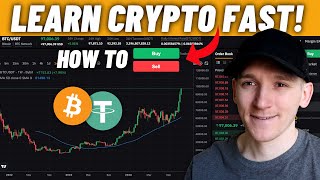

First Crypto Trade Made Simple
45sBeginners are eager for a clear, step-by-step guide to start trading, and this segment promises exactly that with a quick overview.
▶ Play Clip"Title accurately reflects the tutorial content; it delivers exactly what it promises."
This video is a beginner-friendly guide to making your first cryptocurrency trade on a centralized exchange. It covers how to deposit fiat currency, navigate a trading screen, and execute market and limit orders.
Recommended top exchanges: Binance, OKX, Bybit, Crypto.com, Coinbase. They offer similar trading screens and fiat on-ramps.
After signing up, go to wallet, select fiat currency (e.g., USD, EUR), and use bank transfer (SEPA, SWIFT) or fintech apps like Wise or Revolut. KYC (ID, passport, proof of address) is required.
Ensure you trade your deposited fiat against the desired crypto (e.g., BTC/EUR or BTC/USDT). The price varies per pair.
The order book shows buyers (bidders) on the bottom and sellers (askers) on top, with prices and amounts. This helps determine market liquidity.
Market order buys/sells immediately at the best available price. Limit order lets you set a specific price; the order waits until matched.
To sell, switch to the sell side, choose order type (market or limit), set price and quantity, and confirm. The trade swaps crypto for the quote currency.
The video provides a clear, step-by-step process for beginners to buy and sell crypto on centralized exchanges, emphasizing the difference between market and limit orders.
What are the recommended top centralized exchanges for crypto trading?
Binance, OKX, Bybit, Crypto.com, Coinbase.
00:14
What is KYC and what documents are typically required?
Know Your Customer; requires ID card, passport, and proof of address.
02:02
What is the difference between a market order and a limit order?
Market order buys/sells immediately at best price; limit order sets a specific price and waits for a match.
06:08
In the order book, where are buyers (bidders) and sellers (askers) located?
Buyers are at the bottom, sellers at the top.
04:48
What does a limit order of 93,000 for BTC mean?
You are willing to buy BTC at a price of 93,000 or better, but not above.
07:32
Top Exchanges Recommendation
Provides a clear starting point for beginners to choose a reliable platform.
00:14Market vs Limit Order Explanation
Fundamental concept for trading; clearly distinguishes between immediate execution and price control.
06:08Order Book Structure
Explains how to read market depth, a key skill for understanding liquidity.
04:48[00:00] In this video I'll show you exactly how to make your first crypto trade, how to navigate a trading screen, how to buy and sell and get money in and out of exchanges, timestamps and everything down below. If you are new to crypto, you'll need to choose a reputable centralized exchange to trade on.
[00:12] This is where you send your money, you can trade it for crypto and then if you want, sell it back to fiat currency and move it back into your bank account. Don't muck around with this, just go for one of the top exchanges, Binance, OKEx, Bybit, Crypto.com, Coinbase, 99% of users are going to do great here.
[00:27] Depending on which country you're in, you may have a better experience with one versus the other. And they do have different trading fees as well, so just check all of that out. I've got videos on all of that and I'll link them all down in the description so you can see comparisons of feature sets and trading fees.
[00:41] Trading fees is the main thing, so make sure you know what you're paying because some are different than others. But when you look at these exchanges, they're all the same thing. They let you buy and sell crypto and the trading screens are pretty much exactly the same. This is Fiverr, this is Binance right here, and this is crypto.com.
[00:57] the same thing. They let you buy and sell crypto, so it doesn't matter which one you use, just make sure the fees are good and you have good fiat currency on ramps in the region. Now, I've got some tools for all of these, and I'll link those down below in the description as well. If you want
[01:09] some deposit and trading bonuses on the exchanges I use, they will be linked below in the description. In order to go ahead and buy crypto, we first need to transfer some fiat currency into the exchange so that we have some value to swap into the crypto that we want to buy. So all of these exchanges are
[01:22] exactly the same. Once you've signed up for an account, go to your wallet, and it's going to show you a list of all of the assets that you can hold on the exchange. So for me, right here, you can see USD. And if I also search for Euro, you can see that right here. So I've got these
[01:36] two options for fiat currencies that I can deposit and withdraw from the platform. So if we search for USD, I'm going to press deposit, and it's going to ask me what I want to do, bank transfer, and it's going to give me these options, Euro via CEPA, USD via SWIFT. So as long as I've got
[01:50] this option from my bank or a fintech app like Wise or Revolut or anything else, you can transfer some value into the exchange and then go ahead and trade. Now if you want to do this you have to do KYC on the exchange that means know your customer, ID card,
[02:04] passport and probably a proof of address as well. They have to do this and so that's why I recommend just using the top exchanges you know you're not going to worry about anything while sending money in and out of these places. Once you've got some value on our exchange we can go ahead and trade that for any of
[02:17] the cryptos that are supported. So you can come to the trade screen, trade and and then spot trading. Like I said, all of these exchanges are exactly the same. Come to the spot trading screen and then choose the asset you want to trade.
[02:29] They would all look like this with a chart right here, an order book which is buyers and sellers the price that they wanna trade at and the amount that they wanna trade And then we can input our orders right here with the buy and sell buttons And we can choose the exact amount
[02:43] So what we want to do is we want to make sure that we're trading the pair that is appropriate for us. So if you've deposited some euros onto the platform or some dollars or anything else, you want to make sure that you're trading that against the crypto that you want to trade.
[02:57] So in the top left-hand corner, we can search for it. So let's say I want to trade some BTC. What I can do is search for all of the trading pairs. So what does Bitcoin trade against?
[03:09] Right here it tells me in the spot market, that's what we want to trade. It trades against USDT, USDC, USDE, Euros, and this is a different one, we won't worry about that. So basically, I can trade Bitcoin against these US dollar stablecoins or the Euro.
[03:25] Now, if you go over to crypto.com, that'll be USD, USDT, TYUSD, lots of the stable coins, right? And it's going to change depending on your region. So, if you've deposited a fiat currency, you want to make sure you go ahead and choose the fiat currency that you're using
[03:41] and the crypto that you want to buy, for example, Bitcoin. So, if I press this, you'll see that the price changes a little bit. That's because I'm actually looking at a completely different trading pair, which is Euro against Bitcoin. What this means, Bitcoin right here on the left-hand side and euros, we are essentially saying, how many euros does it take to buy one unit of Bitcoin?
[04:02] And the price is 89,500 euros. Of course, we can buy any fraction of a Bitcoin, so we can spend 10 euros, $50, doesn't matter. We can trade any fraction, but it's just the quotes that we're getting.
[04:16] So we know that for one BTC, for one unit, we have to spend this many euros. And if I switch this to something like USDT, which is a US dollar stable coin, so it tracks the US dollar one for one, so it's basically like trading in dollars, I can go to BTC right
[04:29] here, and I'm trading BTC against US dollars, or US dollar tether, and how many USDs does it take to buy one unit of BTC? 94,300 more or less. So that's what we need to do, and we need to choose the trading pair that we want to
[04:42] trade. All we have to do now is tell the trading system exactly how we want to go ahead and trade. So how much do you want to trade and what is the price that we're willing to trade at? So we can come to the order book right here and see exactly what's happening in the market right now.
[04:55] Down here to the bottom, these are buyers. We call them bidders. So they're bidding for Bitcoin in this example because we're trading the Bitcoin USDT trading pair. These bidders are showing us their bids and we can see the price that they're willing to trade on the left-hand side
[05:09] and then the amount of Bitcoin they willing to trade at that price on the right side Now this could be one or multiple buyers right here They just clumped together at certain prices Up here these are sellers and they showing us the amount of Bitcoin that they have
[05:22] and that they're willing to sell the price and the amount at that price. Now you can see it moves around a lot. So what we can do is we can just make sure that we're buying or selling and then the price that we're willing to trade at, we can enter that as well.
[05:36] So what we can do, you can see I've got $50 in here or $50 USDC. We want to swap that for some BTC. So what I want to do is go ahead and buy. So I'm a buyer because we're trading the Bitcoin pair. I want to buy Bitcoin.
[05:48] Bitcoin's on the left-hand side, right? You can see that right here. So we want to buy that BTC. Most trading platforms will actually just give you this anyway. So you can just be ultra sure you're buying, right? And then up here, we want to choose the parameters of the order.
[06:01] So what I'm going to do is I'm going to choose a market order right here. I'm going to press this. And what you can see is that the option to choose the price that I pay just disappeared. A market order is an instruction to the system where you tell it how much that you want to
[06:16] pay and you don't care about the price. So all I can do is choose how much I spend right now. So I've got USDC and let's say I want to spend 20 USDC. What I'm going to do when I press buy BTC is it's going to go out into the market.
[06:32] This is the real market right here of buyers and sellers. And as soon as I press, it's going to take my 20 USDC and it's going to go and buy it at the best possible price, which right now is this one right here.
[06:44] So the lowest offer, that's the cheapest Bitcoin I can buy and I'm going to buy that. But you can see the price moves around and I don't know the exact price that I'm paying because it's a market order and I'm not choosing that.
[06:56] I'm just telling the system I've got $20 right here, go and buy Bitcoin at the best price right now and you're going to get some sort of price. You don't know exactly but you'll go ahead and buy it. So let's press buy BTC, confirm, that's done. Okay so you just bought it immediately and
[07:12] you've got that BTC now and you can see right here that my 20 has been debited and I bought the Bitcoin. Market orders are fast and easy but it's slightly more professional to use limit orders and we can have more control over the trade. Choose limit right here and what we do now is choose the
[07:27] price that we're willing to trade at. So what I'm gonna do is put my order price in here with a limit of 93,000. What I'm telling the system now is that I'm a buyer,
[07:39] enter my order right now, I'm willing to pay 93,000 per one unit of BTC or if you get a better price than that that great too My limit though is 93 and I can pay above that So we going to go ahead and buy this amount of Bitcoin right here worth It going to work out of value times 93 per one unit You can actually buy this fraction of the BTC Buy BTC confirm And I haven bought the Bitcoin
[08:08] The reason being the market right here is trading at 94 and a half thousand per one unit. My limit is 93,000 so I'm too cheap. No one's going to sell me Bitcoin at 93 if the market is
[08:21] paying 94 and a half thousand. So what we can see is that my order is in, it's active or working, you've got the parameters right here and the system will keep it there on the order book waiting for a seller to come in and match with my buyer.
[08:36] So I'm a buyer at 93,000 or better. If a seller comes in and matches, I'll go ahead and trade. However, for right now, I can't trade because I'm not near the market, but I am working the order. If you want to go ahead and see the details here,
[08:49] you can edit them, you can edit the price and the quantity, or just on the right-hand side, you can cancel this order. That's cancelled. My order's out of the system now. I won't trade at all because I've not got an order in the system, and I can go ahead and edit the order.
[09:02] So if I actually enter an order of like 96,000, that's my limit. Well, my limit now is 96,000 and the price in the market is 94,500. I'll trade straight away because the system says your limit is 96,
[09:14] I can get it at 94, I'm going to trade immediately. You're basically trading a market order at that point. That is how you buy crypto, either with a market or a limit order. If you want to sell your crypto, it's the exact same thing. You just go to the sell side.
[09:26] So I'm going to sell and now I've got Bitcoin in my account that I want to sell. So I'm going to choose my order price now in USDC. So 100,000 USDC per Bitcoin. I want to sell 100,000.
[09:38] Quantity, choose the quantity that you want to sell and go ahead and enter that order. Now again, because this is opposite on the sell side, I'm going to press sell BTC like this. And you can see that my order won't trade because I want to sell 100,000.
[09:50] The market's only paying 94. So now I'm going to buy my Bitcoin more expensive. But it will be waiting for the price to get to 100,000 and I can automatically sell my BTC right there. And that will swap from BTC
[10:02] into the other side of the trading pair. On this occasion, it is USDC. But if you want to sell it back into the fiat currency, just make sure that you're trading the fiat currency pair that will sell back into the fiat, then you can withdraw it from the platform.
[10:15] If you want to go down the trading and investing rabbit hole, I highly recommend my four-hour trading course, free on YouTube. I'll link it down in the description. And the deposit and trading balances, the exchanges I use will be down there as well. I'm James, this is Mindy G. Thanks for watching and I'll see you in the next one.
⚡ Saved you 0h 10m reading this? Transcribe any YouTube video for free — no signup needed.