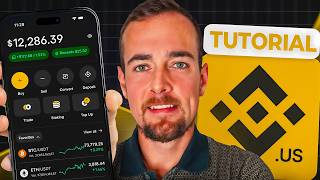

Binance: The World's Largest Crypto Exchange
43sEstablishes authority and credibility for beginners seeking the most popular platform.
▶ Play Clip"Delivers exactly what the title promises: a thorough beginner tutorial for the Binance app. Minor points for early subscription prompt and a failed demo, but overall solid."
This tutorial provides a comprehensive walkthrough of the Binance.US app for beginners, covering account setup, verification, bank linking, purchasing cryptocurrency, staking, and token conversion. It aims to equip new users with the knowledge to navigate the platform and execute basic trades.
Binance is the largest cryptocurrency exchange by trading volume, founded in 2017, with over 270 million users across 180+ countries. It offers a wide selection of digital assets and low fees.
To create an account, use the link ryanoscribner.com/binance or download the Binance app. US residents need a social security number, photo ID, and video selfie for KYC verification. Some states are not supported.
The homepage shows favorites (Ethereum, Bitcoin, BNB), market cap rankings, and explore tab with top gainers, new listings, etc. The portfolio tab shows balances, and the markets tab allows tracking.
Click 'Continue' on the homepage, select payment method (ACH), then link via Plaid. This allows instant verification and immediate deposits. The process failed in the demo but should work with supported banks.
Binance offers light and advanced charts. The advanced chart includes order book, trade history, technical indicators, and time intervals. The light chart is a simple line chart with key statistics.
Click 'Buy', select a cryptocurrency (e.g., Bitcoin), enter amount (minimum $1). Choose payment method, preview, and confirm. Binance.US supports about 190 tokens.
Staking allows earning rewards by locking up tokens to support the network. About 20 tokens are available, with varying reward rates and bonding periods. The Boost section offers temporary rewards for depositing assets, but carries additional exchange risk.
The convert feature enables direct token swaps without fiat, supporting about 135 trading pairs. To withdraw, go to Portfolio, select 'Transfer', then 'Withdraw Cash' or 'Withdraw Crypto' to send to external wallets.
The Binance.US app offers a user-friendly platform for beginners to buy, sell, and earn cryptocurrencies. With proper setup and understanding of risks, users can effectively manage their crypto portfolio.
How many users does Binance have?
Over 270 million users across more than 180 countries.
00:14
What is the minimum investment amount for buying crypto on Binance.US?
$1 increments.
09:15
What is KYC and why is it required?
Know Your Customer laws to verify identity and report trading activity to tax authorities.
01:37
How many tokens does Binance.US support for trading?
About 190 tokens.
03:49
What is staking in cryptocurrency?
Locking up coins to support blockchain network operations (verification, security, block creation) in exchange for rewards.
09:57
What is the benefit of the convert feature?
Directly swap between tokens without converting to fiat, reducing the number of transactions.
12:33
What is the bonding period for Ethereum staking on Binance.US?
Eight days with an unbonding period of nine days.
11:17
Binance's Market Position
Establishes the platform's credibility as the top exchange by volume.
00:14Staking Explanation
Provides a clear, beginner-friendly definition of staking and its purpose.
09:57Convert Feature Use Case
Highlights a time-saving tool for advanced traders.
12:33Risk Reminder
Emphasizes the lack of insurance and exchange risk, a critical warning for new users.
10:40[00:01] Binance tutorial for beginners, this is the video for you. We're going to be covering how to open an account, how to buy and sell cryptocurrencies, the beginner and advanced tools that are built right into the app, and more. Now,
[00:14] cryptocurrency trading platform by trading volume, and it was founded back in 2017. They have over 270 million users across more than 180 different countries. Binance is known for having one of the widest selections of digital
[00:30] assets, some of the best features, and low overall trading fees. So, let's jump real quick, guys, make sure you drop a like and subscribe to support this channel and help to make videos like this one possible. The first step is
[00:44] ryanoscribner.com/binance, and this is going to redirect you over to the app store, or you can simply just open up the app store yourself if you want and search for Binance. Now, since I'm in the US, I am going to be
[00:58] app, but there's a separate version of the app, the regular Binance app, if you are using it from other countries. Now, I already have it installed, so I'm just going to go ahead and open the Binance app now. Let's start by talking about
[01:11] Binance, and I already had an account that was partially opened here, so I won't be able to show you the full steps, but I will give you a quick recap of what's to be expected. For starters, you need to be a US resident for the
[01:24] Binance US version of the app with a valid social security number, and Binance is going to ask you for this during the verification process. Binance is required to collect this information because of KYC, or know your customer
[01:37] laws, to verify your identity and then potentially report your trading activity to the IRS through various tax forms. Now, in addition, the verification process might also involve taking a photo of the front and back of your
[01:51] government ID, as well as recording a short video selfie. And lastly, there are certain states in the US where Binance is not currently available. I'll put that on screen now so you can pause it and review it yourself. So, go ahead
[02:04] and take a look at that and make sure your state is supported with Binance.US. And then once you complete all of those verification steps, you will have to questionnaire. This basically asks you
[02:16] income, and things like that. And it's a required step to open just about any financial account today. After that, you have completed the basic verification of your Binance.US account. Now, depending on the features and trading limits that
[02:30] you're looking for, you might decide to do the advanced verification step here in the settings later on. But for most people, the basic verification is plenty next thing I want to do is give you a quick tour of the app and then we're
[02:43] going to break down the different features. So, on the homepage here, you and transfer. We're going to take a look at all of those shortly. There's also staking and this new boost section we're going to talk about. And below that is
[02:56] going to be a list of favorites. This is going to be the most popular cryptocurrencies. So, we have Ethereum, Bitcoin, and BNB, which is actually the native token associated with Binance. So, they do have their own token. If we
[03:09] click over here to market cap, this is going to be the largest cryptocurrencies in terms of the total amount invested in them. And we can see that list here. And then under the explore tab here, this is actually going to be lists of different
[03:23] cryptocurrencies. So, there's a top gainers section, new listings, most bought, staking assets, price drops, most sold, and most favorited. So, just for the heck of it, we'll click here on top gainers. And this is going to be
[03:36] tokens that have had the largest percentage increase in the last 24 hours. You can also sort this by new listings, uh most bought, and then go through all of those different lists that are pre-populated. Now, just in
[03:49] case you are wondering, Binance.US supports the trading of about 190 different tokens. So, you are going to have a very wide selection of assets available here for trading. But, we're going to scroll down now and
[04:01] keep on looking. We also have top movers listed there at the bottom. And then if you click over here to your portfolio tab, once you actually purchase cryptocurrencies in the app, you're going to see those listed here. And you
[04:13] have the option to deposit and withdraw in terms of funds from your bank account. And your cash balances are going to be listed below the cash balances section. Now, the next tab over here is going to be the markets tab.
[04:25] which you can customize yourself. And then you can take a look at stablecoins and then various trading pairs related to Bitcoin and then US dollar trading pairs. This is very similar to the other
[04:38] section we just looked at of the explore section. But, you can use this to track cryptocurrency prices and get an idea on what's going on in the overall market. button, this is going to show you your trading history as well as open orders.
[04:53] you actually start placing a trade here within the Binance app. The next section to be where you can learn about staking to talk about these separately in a little bit, so I'm going to leave that
[05:08] be for now. And then you have the hub here at the bottom right, which gives much the same sections of the app you can look at elsewhere. But, then you also have this news feed at the bottom, which can be a great way to keep tabs on
[05:21] And if you actually click on one of it opens right here within the Binance app and it doesn't have to open up in a separate browser tab or anything like that. And real quick, while we're in
[05:34] this section, I also want to show you the tax center. So, when you do have to go ahead and find your information related to your transactions for tax reporting, you can go ahead and generate those reports here and get that
[05:46] information that you need for your tax reporting. So, what we're going to do now is click on this continue button on the home page, which is going to prompt we're going to click here on the payment method here being ACH, and that's going
[06:00] automatically link our financial account. So, the benefit here is that this connection happens here in seconds and it allows for instant verification. That way you can deposit money immediately and start investing. So,
[06:13] continue button and then it's going to ask you for your phone number and then After that, it's going to kick back a two-factor authentication code, which I going to basically bring us right into Plaid. Now, if you haven't used Plaid
[06:29] yet, it might also prompt you to enter your bank login information instead of doing the phone number, uh but you're going to have one of two options there. And then from here, you're just going to select an account that you want to link
[06:41] to your Binance account from the list that populates here. And now since it's securely connecting the one account here to Binance, it shows us the processing screen. And unfortunately, I have a message here saying it failed to connect
[06:53] the account. I will try it one more time and hopefully it works. So, let's see it's giving me a problem here with my bank account and I don't have an alternative, so we won't be able to continue with the bank linking process.
[07:05] you the majority of what you need to know in the app without actually funding the account. But you could also see if you have other accounts that might work issue yourself. So, let's talk about purchasing cryptocurrency using the
[07:20] Binance US app now. The first thing I want to do is actually click here on the take a look at some of the trading options here and charts and things like that. So, let's go ahead and explore this together now. The first thing
[07:33] you'll notice here is I toggled between light and advanced. So, if you're looking for a more advanced charting, you can select the advanced section here and you can change this to different time intervals. And if you scroll down,
[07:46] you can also get a view of the full order book here for Bitcoin trading. You can also see your trade history, or actually the full trade history here of uh everybody purchasing and uh selling Bitcoin. And then the info section here
[07:59] is going to just tell you about the particular asset, how Bitcoin works, etc. Uh but for now, what we're going to do is just change around the time intervals. And you can toggle on or off these different technical indicators
[08:11] here at the top if you're looking to add or remove different elements to the chart. Uh you can also put two fingers on the chart here to move the chart around and uh get different views. But for now, what we're going to do is
[08:24] that's just going to return us to a basic line chart view. So, with the light chart, it's just going to be a line price chart here. You can change the time horizons here at the bottom, but that's pretty much it. And then if
[08:37] you scroll down here, you can get some key statistics surrounding Bitcoin, uh what the price action has been in terms of the lows and the highs. You can see the market cap, daily volume, circulating supply, and then an
[08:49] which is going to be specifically related to Bitcoin or whatever cryptocurrency that you are looking at. Now, if you are ready to purchase it, you can click on this button here at the bottom. Or if you click on the X, you
[09:02] can just click on the buy button here on the home page, and then select from this very large list here of, as we said, about 190 different cryptocurrencies. So, we're going to select Bitcoin, and at this point, we're going to enter the
[09:15] purchase. And one of the benefits to using Binance.US is that you can invest with $1 increments, so you don't need to have a ton of money here to get started with crypto investing. Now, as mentioned, I couldn't link my bank
[09:29] going to be able to proceed here, but your next step would be choosing your payment method here from the ones listed, and then you would click on the continue button or the preview button, verify the transaction details, and then
[09:43] confirm that transaction. The next section of the app I want to show you is can click right here on the stake button, or you can click on earn here at the bottom right. And this is going to allow you to earn rewards by staking or
[09:57] locking up various tokens. Staking is basically a way to earn rewards by helping to run a blockchain network. And when you stake your crypto, you're basically locking up these coins to support the overall network. By doing
[10:10] verify transactions, keep the network secure, and create new blocks. So, it's they're looking to earn a little extra money on their cryptocurrencies. In return, the network pays you rewards for doing this, and it's kind of similar to
[10:25] account. But just keep in mind, bank accounts have FDIC insurance, and this type of thing doesn't have insurance in place. So, with that said, guys, I do you have to look into the risks and benefits of any of these features like
[10:40] staking or the boost feature I'm going to show you here on your own, because this is definitely not a strategy recommendation or anything like that. I am merely showing you these different features here for demo purposes. That
[10:52] way you have a full idea of the scope of the app. But on this page here, you can see a list of all of the different tokens available for staking, and it's a list of about 20 different tokens. And that's quite a bit here compared to what
[11:05] you might find with other crypto exchanges. So, the Binance US app is pretty popular for those who are interested in staking cryptocurrencies. For example here, if we click on Ethereum, we can see that the rewards
[11:17] rate is currently 2.2%. The processing time is up to three business days, and then the bonding period is eight days with an unbonding period of nine days. That's going to be different depending on all these
[11:29] different tokens, and that is going to essentially be how long you need to lock up that cryptocurrency, but again, you want to look into the full details and learn more about this yourself before committing your digital assets to this
[11:41] the boost section of the app here is where you can earn crypto rewards in exchange for temporarily depositing your eligible assets. This is going to include campaigns here for smaller tokens, as well as the option to boost
[11:55] tokens, as well as the option to boost with Bitcoin, USDT, and USDC. But again, guys, you need to look into the benefits and risks associated with this on your own. I'm not familiar with the boost section of the app, and you do want to
[12:07] keep in mind that there is definitely exchange risk present with any cryptocurrency exchange, and keeping your tokens on exchange or potentially lending them out for this type of thing is going to add more risk. So, yes, you
[12:20] can potentially earn rewards or interest on this, but just keep in mind there is always going to be additional risk present when you use features like that. Now, the next thing I want to show you here is how to convert tokens in the
[12:33] the home page, and you can see here there is a convert button, and this is where you can basically swap from any one token to another token without having to go into fiat in between, and this cuts down on the number of
[12:47] transactions. So, currently there's about 135 different tokens you can directly swap between, and you can click here on the from section to get a list since I don't have anything here, it doesn't list anything currently. Um and
[13:01] then the two section, you can also get a list. Um and this will show us pretty much all of those supported, roughly 135 tokens that you can swap into and out the dollar amount you're looking to swap, and you can convert from one token
[13:16] directly to another, uh without having to make a pit stop here in between a US dollar coin or potentially a fiat currency. And then let's say Say looking to sell a cryptocurrency, you're going to click here on that sell button next
[13:29] to buy, and I don't have anything listed here just because I wasn't able to actually make a crypto purchase, but if you did, you would see all of the tokens that you own listed here. You could then select that, process a sell transaction,
[13:42] and then that money would either go to your US dollar balance or to your stablecoin balance. And I'll just show you that once again, you would click here on the portfolio tab, and you would see your cash balances listed here. So,
[13:55] in this case, the stablecoin used is USDT or Tether, and the US dollar balance. So, if you're actually looking to get funds to go back to your bank account, you're going to want to have that be in your US dollar balance. And
[14:09] your bank account, you're going to click here on the home button, and then you're right here where it says transfer, and this is where you can either deposit cash, deposit crypto from another wallet, withdraw cash, or withdraw
[14:24] crypto, meaning send it out to a different wallet. So, you would simply click here on withdraw cash, and then you would enter the dollar amount you're looking to withdraw, select the payment method listed there, and then click on
[14:36] the preview and then continue button. And then real quick, just to show you that section, if we click here on transfer and then deposit crypto, this is where you would then be able to deposit cryptocurrencies from an
[14:49] external wallet address. So, if we type in Bitcoin, for example, this is going to bring us over to our Bitcoin wallet address. So, you would copy that, and then you would paste it in your uh cryptocurrency exchange or whatever
[15:02] wallet you're looking to send this over from, and then you can process a transfer like that and send over your cryptocurrencies. And you can also select the transfer button here and withdraw crypto if you have tokens in
[15:14] the Binance US app that you're looking to send to a hardware wallet, a different exchange, or anything like that. There you have it, guys. that's a quick start guide here to the Binance US app. I hope it helps you to get started
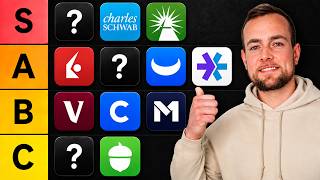
[15:27] And if you have any questions, be sure to leave me a comment down below and you're looking to learn more about different crypto trading platforms, you can check out my next video here ranking the top seven. Thanks for tuning in guys
[15:42] the top seven. Thanks for tuning in guys and I'll see you next time.



⚡ Saved you 0h 15m reading this? Transcribe any YouTube video for free — no signup needed.