
Why Your Channel Description Matters
50sDirectly addresses creators' desire for more subscribers and sponsors, making it highly relatable and actionable.
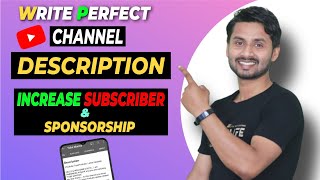
▶ Play ClipThis video provides a step-by-step guide on how to write a professional YouTube channel description. The creator emphasizes the importance of a well-crafted description for attracting subscribers and sponsors, and outlines a specific structure to follow.
A professional channel description is crucial for making a good impression on new visitors, leading to more subscribers and sponsors.
YouTube allows up to 5000 words for the description, but it's best to keep it concise so viewers can quickly understand the channel's niche and theme.
Log in to YouTube, go to your channel homepage, click 'Customize Channel', then navigate to the 'Basic info' tab to edit the description.
It is recommended to write the description in a mix of Hindi and English (Hinglish) to appeal to a broader audience, rather than using only one language.
The first 150-200 words should clearly state the channel's niche and what it offers, avoiding unnecessary greetings or personal introductions.
When users search for a channel, the first few words of the description appear in search results. Starting with the niche helps attract the right audience.
After stating the niche, explain what viewers can expect (e.g., types of videos, upload frequency, and timing) and highlight the benefits of watching.
Include a clear call to action to subscribe, then add links to other social media profiles and websites. Finally, provide a business email for sponsorship inquiries.
A professional YouTube channel description should be concise, start with the channel's niche, explain the content, include a call to action, and provide social links and a business email. This structure helps attract subscribers and sponsors.
What is the maximum word limit for a YouTube channel description?
5000 words.
0:57
What language combination is recommended for a YouTube channel description to reach a broader audience?
A mix of Hindi and English (Hinglish).
2:00
What should be included in the first 150-200 words of a channel description?
The channel's niche and theme.
2:38
Why is it important to start the description with the channel's niche?
Because the first few words appear in search results, helping attract the right audience.
3:09
What should be included after describing the channel's niche?
What viewers can expect: types of videos, upload frequency, timing, and benefits.
4:15
What is the purpose of including a call to action in the description?
To encourage viewers to subscribe.
5:24
What should be placed at the very end of the channel description?
A business email address for sponsorship and collaboration inquiries.
6:09
Channel Description Importance
Establishes the core premise that a professional description drives subscribers and sponsors.
Niche-First Strategy
Provides a specific, actionable technique for optimizing the first 150-200 words for search visibility.
2:38Search Result Benefit
Explains the practical reason behind the niche-first approach: it appears in search results.
3:09Call to Action Necessity
Highlights the importance of explicitly asking viewers to subscribe after providing value.
5:24[00:00] हैं हेलो गाइस वेलकम टू टू मगर मेरा नाम
[00:01] है अमरेंद्र कुमार दोस्तों इस वीडियो में
[00:03] आप चैनल डिस्कशन के बारे में बताएंगे उस
[00:05] वीडियो आप जानेंगे हम अपने YouTube चैनल
[00:07] के लिए कैसे एक प्रोफेशनल चैनल डिसेप्शन
[00:09] देखना है दोस्तों चैनल डिस्क्रिप्शन काफी
[00:11] इंपोर्टेंट चीज होता है जो हमारे चैनल को
[00:13] एक प्रोफेशनल चैनल बनाता है तो जब भी कोई
[00:16] नया वह हमारे चैनल पर आता है तो हमारे
[00:18] चैनल का लोगो चैनल आर्ट और चैनल
[00:20] डिस्क्रिप्शन देखकर इंप्रेस होता है उसके
[00:22] बाद सब्सक्राइब करता है तो जो मैं तरीका
[00:25] बताने वाला हूं इस तरीके से अगर आप चैनल
[00:26] डिस्क्रिप्शन वृक्ष हैं तो आपके
[00:28] सब्सक्राइब तो बढ़ेंगे ही साथ ही साथ आपका
[00:30] चैनल प्रोफेशनल लिखेगा और आपको अधिक से
[00:33] अधिक स्पॉन्सर से मिलेंगे तो अगर आप इस
[00:36] चीज में इंटरेस्ट है कि कैसे एक प्रोफेशनल
[00:38] चैनल डिस्क्रिप्शन लिखें तो आप इस वीडियो
[00:40] में बने रहिए दूसरी वीडियो को अच्छा लगे
[00:43] पसंद आए तो इस वीडियो को लाइक कर दीजिए और
[00:44] आप ऐसे ही YouTube लर्निंग और ईयर्स मध्य
[00:47] वीडियो देखना चाहते हैं तो आप इस चैनल को
[00:50] जरूर सब्सक्राइब कर ले जाएगा तो चलिए
[00:51] वीडियो को शुरू करते हैं शुगर अभी आप
[00:54] स्क्रीन पर देख पा रहे है मेरे चैनल का
[00:55] डिस्क्रिप्शन दे रहा है आपको यहां पर
[00:57] स्पेशली करने के लिए 5000 वर्ड मिलता है
[00:59] लेकिन ऐसा नहीं
[01:00] पूरा का पूरा 5 वर्ष में डिस्क्रिप्शन को
[01:02] एक दिन है आपको कम से कम शब्दों में यहां
[01:04] पर डिस्क्रिप्शन को लिखना है ताकि जो भी व
[01:06] आपके चैनल पर आया उनको कम शब्दों में पता
[01:09] चल जाए कि आपके चैनल का नुस्खा है आपके
[01:12] चैनल कमेंट थीम क्या है तो अब आपको ले
[01:14] चलते हैं अपने सेकंड YouTube चैनल टॉक्सिन
[01:17] टिप्स फॉर और उसी पर आपको दिखा रहते हैं
[01:19] कि चैनल का डिस्क्रिप्शन कैसे लिखते हैं
[01:22] तो उन्हें चलते आपको लैपटॉप स्क्रीन पर
[01:25] में सबसे पहले आपको YouTube में लॉगिन हो
[01:27] जाना है और लॉगिन हो जाने पर आप इस चैनल
[01:29] का होम-पेज कुछ इस तरह दिखेगा तो आपको
[01:31] यहां पर कस्टमर चैनल पर क्लिक कर देना है
[01:33] और कस्टमर चैनल पर क्लिक करने के बाद आपके
[01:35] सामने कुछ इस तरह का इंटरप्रेस ओपन हो
[01:37] जाएगा आपको यहां पर लिया और ब्रांडिंग
[01:39] बेसिक इन्फो यहां पर तीन लोग जाएंगे आपको
[01:41] बेसिक इनफॉरमेशन ले जाना है बेसिक इन्फो
[01:43] में जाने के बाद आपको आपके चैनल का एड्रेस
[01:45] के साथ लिखने का ऑप्शन मिल जाएगा आप यहां
[01:48] पर देख पाएंगे मेरे चैनल के डिस्क्रिप्शन
[01:50] दिख रहा होगा तो दोस्तों अब बात करते हैं
[01:52] कि अपने चैनल के डिस्क्रिप्शन कैसे लिखें
[01:54] दोस्तों यहां पर लिखने की बात है तो भाई
[01:56] हम इंग्लिश या हिंदी यह इन्हीं 2 लैंग्वेज
[01:59] में लिख सकते हैं
[02:00] है लेकिन आजकल का जो भी प्रचलन है जो भी
[02:02] ट्रेन है दोस्तों आप इंग्लिश यानी हिंदी
[02:05] और इंग्लिश को मिक्स करके लिखिए ऐसा नहीं
[02:07] है कि पूरा कपड़ा डिस्क्रिप्शन हिंदी में
[02:09] लिख दीजिए अगर हिंदी में लिख देंगे तो भाई
[02:11] डूबी रफ़ी चैनल त्यौहार यह तुम गजब का
[02:15] YouTube पर है अच्छा इंप्रेशन नहीं बनेगा
[02:17] पूरा का पूरा एड्रेस लिख देंगे तो अब जो
[02:19] जिसको इंग्लिश समझ में नहीं है कि यार यह
[02:20] तो पूरा का पूरा इंग्लिश में लिख दिया है
[02:22] तो आप हिंदी और इंग्लिश मिक्स करके लिखिए
[02:24] यानि इंग्लिश लैंग्वेज में रखिए और जो
[02:27] सेकंड चीज है वह ऐप रिप्रेजेंटेशन ऐसा
[02:29] नहीं है कि डिस्क्रिप्शन कहीं से कुछ भी
[02:31] शुरू कर दीजिए फिलहाल कर दीजिए फिर अपने
[02:33] चैनल करने इस वृद्धि नहीं टैक्स इस्टीमेट
[02:35] इस तरीके से आपको लिखना होगा तो अब देखिए
[02:38] आपको करना क्या है फर्स्ट का जो डेढ़ सौ
[02:41] दो सौ वर्ड है उसमें आपके चैनल का जो भी
[02:43] 19 है वह लिखना है ऐसा नहीं है कि फास्टेड
[02:46] फॉर दौर में आपको हाय हेलो कर देना कहा है
[02:48] मायने में जो भी आपका नाम है और ऐसा कुछ
[02:51] नहीं करना है आपको पहले डेढ़ सौ शब्दों
[02:53] में अपने प्राणों कर दें इस नुस्खे लिखना
[02:56] है आपके चैनल कमेंट हमने काफी चैनल पर किस
[02:58] तरह पॉवर होता है कि
[03:00] अपनी वीडियो आते हैं तो देखिए अभी मेरे
[03:02] चैनल का रिएक्शन देख पा रहे हैं यहां पर
[03:03] लिखा हुआ है टैक न्यूज अनबॉक्सिंग YouTube
[03:06] टिप्स एंड ट्रिक्स गैजेट रिपोर्ट इसका
[03:09] फायदा बताऊंगा पहले डेढ़-दो सब मगर से
[03:11] लिखते हैं तो इसका फायदा क्या होगा इसके
[03:13] बाद दोस्तों आप देख पा रहे हैं यहां पर
[03:14] मैं थोड़ा सा हाईवे कर दिया है और नाम भी
[03:16] दे दिया है और अपने चैनल के नाम पर दे
[03:18] दिया है तो अब इसका फायदा बताते हैं कि
[03:21] पहले डेट्स वह अपने चैनल कनिष्ठ लिखेंगे
[03:24] थोड़ा सा हालांकि नाम देंगे तो इसका फायदा
[03:25] यहां पर देखिए यहां पर मैं आपको अभी दिखा
[03:28] दे रहा हूं दोस्तों देखिए यहां पर यूट्यूब
[03:30] ओपन हो गया है वाले कोई भी ऊपर आपके चैनल
[03:33] को यहां YouTube में या कहीं भी सर्च करता
[03:36] है लेकिन यहां पर मैं फिर अपने चैनल अपने
[03:38] चैनल को यहां पर सर्च करता हूं मैं
[03:43] इस तरीके से यहां पर क्या रिजल्ट आता है
[03:45] यहां पर मैंने अपने चैनल को सर्च कर दिया
[03:48] YouTube में जाकर मैंने अपनाया काफी चैनल
[03:50] को यहां पर सर्च किया तो देखिए यहां पर
[03:51] रिजल्ट क्या आता है अगर आप अच्छे तरीके से
[03:54] डिस्क्रिप्शन लिखेंगे तो अच्छा रिजल्ट
[03:56] आएगा देखिए यहां पर मेरे चैनल को यहां पर
[03:58] डिस्क्रिप्शन आ गया और शुरू में ही मेरे
[04:00] चैनल कनिष्ठिका यहां पर यह जो भी मैं चैनल
[04:03] करने से और उसके बाद देखिए यहां पर मेरा
[04:05] जो है नाम दिया गया तो दोस्तों कहने का
[04:08] मतलब है कि शुरू कुछ बीड्स व्हाट्सएप
[04:10] इसमें आपको अच्छे तरीके से लिखना है पूरा
[04:12] कहानी नहीं लिख देना है अब चलते हैं सेकंड
[04:15] टिप्स की तरक्की और आपको क्या करना है तो
[04:18] आप उसे इस वर्ष में अपने चैनल के लिए तो
[04:20] नाम अगर लिखने के बाद उसके बाद क्या करना
[04:22] है आपको अपने Vivo को बताना है कि आप मेरे
[04:26] चैनल पर क्या क्या देख सकते हैं यह
[04:28] क्या-क्या शिक्षक पर चैनल पर क्या क्या
[04:30] बताया जाता है तो यहां पर आपको मेंशन करना
[04:33] है कि भाई आप मेरे चैनल को मेरे चैनल पर
[04:36] वीडियो को देखते हैं तो क्या-क्या इसके
[04:38] एडवांटेज से क्या-क्या इसके फायदे हो सकते
[04:40] हैं दोस्तों अपने चैनल का एडवांटेज बताने
[04:43] कि आप यहां पर नीचे कुछ इस तरह आप अपने
[04:46] चैनल के बारे में रख सकते हैं कि आप अपने
[04:48] सप्ताह में कितने वीडियो लाते हैं या एक
[04:50] मंच में कितनी वीडियो लाते हैं उसके बाद
[04:53] आप यहां पर टाइम भी दे सकते कि किस टाइम
[04:55] में आप वीडियो लाते हैं अब मतलब यहां पर
[04:58] यूज हृदय सकते हैं कि जरूरी नहीं है अब इस
[05:01] टाइम में वीडियो लगभग-लगभग ही जाता है
[05:03] इसके अलावा आप चैनल कम सुन कि यह भी लिख
[05:07] सकता है क्योंकि दोस्तों जब आपने जीवन बना
[05:09] होगा तब आपका चैनल यह क्रिएट करने का
[05:12] दिखाएगा लेकिन यहां पर आप जब अपने अपना
[05:14] चैनल शुरू किया है तो यहां पर आप दिखा
[05:16] सकते हैं इसके अलावा दोस्तों आप अपने चैनल
[05:19] का यहां पर तो वे दिखा सकते हैं माइलस्टोन
[05:21] दिखाता यह लिखने के बाद दोस्तों आपको यह
[05:24] काम जरुर करना है इसके बाद दोस्तों आपको
[05:26] कॉल टू एक्शन कर रहा है क्वालिफिकेशन का
[05:28] मतलब यह होता है कि यह सच्चाई से लिखने के
[05:31] बाद आप यहां पर देख सकते हैं कि सो गाइस
[05:32] यू कैन सब्सक्राइब में एंड कि फिर मतलब है
[05:36] कि सब्सक्राइब कर लो और सपोर्ट कर ऐसा कुछ
[05:39] मत लीजिएगा सारा चीज बताने के बाद भी जो
[05:41] डिस्क्रिप्शन पढ़ा होगा अगर यहां तक
[05:43] लगेगा तो यह सब्सक्राइब वाली बातें पड़ेगा
[05:45] तो सब्सक्राइब जरूर करें क्योंकि इतना
[05:48] डिस्क्रिप्शन करने के बाद भाई कुछ तो
[05:49] इंटरेस्ट का तभी पड़ा है उसके बाद आपको
[05:52] क्या करना है अपने चैनल पर अपना चैनल
[05:55] डिस्क्रिप्शन में अपने बीच सोशल मीडिया है
[05:57] जैसे कि आपको अगर कोई अनदर YouTube चैनल
[06:00] है तो उसका लिंक दे सकते हैं Facebook
[06:01] लिंक दे सकते हैं इंसान का लिंक दे सकते
[06:03] हैं आपके पास कोई वेबसाइट है तो उसका लिंक
[06:05] दे सकते हैं यह सारे लिंक देने के बाद अब
[06:09] आप बिजनेस करियर के लिए सबसे नीचे मिल आप
[06:12] अपना एक ईमेल id देनी चाहिए क्योंकि मामले
[06:14] में इसको भी बिजनेस करना वह आपको डाइरैक्ट
[06:17] नीचे आकर आपका जीमेल अकाउंट रीड कर लगा और
[06:20] वहां से आपको बिजनेस के लिए कांटेक्ट कर
[06:22] पाएगा तो दोस्तों इस तरफ अपने चैनल के लिए
[06:24] एक प्रोफेशनल डिस्क्रिप्शन नहीं सकते हैं
[06:26] तो इस वीडियो में आपको इतना ही बताना था
[06:29] और यह वीडियो काफी लंबा भी हो गया और आप
[06:32] यहां तक इस वीडियो को देख रहे होंगे इस
[06:33] वीडियो को लाइक जरूर कर दीजिएगा और अपने
[06:35] भाई को सपोर्ट करिए चैनल को सब्सक्राइब
[06:39] नहीं किए हुए चैनल को सब्सक्राइब कर लीजिए
[06:41] का या तो मिलते हैं आपसे किसी और वीडियो
[06:43] तक
[06:43] कि
⚡ Saved you 0h 06m reading this? Transcribe any YouTube video for free — no signup needed.