
14 Signals, 3 Losses, $6,344 Profit
45sThe promise of high returns with a specific dollar amount grabs attention and creates curiosity about the strategy.
▶ Play Clip"The title promises a specific profit, but the video is essentially a platform promo with vague strategy talk and a heavy push to sign up."
The video is a promotional tutorial for the Weex cryptocurrency exchange, presented by a trader who claims to have made $6,344 in a week by following his trading signals. The content focuses on how to set up and use Weex for futures trading, including a step-by-step guide on placing trades, managing risk, and participating in airdrops.
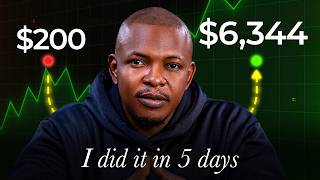
The presenter claims that last week they dropped 14 signals, with only 3 losses, and that risking $200 per trade could have yielded $6,344.
Weex allows stacking of trades, meaning the same capital can be used for multiple trades simultaneously, maximizing capital efficiency.
Viewers can qualify for airdrops and bonuses up to $30,000, and there is an upcoming $10,000 to Christmas trading challenge starting September 1st.
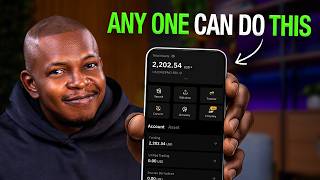
The app has sections for home, market, futures, spot trades, and assets. The asset section shows balances in futures, spot, and funding accounts.
Auto earn allows earning interest on unused funds. The WE launch section explains how to earn airdrops by buying and holding 1,000 WXT (about $34).
The presenter recommends using cross and separated modes for stacking, keeping leverage at 400x, and ensuring the trade amount is in USDT and set to 'order by value'.
The strategy involves identifying breakout structures on higher timeframes, refining entry zones on lower timeframes, and using demand and supply zones to predict price movements.
The presenter uses a position calculator to determine position size based on risk amount, entry price, and stop loss, ensuring correct trade sizing.
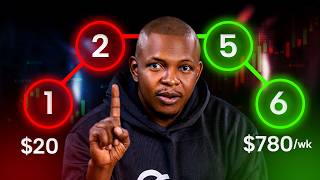
Stacking involves entering multiple trades with the same capital, protecting initial risk by moving stop losses to breakeven on the first trade.
The video serves as a promotional guide for Weex, emphasizing the platform's features and the presenter's trading strategy, while encouraging viewers to join his signal group and participate in trading challenges.
How many signals were dropped last week and how many were losses?
14 signals were dropped, with only 3 losses.
00:17
What is the minimum amount of WXT required to qualify for a Weex airdrop?
1,000 WXT (about $34).
03:52
What settings does the presenter recommend for futures trading on Weex?
Cross and separated modes, leverage at 400x, amount in USDT, and 'order by value'.
05:29
What is the purpose of using a position calculator?
To determine the correct position size based on risk amount, entry price, and stop loss.
10:45
How does stacking trades work on Weex?
It allows using the same capital for multiple trades simultaneously, with separate recording of each trade, and moving stop loss to breakeven on the first trade to protect initial risk.
13:46
Claimed Profit
The presenter claims a specific profit figure, which is the core promise of the video.
00:17Stacking Feature
Explains a unique feature of Weex that allows capital efficiency through multiple simultaneous trades.
00:48Risk Management Settings
Provides specific settings for futures trading that are crucial for risk management.
05:29Position Sizing
Emphasizes the importance of using a calculator to avoid common mistakes in trade sizing.
10:45[00:03] [music] Most crypto DJ keep searching for a coin Most crypto DJ keep searching for a coin to buy that will give them a 100,000%. [music] But lately, the signal that I've shared have been delivering some of the
[00:17] strongest returns [music] that I've seen. Last week alone, we dropped 14 signals. Only three of them ended in [music] a loss. If you had risked $200 per trade, you could have made about $6,344
[00:33] that [music] week based on real trades we took together. And I post [music] we took together. And I post [music] signals almost every single day. In this video, I'll walk you through exactly how to trade my signals step by step on Wix.
[00:48] Now, one thing I like about Wix is that it allows stacking of trades. In other it allows stacking of trades. In other words, I can use the same capital to take multiple trades at the same time, thereby maximizing the efficiency of my
[01:04] capital, and I'll show you exactly how it is done. In addition, you also get to learn the strategy behind my high probability setups, my personal risk management process that keeps my losses small, and how to qualify for official
[01:20] weeks air drops and bonuses of up to $30,000 depending on your eligibility. So, to follow along, make sure to create So, to follow along, make sure to create your free Wix account using the link in
[01:34] the [music] description of this video. Using that link in the description also ensures your free access to my private signal channel and secures your spots signal channel and secures your spots for my upcoming $10,000 to Christmas
[01:49] trading challenge starting on the 1st of September. Now, if you click on that link and the page does not load, simply switch on your VPN. All right, let's open the Wix app to start the step-by-step process. So, this is the
[02:03] Wix homepage. At the bottom menu you can see home. What all the things you see here is in the home. The next menu [music] is the market. You have the futures where you take your futures trade. The next one is trades where you
[02:17] trade. The next one is trades where you take your spot trades followed by assets. This is where you have your money. In the asset section you see menu above. The overview shows you all the money you have in your futures account.
[02:31] And the accounts are segmented into three. Futures for taking futures trade [music] is where when you send money to your wicks account that is where you receive it to. Now above you can see futures if
[02:45] you want to see only the money your futures account. You can see sports if you want to see only the money in your sports [music] account and different currencies you have that money and of course you have funding. Now, if you
[02:57] want to trade futures, simply use a transfer button to transfer money from wherever it is to your [music] futures. The same thing goes for spot. If you want to trade sports, transfer it to your spot. When you make profit, simply
[03:11] move that money to your funding [music] account. Okay. Now, let's go back to the home. In the upper menu, you can see deposits. This is how you deposit crypto into your account. You can also see auto earn. Let's [music] say you have money
[03:25] in your account that you're not using to trade. [music] You can use it to earn interest on that money if you put it in auto earn. Then [music] P2P, I believe you guys know what P2P is, but currently Wix does not
[03:40] you're other countries, you can use the P2P. Then we have the WE launch. This is how to earn air drop from Wix. [music] And the process is really simple. All
[03:52] And the process is really simple. All you need is to buy 1,000 WXT. This is about $34 [music] and just hold it in your account. You'll be qualify for this airdrop. The upcoming one is a chain guard and you know you also have
[04:07] due chain. So you can qualify for this airdrop by simply just holding WXT in [music] your account. To do that is simple. Go to trade which is your sports. Um I have some USDT. So I want to trade WXT which is the Wix coin and I
[04:25] can buy some of them using my USD. So let me buy more WXT. So I want to buy [music] let me buy with the rest of the money I have. So buy WXT. So if I go back to asset you can see now that I have 7,676
[04:41] WXT. However to participate in the [music] airdrop I have to go back to W launch. Then I'm going to go down. Then I'm going to go down and click on
[04:58] let me commit to chain guard. Click on commit.
[05:13] qualify for the airrop. This [music] is taking place in 2 days from now. The I've already showed you the trade section [music] and how to take spot trades. What are the future setting? The first thing I will show you is simply
[05:29] first thing I will show you is simply how to set up here to trade. [music] Now, if you look above, you see cross separated. I like to keep it in cross and separated because this settings helps me to take do the stacking that I
[05:43] talked about. Okay? And I'll show you how that works as [music] we go. For leverage it is 400x. I still like to keep it at 400x because I know how to manage my risks properly even with the highest leverage. Then below it we have
[05:58] the limit order the trade amount. The next settings [music] you have to make it. You see where you have amount beside it is USDT. Click on have amount beside it is USDT. Click on it. Make sure that it is in that USDT
[06:13] it. Make sure that it is in that USDT not BTC not lots [music] and USDT do not select order by cost. This is order by cost. If you uncheck by cost it is order by value and what I trade with is order by value. So if you have done
[06:27] this setting then you are good to go. We'll come back to here when we are ready to take a trade. Now I want to show you the two trades that I took of recent and the strategy that allowed me to take that. Now this is a Bitcoin
[06:40] trade. Okay, if you look at this is on the one, we're on the 4hour time frame and here we had a breakout structure. When you have a breakout structure, I expect the market to do this retrace this way then come down more. That's
[06:56] what I expect to happen. Okay. Then we can now go down to the 1 hour time frame. If you look at this, we can see that there is a demand zone here that led to this breakout structure. So, possibly we should have a movement
[07:11] upward, [music] then downward before going higher to where we're going to then [music] finally coming down when we get to this particular spot. Mind you, I'm just looking at demand zones and supply zones. It's a supply
[07:25] zone. It's a supply zone. It's [music] a supply zone. These are areas where the market can react from. So what I did is to draw this demand this way this to draw this demand this way this particular way. Then I went further to
[07:39] the 5 minutes time frame now to further refine this. If you then look at this, you can see that we can now refine this zone to this particular point on the 15 minutes time frame. And if you also look at this, we have a demand zone here.
[07:55] [music] The one above is a supply zone. and the one below is a demand zone. So, what do I expect to happen? This market to retrace [music] to this point. I actually did this on a YouTube I explained this on a YouTube live. If you
[08:08] see it. I'm just going to close out the moving averages. This what I expect to happen. We have this market get to this point, [music] then it comes down this way and goes up to break it. So, I simply went ahead [music] and placed a
[08:23] short position from this particular place. place. and take profit here. This is what I expect to happen. An entry here, exit here, then another entry when we
[08:38] get to this point. And we can now take this higher. In my own trade, I actually was around 6 hour. This one was around 6 hour. This hour. This one was around 6 hour. This one was six. This one was 4 something.
[08:53] Was actually 4.8 in my the trade I took. Now let's play this and see how it works. You can see the market went up You can see the market went up and tapped into a zone
[09:13] look at this trade from when I enter this trade to when the trade was this trade to when the trade was completed took almost 2 days, 1 day, 20 hours. And this particular one, let me continue
[09:25] [music] to play it. This one happened the same day. [music] You can see these are real trades we dropped in in the channel and it was a very profitable um trade. And right now I am currently in this trade as you
[09:40] [music] can see um here right now. So let's look at how to take a trade on wigs. Let's look how to take a trade on wigs. current trade we have in the crypto channel. H bar is a short signal and we
[09:58] also dropped another one [music] which is an XRP trade. Okay, this one is tap in already. But let's look at how to take this particular [music] trade which is H bar on my screen here my laptop. I also have it here. So the the idea is
[10:15] that the market has already retraced down. It's already retraced down this way. This market is going down. We expect a retracement into this zone [music] and we go down. And you can see here that
[10:29] the risk-to-reward ratio of this [music] trade is 4.5. So if I reach $20 in this particular trade, if I lose, I'm going to lose $20. But if I win, I'm going to win $90. [music] Let me show you how to take this trade right now. So what we do
[10:45] is we can see that the entry is this is a H bar trade. What we'll do is I open the FS crypto calculator. Okay. Then you click on crypto the crypto session.
[10:57] I'm in the crypto this forex. Make sure you're in the crypto section. My capital you're in the crypto section. My capital $500. Let's say I'm risking $20. Let's start with $20. I'm risking $20 and I'm risking 100% of this [music] $20. In
[11:12] other words, when I lose, I'm losing $20. If I win, I'm winning again $90. $20. If I win, I'm winning again $90. So, entry price is 0 So, entry price is 0 1 9503 [music]
[11:25] 1 9503 [music] and stop loss price is 0 [music] 1 9 865. [music] So, my position size is This is [music] where a lot of people make mistakes. So, they think that when
[11:41] they say they want to risk $20, they just put $20 there and wonder what is happening and choose the wrong order. I've already shown you how to set up your account. What you then need is this position site. So, copy it, then go to
[11:56] position site. So, copy it, then go to weeks. Let's place this trade on weeks. So, on weeks, we're going to go to the futures section. [music]
[12:08] future section. The trade we want to take is H bar. want to raise my leverage to the highest. This is 200. It doesn't matter.
[12:21] Now it's limit order. I'll select limit order. And where we have amount again make sure that it is in USDT and by cost is not selected.
[12:33] So we have amounts. I'm going to paste that price there. That's what I copied from the PS calculator. 1078. And my entry price is what I'll put And my entry price is what I'll put here. My entry price is.19503.
[12:52] want to take a short position. I'm going to enter my takerit and my stop loss. Let me click on advance and enter it under advance. So you see, so we're taking a short position. My take profit
[13:04] is 07873. [music] way has written it there. What I'm going to make is $90.
[13:17] to make is $90. Now let's look at SL. [music] Our SL is 0.19 865. [music] This simply shows that if this trade goes against me, I'm going to lose $20. You can see it clearly written
[13:32] here. If you use the position calculator, the leverage does not matter. What matters is [music] that you do this correctly. Once this is set, I'm going to click on open short because we're going short. So, this trade now is
[13:46] we're going short. So, this trade now is in play. This is simply how you take trades on wigs. Now, I'm going to end with parking. Okay. How do you start trades? Like I said, stacking is taking [music]
[14:01] multiple trades with the same amount. Let me give you a hint of what I mean. So, let's look at this. Let's say I enter this trade here with um $20. I'm
[14:13] course, you know how to calculate the position size and everything. Okay. Now once we have a breakoff structure here, all right,
[14:25] all right, I can choose to pull my Fibonacci here and enter another trade here from this particular another trade here from this particular 62. [music]
[14:43] And this one is going to give me a riskreward ratio of 5.55. When I do this, I'm going to bring my stop loss for this one. Now, this first trade, I'll put my stop loss here. You get? So, in this case, now the initial
[15:00] $20 I'm risking in this particular trade is already [music] protected. So, even if this trade goes against me, I'm going to only lose the $20 I put in this one. This one is already safe. So Wix is going to record these trades separately
[15:15] and also record these trades separately. That's why I say [music] you choose um cross and you now choose separate. If it was other exchanges, you cannot do this. It's going to all scatter it. So you have learned this. Then next thing you
[15:29] have to do is to follow the instruction [music] in the description to take the signals that I have I drop almost every day in my group. and I'll see you when we start the $10,000 to Christmas trading challenge on weeks.
⚡ Saved you 0h 15m reading this? Transcribe any YouTube video for free — no signup needed.