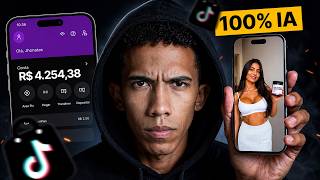

AI Model Makes R$90K in 30 Days?
60sShocking revenue numbers from a faceless AI-driven TikTok profile trigger curiosity and FOMO.
▶ Play Clip"Delivers a real tutorial with proof of earnings, but heavily promotes TokFy and includes fluff, so it's solid but not exceptional."
This video demonstrates how to create a commission-based income stream using TikTok Shop and Google's AI tools, specifically Google Whisk and Flow. The creator, Jonathan Silva, shows how to generate AI models, product images, and videos to sell products on TikTok Shop, claiming to have earned R$4,300 in a week. He also promotes a platform called TokFy that bundles multiple AI tools for a subscription fee.
The video starts by showing a woman on TikTok who doesn't exist; she was created using AI to promote products on TikTok Shop. The profile has 117,000 followers and made R$89,000 in the last 30 days.
The creator shows his own TikTok Shop account earnings: R$4,300 in the last 7 days, with automatic withdrawals set up every Wednesday.
The main tool is Google Whisk, a free AI tool (with limitations) that generates videos. The key is to post videos within TikTok Shop, not regular TikTok, to earn commissions.
Google Whisk is inside Flow, a paid tool. To access Flow, you need a Google AI Studio subscription costing R$700/month, which is expensive for beginners. The creator recommends TokFy, a platform that bundles multiple AI tools for R$197/month.
Using Flow and Google Whisk, the creator generates images of AI models. He uses a prompt to create a woman taking a selfie, then generates five different models in different settings.
After selecting a model, he uses Calodata (available in TokFy) to find a trending product, like a women's jacket that has sold over R$15 million. He downloads the product image and uploads it to Whisk to generate scenes of the model wearing the product.
The five generated images are sent to the 'Images for Video' tab in Flow, where each image is animated with a specific prompt (e.g., 'The woman on the autumn street looks at the camera with energy and slightly unzips her pants'). The videos are generated in 9:16 aspect ratio for TikTok.
The five separate videos are combined into one using CapCut (available in TokFy). The creator cuts out silences and adds text with a black outline, like 'POV: You found the most comfortable jacket at the TikTok Shop.' Then he exports and posts it to TikTok Shop, linking the product to earn commissions.
The video provides a step-by-step method to create AI-generated videos for TikTok Shop affiliate marketing, emphasizing the use of Google Whisk and TokFy to automate content creation. The creator encourages viewers to build a 'money-making machine' by repeating the process and focusing on consistent effort.
What is the main AI tool used to generate videos in this tutorial?
Google Whisk
01:47
What is the key to earning commissions on TikTok Shop?
Posting videos within TikTok Shop, not regular TikTok.
02:13
What platform bundles multiple AI tools for a subscription fee?
TokFy
07:35
What is the cost of a Google AI Studio subscription mentioned?
R$700 per month
07:09
What aspect ratio is recommended for TikTok videos?
9:16
19:16
What tool is used to find trending products on TikTok Shop?
Calodata
14:42
How many images of models are generated in the tutorial?
Five
12:57
What is the purpose of adding text with a black outline?
To make the text visible and not hidden by TikTok UI elements.
24:18
AI-generated model example
Shows a real example of an AI-created persona earning significant money on TikTok Shop.
00:01Earnings proof
Provides concrete evidence of income, making the tutorial more credible.
01:21Cost barrier
Highlights the high cost of individual AI tools, justifying the TokFy recommendation.
03:07Automation
Demonstrates how to automate video generation, saving time and effort.
17:13Call to action
Encourages viewers to comment and engage, building community and potential sales.
25:10[00:01] game. The woman you see here, she doesn't exist. It was created using artificial intelligence. And the owner of that account is using it to promote products on TikTok so they can be sold within the TikTok Shop, okay? So there are several outfits,
[00:14] several shirts, pajamas too. For women who like this type of lighter clothing, more comfortable for sleeping in and not too hot, it must be wonderful. If you want to see the views for this editor profile, help here on Zoom.
[00:27] 53,000, 20,000, 40,000. 1000, but the average is 20. Here, the latest videos have ask me, Jonathan, but this profile doesn't make that much money, right? Because the videos don't go viral, they don't get millions of views. That's where you're
[00:42] to see if she was actually making money from this. And I'll The profile we just saw is this one here. It has 117,000 followers. And just in the last month, look, in the last 30 days, this profile made
[00:56] practically R$ 90,000, R$ 1,000, R$ 89,000 views. Why am I showing you this? Because this is the new market within the digital world. It's TikTok, which you already use. It's not another app, no. It's an app
[01:09] you already have, but you're using it the wrong way. You use it to consume video. And I'm going to teach you how to create a money-making machine right here on the saying this lightly, okay? Just look . This result I'm seeing here is from the
[01:21] last 7 days on this account. R$ 4,300. If I click here on "receipt," it's already I can, but I've already set it to automatic withdrawal. I've already set it up so that it automatically sends me this withdrawal every Wednesday . So, pay attention
[01:35] video. I even had to come here to the blackboard, okay? To explain exactly what I'm going to teach you in this video, which is how to create a commission-based machine, OK? I'm going to teach you how to use the cell phone you already have in your pocket to
[01:47] make money for yourself, okay? How are we going to do this? The first thing use whiskey, okay? This Google tool is free, but it has limitations. But don't worry, I'll show you
[01:59] exactly how to use it, okay? Because through it, we're going to create videos. We'll use ISK to generate videos. Jonatas, but are these videos alone going to make me sell something on TikTok Shop? Hmm, not just the videos, okay? Why? You
[02:13] need to post it within the TikTok Shop, okay? Because if you post it on regular TikTok, it won't work, okay? You're not going to make any money. So that's why attention to this video, okay? Then, Jonatas, I went into TikTok, created my video, and
[02:28] Jonatas, I went into TikTok, created my video, and posted it on TikTok Shop—it's important that it's the shop, okay? Now all you have to do is receive your commissions. Jonathans, but is that all? Is that all I need to do to make money
[02:41] online? Man, it's even worse than that. Look , after that, the next step is to repeat the cycle and then you create your commission machine. It sounds complicated when you hear about so many steps, tools, and whatnot, but dude, it's
[02:54] easier than it looks, okay? And I had to draw it for you to understand exactly what this commission machine is that I want you to have on your phone, and to show you how I made R$ 4,300 on Tiktalks Shop using
[03:07] Google AI, okay? In other words, I can say that Google helped me put that how I access Google ISK, since this tool was discontinued by Google a while ago and has now returned. And it came back in a very good way, since
[03:20] today it's possible to mass-produce videos to sell on TikTok Shop. I'll bulk, OK? Videos that sell. It's not some silly little video of a big-dicked girl, those that actually sells and puts money in your pocket. I'm going to show you how I
[03:34] created an automated video production system for TikTok Shop using Google ISK. Ultimately, every tool I use, I think it has ROY (referring to a specific software or platform), so I'm not going to use TikTok to consume video. I'm not going to gain anything from this, I'm just going to
[03:46] waste my time. So Roy is zero. Roy is actually quite negative. I use TikTok to to access these tools here. I'll these videos, OK? Because it's pointless to have the videos scattered around if you don't
[03:58] here as well, in a simple and professional way. And I'll also teach you how to create and post this type of content on your TikTok Shop Brasil account so you can start selling today. And basically everything I did, you
[04:11] video is practically a free masterclass, it's practically a free course that I'm going to give you here, okay? And all I ask of you in return is that you , if you watch this video but don't subscribe to the channel, YouTube doesn't
[04:25] understand that you like this type of content. So sign up and comment money online so quickly, okay? because all these videos were posted by someone who
[04:37] might not even be a woman; it's very likely that the owner of this profile is saying this? Because, for those of you who do n't know, nice to meet you, my name is Jonathan Silva. Here, I grew up inside the TikTok platform in the United States, earning money through
[04:50] dollars. Then I went to the TikTok Shop in the United States as well. When I say Europe, Asia, and so on. And then I came here to TikTok Brazil when it launched here in Brazil. And then I realized it 's not as complicated as
[05:03] tools to get you there . Posting the video in English won't help. So it was a kind of job, whether you liked it or not. Not here in consumerist. So, making sales is much simpler, okay?
[05:17] Especially on TikTok, where there are already millions of active users every day willing to buy if you post a video with a link to your product. And that's what I'm going to teach you. You're going to be an affiliate of TikTok Shop,
[05:29] because I'm going to teach you how to create a model like Luana here, for example, who's here every day posting videos of clothes. So, look, to make it easier starting out and you really want a step-by- step guide, I told you that this video
[05:43] free masterclass. So, what am I going to do? I'll leave a link to a document in the pinned comment. This document here is basically a guide. And that's take your focus off the other things around you and focus only on this,
[05:57] time, 15 minutes which is the duration of this video, nothing more, because this could change your life. And if you're happy, if you're content with TikTok, cheap, quick dopamine, that's fine, okay? Close this video and
[06:10] go away. Now, if you want to make money online with TikTok Shop, using artificial intelligence, stay here and focus on me, OK? I'm going to give you a document that you can, and should actually use in this video here, where I've
[06:24] left all the prompts for you to follow along with me. I'm not going to leave you here with your hands off the ground, no way. I'll hold your hand, okay? So basically, before is even in the pinned comment, okay? We're going to access the whisk tool.
[06:38] whiskey" exactly as it is here, but there's a catch: "whiskey" is inside the flow, right? But Flow is a paid tool, okay? Yes, you can generate one, free, but it's a paid tool, and there are certain limits in the
[06:53] Whisk, which is basically to access Flow, this Google tool, you'll need a Google EA Studio subscription. So, for me to subscribe to just that AI costs 95, 97 actually per month, or R$700 per
[07:09] beginners. For those of us who work with AI, we need several tools, not just one. So, for example, I'm going to use ISK now, but the paid version of Chatt. Soon
[07:22] I'll need Calodata to research a product that 's selling very well. I can't concentrate all my balance, all my investment, in just one AI. And that's when I discovered Tockfy, because Tockfy
[07:35] brings together several of these IASs into a single subscription. You're only seeing the price for one. Look at the heat date, how much does the monthly plan cost? R$ 257 per month. And I use it every day and I don't pay that amount within Tockfy; I have
[07:48] that amount within Tockfy; I have only a subscription of 197. And what I found really cool is that within Tockfy I already have access to Flow, and Google ISK is within Flow, that is, within
[08:02] Tockfy, which is this tool here, this platform here, VO3, where is it? Let's look here because there's so much AI; it's Flow and it's VO3, Google VO3 that generates video. For Tocfy students, just log in here, access Flow through Tocy, and that's it,
[08:15] you'll have unlimited access. Dude, TOC is an AI ecosystem, it has community, including my new training program, which I think you guys don't know about yet, called Hack Shop. That's where I gathered the last three and a
[08:28] half years of TikTok Shop content, knowledge cataloged in my mind and in the minds of my students and affiliates as well. And I included it in that for you. So, once you sign up for Talkfy, you'll get access to
[08:40] this training as a bonus. Just go to the courses tab here. For those of you who and all these artificial intelligences, including Capcut, Grock, Chatpt, Gemini, Dream Face, Viral, Luma, Fish Audio,
[08:55] Calodata, and many others, just click the first link in the pinned comment, OK? You click, and you're in. And now , let's learn how to make videos that sell on TikTok Shop. So as soon as I signed up for TokFy, it gave me
[09:07] access to this app here, Flow VO3. See here? So, look, as soon as you enter Flow through Five, you'll have a view similar to this one, You're going to click on new project, you're going to use Flow to access Google
[09:21] Whisk, okay? Don't worry, I'm holding your hand and you won't get files. We're not going to mess with that right now, okay? We're going to use another Google kept this tool pretty well hidden , but if you watch
[09:34] Jonathan Silva, you know exactly how things work. So you come here, look, in tools, a bunch of things will appear: mockup tools, image editor tools, simple sketch tools, all that stuff. You're not going to use
[09:46] any of this, you're going to scroll down because Google IS is hidden here at the very end, okay? So look, Google Whisk, this is what we're going to use. Click on it, and it will open this. Hey everyone, do you remember our document?
[09:59] leave this document open in a second tab or access it at the end of this lesson, you should access it when you're going to use it, okay? There's no point in reading this now if you're going to use it later. So, focus here with me and you'll understand soon.
[10:12] described in this document, okay? Jonathan, but what is this? Is it programming? I don't know Calm. First point here, you can see that we're basically open with an improved EPT chat. Okay, let's simplify things here. You'll
[10:26] ask for something here and he'll do it. We can make changes here, add menus, remove can make changes here, add menus, remove menus, add automations there, precisely to improve what we want to do. I left this prompt for you
[10:39] in Jason, okay? He's basically going to handle all the menu-related things we need . Then we'll create the images and videos themselves. So copy this left it on Jason to make it easier to understand, OK? To avoid any mistakes. Copy
[10:54] this here. Copy. Go back to Google Flow. This is actually where you're create. But we need to add the menus first, remember? So, before the mouse cursor up and place the remix tool here. See?
[11:09] Click up here and a chat window will appear right where my camera is. want to create here? Basically, it's a tool creator. This is where we like this, like that, that will do this, and so on ." If you don't
[11:22] understand, that's okay, alright? You can read the Jason prompt and you can just paste the J prompt here, okay? And it sends it, it will generate the menus that we need here, okay? of this tool. So, basically this
[11:36] seems very much like a vibe code, where you tell it what you want and it creates to do what you want. We're going to automate this to generate the scenes, images, avatars, and videos for us to post on TikTok Shop.
[11:51] And look, he already generated it here for me. That screen we saw was basically raw whiskey. Now we're saying, "Look, Isk, I'm going to need a layout like this. I'm going to do this here." Because this thing we
[12:04] just put together is already our tool that will generate TikTok Shop videos for us. So, basically everything is ready here. Now I need to generate products. I'll come back here to the guide, scroll down, and now I'll go to step two, create the
[12:18] model. OK? And this is where I'm going to copy the entire prompt. You can take this prompt here, and even change it, because here, I'm basically showing a woman taking a selfie and everything, okay? You can
[12:31] change this here, put a man, put not a selfie, but a mirror, uh, anyway, change everything, okay? This is just so you understand, and if you want, you can also replicate it in your own situation. Go back here, actually, here, OK, to Google.
[12:44] So basically, I'm going to paste the prompt here, OK? And I'm going to generate it in batches, why? He's going to generate some images of a few models here, and I'm going to choose my model for my TikTok Shop video. And the interesting thing is,
[12:57] look, it has already asked for permission to download, because every downloads automatically. Look, it's already coming to my computer without me having to . And there you have it, it's already generating the final image. Actually, it generated five
[13:11] images of different models in different settings at different times of the year, okay? So this photo here, blown out in the background, well, it looks very real, it doesn't look like a fake . This one is the same thing, it looks
[13:25] don't like a certain image, for right, in the background there, I click to redo it and it will redo it in a different this model here. I already downloaded that image because it downloaded
[13:38] automatically. So the image is here, OK? Where is this one? That one with the jacket. because it shows her body very well here. Using this model to sell clothing. model, I need to put my model
[13:50] step three, creating the images in the simple prompt he put here to generate an image. So, since there are five prompts, I'm going to generate five images. So I'm going to copy all of this, go back to
[14:03] Google and here in batch images I'm going to delete the prompt I copied to generate the template and I'm going to generate it here by putting in exactly this, the prompt I copied there to generate the five images of the same template. We'll
[14:16] use these options below. Regarding the subject, I'm going to choose the model that I liked the most, which is this one here, who has a full figure, and the outfit I want to promote will be shown. So here's the topic. I'm going to click and choose the
[14:28] woman I saw, which is this one here. See this one here? I'm going to add media, and this is where I'll place my product in the background. Jonatas, but where am I going to well? Where can I find an image of this product that's selling well? I
[14:42] told you that this video is basically a free course, a free masterclass that I'm giving you, right? So basically, we're going to use Talkfy again for this. And you're looking for a tool called Calodata, OK? This one
[14:54] here is within Talkfy; it's unlimited. I'll click " open" on this side. Let's look for a product that sells well. And this is where a lot of people something, this calodata looks simple, and it really is. Look how I tricked you,
[15:07] see? So here you just click on "product" and everything that 's currently for sale on TikTok Shop Brazil will appear . Right now, this is the product right here. It's Corbedron. But guys, I'm going to be honest with you. This type
[15:21] of product, especially mattresses and everything, takes a little more work to sell, but it's easy to sell, okay? In my case, I want a jacket. In this case, it already appeared in fourth place, but this
[15:34] is female. So let's scroll down a bit here because it's definitely going to show up, let me turn to page two. It will definitely show up. Look, women's jackets are always available. The jacket costs R$170 and has already sold over R$15
[15:47] million. Look at this, man. Look at that growth, my God! 158%. sure of it. If you find any videos on TikTok promoting this jacket, you'll that product, which is the jacket. And then he 'll show me the product information,
[16:03] okay? So, price, name, category, rating, and revenue over the last 30 days. Let me see the last 90. 3 million and 3,200,000. Dude, do you think it sold? It will be? Oh my God, I'm going to get a picture of the product, and that's exactly
[16:18] it's quite similar to the photo of our model. I'm going to right-click, download this image, and now I'm going back inside Google Whisker and here in the photo of my product. Okay, I'm uploading it here to
[16:33] Whisk, alright? For him to truly understand what my product is, which is clothing, this is it very similar. That's basically it. And I'm going to click on generate in batch. What is he going to do? It will generate five scenes here of my model wearing the
[16:48] outfit I want. So, I 'll already have the five images to animate, to create my TikTok Shop video, okay? Pay attention. Okay, it's already generating the final image here, and you saw that there's no secret to it, right? You
[17:00] all of those images. Why did I do that? I'm teaching you here how to create a system that I use to make videos that sell within the TikTok Shop, okay, Jonathas? And now I have the images, I liked them all. What do I do?
[17:13] wearing the product I want to promote, alright? Remember to sign up for this product within your TikTok Shop account, the account where you'll be posting this video. Now you're going to take these five images to this other tab here
[17:26] called "Images for Video," which is where we're going to add animation to them. So here inside the tab where you generated the images, you scroll down here, see? And then you click send to video. Why? Clicked. Ready. Now
[17:39] menu. You saw that I clicked, there was no image here. Now they're all here, ready for us to give a prompt to animate each image separately. By doing this, we have much better control over each
[17:53] specific image, okay? Because each image here, look, is quite different from the others, okay? So, if we were to give a prompt to generate all five, it would cause a problem, okay? Trust me, I've already tested it, Jonathans, but what do I paste here? I do
[18:05] all that. You can be creative here. You can tell the character, she says the following, and then put some quotation marks here and say, for example, "it's very comfortable,"
[18:18] free course that I'm giving you. So I'll also give you the prompts for the videos ready to go, look, inside the guide , okay? Prompt number one. The woman on the autumn street looks at the camera with energy and slightly unzips her pants. Guys,
[18:32] I need to show you this puffer jacket. And there's more text here. Realistic limp, video up to 8 seconds, 9 by 16, meaning a prompt you don't need to in the pinned comment, okay? Copy this here, go back there and paste it here in image one.
[18:48] Now do that for image two. Copy the prompt, go to image two. Now copy prompt 3 here, OK? Go to image three, paste it. Copy prompt 4, go to image 4, paste it. Copy prompt 4, go to image 4, paste it, and copy prompt 5, okay? Paste it here
[19:02] more things here, but just to make it simpler for you to understand and not I'm sure this video will sell me thousands of dollars. So,
[19:16] once I've set everything up here, I can guarantee that the aspect ratio is 9x16, because the prompt, because if I want to generate a video, for example, in 16x9, that's the create videos for YouTube, for example, for Facebook, or for TV—in short, for
[19:31] paid traffic, for example, to reach people. But that's something else entirely, okay? I can make a video just about that. But for our strategy, the video has to be 9:16, because it's for TikTok, okay? So, I can even
[19:43] delete an image that I didn't like, okay? I didn't like image 4. Click here to delete it. Okay, just animate images 1, 2, 3, and 5, for example. Check if everything is OK. 9x1. It comes standard, okay? You'll only look at this if you want to
[19:56] change it, but the default is 9x16. And click on generate animations. He's going to take each of those images, use the prompt we gave him, and create the video from that image. And there you have it, look, it already generated five videos for me with just a
[20:09] do anything. I was here, I went to get a coffee, I went outside to see my son, and now I'm back here again sleep, play with my son, I can enjoy life. He's here doing everything for me. That's because I configured the automation the way I need it, okay?
[20:24] downloads, look, all five videos are here. Let's take a look. This is the first video, second, third, fourth, and fifth, okay? Guys, I need to fourth, and fifth, okay? Guys, I need to show you this puffer jacket.
[20:46] body really well. Perfect. Third. It's warm, lightweight, and weighs nothing. Perfect. Room. It
[20:59] Perfect. Room. It goes with everything. Perfect. Fifth. Hurry and secure yours. Hurry and secure yours. Sirá at the TikTok Shop. Sira, I think that's the name there, it's the
[21:14] We'll correct these small mistakes now. I've already done the hardest part Many people get stuck when it comes to separate videos, okay? But now you
[21:28] need to unify them all into one video, so you have a single video to post on your account, link the product to your video, and sell it to receive multiple commissions, okay? Many people think it's very
[21:40] as I told you, this is a free class. I'm reminding you of this again saw in paid content, okay? I paid a high price to learn. I'm giving it to you for free, okay? Handed to you on a silver platter. Inside the talkifile again, I'm going to access
[21:54] Capcut. I'm going to click here to open unlimited access, without having to pay for a Capcut subscription myself. I don't know how much it is, R$70 per month. It's quite expensive Turn that down, man. Even automatic captions require payment. Even
[22:09] exporting in 1080p requires payment. Not here. Within Tocfy, I have unlimited access to all of this. And I'm just going to take the five videos that . I'm going to put things in order and make some very strategic cuts here.
[22:22] Each of these videos is 8 seconds long, but it does n't always have dialogue. And that's what I'm going to cut here because there was a pause, you see? It had a breather, so I'm going to cut it off. Guys, I need to show you this
[22:36] Ready. Look, I'm cutting here because there's going to get the second video. Just look. Place the cup on the table. There's no dialogue, there's no problem. I could have lengthened each woman's dialogue, I could have
[22:50] lengthened the phrase that each woman in each scene would say, but I used a short phrase, which is why the video is 8 seconds long. But end, you see? I'm going to cut it. Look at how it fits, it hugs the
[23:04] Ready. I'll cut it again. Any silence that comes my way, I'll cut it off because I don't It's warm, lightweight, and weighs nothing. Cut. Now for the fifth video. Room. It Cut. Now for the fifth video. Room. It goes with everything.
[23:20] goes with everything. Here I'm going to cut. Mine with everything. Jeans, black pants, dress. whatever silence entails. Hurry and secure yours. Hurry and secure
[23:35] Here he spoke, she spoke, run and secure yours. And then the same phrase again: hurry and secure yours. So I'm going to cut out that first sentence, OK? Cut. Hurry and secure your copy at the TikTok Shop.
[23:50] Ready. Sirá. I believe that's the brand name, okay? again. So, that's how the video guys. I need to show you this puffer jacket. Look at how it fits, it hugs nothing. See? That's all. If you want to
[24:06] add more things, include elements, the only thing I truly recommend that you add, and it's universal, meaning it works everywhere, is to put some text here, or take some text with a black outline here.
[24:18] take this text and put it here throughout the entire video. I'm going to put a phrase here that's basically a standard phrase in these clothing videos. Look, POV, two points. You, who always, right? (abbreviated word, because, you
[24:32] know, generation, ours, anxious.) So, it's you, right? You found the most comfortable jacket at the TikTok Shop Shop. Press enter.
[24:46] Ready. Look, the text here is nice and neat . Now I'm going to make this text even prettier, with a black outline, and I'm going to put it more or less in the center of the video, because it's text that can't be hidden,
[24:58] okay? If I place it, for example, very low down here, the TikTok profile picture will end up on top. So I'll put it more or less here. There's not much of a secret to it. I'm just going to shorten the layout here. Ready. Just look. Look, this one goes
[25:10] Now all you have to do is export this and save it to your phone. Link your TikTok account to this product here in the TikTok Shop on here on the channel. Okay, just grab that video, post it to your account, and link the
[25:25] commissions just like I do. I really want you to have a result similar to this one. It 's falling into your pocket every week, okay? Seriously, don't watch this video, just watch it and then run away from it. I want
[25:38] watch it again so you understand each step to turn this into a digital business, because this is a very powerful tool, but if you're not paying attention, okay? You use this to waste time, whether you're seeking
[25:51] validation, relationships, or quick money— nothing comes easy. Easy come, easy go. So, what I want you to build is a money-making machine, not just something for a little
[26:03] exactly what I do. So, to make sure you comment below: "I want to make R$ 500 per month with Google ISK". Then I'll or not, okay? Because for many people, R$ 500 a month already helps a lot.
[26:20] But there are other people who are either in debt or have a higher cost of living and need R$2,000, R$3,000, R$4,000, or R$ 5,000 per month. So leave a comment here even have a conversation here in the comments. If you scroll down to the
[26:34] that I reply, give likes, and pay attention to everyone who comments, attention to everyone who comments, okay? Because I care about you. M.



⚡ Saved you 0h 26m reading this? Transcribe any YouTube video for free — no signup needed.