

Apple's $599 MacBook has a phone chip?!
46sReveals the shocking cost-cutting in Apple's cheapest laptop, sparking debate on performance compromises.
▶ Play Clip
[00:02] MacBooks, iPads, displays, and even a new iPhone. And they're kind of weird. the affordable end, while at the same time making the extreme stuff much more let's find out why. At the very bottom end then, this is the new $599 MacBook
[00:18] Neo, which sits as the new entry point [music] into Apple's laptop lineup. A lot more affordable than the $1099 MacBook Air, which in itself is a lot more affordable than the new top-of-the-line $2199 MacBook Pros. But,
[00:31] the obvious question is, how is Apple suddenly randomly selling a MacBook that costs half the price? Well, it's not the build quality, like I was expecting it aluminum, like the other MacBooks, and it still feels fancy to use. The hinge
[00:46] is sturdy, the keyboard is satisfying to type on, even the trackpad still has all of the multi-touch gestures that I'm used to from the MacBook Pros. Frankly, I've never used a $599 laptop that feels this good. I wish more companies would
[01:00] make colors like these. I love them in person, especially this citrus, which makes me feel like I'm 6 years old again, marveling at my dad's iMac G3. again, marveling at my dad's iMac G3. So, it must be the display, right?
[01:13] Well, no. What's here is sharp, it's punchy. It could do with being a little brighter, topping out at 500 nits, but that is still just as bright as the There's a couple of smaller things that are cut, like Touch ID. You don't get it
[01:27] on the base 256 gig version of the Neo, but [music] you do get it on the higher storage version. The battery, they claim 16 hours on this compared to 18 on a MacBook Air. And the ports, there's no MagSafe here. And weirdly, only one of
[01:40] these two USB-C ports is fast enough to connect up to a monitor. The other is to charge the thing. Really though, there are two compromises that I think truly matter. The first is that the keyboard on the Neo has no backlighting,
[01:55] which I think you will notice, even if you don't tend to work in a cave. Pretty much any time that you try and get something done in a dimly lit car or late at night, backlighting is a given feature at this price on other laptops.
[02:09] surprised when their Neo arrives at their door without it. And then the second thing is performance. There is no laptop grade M-series chip here. This is actually using a phone chip, the A18 Pro plucked straight from an iPhone 16 Pro.
[02:25] Which might on its own have been able to fly under the radar, but it's the fact that that is paired with slower SSD storage speeds than the Air and half the RAM. 8 GB here compared to 16. All put together, this is a distinctly less
[02:41] agile machine. I can feel it when I use it. Some things do take a second or two thing would get overwhelmed if you pushed it. Gaming, too, was also a little choppy, but if you're buying a MacBook Neo for gaming,
[02:54] I think you got bigger problems. So, clearly, the performance cutbacks are the main way that Apple has made this laptop so affordable. But it's just way that if you're anything even resembling a multitasker, you would feel
[03:07] resembling a multitasker, you would feel the benefits of the pricier MacBook Air do think this laptop makes a ton of sense. Like the MacBook Air has crept up in power every year since the first M1 version, and that now means we are at a
[03:21] stage where there is a vast difference between what you can do on that laptop and the Google Docs and YouTube that the average school [music] kid or university student actually needs to do on it. So, the Neo exists to cut back on that
[03:35] passing on a lot of those savings to the education discount and end up getting it for $499. And you can see the ripple effects that this has on every Apple laptop. Because
[03:48] option, Apple doesn't need to worry anymore about hitting that sub $1,000 price tag with the MacBook Air. So, while this used to start at $999, the while this used to start at $999, the new MacBook Air is now $1,099. And I can
[04:02] years quite substantially. That said, it's still really hard to argue with the amount of laptop that you get for that. This new MacBook Air has an M5 chip instead of the M4, which in itself is nothing major. It's like 10-20% more
[04:15] networking chip, which improves Wi-Fi big difference on the latest iPhones, so we'll probably have the same effect this new MacBook Air gets double the starting storage now at 512 gigs, and
[04:30] that double storage is now twice as fast, too. So, while I don't love this effectively a price hike by just storage version, this is still the most recommendable laptop in the world. While
[04:43] the compromises of the MacBook Neo are pretty obvious, and the price of the new Pros is pretty prohibitive, the MacBook Air is not really missing anything for the lead editor for the next Avatar movie. And to be honest, they don't need
[04:57] title font. >> He clicked the drop-down menu, and then [music] Speaking of the MacBook Pros at the very had what's essentially just a more extreme version of the Air treatment.
[05:12] So, the same N1 networking chip, and the same thing's happening with storage, twice as much of it. So, going from the minimum of 512 gigs last year to a terabyte now. I have to pay $200 more for the
[05:25] privilege. That said, 1 terabyte minimum on a Pro does not actually upset me. Because of how the MacBook Air has naturally drifted over the years from this ultra-thin, ultra-light laptop that can just about function to now actually
[05:38] very powerful machine. In 2026, you're only buying a MacBook Pro if you actually are a Pro. And if you you a Pro, you're going to need a terabyte at least. And then the chip upgrade for these laptops is supposedly pretty
[05:51] serious. They're now powered by the M5 Pro, which it depends what you're doing, but you could broadly think of this as around two times the system power and capability of the base M5. And then the M5 Max, which has the same CPU as the
[06:04] Pro, but then up to two times the graphics performance of even that. So, graphics performance of even that. So, on paper, it is a monolithic chip with up to four times the AI performance compared to previous gen. That's
[06:16] whole lot for most users, but the AI bros will be chuffed. It's a big deal for people who want to be running large AI models locally. So, these are huge improvement numbers, but treat them
[06:29] commercials for these new MacBook Pros, it literally says in plain text, "Up to five times faster graphics." No caveats, no asterisks. So, wow, that's insane. Five times compared to the M4 Pro and M4 Max just last year.
[06:44] right? Given that they don't specify. Well, no, not exactly. Oh, so like five times compared to three years ago, so what people are likely upgrading from. Well, um if you're performing this one specific AI image generation task, then
[07:00] maybe. Ultimately, it's only when you delve all the way into the depths of the Apple press release that you find the graphics performance for M5 Max is up to 20% higher than M4 Max. So, the number you're actually looking for is up to
[07:14] I guess I just want to make it clear that while I do think the MacBook Pro is an exceptional machine, I'm actually really excited to finally upgrade my whole team's M1 and M2 so we can get our videos out even faster.
[07:28] I so much more appreciate it when companies just talk straight and they numerical smoke and mirrors. That combined with the fact that every single improvement here is quoted as an up to figure as opposed to any kind of
[07:42] absolute improvement, which if you think about it doesn't tell us anything about how much you should actually expect to notice day-to-day. Up to 500% faster could be 5%, could be 495%. They both fit that description. All
[07:57] live in the EU, you don't actually get a power brick with these MacBooks. You have to buy it separately. I don't know what I expected. Now, what exactly this decision-making process is based on is not clear, but if you're buying a 16-in
[08:11] MacBook Pro, which would usually come with a 140-W power brick, then I don't likely to just have lying around and is missing out on. If the laptop was cheaper to accommodate, then I guess I
[08:25] get it, but at least here in the UK it is not. And now, just before the new iPhone, there's also a new iPad Air. So, this is Apple's mid-range iPad, sitting about halfway between the iPad, you know, the
[08:37] one that's just called iPad. God, this is getting so confusing. And then the iPad Pro. It's not a bad update, it's just unexciting. So, let me run through it real quick. It gets an M4 chip instead of an M3 chip, 12 GB of RAM up
[08:50] networking chip that everything seems to be getting now. While staying at the same $599 price. That makes it actually like very powerful for a mid-range what people were asking for. If anything, I think upgrading the storage
[09:05] from 128 to 256 gigs would make more of a difference to most Air users than all of those changes put together, but the storage is the secret sauce of Apple's pricing ladder, so there's a reason for everything. And there's also
[09:19] two new monitors. There's an update to Apple's most affordable, insanely unaffordable $1,600 Studio Display, which I would say was a decent product when it first launched four years ago, but I'm not exactly impressed that in
[09:33] those four years, the only changes that we're getting now are two Thunderbolt 5 ports, which means you can daisy chain up to four of these monitors from one cable into a Mac, and then [music] an improved 12-megapixel Center Stage
[09:45] camera. Huge for Zoom enthusiasts. I hear there are literally dozens of you. So, pretty hard to recommend this one in 2026. The fact that it is still using that same 60 Hz fairly dated panel for that price means
[09:59] time to buy the old model for half of that. But then there is also the that. But then there is also the completely new Studio Display XDR. XDR meaning extreme debt required.
[10:12] Tim told me you can quote that. So, this is very much a monitor for professionals, but I think it's very welcome. Not necessarily because it in itself is fantastic value, but more because it replaces the very much not
[10:25] because it replaces the very much not fantastic value $5,000 Pro Display XDR. fantastic value $5,000 Pro Display XDR. And unlike that monitor, this is $3,299. This has a 120 Hz refresh rate instead of 60. It uses mini LED tech for even
[10:38] [music] more brightness, and actually has a mic, a webcam, and speakers, of which somehow the Pro Display had none of. All topped off with this tilt-and-height-adjustable stand included. So, after 6 years of memes, we
[10:52] can finally put the $999 Pro Stand to rest. RIP. The only weird thing that for me is a real turn-off is the size. This Studio Display XDR is
[11:05] replacing a monitor that was 32 in, but in itself, it's only 27, [music] while it's good to have the option for a very high-grade monitor in a compact size, it definitely leaves this gap for people wanting something bigger. I
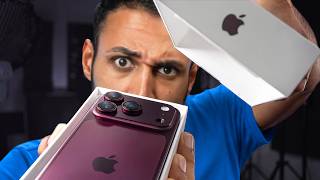
[11:21] definitely would. I work on a 40-in ultrawide right now, and it's amazing. And that leaves us with the new iPhone, the 17E. So, this is is one-to-one replacement to the 16E, and it serves as the $599
[11:34] basic iPhone, $200 below the honestly pretty fantastic iPhone 17. So, it's got see is, say it with me, folks, the storage has doubled to 256 gigs. But,
[11:46] unlike with all the Macs, here they've done that without raising the price, [music] the whole memory crisis happening right now, and might actually be why the rest of the changes feel quite minimal. In some ways, they have
[11:59] brought the 17E closer to the normal iPhones. Like, we get the latest chip, the A19. We get that N1 networking. The screen now is coated with the same ceramic shield two for protection, and has that somewhat helpful, but not
[12:13] game-changing anti-reflective coating that we saw on the iPhone 17s. Plus, MagSafe combined with much faster Qi2 wireless charging. This is a very important change from the 16E, but kind of should have been on the 16E in the
[12:27] first place. And, that combined with the very huge battery on this should make it a very reliable phone. But, what it isn't is flashy. I think the 17E looks pretty dated now when you put it next to the iPhone 17 with these thick bezels.
[12:41] And, the fact that this is like the last remaining late bloomer still to have a notch. You don't get the bigger, brighter, faster 120 Hz display of that phone. This is still 60. And, the cameras are pretty bad. There's no
[12:54] ultra-wide camera. You don't get the iPhone 17's upgraded selfie camera. This is just plain old traditional 12 megapixel. And, even the main rear camera, it does still feel like an iPhone camera when you use it. You're
[13:06] still getting pretty much the latest in Apple's processing, but it's just that the actual camera sensor itself is very dated. It's close to the quality of the ultra-wide cameras on other current iPhones. So, I think the reason this
[13:18] exists is business customers who just want to buy a few hundred or thousand iPhones, don't care how great the cameras or of screens are, but ease of use, battery, storage, durability, that stuff matters. And I'd actually say it's
[13:32] if you were considering this for yourself, I would suggest you spend the extra and get the iPhone 17 cuz especially with sales, I would not be surprised if you can find that for just $100 to $150 more than this. And that
[13:47] would be the difference between something that feels lower mid-range and something that feels pretty flagship. Or just go Android and get a Nothing Phone that for the same money and it's a lot more phone.
[14:02] as fast as possible, but while making our usual standards. This has been a game-changer though. I've been four-way split screening for uber productivity cuz now on the Opera browser, our
[14:14] into the mix and it splits them automatically. And I don't even need to like my Gmail or Google Calendar. They're just chilling in the sidebar while keeping all of my research just so organized with these upgraded tab
[14:28] islands. You can add labels and colors to really clearly separate what each cluster of tabs is for. And when you get used to that, you actually can't go back to any other way of working. So, link below to download the Opera browser for
[14:40] below to download the Opera browser for free.



⚡ Saved you 0h 14m reading this? Transcribe any YouTube video for free — no signup needed.