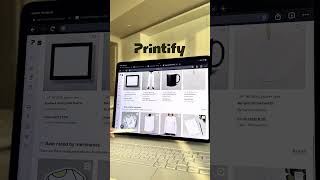

Start a Side Hustle with Zero Experience
40sThe promise of starting a profitable online store as a beginner taps into the widespread desire for financial independence and easy money.
▶ Play Clip"Delivers a straightforward tutorial on starting a side hustle, though the title oversells the '2026' angle and the video is a bit thin on depth."
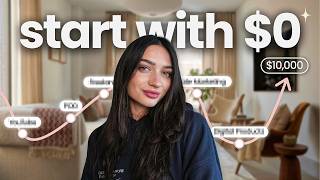
This video is a step-by-step tutorial on starting a print-on-demand side hustle, using Printify and design tools like Canva. The creator walks through the entire process from design creation to publishing products on an online store, emphasizing that even beginners can succeed with the right tools and resources.
The video opens with the premise that if you have time to scroll on social media, you have time to start a side hustle. The creator promises to show exactly how to create an online store and start making money, even as a beginner.
The creator recommends using Canva for design creation because it has pre-made artboard templates. They select a sweatshirt template and begin creating a design, using pre-made elements, graphics, text, and AI tools to make the design come to life, even for beginners.
After creating the design, the next step is to download it as a transparent PNG file so it can be uploaded onto a product.
Printify offers hundreds of products to choose from. The creator uploads their design directly onto a product (a Dashhound design) and sizes it appropriately. They then preview the product to ensure it looks good.
Printify automatically creates product listings and showcases them on your online store. The creator mentions that you can sync Printify with Shopify or sell on marketplaces like Etsy. They also note that Printify handles printing, packing, and shipping when orders come in.
Printify provides an outline for the product that you can edit, and you can use AI to optimize it. You can set the price of your product, and the creator recommends using Printify's profit calculator to see how much profit you'll make per sale. You only pay Printify when you make a sale.
Once everything is set up, you can publish your products for sale. You can continue this process to create multiple designs and place them on different products, allowing you to sell lots of different things. Printify handles fulfillment, so you can run your business remotely from anywhere.
The creator emphasizes that now is a great time to start and encourages viewers to comment for a link to Printify.
The video provides a clear, beginner-friendly walkthrough of starting a print-on-demand business using Canva and Printify, highlighting the ease of design creation and automated fulfillment. It encourages viewers to take action and start their side hustle immediately.
What tool is recommended for creating designs in the video?
Canva
00:15
What file format should you download your design in for upload to Printify?
Transparent PNG
00:41
What does Printify handle when you get an order?
Printing, packing, and shipping directly to customers
02:05
What is the recommended way to determine your profit margin on Printify?
Use Printify's profit calculator
01:23
Which platforms can you sync Printify with to sell your products?
Shopify and Etsy
01:51
Side Hustle Motivation
The core premise that scrolling time can be redirected to productive side hustles is a compelling hook for viewers.
00:01Canva for Beginners
Emphasizes that Canva's pre-made templates and AI tools make design accessible to complete beginners.
00:15Profit Calculator
Highlights the importance of understanding profit margins before pricing products, a key business principle.
01:23Remote Business Potential
The ability to run a print-on-demand business from anywhere is a major selling point for aspiring entrepreneurs.
02:05[00:01] start your first side hustle and create your own online store like this one money doing this, even as a beginner. So, let me show you exactly how you can inspired. So, do some research on different types of designs that you like
[00:15] to sell on your online store. Once you're inspired, you're going to want to because they have pre-made artboard templates. So, I'm going to select a sweatshirt and start creating my design. And this part's the most fun because you
[00:29] can use different pre-made elements, graphics, text, or templates to make your design come to life. And there's so many resources to make designs, even if you are a beginner, like using AI like this and creating different elements
[00:41] never done this before. Once you create your design, you'll then want to download it as a transparent PNG so that we can upload it onto a product. Next, on Printify. They have hundreds of products that you can choose from to
[00:54] print and ship them for you when you get an order. But more on that later. First, you're going to upload your design directly onto the product. I chose this Dashhound design I just made. And then I'm just going to size it to make sure
[01:08] that I want to offer on my store. Next, hit preview so you can make sure the then you're ready to start uploading. Printify automatically creates a bunch and showcase on your online store. Next, Printify will give you the outline for
[01:23] product. You can edit this however you'd like and even use AI to optimize. It options you can give to your customers, and it will give you an option to choose the price of your product. I recommend using their profit calculator to see
[01:37] the price, you'll be able to see how much profit you'll make on a sale. This is important to understand, so take your time, but you'll only pay Printify the Once all this is set up, you can publish for sale on an online store. You can
[01:51] sync Printify with Shopify, or if you want to sell on a marketplace like Etsy, where to sell your products. You can then continue this process and create place them on different products and start selling lots of different things
[02:05] orders, Printify will print, pack, and ship them directly to your customers, business from anywhere in the world and completely remote. And right now is a great time to start. It's a comment for a link to Printify.
⚡ Saved you 0h 02m reading this? Transcribe any YouTube video for free — no signup needed.