
AI Summary
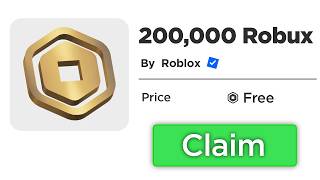
This video promises a 'brand new method' to unlock thousands of free Robux, but the transcript reveals a convoluted process that ultimately redirects viewers to a third-party website. The method involves entering codes, changing languages, and even providing a credit card number, raising serious red flags. The video is likely a scam designed to funnel users to an external site for phishing or ad revenue.
Chapters
The video starts with a giveaway promise, asking viewers to subscribe, like, and comment to win free Robux.
Viewers are instructed to search for free items in the Roblox catalog and wear them to create a specific outfit.
The video instructs viewers to enter codes like 'rbx credit 2026' and 'credit granted' and look for a 'yellow pop-up' message.
The video asks viewers to enter a credit card number, which is a major red flag for a scam.
The method redirects viewers to 'bugcredit.com', a third-party website that promises Robux in exchange for completing activities.
The creator claims to receive 20,000 Robux after completing the steps, but the evidence is shaky.
The video is a scam that uses a fake method to lure viewers into visiting a third-party website, likely for phishing or ad revenue. The only 'method' that works is the one that benefits the creator, not the viewer.
Mentioned in this Video
Tutorial Checklist
💡 Key Takeaways
Credit Card Request
The video asks viewers to enter a credit card number, a clear sign of a phishing attempt.
02:46Redirect to Bugcredit.com
The method funnels users to a third-party website, likely for ad revenue or data harvesting.
04:41Claimed 20,000 Robux
The creator claims to receive 20,000 Robux, but the evidence is shaky and likely fabricated.
05:39Full Transcript
[00:00] Stop strobing, I know you wish to buy every single item in the Roblox marketplace, well let me tell you something, today is that day, because this brand new Robux method will unlock thousands of Robux for you, so hurry up, go on your phone, tablet, computer,
[00:15] log in, but before you watch this video to the very end, please don't miss out on this opportunity, so now let's begin. But wait, before we continue with this video, this is your chance to get even more free Robux, I'm giving away thousands of Robux to my subscribers, and getting it is super
[00:30] easy and boom enjoy the free roblox my amazing subscribers all you have to do to get free robux is subscribe to the art channel with all notifications on then like this video and also comment your roblox username more than 10 times so i know who to send the robux to i'll be picking
[00:45] winners every single video so everybody will have a chance to get some free robux in the next video and also you must subscribe to the daisy channel with all notifications turned on for an additional 10 000 robux link will be down in the description below so the jesus robux meant that all we're
[00:59] gonna go ahead and do is go over to the regini roblox cart and all we're gonna go ahead and do from here is we're gonna go over into the search bar and we're gonna type in roblox right here very important we're gonna go over into the marketplace we're gonna go over to any price
[01:13] and we're gonna zero both of these options out as you guys can see right here now all we're gonna be searching for is gonna be the uh shirt that looks something like this roblox jacket and the roblox baseball cap once you guys have searched for both of those items you guys are gonna purchase them and they completely free So now we going to go ahead and put on both of those items on very important your character should look something like this and this is the official outfit of roblox but yeah
[01:39] so we're going to go ahead and go over to the roblox redeem code and we're going to go ahead and type in rbx credit 2026 just like that and this is working as the newest update right here
[01:53] guys so now we're gonna go ahead and hit the redeem button and we're gonna hit the redeem button until we get a yellow pop-up as you guys can see i just got it right there this is very important that you guys get because now what i'm gonna go ahead and do from right here is i'm gonna go over to the
[02:06] home page and now i'm gonna go over to my um bio and once we're there we're gonna go over to the edit bio and we're gonna type in the same exact code which is gonna be rbx credit just like that
[02:19] 2026 now we're gonna go ahead and save that right there and we're gonna get a bunch of hashtags this is exactly what we want because now roblox knows that we're doing this method right here
[02:31] this is exactly what we want but now we're gonna go ahead and do from right here we're gonna go over to robux right here and we're gonna go ahead and select the package with the item which is gonna be the gold crown so we're gonna go ahead and select the $200 package we're gonna go over
[02:46] to credit slash debit card now we're gonna go ahead and load into the pension and we're gonna go ahead and type in my own card number right here and it gonna be 43 60 1 0 3 3 0 70 60 and 48 20 now the year today is going to be 12 of 31 and the security code is
[03:07] going to be 771 just like that now you guys are going to type in the rest of the information which is going to be your own personal one because if not this will not work i will turn you guys this
[03:19] right now so all you guys have to do is fill out your first name your address your city the state and your zip code and then we're going to click pay and it's going to charge my card so do not worry about this you guys but yeah i'm going to go ahead and fill this out and now i'm going to
[03:34] catch you guys in the website now that you guys are back into roblox all we're going to go ahead and do is go over to the redeem codes and we're going to type in credit granted just like this now we're going to go ahead and hit the redeem button and we're going to get the invalid code
[03:48] but from here we're going to go ahead and go over to the language right here and it's going to be this one right here and as you guys can see I'm gonna get an unsupported language screen this is exactly what I'm looking for because I'm gonna go ahead and click OK the code is gonna disappear and now I'm gonna click credit item just
[04:05] like that and as you guys can see it looks a little weird but this is exactly what we have to type in we're gonna hit the redeem button and we're gonna get the invalid code but once again we need the yellow pop-up message this is very important that you guys do I cannot read pieces enough you guys need the yellow
[04:20] pop-up. Now as you guys can see I still have five Robux in the balance but now what we have to do is very important because we have to open a Safari Google or Microsoft tab and this is how we gonna officially receive the robux into our account so here we go now that you guys are over at google you guys want to go over to bugcredit and press enter and as you guys can see there
[04:41] going to be the website that's going to grant you guys the robux bugcredit.com and you guys can also find this website over at my youtube channel it's going to say visit bugcredit.com so let's go back into the website let's submit our username and it's going to be subscribe art for me now we're
[04:55] to complete any of the two activities below to claim your robux as you guys can see i'm going to open up two of the servers right here and it's going to be super super simple as you guys can see this server right here will give me a hundred dollars in paypal and i can literally use this
[05:08] money to get robux and then on the next one it's going to be 750 bucks to cash up and once again i can use this money to buy robux now we're going to enter my email address really really fast and then i'm going to go back into the roblox app so here we go i have officially completed all the
[05:24] server so now i should be receiving my roblox all i have to do is go back into the roblox game and actually receive them now so here we go now that we're officially back all we have to do from right here is as you guys can see right here i have five roblox in the balance but now i'm gonna go back
[05:39] to my language which is gonna be the english language and as you guys can see i'm gonna receive the 20 000 roblox inside of my account i'm officially a roblox g as you guys can see
[05:51] right there but yeah i have 20 robux in my balance right here but i'm gonna go in and root the pinch and as you guys can see the 20 000 robux are still in the balance but yeah it's been your boy ark and i'm signing out peace