

Stop Watching Paid Ads!
39sDirectly calls out a common get-rich-quick scam, creating immediate relatability and engagement.
▶ Play Clip"Delivers a practical AI UGC ad tutorial, though the 'rich world' framing is oversold and some steps are rushed."
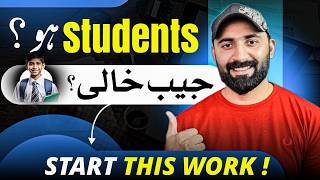
This video is a tutorial on creating UGC (User Generated Content) ads using AI tools, aimed at helping viewers earn money in dollars rather than through low-paying ad-viewing apps. The creator demonstrates a step-by-step process using Google's AI tools to generate realistic influencer videos for products, and explains how to find clients and monetize these ads.
The creator criticizes apps that pay small amounts for watching ads, calling it a waste of time and harmful to eyes and battery.
The video promises to teach how to create UGC ads using AI, where companies pay $100-$200 per ad, without needing a real model or voice recording.
You need a product to advertise and a model (AI-generated) to present it in the ad.
The creator demonstrates selecting a hair serum product from Amazon as an example for the ad.
A master prompt is provided in the video description to generate a UGC influencer image with specific attributes like age, ethnicity, and style.
The creator shows how to use Google's AI tool (likely Google Slow or similar) to generate images and videos from prompts.
Four images are generated, and the user selects the best one for the video.
The selected image is uploaded, and a video is created by merging the product image with the model, using a prompt for the model to speak about the product.
The final ad video is downloaded after extending it to 10 seconds.
The creator suggests becoming your own first client by joining Amazon's affiliate program and using Pinterest to find products and create ads.
Another method is to contact sellers directly on websites like itse.com using the 'meet your seller' option to offer your ad services.
AI UGC Ads as a Lucrative Skill
Introduces the core value proposition: earning $100-$200 per ad without needing a real model.
00:27Master Prompt for AI Influencer
Provides a reusable prompt template for generating realistic influencer images.
02:22Omni Flash Model for Realism
Highlights a specific AI model that produces ultra-realistic videos, a key technical detail.
04:06Monetization via Affiliate Programs
Explains a practical way to earn commissions by creating ads for affiliate products.
08:37[00:00] ایک ایڈ دیکھنے کے اوپر دور کرے اور دن کے پچاس ایڈ دیکھنے کے اوپر سو روپے کماؤ یا خدا کے لیے بس کر دو کب تک یہ سیلچ کرتے رہو گے انٹرنیٹ کے اوپر کہ اس طرح رات ایڈ دیکھ کر پیسے کیسے کمائے روزانہ کے دوز روپے کے ایڈ سم دیکھ رہے ہو
[00:15] اس سے تمہاری آنکھیں بھی خراب ہو رہی ہیں اور اپنی بیٹری کو بھی ڈرینگ کر رہے ہو یہ دو سو پے کٹے کر کے تم کھمٹ تو امیر بن جاؤ گے اس سے تو تم اگلے مہینے اپنے موبائل کا ریس آرز بھی نہیں کروا سکو گے یہاں دوستو آج میں تمہیں غریبوں والی دنیا سے نکال کر
[00:27] جہاں پر پی ٹی سی ایڈز دے کر اپنا ورکز آئیز کیا جاتا ہے وہاں سے نکال کر امیروں والی دنیا میں لے کے جانے والا ہوں جہاں پر یو دی سی ایڈز یوزر جینئیٹک کونٹینگ والی ایڈز بنا کر لوگ پیسے کمہا رہے ہیں
[00:39] اور ڈالرز میں پیسے کمہا رہے ہیں یا تو سو بڑی بڑی کمپنیاں ایک مارڈل کو ہائر کرنی بھی بجائے یو جی سی ایڈ بنوا رہی ہیں اور ایک ایڈ کے پھر بتا رہا ہوں سو اس لے کے دو سو ڈالر تک تھرڑی سیکنڈ کے بھی پی کر رہی ہیں
[00:51] جس میں نہ تو کسی مارڈل کو کیمرے کے سامنے آنا پڑتا ہے نہ یا آواز ریکارڈ کرنا پڑتی ہے سارا جسارا کام اے آئی کی مدد سے ہوتا ہے اور آپ کا بھائی بلال آپ کو یہ کام آج سکھانے والا ہے بھائی سا میں تمہیں ابھی بتا رہا ہوں اگر تمہیں ابھی بھی دو پے والے ایڈ لے کر کمائی کرنی ہے
[01:05] تو یہ ویڈیو تمہارے لیے نہیں ہے ویڈیو کو چھوڑو اور جاؤ دو در پے کماتے رہو اور اپنا وقت جایا کرتے رہو لیکن اگر تمہیں اچھی کمائی تگری کمائی کرنی ہے اور یہ سکل سیکھنا ہے UTC ایڈ جنریشن کا تو ڈائریکلی چلتے ہیں سکرین کے اوپر
[01:17] اور سٹیپ بائی سٹیپ ساری چیزوں کو سیکھتے ہیں UTC ایڈ بنانے کے لیے سب سے پہلے آپ کو ایک پروڈکٹ چلی ہوگی جس کی آپ ایڈ بنائیں گے اور دوسرے نمبر پہ آپ کو ایک موڈل چلی ہوگی جو کہ اس ایڈ کے اندر اس پروڈکٹ کو یوز کر کے ہیں اور اس پروڈکٹ کی
[01:29] پرزنیڈیشن دے کر اس کی ایڈ بنائی جائے گی اب سب سے پہلے ہم نے یہ دو چیزوں کو لینا ہے اس کے لیے سب سے پہلے ہم آ جاتے ہیں ایمازون کے اوپر مثال لے کے چلتے ہیں چھوٹی سی ایک سیمپل لے کے چلتے ہیں یہاں پہنچیں کہ آپ کو ہزاروں لکھوں پروڈکٹس مل جائیں گی
[01:42] یہاں کے کسی ایک پروڈکٹ یہ جو پروڈکٹ نظر آ رہی ہے میرے خیال میں یہ ہیر سیرم کی یہاں پہر یہ ایک ایڈ ہے ٹھیک ہوئے جی یہی سیرن کتنے کا مل رہا ہے آپ کے سامنے نظر آ رہا ہے اب یہ دیکھیں اس کی اگر ہم فوٹوز دیکھیں
[01:55] یہاں پہ دیکھیں یہ فوٹو نظر آ رہی ہے یہ والی فوٹو نظر آ رہی ہے یہاں پہ یہ والی سمپل سی کوئی ویڈیو نہیں ہے اس کے اندر ہم اس کی ایک UGC ایڈ کریج کرتے ہیں سب سے پہلے یہ والی جو پکٹر ہے یہاں پہ اس کو ہم view full کے اوپر کلک کرتے ہیں
[02:10] یہ ہم ایک پروڈکٹ لے رہے ہیں جس کی ہم UGC آئیڈ بنائیں گے اور اس کو ہم سیف کر لیتے ہیں پروڈکٹ ہمارے سامنے آگئی اب ہم ایک موڈل چاہیے یہ ایک موڈل ہم کریئے کریں گے جو کہ یہ والی پروڈکٹ کو لے کے جائے گی آئیڈ کے اندر
[02:22] اس کے لیے میں نے آپ لوگوں کے لیے ایک ماسٹر پرومٹ کریئے کیا ہے اس ویڈیو کی ڈسکرپشن میں آپ کو یہ پرومٹ مل جائے گا اگر آپ یہ فیس بک کے اوپر ویڈیو دیکھ رہے ہیں تو سمجھلی فراموٹ کمینٹ کیجئے آپ کو یہ فراموٹ مل جائے گا یو جی سی آئی ٹوٹوریل گائیڈ کے لیے
[02:34] create a UGC influencer gender young lady with curly hair hair serum related
[02:52] बना रहे हैं, age उसकी 20 years की होगी, ethnicity उसकी Italian, यानि Italian रेड की होगी, background living in the room, एक room में writing होगी, style iPhone, ठीक है, camera placement handled, और उसके बाद coverage medium, close up, look
[03:05] हो, aspect ratio 9 by 16, और additional details, no plastic skin, यानि realistic skin होनी चाहिए, आपने इस prompt को यहां से copy कर लेना है, ठीक है, राइट लिख करके आप लोगों ने कॉपी कर लेने हैं और उसके बाद आपने
[03:18] Google के उन्दर आना है और यहाँ पर आपने सर्च करना है Google Slow ठीक है Google Slow सर्च करना है आपके सामने यह पहली website नजर आ रही होगी आपको उपन कर लाया है और आपके सामने कुछ
[03:30] यह वाला इंटरफेस नजर आ जाएगा यहाँ पे ये देखे नी प्रोजेक्ट नजर आ जाएगा जैसे आप नी प्रोजेक्ट नजर आ जाएगे आपके सामने यह वाली मिनो नजर आ जाएगी यहाँ पर कुछ settings आप लोगों ने जरूर कर लेनी है
[03:42] settings के उपर जाएंगे यहाँ पर यह देखें आपने यहाँ पर 9 by 16 9 by 16 की आपने यहाँ पर एक photo create करनी है आप दो photos भी करवा सकते हैं मैं यहाँ पर 4 कर देता हूँ
[03:54] हमें जो से अच्छी लगेगी हम वो वाली दे देंगे और उसके बाद यहाँ पर देखें नैनो बनाना टू यह आपने मॉडल स्लैक करना है और यहाँ पर देखें अगर आप वीडियो बनाना चाहते हैं तो 9 by 16 जो पर क्लिक करना है और आपने ये वाला model select करना है
[04:06] Omni Flash वाला latest model आया है Google की तरफ से आपको ultra realistic videos बनाकर देता है ठीक है Omni Flash आप लोगों ने जरूर select करना है उसके बाद आपने save के बटन जो पर क्लिक कर देना हैं। जब आप यह क्रिएट करके सेट कर दें तो आपके सामने यह वलिमेंडन अगर आ जाये कि सिंपल आके अपना अपना प्रॉम्ट यहां पर पेस करना है। ठीक है Influencer Image Format यहां पर देकर सरख सरख यहां पर मैंने प्रॉम्ट दे दिया और सिंपल आप लो
[04:47] इमेजेज एड द सीम गाइंड जनरेट करना शुरू कर दी है फिर बता रहा हूं जूजी सी एड क्रिएट करना कोई रोकेट साइस नहीं है बस आपको यह टूल को यूज करना आना चाहिए तो दोस्तों आप यहाँ पर देख सकते हैं, मेरे सामने चार images यहाँ पर create हो चुकी हैं,
[05:03] एक, दो, तीन, चार, अब आपने इसमें से किसको use करके अपनी next video बनानी है, बनानी हैं वहाँ पर डिपेंड करता है। अब देखिए हम next के ऊपर जाते हैं। यहाँ पर ticket plus image image For example image add to prompt image serum
[05:25] इस image को यहाँ पर हम open करके upload कर लेते हैं, यहाँ पर देखेंगे भी uploading start हो गई है, अब हमने इस तस्वीर को और इस image को merge करते हुए एक video बनानी है इसके लिए हम serum और model को select कर लेते हैं
[05:39] इस तरह आप different models भी create कर सकते हैं मैंने एक alien model create की है आप इसके लाभा भी कर सकते हैं यहाँ पर देखें यह serum और यहाँ पर यह वाली picture मैंने यहाँ पर select कर ली है अब simply यहाँ पर मैं लिखूंगा create video ठीक होगा जी, add और add की आगे क्या explanation, क्या prompt होगा, यहाँ पर दिखिए मैंने गहा create UGC ad, accent Italian American होना चाहिए,
[06:07] वाइप विनिमिनिस्टिक होना चाहिए, कैमरे का मोशन कौन सा चाहिए, यह राय लाग इंपोर्टेंट है, I absolutely love this hair serum, यानि कि क्या ये मॉडल बोले, इसलिए मैंने बोला था कि अगर आप इंडिलिश खुद बोलना नहीं आती तो कोई मसला नहीं है,
[06:20] यह सबसे वाली काम यही करेगा, यह मैं यूजिंग फॉर डिस्कोर अग्रेमन्ड, इस बेल में ठीक हो गई थी, आपने सिंपली यह यहाँ पर कॉपी की, कॉपी करने के बाद, आप यहाँ पर आने के बाद, आपने यहाँ पर पेस कर दिया, बाद मैंने सिंपल एंटरपेस
[06:50] वीडियो के इस राष्ट्री तक बहुत चुकी है तो मैं आपको बता चाहिए चलो इस तरह के वीडियो क्रिएट करने में काफी मेहनत लगती है इसलिए आप लोगों की अप्रीशेशन बहुत जरूरी है अप्रीशेशन आप कैसे कर सकते हैं इस वीडियो को लाइक करके और
[07:20] आपको free material मिलते हैं, यहाँ पर जब अपना account sign up करते हैं, Google के लिए अपनी product है, आपको जब अच्छे clients मिलें, तो आप यहाँ पर इसके account को buy भी कर सकते हैं, फिर बता रहा हूँ, Google का अपना यह product है, so यहाँ पर दोस्तों आप देख सकते हैं, कि मेरा ad बन चुका है, कितना realistic way
[07:50] expand plus button click expand 10 second extend download simple download button click
[08:08] आपकी अपनी मज़वी आप स्केल करना है 10 LTP आप इसके पर क्लिक करेंगे उससे साफरी आप यह डाउनलड हो जाएगी यह डाउनलड हो रही है दूसरी आईबी में मैं आपको दिखाता हूँ I absolutely love this hair serum I have been using this for 3 months for 3 months and it's better than anything I have used
[08:23] I absolutely recommend this to everyone I absolutely love this hair serum I have been using this for 3 months and it's better than anything I have used. I absolutely recommend this to everyone.
[08:37] So, friends, now it's time for you to learn how to create a UGC ad. Now, where will you get clients? The first client is here. You can become the first client yourself.
[08:49] Okay, you come to Amazon. After coming to Amazon, you get different products here. निलती हैं, Amazon के ऊपर आने के बाद यहाँ पर आपके पास hundreds of products हैं, आप सबसे पहले इसका affiliate program join करें, affiliate program join करने के बाद simple Pinterest के ऊपर आएं, Pinterest के ऊपर आने के बाद यहाँ पर देखें, इस तरह
[09:06] लोगों ने UGC Ads क्रिएट की हुई हैं, यहाँ पर इन्होंने अपना affiliate program लगाएंगे, यहाँ पर देखें, जैसे आप wizard site के ऊपर click करेंगे, affiliate link open हो जाता है, और वहाँ से जैसे लोग bind करते हैं, आप लोगों commission
[09:18] आपके अकाउंड में आ जाता है दूसरे नंबर पे आपने इस website के ऊपर आ जाना है यह देखे itse.com यहाँ पर हेल्स सीरम मैंने सिरफ एक product आपको बताईए इसके अलावा beautician की products आ जाती है इसके अलावा female की बहुत ज़्यादा products आ जाती
[09:30] आप इनको भी डारेक्ट कर सकते हैं, कैसे कर सकते हैं किसी product को जब आप open करते हैं तो यहाँ पर scroll down कीजिए, यहाँ पर एक option नजर आ रही होती है, meet your seller, यानि कि यह जो seller है, directly आप इसको contact करके, आप यह देखें, इसकी, यह जो serum इसने बनाया है, इसके कितनी हलकी सी इसमें ad
[10:00] आप दोस्तों वेडिंग फॉर स्किल आप लोगों को सिखा दिया, प्लेटफार्म आपको बता दिया, अब आप लोगों ने पहला कदम उठाना है,
[10:30] आज से ये काम शुरू करना है आई ओपरेंट वीडियो वैलियोबल लगी होगी तो इसको थांसा तरूर दिजिए शेर किजिए अपने दोस्तों के साथ इस एंड लाइनिटीज में टोर को जुरू सब्सक्राइब कीजिए थेंक यू



⚡ Saved you 0h 10m reading this? Transcribe any YouTube video for free — no signup needed.