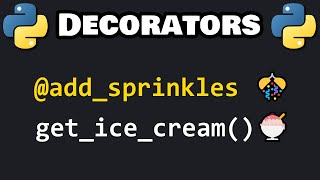

What is a Python decorator?
42sUses an ice cream analogy to explain a complex concept simply, making it relatable and easy to understand.
▶ Play Clip"The title accurately promises a quick intro to decorators, and the video delivers exactly that in under 7 minutes."
This video explains Python decorators, which are functions that extend the behavior of other functions without modifying them. The presenter uses an ice cream analogy to illustrate how decorators add functionality, like sprinkles or fudge, to a base function.
A decorator is a function that extends the behavior of another function without modifying the base function.
Define a decorator function that takes a function as an argument, defines an inner wrapper function, calls the passed function inside the wrapper, and returns the wrapper.
Use the @decorator_name syntax above the base function definition to apply the decorator.
Without the wrapper, the decorator would execute the base function immediately when applied, not when called.
Multiple decorators can be stacked by placing them above the base function, and they execute in order from top to bottom.
To pass arguments to the base function, the wrapper and the base function call should accept *args and **kwargs.
Decorators are a powerful Python feature for extending functions without modification. They are applied with the @ syntax and can be stacked, and they handle arguments via *args and **kwargs.
What is a decorator in Python?
A function that extends the behavior of another function without modifying it.
What is the basic structure of a decorator?
A decorator function takes a function as argument, defines an inner wrapper function, calls the passed function inside the wrapper, and returns the wrapper.
01:16
Why is a wrapper function necessary inside a decorator?
Without the wrapper, the decorator would execute the base function immediately when applied, not when called.
03:30
How do you apply a decorator to a function?
Use the @decorator_name syntax above the function definition.
02:10
How do you handle arguments in a decorator?
Use *args and **kwargs in the wrapper function and when calling the base function.
05:31
Decorator Definition
Clear, concise definition of a decorator as a function that extends behavior without modification.
Wrapper Necessity
Explains why the wrapper function is crucial to avoid immediate execution.
03:30Multiple Decorators
Demonstrates stacking decorators, a common real-world use case.
04:20Handling Arguments
Shows how to make decorators flexible with *args and **kwargs.
05:31[00:00] What is going on everybody? So today I
[00:02] got to talk about decorators in Python.
[00:04] A decorator is a function that extends
[00:07] the behavior of another function without
[00:09] modifying that base function. We pass
[00:12] the base function as an argument to the
[00:14] decorator function. For example, let's
[00:17] say we have a base function of get ice
[00:19] cream and you can pass in a flavor of
[00:21] ice cream. Well, some people might want
[00:23] sprinkles on their ice cream and others
[00:25] may not. They might just want plain
[00:26] vanilla. Well, we could add sprinkles by
[00:29] using a decorator. We're extending the
[00:31] behavior of a function where we get ice
[00:33] cream where we're adding sprinkles. But
[00:35] we may not want to change the base
[00:36] function because some people don't like
[00:38] sprinkles. Think of decorators that way.
[00:41] We're adding something to a base
[00:42] function without changing it. Here's how
[00:44] to create a decorator. Let's start with
[00:47] the base function. We will create a
[00:49] function to get ice cream. There will be
[00:53] no parameters for now. All we're going
[00:55] to do is print the following message.
[00:59] Here is your ice cream. And for fun,
[01:02] I'll add an emoji. I'll add an ice cream
[01:05] emoji. To call this function, all I got
[01:08] to do is call the get ice cream
[01:09] function.
[01:11] Here is your ice cream. Here's how to
[01:14] create a decorator.
[01:16] A decorator is a function. We'll need to
[01:19] define it. define add sprinkles. Our
[01:24] decorator function is going to have one
[01:26] parameter, a function, but we'll just
[01:30] rename it to funk for short. We're going
[01:33] to pass a function to our decorator
[01:35] function.
[01:38] Within our decorator function, we will
[01:40] define an inner function of wrapper.
[01:44] Currently, there's no parameters. We'll
[01:46] set that up later.
[01:48] Within this wrapper function, we will
[01:50] call the function that we receive this
[01:53] parameter.
[01:55] Then we will return our wrapper
[01:58] function. Up until this point, we've
[02:01] been returning values, but now we're
[02:03] going to return an entire function.
[02:05] Here's the basic formula to create a
[02:07] decorator. To apply a decorator to a
[02:10] base function, preceding that function,
[02:13] you're going to add at the name of the
[02:15] decorator. So add sprinkles is a
[02:18] decorator. The base function is get ice
[02:20] cream within our decorator. How do we
[02:24] want to add sprinkles exactly? Currently
[02:26] our decorator doesn't do anything.
[02:29] Here's what happens. We just print here
[02:31] is your ice cream. Let's say that before
[02:34] we're given our ice cream, we'll print a
[02:36] statement that we add sprinkles
[02:39] within our decorator. Imagine that we're
[02:41] replacing calling function with this
[02:44] print statement.
[02:46] Let's create another print statement
[02:48] where we add sprinkles before it.
[02:52] I will print the following message.
[02:57] You add sprinkles. And I'll add an
[03:00] emoji.
[03:02] How about confetti? That could resemble
[03:05] sprinkles.
[03:07] Okay, let's see what happens.
[03:10] You add sprinkles. Here is your ice
[03:12] cream.
[03:14] We're decorating our base function of
[03:16] get ice cream with a decorator of add
[03:19] sprinkles.
[03:20] We're not modifying the base function.
[03:22] We're extending it. Now, we have a
[03:25] nested function of wrapper within our
[03:27] decorator. It is necessary to have this.
[03:30] Here's why. So, I'm not going to call
[03:32] the get ice cream function quite yet.
[03:35] So, nothing should happen.
[03:38] If I was to remove this wrapper,
[03:45] well, we'll end up calling this function
[03:47] as soon as we apply the decorator. We're
[03:50] not even calling the get ice cream
[03:52] function at all. We only want to execute
[03:54] this code when we want ice cream, not
[03:57] whenever we apply the decorator.
[04:00] That's why we need that wrapper
[04:01] function.
[04:04] We'll get ice cream and add sprinkles.
[04:07] Only when we call that function,
[04:11] then at any point in my program, if I
[04:13] call the get ice cream function,
[04:16] then we get ice cream with sprinkles.
[04:20] Let's apply more than one decorator.
[04:23] We'll create a decorator to add fudge.
[04:26] Define add fudge.
[04:29] We have one parameter, a function, which
[04:32] we will rename as funk.
[04:34] We need an inner wrapper function.
[04:38] This is so that we don't call this
[04:40] function when we apply a decorator.
[04:43] I will print
[04:47] you add fudge.
[04:53] Close enough. We'll add a bar of
[04:55] chocolate.
[04:58] Then call the base function that we
[05:00] receive.
[05:01] Then we need to return the wrapper
[05:03] function.
[05:05] All right. Given our base function, we
[05:07] can apply more than one decorator. Let's
[05:10] say that after adding sprinkles,
[05:13] we will apply the decorator where we add
[05:15] fudge. So now
[05:19] we have the following output.
[05:21] You add sprinkles. You add fudge. Here
[05:24] is your ice cream. So with decorators,
[05:27] you can apply more than one decorator to
[05:29] a base function.
[05:31] What if your base function accepts
[05:33] arguments? For example, when we get our
[05:35] ice cream, we need to pass in a flavor
[05:37] like vanilla.
[05:40] I will set up one parameter of flavor. I
[05:44] will convert our print statement to be
[05:46] an fstring. Here is your add a
[05:49] placeholder
[05:51] flavor of ice cream. Let's run this and
[05:54] see what happens.
[05:57] All right, we have a type error. Our
[06:00] wrapper function isn't set up to accept
[06:03] arguments. What you'll see within
[06:05] wrapper functions is that they'll have
[06:06] parameters of args
[06:09] and quarks to accept any number of
[06:11] arguments and keyword arguments.
[06:14] Then when you call your base function,
[06:18] in this case get ice cream, we will also
[06:21] set this up to accept any number of
[06:22] arguments and keyword arguments. Let's
[06:25] do that within our add fudge decorator
[06:27] too. Our wrapper function will accept
[06:30] any number of arguments and keyword
[06:32] arguments. Same thing goes with the base
[06:34] function. And now this should work.
[06:38] You add sprinkles, you add fudge. Here
[06:40] is your vanilla ice cream
[06:43] or any other flavor of your choosing
[06:46] like chocolate.
[06:49] You add sprinkles. You add fudge. Here
[06:51] is your chocolate ice cream. All right,
[06:54] everybody. So those are decorators.
[06:56] They're a function that extend the
[06:58] behavior of a base function. In this
[07:01] case, get ice cream. Decorators extend a
[07:04] function without modifying it. If you
[07:06] would like to apply a decorator to a
[07:08] function, you preede that function when
[07:10] you define it with at the name of the
[07:13] decorator. And you can apply more than
[07:15] one. And well everybody, that is an
[07:17] introduction to decorators in Python.
⚡ Saved you 0h 07m reading this? Transcribe any YouTube video for free — no signup needed.