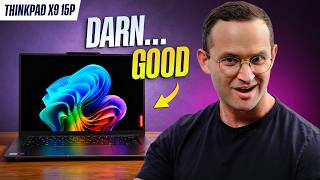

The Best Thin & Light Laptop?
45sImmediate bold claim and direct recommendation hook viewers, making them want to see if they agree.
▶ Play Clip"Delivers a thorough, honest review that matches the title's promise of a top-tier laptop, with minor fluff."
The video is a comprehensive review of the Lenovo ThinkPad X9 15p, a thin and light laptop with an OLED display, haptic trackpad, and Intel Panther Lake processors. The reviewer highlights its strong performance, excellent battery life, and premium build, while noting some compromises in keyboard feel and video editing capabilities.
The ThinkPad X9 15p is described as the best thin and light laptop currently available, with a stunning 15.3-inch OLED display, excellent ports, haptic trackpad, and solid performance.
Lenovo modernized the ThinkPad line by adding a haptic trackpad and removing the iconic red TrackPoint. The X9 15p is the performance version of the X9 15, with improved cooling, a third Thunderbolt port, full-size SD card reader, and better speakers.
Two chips are available: Core Ultra 5 H (338H) with B370 GPU and Core Ultra 7 X. The Core Ultra 5 has 12 CPU cores and 10 GPU cores, while the X has 16 and 12 respectively, but the performance difference is minimal.
In Geekbench, the X9 15p with Ultra X7 performs at the upper end, faster than the non-P X9 15 and similar to a MacBook Air in multi-core. Single-core performance is still led by Apple's M5 chips.
The ThinkPad feeds its CPU more power (burst 65W, sustain 50W), double that of HP's OmniBook Ultra, leading to better performance. Apple's chips are more power-efficient, and Qualcomm's X2 Elite has trade-offs in compatibility and GPU.
The larger cooling solution works well: CPU peaks at 96°C but averages 82°C under max load. Keyboard deck stays at 40°C, which is comfortable, and fan noise is acceptable.
Balance mode drops power draw to 35W, and Best Power Efficiency to 15W, reducing heat and fan noise. For light tasks, the laptop is snappy and silent.
The integrated B390 GPU shines in Time Spy, beating most laptops except those with dedicated GPUs. Older games run well, but newer titles require lower settings. It outperforms Qualcomm and Apple's M5 chips in gaming benchmarks.
In Cyberpunk, the ThinkPad achieves 80 fps on average at high settings, a significant step up from the non-P model. Windows laptops generally outperform Macs in gaming due to better optimization.
Photo editing is capable, but video editing requires dialing down resolution to half or less for smooth playback. 3D rendering is possible but better on Macs or laptops with dedicated GPUs.
The 15p lasted 12.5 hours unplugged in a tougher battery test, thanks to its 88Wh battery. It supports fast charging and maintains full performance when unplugged.
The laptop is slightly thicker and heavier than the non-P model but still portable, weighing about the same as a MacBook Air 15. It has a premium build with minimal flex. Ports include HDMI 2.1, three Thunderbolt 4, USB-A, headphone jack, and full-size SD card reader, with charging on either side.
The 15.3-inch OLED display has a sharp 2880x1800 resolution, over 500 nits brightness, excellent colors, fast refresh rate, and good anti-reflective coating. The touchscreen variant has minimal screen door effect. Some PWM flickering at low brightness but not bothersome.
The keyboard is mediocre with 1.35mm travel, feeling low-travel, but it is quiet. The haptic trackpad is good but feels too slippery compared to MacBooks, though palm rejection is not an issue.
Speakers sound clear and immersive with good stereo separation. The webcam is 1440p with Windows Hello facial recognition, performing well in dim lighting.
Only the SSD and battery are replaceable; Wi-Fi 7 module is soldered. On Ubuntu 26.04, most hardware works, but booting from USB failed initially.
The ThinkPad X9 15p is a phenomenal laptop for those wanting strong performance, a large screen, and portability. Alternatives include MacBook Pro 14 with M5 Pro, Asus Swift 16, and iPad Pro 5, each with trade-offs.
The ThinkPad X9 15p is a top-tier thin and light laptop that excels in performance, display, and battery life, making it an excellent choice for professionals who prioritize portability without sacrificing power. However, its keyboard feel and video editing limitations may steer some users toward alternatives.
What is the resolution of the ThinkPad X9 15p's display?
2880x1800
08:35
What is the battery life of the ThinkPad X9 15p in the tougher test?
12.5 hours
07:13
What is the maximum CPU power draw of the ThinkPad X9 15p?
65W burst, 50W sustained
03:00
What is the average CPU temperature under max load?
82°C
03:38
What is the key travel of the keyboard?
1.35mm
09:52
Which components are replaceable in the ThinkPad X9 15p?
SSD and battery
11:51
What is the weight of the ThinkPad X9 15p compared to?
MacBook Air 15
07:57
What is the GPU in the Core Ultra 5 338H chip?
B370 integrated GPU
01:41
What is the peak brightness of the display?
Over 500 nits
08:49
What is the average power draw in Best Power Efficiency mode?
15 watts
04:17
Effective Cooling in Thin Chassis
Demonstrates that high performance can be achieved in a thin laptop without excessive heat or noise.
03:38Exceptional Battery Life
12.5 hours in a tougher test shows excellent power efficiency for a high-performance laptop.
07:13Integrated GPU Performance
The B390 GPU outperforms many competitors, making it a viable option for light gaming.
04:45Power Delivery Strategy
Feeding more power to the CPU yields better performance, but Apple's efficiency shows a different approach.
02:46Best Laptop for Portability and Performance
The reviewer's conclusion highlights the laptop's unique value proposition.
12:19[00:03] is the best thinner and light laptop that you can currently buy. It feels very wellb built. It has a stunning 15.3 in OLED display. It has excellent ports. You got a great haptic trackpad. It's very light and portable, and it gives
[00:16] you solid performance for what it is. If you can afford it, as this laptop is end-of-the-line laptop to get. I'm just going to save you, you know, 15 minutes. There is a link to buy it down below this video. Still with me? Let's get
[00:30] into the ThinkPad X915. It's essentially Lenovo just modernizing their ThinkPad line of business laptops, adding things like a haptic trackpad and removing things that, you know, modern buyers may see as outdated, like that iconic red
[00:42] track point. The X915P, it's actually the performance version of the X915 that was released last year. Right here at this very business, people love the X915. Seth has been using it as his daily driver for about a year or so now.
[00:57] one of Intel's powerful Panther Lake series 3 processors. Its cooling the other model, which allows such a chip to perform quite well. And the performance version has a third Thunderbolt port and a full-size SD card
[01:12] reader. It's also got an improved speaker design. This new P variant is way. There's no equivalent one for that smaller 14-in. So, in terms of configuration, there does appear to be two chips available for the 15P. There
[01:26] is a Core Ultra 5 H chip as well as an X chip. Normally H chips give you strong CPU performance, but they do have a weaker integrated GPU, only 4xe cores. The X chips give you strong performance across both CPU and GPU tasks. But this
[01:41] specific Core 5 chip, the 338H, it's an exception. It has a B370 integrated GPU. chip as one with X in the name, strong CPU and GPU performance. It just has 12
[01:54] CPU cores, not 16, and 10 GPU cores, not 12. So, you aren't really missing out on a lot by just saving money and going for the Core Ultra 5. Guys, don't you just love Intel's product stack? I mean, what a complete mess. But at least it keeps
[02:08] us in business. You know, explaining it to you all. Anyway, in Geekbench, which tests a variety of common performance tasks, our model with the Ultra X7, it performs really well at the upper end of what we see from this chip. It's way
[02:20] faster than the ThinkPad X915. That's the nonp version and similar to a MacBook Air, at least in multi-core performance. In single core, those M5 chips, they still clearly lead. By the way, we're certainly aware the Geekbench
[02:32] 7 has now been released. We are absolutely looking into updating to it. laptop performs under a Mac CPU workload, the 15P also performs very well. Here it is now ahead of both the MacBook Air and the MacBook Pro 14 with
[02:46] the base M5 chip. Again, that's in multi-core. Now, if you look closely, you can see that the 15P performs much better than HP's OmniBBook Ultra, which is supposed to have a better X9 chip. Go Intel product naming again. Anyway, this
[03:00] is because the 15P feeds its CPU more power. The ThinkPad can burst at 65 W and sustain 50. This is around double the power that HP feeds the OmniBBook Ultra. It's also double the amount that the original X915, the nonP, feeds its
[03:14] processor. You can see here just how power efficient Apple's chips are. The MacBook Pro with the M5 Pro 15 core, it consumes less power, but it performs better. So does Qualcomm's X2 Elite chips, but those ones do have trade-offs
[03:26] in terms of compatibility and GPU performance. Before I deep dive into GPU performance, if you're wondering whether the CPU inside this laptop can actually be cooled in its thin chassis, well, it can. The larger cooling solution in the
[03:38] P model, it works. Internal CPU temperatures, they peak at 96, but average only 82. And this is under a max CPU load. During this time, the temperatures you'll actually feel on the keyboard deck and underneath the laptop,
[03:51] they're very comfortable. Only 40 Celsius when the laptop is maxed out, that is fantastic. And it's way cooler to the touch than a MacBook or HP's Omnibook Ultra. And if you think the fans are just spinning loudly to make
[04:03] all this possible, they aren't. Fan noise is very acceptable. Now, we did test all three of the 15ps performance modes. If you step down to balance mode, it drops the average power draw from 50 watts to 35 for a small saving in heat
[04:17] and fan noise. Best power efficiency further drops the power draw to around 15 watts for a massive saving in heat and fan noise. Now, this is probably a laptop is actually using when you're doing light tasks on it, not running
[04:30] Cinebench on a loop. When I use this laptop for that, you know, office apps, incredibly snappy and I never felt any heat or heard any fan noise. All right, what happens if you're using the GPU? Well, the integrated B390, it just
[04:45] shines. In Time Spy, the quintessential gaming benchmark, the only laptop that really beats it is the Legion 7A, which has a dedicated Nvidia GPU and a mid-range one at that. Older games, less demanding ones, they're going to be very
[04:57] frame rates. Now, if you want to play newer titles or more demanding ones, you will have to dial down those settings quite a lot probably to play them. If GPUs, AMD does have a more powerful one in their stricks Halo chips, but laptops
[05:11] with those, they're pretty rare, and that GPU actually draws more power than this one. So, I prefer the Intel one. Now, this benchmark, it is an example of on Qualcomm Snapdragon laptops. So,
[05:24] those underperform here. It also doesn't run on Mac OS at all. Let's now switch because of that to another gaming test, still Nomad Light. It runs natively on all hardware. Here you can see that Qualcomm laptops do close the gap to the
[05:37] Qualcomm laptops do close the gap to the B390, but the Intel GPU is still ahead. It also beats Apple's M510 core GPU in the MacBook Air and Pro. But this performance of the M5 Pro chip, which you can absolutely get in a MacBook Pro
[05:51] laptop. And it certainly doesn't compete with a laptop with a dedicated GPU, especially a mid-range one or higher. Now, in a real gaming benchmark like Cyberpunk, the ThinkPad gives you a healthy 80 frames per second. That's on
[06:04] average at high settings. You can see here just how much of a step up this new laptop is from the base nonpad X915. Also, this game just really highlights how much Windows laptops outperform Macs in actual games. Games are just better
[06:18] optimized for Windows laptops. Let's talk about doing creative tasks on this laptop. For photo editing, this one very capable, but if you are looking to edit Nvidia GPU is going to be a much better choice at this price point. You can
[06:32] clearly see in our drop frame test, you really have to dial down the output resolution to half or probably even less for a smooth playback experience. This is on one of our videos, by the way. The MacBook Pro with the M5 Pro chip and the
[06:44] Legion 7A are just much smoother to edit on. This doesn't mean you can't edit but you wouldn't want to edit videos like ours on this laptop. Now, if you are doing 3D rendering, similar story. It can be done, but again, a MacBook or
[06:58] a laptop with a dedicated GPU is just a better choice. All right, I promised you that this laptop has excellent battery life. Well, check this out. The 15P lasted a whopping 12 and 1/2 hours unplugged. It's large 88watth battery
[07:13] really paying off here. And guys, this is our new tougher battery test. Even if you do run out of battery, this laptop supports fast charging. Now, if you do you're unplugged, you'll be pleased to know you don't lose any performance. The
[07:27] laptop still performs at its max. Okay, so performance is out of the way. Let's now talk about the rest of this laptop. Now, both the Thin Pedex 915s, they look laptop with a bulge for their cooling solution. The larger cooling area in the
[07:43] 15p, it does make that laptop a little thicker towards the rear. It's around also a little heavier than the nonP model, but it's still very portable for what it is. It weighs around the same amount as the MacBook Air15. as a whole.
[07:57] Both in Padex 915s, they feel very well built. Very minimal keyboard deck flex and no lid flex. I definitely classify these laptops as premium ones. Now, another thing I really like about the 15P is its ports. As you look around it,
[08:11] on the left side, you got an HDMI 2.1 port, two Thunderbolt 4 ports, and a headphone mic combo jack. On the right side, a USBA port, another Thunderbolt 4 port, and a full-size SD card reader. You can charge or dock the laptop from
[08:23] either side, which I really like. Many ThinkPads, they only allow charging and docking on one side, which is kind of inconvenient. Now, when you open up the ThinkPad, which you can do with one hand, you'll be greeted by a glorious
[08:35] display. It's a roomy 15.3 in OLED with a super sharp 2880 by800 resolution. If you're looking at small text, say coding, or numbers in Excel all day, this is a great display. It gets very bright at over 500 nits. It has
[08:49] excellent colors and a fast refresh rate. Its anti-reflective coating is also quite good. Combined with the screen's high brightness, this laptop reflections, at least in most environments. Now, there are two
[09:02] displays, a touch and non-touch variant. Ours is the touchcreen, and it felt super responsive to actually use. Normally, with touchcreens and anti-reflective coatings, you actually get a bit of a screen door effect.
[09:14] peeping through white colored content. In this case, it was actually pretty minimal. So, two thumbs up here. Now, we did detect some PWM flickering at lower brightness levels, but in reality, in the real world, guys, it didn't bother
[09:28] us at all. Okay, so the keyboard is probably the only mediocre factor about this laptop. It's not a bad keyboard by any means. It has got a regular layout, so no mis presses. It's got a keyboard backlight that is good enough, and it
[09:40] the keys like a lot of Lenovo's yoga range does. But the actual feeling of reach the heights of the rest of the machine. It's got 1.35 mm of key travel,
[09:52] which should be good enough, but typing on it just feels a bit low travel. The keyboard in my Yoga Slim 7X is just more comfortable to type on. You feel this you press the keys. Now, in favor of the ThinkPad's keyboard, though, it is very
[10:06] quiet to type on. So, great for a meeting or classroom where you don't out the keyboard, there is a fingerprint reader in the power button. The haptic trackpad is pretty good. It doesn't feel
[10:18] MacBooks. The ThinkPad trackpad, you see, it just feels a little too slippery for my liking. I did try adjusting the settings, but it never felt as good as a MacBooks. Now, most Windows laptops that I've tested with these large haptic
[10:31] trackpads, they have dreadful palm rejection issues. It really just ruins say that this laptop doesn't have that issue. It seems what Lenovo are doing are disabling the trackpad if you don't move the cursor for a while, but a
[10:45] enough. The cursor just didn't move when I initially glided my finger over the trackpad. Speakers sound really good on this laptop. Clear with a nice sound very immersive with good stereo separation. I mean, take a listen. Let
[11:01] me know with a comment below what you think.
[11:25] sounds like on the ThinkPad X915P. It's a high resolution 14401, and I am using our excellent studio lights here. There's no physical privacy shutter that that you can just press for that. And there is Windows Hello facial
[11:37] recognition to get you locked in fast. Now, here I am trying to test a worst case scenario, dimmer house lights, and a well-lit background. It actually does isn't really a lot you can do. Only the single SSD and battery are replaceable.
[11:51] The Wi-Fi 7 module is soldered, but it does support the full Wi-Fi 7 spec, including the 320 MHz channels as well as Bluetooth 6. For Linux, we tested Ubuntu 26.04. 4 keyboard, trackpad, backlight, speakers, Bluetooth, Wi-Fi,
[12:05] brightness up and down, and microphone all worked. The only thing we couldn't boot off the USB drive. If you do a full install and driver update, perhaps this will work. Guys, I'm going to keep this conclusion just really short. This is a
[12:19] phenomenal laptop. I think it is the best laptop for someone who just wants strong enough performance, a large screen to get real work done, yet they don't want to compromise on portability. On numerous occasions when using it, I
[12:31] just turned around to Seth who, as I said, uses the nonp version as his daily said, uses the nonp version as his daily driver, and I said, Seth, I get it. If office and web browsing. Just save money, get the model that he has. If
[12:43] you're buying the P version, as I said, you could consider saving a little money hidden gem. It's in a similar performance class to the X chip. Now, recommendations, so here they are. If you're okay with Mac OS, the MacBook Pro
[12:59] 14 with the M5 Pro chip, it is more powerful. It's going to allow you to do things like higherend video editing and it costs around the same. I personally use the MacBook Pro 14 with the M5 Pro 15 core chip. If you are sticking to
[13:12] Windows, the Asus Swift 16, which we did have on our graphs today, it's a very similar laptop with an Intel X processor, but it costs a lot less. Its trackpad just has dreadful palm rejection. So, you really have to use a
[13:25] mouse with that laptop. The iPad Pro 5, that's also a good alternative to this one. Slightly less premium, but it has a dedicated GPU. Yay. And a similar form factor. It's also light and portable yet well-built. The iPad Pro, though, is
[13:39] just really hard to come by right now. If it is available, I'll link it down to all the laptops that I just recommended. Now, you'll also find all the laptops we recommend for various types of users over at our website,
[13:52] bestlaptop.deals. Over there, we do track prices right truly getting a good or great deal, and of times they just raise the MSRP price so you think the laptop's on a good sale
[14:05] when it isn't. I'm out of here. Go do something awesome with your day. And I something awesome with your day. And I will catch you later.




⚡ Saved you 0h 14m reading this? Transcribe any YouTube video for free — no signup needed.