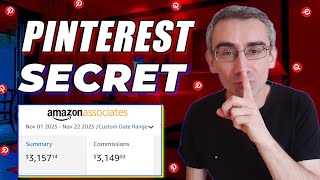

Why Pinterest Shop Ads Are FREE & How They Make Money
44sReveals the secret behind money-making pins that most people miss.
▶ Play Clip"Title promises daily $120, but the video says you need months of consistency to reach $3k–5k/month—vague and oversold."
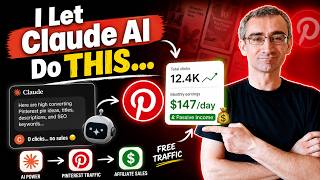
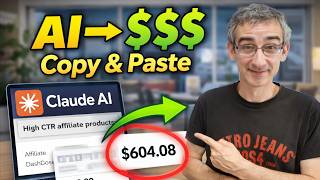
This tutorial reveals how to make money with Pinterest affiliate marketing by creating viral 'shop ads' — a free feature that tags products to pins. The method uses Google Gemini (called Nano Banana in the video) to blend product images into royalty-free photos, then publishes them as shoppable pins with affiliate links.
YouTube creators show huge earnings from Pinterest, but viewers fail because they miss the key: shop ads. These are free product tags on pins that link to stores.
First, get a royalty-free image (e.g., from Pixels, Pixabay) of a popular subject like a puppy. Choose vertical orientation to maximize screen real estate.
Find a product on Amazon (e.g., dog sweater) and save its image. Upload both to Google Gemini with the prompt: 'Make this dog wear this sweater and make it blend so it looks natural'. Download the composite.
Go to Settings → Account Management → Convert Account to upgrade your personal profile to a business page. This is mandatory for shop ads.
Upload the composite image, write a catchy title with keywords (e.g., 'A sweater that makes dogs fly almost'), a long description with keywords, and add hashtags. Choose a relevant board.
Click 'Add a product tag'. Insert your Amazon affiliate link (or Shopify/WooCommerce product URL). Pinterest fetches product data. You can tag up to 4 products.
After publishing, the pin becomes a 'shop the look' ad. Consistency over months can yield $3,000–$5,000/month. The method works for Amazon, Shopify, WooCommerce, not all websites.
By consistently creating viral-worthy composite images and tagging affiliate products, you can build a passive income stream on Pinterest. Patience and volume are key—results appear after 1–3 months.
What are Pinterest shop ads?
Free product tags on pins that link directly to product pages on Amazon, Shopify, WooCommerce, etc.
00:16
Why are shop ads key to making money on Pinterest according to the video?
They enable direct product tagging, allowing creators to earn commissions or sell their own products.
00:02
What tool does the video recommend for blending product images into background photos?
Google Gemini (referred to as 'Google Nano Banana' in the video).
01:42
Which type of image orientation is recommended for Pinterest pins?
Vertical orientation to maximize screen real estate.
01:14
What step must you take before you can add product tags to a pin?
Convert your personal Pinterest profile to a business account via Settings → Account Management → Convert Account.
03:34
Which e-commerce platforms are compatible with Pinterest shop ads?
Amazon, Shopify, and WooCommerce, plus a few others.
06:04
What prompt does the video suggest using in Google Gemini to create the composite image?
Make this dog wear this sweater and make it blend so it looks natural.
03:08
How many products can you tag in a single Pinterest shop ad?
Up to four products.
06:49
What is the estimated monthly earnings after one year of consistent effort according to the video?
$3,000 to $5,000 per month.
07:36
The Real Secret: Shop Ads
Reveals the core method that many overlook, differentiating effective Pinterest earners from those who fail.
00:02AI Image Blending with Gemini
Introduces a practical use of AI to create realistic product photos, reducing the need for expensive equipment or photography skills.
01:42Business Account Requirement
Highlights a critical step that is mandatory for shop ads, which many personal users might miss.
03:34Compatible Shopping Platforms
Clarifies that shop ads only work with specific e-commerce platforms (Amazon, Shopify, WooCommerce), not arbitrary sites.
06:04Long-Term Earning Potential
Provides a realistic earnings expectation ($3k–5k/month after one year), setting achievable goals.
07:36[00:02] YouTube showing you how they are making tons and tons and tons of money on Pinterest and they even show you proof that they are really making money. But no matter what you do, you can't make that money. And the reason for that is
[00:16] that money. And the reason for that is this. These here are called shop ads. And these people are actually using shop ads, Pinterest shop ads to make money. And don't worry, even though they are called shop ads, they are 100% free. And
[00:31] I'm going to show you how to set up Pinterest shop ads. So, first thing you need to do, you need to create a pin that will potentially go viral. Why? Because we wish to make our pin in front of as many people as possible because
[00:46] then chances are that many of those people will click on our Pinterest shop people will click on our Pinterest shop ad and that we will actually make sale. So what we need to do we need to go on website called pixels or you can use
[00:59] pixabay vect easy unsplash or any other royalty-free website and then here I royalty-free website and then here I will search for example puppy okay puppy and press enter and I have chosen photos and then I will click here on filters
[01:14] and I'm going to use vertical because I wish to take as many real estate as possible and here you can see there is lots of royaltyfree free images of puppies that you can use to promote your own products. So let's say for example I
[01:29] wish to use this image here. I will simply click on this image and then click here and I can choose the dimensions. So for example let's just say large. Click here. Click here on download selected size. Give it a few
[01:42] seconds and I downloaded this to my desktop. So next thing I need to do I need to go here on Google Gemini and I need to click here on tools. Click here on create an image. So basically I'm going to use a Google nano banana. Click
[01:59] here on add files and I'm going to actually and actually I forgot I need to go here on Amazon and I need to find a product that I wish to promote. So here
[02:11] I will search let's say for example dog sweaters and here you can see there is lots of dog sweaters that you can use that you can promote and make a good money. So for example, let's just say I wish to promote this sweater here. I
[02:24] need to click on it and I need to actually click on one of these images. Let's say for example this image here. I will click on it and I need to right click here save image as and I need to save this image to my desktop. So now I
[02:39] need to go back here on Google Nano Banana. I need to click here on this add files. Click here on upload files. And I need to upload the image of the sweater that I downloaded from Amazon. And also I need to upload the image of the puppy
[02:54] that I downloaded from Pixels. This is the image. Click here on open. Give it a few seconds. And then here I need to give it a prompt. And I can say something like this. Make this dog wear this sweater and make it blend so it
[03:08] looks natural. And then simply click here on submit. Give it a few seconds to actually process this. Okay. Okay. Google Nano Banana finished and here you can see how this looks actually it looks
[03:20] really really good. So what I need to do I simply need to click here on download full size and I I will download this to my desktop. So next thing I need to do I need to go here on Pinterest and this is really really important part of the
[03:34] video. So pay close attention. So what you need to do you need to click here on settings. Okay. and then click here on settings again and then click here on account management and then here you need to click on convert account because
[03:50] you need to convert your personal profile Pinterest profile into a Pinterest business page. Simply click here on upgrade and you will upgrade here on upgrade and you will upgrade your page to a business page. After that
[04:03] and then what you need to do you need to click here and then you need to click here on create a pin. And now we need to click here and upload the pin that we created in Google Nano Banana. So let me just find that pin. This is the pin. And
[04:19] then here you need to optimize your pin. You need to give it a catchy title. So I can say something like this. For example, a sweater that makes dogs fly example, a sweater that makes dogs fly almost. This is a catchy title and also
[04:33] includes my main keyword. Here you can see dogs and here you can see sweater. Okay. And here I need to add a description. And I can say something like this. And again here you can see this description includes my main
[04:46] keyword dog. And here you can see sweater. Okay. I added my keywords in this description as well. I would also add some hashtags. Here you can see link. Now I don't have any link. Here I need to choose a board. So for example I
[05:02] will choose board. Okay. This is the board. Here I can choose topic. So for board. Here I can choose topic. So for example I can say dog. I can say dogs. I can say again dog. And here I will choose cute dogs and so on and so on.
[05:16] And here you can see option add a product tag products. Click here. And then this is also really really important part of the video. Now guys here I need to simply go here on Amazon and I will close this and then I will
[05:31] simply click here on get a link and this is my Amazon affiliate link. go back here on Pinterest and then click here on use a link. Okay. And then I will simply paste my Amazon affiliate link. Press enter. Give it a few seconds to actually
[05:48] collect data from Amazon. And here you can see it collected data from Amazon. So let's say for example I will use this image here. Okay. Give it a few seconds. Here you can see it added this product. Now you can tag products. You can add
[06:04] shop ads from Amazon, from Shopify, from WooCommerce and few other websites. You cannot add shop ads from just any website. Now that is important information. Affiliate links you can add from Rakquiten store or Amazon store.
[06:20] Okay, from your own stores only if they're hosted on Shopify or WooCommerce and few other websites. Now here you can see I added only one product but I can add more products if I want. I can simply click here on this plus and I can
[06:35] add another product. And after you finish this, all you have to do is just click here on publish. Give it a few seconds. Click here on let me just click here on view to see my published post. And here you can see this is a post and
[06:49] this is my shop the look. This is my Pinterest shop ad. Like I said, you can add more products. I added just one product. You can add four products here. Okay. So this is how people these people on YouTube are making a lots of money.
[07:05] They are really good at making viral Pinterest pins and they tag different affiliate products or products from their from their own Shopify store and that is why and that is how they are actually making a lots of money from
[07:21] Pinterest and that is what you need to do. You need to start making viral Pinterest pins and you need to start tagging products, Amazon affiliate products or Shopify or WooCommerce products from your own store. And trust
[07:36] me guys, after one month, two months, maybe even 3 months, you will start making sales. You will start making money. And if you're consistent, after one year, you will probably start making three, four, maybe even $5,000
[07:51] with Pinterest. So, this is how you make money with Pinterest and Amazon affiliate marketing. That's it for today, guys. If you wish to see more ways to make money online, make sure to subscribe to my channel and
[08:03] And also on your right side, you can see more videos that you can watch on YouTube that may help you to make money online.


⚡ Saved you 0h 08m reading this? Transcribe any YouTube video for free — no signup needed.