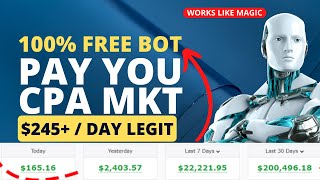

Make $500/Day with Free CPA Method
34sPromises high income with no investment, tapping into the desire for quick financial freedom.
▶ Play Clip"The title promises $500/day but the method is a blackhat scheme with no guarantee of earnings, making it mostly misleading."
This video presents a blackhat CPA marketing method that claims to generate up to $500 per day using free traffic from freelancing platforms. The tutorial walks through setting up a CPA Grip account, creating a content locker with a Google Doc, and posting fake job listings on SEO Clerks to trick freelancers into completing CPA offers.
The video introduces CPA marketing as an easy way to make extra cash, promising up to $500 per day using blackhat techniques and free traffic methods.
First step is to sign up for a CPA Grip account by filling out a registration form with personal details, website, and Skype.
After logging in, navigate to monetization tools and URL file lockers. Create a new locker, agree to terms, and choose a template.
Change the button text (e.g., 'Access Samples') and add a locked URL. The locked URL is a Google Doc containing an article about expensive cars.
Copy an article about expensive cars from Google, paste it into a Google Doc, remove any links, and set sharing to 'Anyone with the link'.
Copy the Google Doc link and paste it into the locked URL field in CPA Grip. Save to get a new locker URL for promotion.
Create another Google Doc with a simple article and embed the locker URL as a link. Set sharing to 'Anyone with the link' and copy this link for distribution.
Go to SEO Clerks, create a job posting for a translation task (e.g., 100 pages English to Spanish) with a budget of $125. Include the Google Doc link in the description.
After adjusting the budget to $125, submit the job. Once approved, freelancers will click the link, complete the CPA offer to access the samples, generating commissions.
The video outlines a blackhat CPA method that exploits freelancers by tricking them into completing offers under the guise of a job application. While it promises high earnings, the approach is unethical and violates terms of service of both CPA networks and freelancing platforms.
What is the first step in the blackhat CPA method described?
Sign up for a CPA Grip account.
00:34
What tool is used to create a content locker in CPA Grip?
Monetization tools > URL file lockers.
01:28
What type of article is recommended for the Google Doc?
An interesting article, e.g., most expensive cars.
03:13
How is the Google Doc shared to allow anyone to access it?
Set sharing to 'Anyone with the link'.
05:14
What freelancing platform is used to post the fake job?
SEO Clerks.
06:56
What is the budget set for the fake translation job?
$125.
10:53
What is the purpose of the second Google Doc?
To embed the locker URL as a link and trick freelancers into clicking it.
05:42
What happens after the job is approved on SEO Clerks?
Freelancers click the link, complete the CPA offer to access samples, generating commissions.
10:53
CPA Marketing Promise
Sets the expectation of earning $500 per day with blackhat techniques.
00:05Content Locker Creation
Core technique of locking content behind CPA offers.
01:28Fake Job Posting on SEO Clerks
Exploits freelancers by tricking them into completing offers.
06:56Job Submission and Approval
Reveals the final step to get the scheme running.
10:53[00:05] are you looking for an easy way to make extra cash CPA marketing offers a great opportunity to make money from whom and this video we will discuss how you can this video we will discuss how you can make up to 500 a day using blackhead CPA
[00:18] marketing techniques and free Tropic methods we will also show you the methods we will also show you the various components of successful CPA marketing strategy and how you can begin your journey to financial success and
[00:34] freedom without an investment or special skills right away here so everything will be in detail right here it's absolutely the free strategy in print method what you need to do you need to first sign up for CPA grip account right
[00:46] here by just clicking the register button you need to complete this forum right away here which is simple and easy add your first name last name company add your first name last name company websites treated us countries cities and
[00:59] other requirements what they have like zip code and you can also add a Skype if you don't have you need to sign up for one and you can simply sign up for that once you sign up then you can simply add and you can add your email password and
[01:14] confirm password and then you can simply scroll down and add for example tick mark the term of service agree to the term after services and other things right here and all these three you can check and then click on the register Now
[01:28] button once you sign up then you can simply log into your account right here this is the main dashboard and we are not going to focus on more things we're just going to monetization tools and URL file lockers right here and we will
[01:43] definitely click on that once we click we can simply click right here to create and then scroll down and click I am agree to the term up service and then click on the continue option right here here is the bottom what you need to do
[01:57] is simply go to the template sections right here and change the template according to your offer right here basically I can simply choose this offer or this template like download okay and then simply put the general settings
[02:10] right here here you can simply add or change the button text right here which is begin download you can simply remove this and you can simply type something nice according to your offers so I can simply write here for example axis
[02:27] samples here okay or axis sample something like that then I can simply scroll down if here is the text if I want to change so I can also change that according to my own attacks right here but I will not do more changing I can
[02:44] simply just change something like for example last clicked or clicked here or something like that I can simply add and then I can simply add a locked URL which is the most essential part right here that I can simply add it right over here
[02:59] so for that reason I simply just go to Google and simply type most expensive Google and simply type most expensive cars in the world so once I just click on that and search that we will have the different articles right here that we
[03:13] can simply have but I will simply choose the one which is really interesting right here and you can also find yourself the best one right away here so I can simply select this one which is the best one right here that you can
[03:26] simply see here and now it's it's also talking most about Bugatti right here so I can simply copy the first text with the title and then I can simply come back right here to a new Google Docs document I think simply click on the
[03:41] blank page right here and I can simply just paste it right away here so one by one means the whole text I can simply copy from that and I can simply paste it right here so you can also a little bit customize so I can simply scroll down
[03:56] and I can simply just copy the second photograph as well right here means I can simply just copy that and simply go to Google Docs and paste it right away here as well and I can simply go back right here and the rest of the article I
[04:11] can simply complete all copy that and then simply go back right here mean simply just scroll down almost to the bottom simply just copy that and go back to the Google Talk and simply pass it right away here so once you pass that
[04:27] here that all the text is right here with images but here are also some links right here to make sure that you remove the links right here by just selecting that and you can simply just click on the URL and simply remove that but you
[04:44] just need to make sure that you do not simply just add more spaces or extra space you select you only select the text that is linked so then you can simply remove that so once you remove that then you simply scroll down any
[04:59] text with the link that you found you can simply remove that once you are done right here so it is complete nothing is needed just simply click on the share option right here click on the sale option again and then simply just you
[05:14] will have this option restricted mode you can simply change to anyone with the link then simply copy the link once you copy the link then simply go back to CPA grab and pass the link in the lock URL section right here and then click on
[05:29] the save option once you click on the save option right here then you will have this locked URL link you simply click on that and this will be the link that you can click copy from here and start promoting right away so anywhere
[05:42] you want to promote you can simply promote but you just need to come back again to Google doc and simply just click that the blank page and simply write something or some text right over here so what you need to write here and
[05:56] what you need your foot to write it here it is important so what you need to you simply just pass or you simply write here is the simple articles okay make sure that you read to copy the text and hear the section that which is for
[06:11] example for the simple text you simply select that click on the link and edit the link into that so the log URL from the CPA graph we simply just passed it right away here so it means that the lock key ideas
[06:27] right away here that simply put it to make sure that you simply bold and you simply a little bit bigger the article right here or the text and make sure you bring in the middle then you simply click on the share option click on the
[06:41] sale and then also change the same sitting enter anyone with the link then just copy the link from here so once you copy this link from here now you can distribute online and share online but where you can share that is the
[06:56] essential part right over here that how you can share where you can share to get have the best conversion and making more money so basically for that reason we are simply going to Su clerks.com once you're good at sign up for free Comfort
[07:11] again it's a freelance website what you need to do right here is simply go to the buyer sections and then click on the create job sections right over here once you click on that you will have this page right here and you need to present
[07:26] um something right here for people that they can do for you simply go to Google and simply type for example expensive car choose the one image for your tax or for your gig that you are going to post for the Freelancers right over here I
[07:41] simply select this and I can simply download and re-upload it back to SEO clerks means right here I can simply click on that and then you can simply scroll down a little bit to the bottom right here if they required to create a
[07:57] great title so for that reason I can simply just write a catchy title right here for example I can simply just write something we are hiring a freelancer for translating 100 pages of English articles into Spanish so that will
[08:13] require two days I can simply select that and then categories we can simply just select the category like article translating and then we simply have skills skills you just need translating or translation or something like that I
[08:28] can simply type and then I can simply go to the price that how much I need to pay for that we are not going to pay for that it's 100 free it's a blackhead marketing strategy I can simply something right like 150 so for how many
[08:43] days your bids will be live on this website I basically most of the time generally I'm selecting 60 days so that's why I just suggest to write six days or 30 days or one or two months actually for level I can simply select
[08:57] all labels and click on the continue option so once you click on the continuous option right here basically you can simply explain what our Gates or what we required from the Freelancers right here so I can simply write
[09:11] that click on that and then if you perform our task for that so we will pay the money but actually we are not paying the money it's a completely black kid spreading it so I simply write some text
[09:26] like for example we are looking for an experience for Lance translator to provide interactive services for a large project something like that so I just simply write something like this and then I also embedded my link from the
[09:40] Google Doc right here as you can simply see here and then we can simply click on the continue option Here YouTube required something like that for example that what tell bidders what the requirements will be there for example I
[09:54] can simply write for them for example that good and translation or translating actually like that English to Spanish or something like that so I can simply write for that and then after that I can simply click on the continue
[10:09] option but it requires some more text right here in this section so for that reason I just need to go back right here and just uh solve the problem right here so for that reason I can simply just ensure that and simply add more details
[10:26] into that right here for example at least 50 characters that required for me so I can simply add it into that like first check the samples which is also the important parts right here so once actually I have done with this then I
[10:40] can simply just click on the continue option right here and I can simply continue to the next page right here you can simply see here that our text or our gig is ready your listing is ready to publish right here is you can simply see
[10:53] here if I click on the submit button right here so it will be submit but it information as you can simply see here for freelancer level one you need to for freelancer level one you need to just have 125 investment not more like
[11:08] just have 125 investment not more like that but remember we have just added 150 right here so for that reason I just need to go to back to the first overview section and I can simply change the price from 150 into 125 or something
[11:24] like that so after that I can simply go back to the review sections right here to number four and click on the submit button once I click on the submit button it will be submitted right over here as you can simply see here it is Success
[11:37] your job has been submitted and will be displayed once approved we will let you know via email once it's approved so this is the complete tutorial by this way once it is approved you will have consistent
[11:51] offers for that that people will say that I need to complete whenever people just click on that and they go to the sample sections so they need to perform sample sections so they need to perform our task first means our CPA grip offer
[12:05] first they need to perform and after that they can simply see here the samples that they need to provide for us so that is a complete tutorial that I was about to share with you in today's video but please don't forget to hit the
[12:18] video If you haven't subscribed to the channel subscribe the channel for future Futures updates and if you want to have my number one strategy in CPA plus link in the description of this video you will be ready to a full and
[12:33] comprehensive training from A to Z that you can make money online from that so thanks for watching my friend video see you
⚡ Saved you 0h 12m reading this? Transcribe any YouTube video for free — no signup needed.