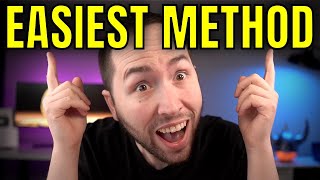

Make Money with Shorts Without Showing Face
53sPromises a little-known, easy method for income without face reveal, tapping into desire for passive income and privacy.
▶ Play Clip"Delivers a solid tutorial but the 'never before seen' claim is exaggerated; the method is standard affiliate marketing with a facts niche."
This video reveals a method for making money with YouTube Shorts without showing your face, focusing on the 'interesting facts' niche. The creator demonstrates how to use InVideo templates to quickly produce videos and promote an affiliate product from ClickBank, earning $37 per sale. The strategy bypasses the need for subscribers or watch hours, making it accessible for beginners.
The video claims to present the easiest method for making money with YouTube Shorts in 2022, using a little-known niche (interesting facts) and free software (InVideo) with pre-made templates.
The niche is 'interesting facts'; it can be broad or narrow (e.g., baby facts, car facts). Naming the channel with 'facts' helps build a brand.
YouTube Shorts are vertical short-form videos that get high views but don't generate ad revenue directly. However, they are ideal for affiliate marketing.
With 5 million views and a conservative 0.1% conversion rate, a $37 product could yield $185,000. This illustrates the potential of affiliate marketing on Shorts.
Create a free account on InVideo (link in description). The free version has a watermark; paid version removes it. Use code 'garretts25' for 25% off.
In InVideo, search for 'fact' templates, choose a vertical one, then edit text, background videos, and scenes. Find facts via Google or other sources.
The final scene promotes a ClickBank product (in e-business/e-marketing). The product pays $37 per sale plus recurring commissions. The call to action directs viewers to the pinned comment link.
Two options: record your own voice using a microphone, or use automated text-to-speech (recommended: Amy's British voice). Adjust timing to match text.
Export video from InVideo, upload to YouTube with a catchy title. Add the affiliate link in the description and pinned comment. Use Bitly to shorten the link.
This method leverages the high engagement of YouTube Shorts and affiliate marketing to generate income without requiring a large subscriber base. By using InVideo templates and the interesting facts niche, anyone can create professional-looking videos quickly.
What is the 'little-known niche' recommended for YouTube Shorts?
Interesting facts niche.
01:08
What software is used to create the videos?
InVideo.
03:39
What is the conservative conversion rate used in the example?
0.1% (one-tenth of one percent).
02:17
What affiliate network is used to promote the product?
ClickBank.
11:58
How much commission is earned per sale from the promoted product?
$37 per sale, plus recurring commissions.
02:17
Why should the affiliate link be placed in the pinned comment instead of just the description?
Because on YouTube Shorts, the description is not easily accessible; most viewers check comments.
13:11
What is the recommended voice for automated text-to-speech?
Amy (British voice).
17:13
What is the suggested background music volume level?
3%.
18:36
Revenue Potential with 5 Million Views
Provides a concrete example of how much money can be made with affiliate marketing on Shorts, motivating viewers.
02:17No Need for Subscribers or Watch Hours
Highlights a key advantage of affiliate marketing over ad revenue, making it accessible for new creators.
03:27Final Scene as Call to Action
Shows how to effectively direct viewers to the affiliate link via pinned comment, a critical monetization step.
11:45Pinned Comment Strategy for Shorts
Explains why pinned comments are essential for Shorts due to limited description visibility.
13:11[00:01] you what i personally believe is the easiest method for making money using youtube shorts in 2022. and with this method not only can you do it without even showing your face on camera but i found this little known niche that is
[00:14] getting crazy amounts of views currently and no one on youtube is talking about it and not only that but i'm going to show you how to use this simple free software with pre-made templates just like these to make the video so you can
[00:27] do it 10 times faster and with so much less work and not only is this niche i'm sure a bunch of people are gonna copy from this video but i'm also gonna show you a product that no one else is promoting that can make you so much more
[00:41] money so make sure you stay tuned for that and all i ask is you smash the like video and i'm going to show you how to do everything completely step by step video all right so like i said in this video i'm going to show you how to make
[00:54] money on youtube shorts with this insane method and the first step really in general would be to pick like a niche like a subject of your channel and i told you i have this little known niche that we're gonna use that's crazy right
[01:08] now absolutely blowing up people love these videos and basically it's the interesting facts niche now you could keep it broad just facts about anything fun facts whatever or you could be like the baby fact channel or the car fact
[01:23] channel it really doesn't matter it's up to you if you want to go narrow or broad more broad and then just make sure you make a channel i'm not going to show you because obviously you're watching this you know how to create one but just name
[01:38] like five minute fact this one's fact like five minute fact this one's fact dose have fact in the name if you're uh more narrow like baby facts right make that your name right because it
[01:51] helps really build a channel around something if you have it in the name don't know what youtube shorts is it's just these like vertical short form videos so it's like youtube's version of tick tock and the nice thing is they're
[02:04] getting crazy views like i said and there's actually a product i'm going to of products but this one no one else is promoting and you can make 37 a sale so for example let me just run some numbers
[02:17] for you one video got five million views okay so we'll take five million okay the average conversion rate the the average amount of people who um purchase a product from youtube or
[02:32] just in general is like one to five percent okay so let's call it a tenth of one percent okay so point zero zero one so this is a tenth of one percent okay so that means five thousand
[02:45] people would purchase so let's multiply that by thirty seven dollars okay that's a crazy number i'm not saying that's guaranteed but you can see just implementing this one thing that no one else is really doing and
[03:01] that's it's crazy because on youtube shorts there's shorts right you're not gonna get ad revenue because they don't actually allow you to make ad revenue off youtube shorts but at the same time that's kind
[03:14] of a positive because to even get your channel available to make ad revenue you need a thousand subscribers and four thousand watch hours so if you're brand new you can actually make money a lot faster with the method that i just
[03:27] showed you those numbers for because you don't need any amount of subscribers you can start doing it right away if you implement the strategy i'm going to show you so just keep watching i'll show you how all that works okay
[03:39] but next what we're going to do is we're going to actually create a free account for the software i was talking about okay so if you go to the link in the description it will take you to this page right here okay so it's called in
[03:53] video and basically you just click here get started for free and create your account okay so i will say one thing though okay you can start with just the free account the one negative about that is the nvidia watermark and like i said
[04:09] you're going to be making 37 dollars per sale with this product so if that watermark makes you look unprofessional and makes you lose just one extra sale a month that that already pays for that way over
[04:22] and in my opinion the watermark looks very unprofessional and you most likely will lose more than just one sale okay so i just wanted to say that but you're welcome to start for free okay if you start with a paid account use the code
[04:35] garrett's 25 for 25 off that is my affiliate link in the description by the way just want to let you know full disclosure but um yeah so we're gonna need this this is what we're gonna use with the pre-made templates and it just
[04:48] makes creating these videos so fast and so easy okay so once you get that now is where we're actually gonna create the video and choose the template like i said and to make it easy i just went to pre-made templates right here this is
[05:02] the home page of nvidia and if you just type in fact right there i mean there's way more than just this you can see so much here and you just want to make sure it's vertical so you know like the the vertical long
[05:15] looking videos like how you see on tick tock okay and you can see here actually you can find like a lot of ideas for videos or instead there's many ways to find like ideas if you've made your channel based on babies
[05:31] obviously you're gonna look for facts about babies but if you're just broad interesting facts you can literally go to google and just type interesting facts right and you can see 125 interesting facts about practically
[05:43] everything right or you can make it more basic like interesting facts about space right and you're gonna find facts everywhere okay so it's really easy to everywhere okay so it's really easy to to find these these ideas in like
[05:57] seconds okay and for this one we'll just pick this one right here since it's just right there and there we go we have a bunch of facts okay so now we'll keep that open we'll go back here and uh we'll just choose this one since it
[06:10] makes sense right so you just click it and if you wanted to you could just see what the video looks like or the the template looks like but when we hit use this template you'll see okay so we'll just click that here okay so this is
[06:23] basically the editor for these templates all right so if you've never used an editor it may look a little confusing but it's so simple trust me i'm going to but it's so simple trust me i'm going to start down here with this audio file
[06:35] okay so basically it has music automatically i'm going to turn it down so we don't listen to that the whole time but more on that in a little bit but basically you have these scenes okay and
[06:48] each of them like here we'll hit play and i'll show you just what one looks and i'll show you just what one looks like okay okay and it has the little video in the background then a transition so you see
[07:01] how it slid to the left right there that's a transition slide stretch left i'm going to keep it basic and that's how you should too and i'll just show you that again so you can see so you see the transition and then it
[07:15] so now all you have to do is change the text obviously you change the background too which i'll show you but don't try and make them all look perfect and all this you just want to start cranking these
[07:29] out so you can make more money okay so for example if you want to change the text here so what was our facts about again um so we'll go back here and we'll go three facts about space
[07:44] and then we'll say that'll blow your mind that's literally all you'd have to do and if you wanted to like stretch it and make it different you can't you can do all this like that and then you can
[07:58] change the color all that's up here you can change the size okay so you could do like 150 and then you can move it up like that so just mess around with it if you want it's really simple but you can literally
[08:11] there's a logo up here you can just exit out of that and then remove from all scenes okay and then that's good okay so now we have three facts about space now we got to go to our next scene right here and then we
[08:25] just enter in our first fact that's literally all we do so we go over here and we say space is completely silent and then we're just gonna copy this okay go back here and then all you do is you're gonna highlight this whole thing
[08:40] and then hit control v okay space is completely silent right if you wanted to you could just leave it just like that just quick fact right or you can see right here they have there is no atmosphere and space and by the
[08:55] way this isn't like stealing facts are not copyright okay so you can use other people's facts all right but if you wanted to add that you would just hit copy again okay and then you go back here and you see they actually did this
[09:10] with fact number three right here so you see they have three and each of these other ones were just one scene right but for this one you see three right there they say that but then on scene five you actually still have the three and then
[09:24] they finish the text okay so if you wanted to do that for one all you'd have to do is click this button right here duplicate scene and then you just do the same thing you you control v okay and now it's the the same thing as three
[09:39] right but you don't wanna have the same image so what you do is you literally just go up here to videos right and so this one's about um i don't know we'll just do space travel okay so just type in a keyword space
[09:52] okay so just type in a keyword space travel and this one's good okay so actually what you could do is we'll change this one because this one has space right here so you could literally just take this and then drag
[10:04] it okay and then you just hit replace and then what you want to do is you want to make sure you hit trim video to fit scene and then hit done and now you can see
[10:19] it's got the uh it's changed the whole video okay so now if you hit play it changes to that one okay and you see the text pop up it's that simple okay so
[10:34] again for number two right here you go back to these facts okay so then you go the hottest planet in our solar system is 450 degrees celsius so copy that again and then you go back here and then you paste it okay so you saw
[10:48] how one of those like if i go back you see how that's like a different color so if i paste this you can actually just like highlight that and then you can hit the color and again if you wanted to
[11:02] here to color you can change the text color if you want or the highlight color to yellow okay and change all so now that's yellow okay so it's really simple and really easy to change all this stuff and just so you know like doing this on
[11:17] your own video editor would take so long okay so yeah you kind of get the idea of how to do that right so i'll finish the the last one really quick and then i'll literally like 30 seconds all i did was add the text and then change the videos
[11:32] on the background so simple but there is one last scene that i need to show you okay so it's this scene right here it's the final scene this is where a lot of people would screw up okay so what we're gonna do is i'm gonna
[11:45] show you the product okay so this is kind of the next step combined with this step so basically what we're doing is we're using a product on this website called clickbank okay and that's the 37
[11:58] that i showed you basically you would create an account and you would go to the marketplace up here and this one is in the e-business and e-marketing okay so like you would go right here to e-business and e-marketing
[12:11] and this is the best-selling product okay so basically it's just you're promoting it and if someone clicks on your link you get paid it's an affiliate commissions you can make and you can actually make 46
[12:27] recurring rebills too so that's insane and the reason this is a good product is because it's basically broad like most people watching videos wanna make money using facebook twitter youtube whatever okay so that's a perfect product and
[12:43] before i show you how to actually get your affiliate link and make money with this product we actually are gonna add this to our last page not the actual do is we're just going to say something like
[12:57] want to get paid to use social media so that's what we're going social media so that's what we're going to say right here so want to get paid to use social media click the link this is where another spot
[13:11] where a lot of people screw up because on youtube shorts you can't really get to the description most people like me for example on long description it's one click and you can get to the description on shorts it
[13:25] doesn't work like that so you actually want to say click the link in the pinned comment below okay and again you can also just gonna leave it like that for now but i think you get the idea okay so now
[13:43] that we're done with that like the whole video is done you can also change the want to like uh money since it's about getting paid and we'll use like this one you drag it on the back and then you replace it and
[13:58] again you trim video to hit scene and then you hit done so now the whole video is done the only thing you need to do is the voiceover and then the music like i talked about okay so the voiceover you have two options you have do it yourself
[14:13] or you do automated text-to-speech okay so i'll show you how you would record the voiceover just for example okay but first you want to drag this so you can do it yourself okay so you can either do it with like
[14:27] like microphone built in if you have like a usb microphone or phone and then send it here you can import so it's up to you how you want to
[14:39] do it i have my mic plugged in so i'll hit record voiceover and then right here you just hit this record button okay and then it's gonna start in a couple and then it's gonna like we're just gonna read this okay so
[14:52] you see it's it's listening to me right now but what i would say right now is here are three facts about space that'll blow your mind at a time because it's easier that way if you screw up and then you see right
[15:07] here if we hit play and then it's gonna that's me talking at the start so we're gonna just delete all this and right here is when i start talking okay so we'll hit play now here are three
[15:21] facts about space that'll blow your mind okay so you see there's some dead space right there and you want to hit add and now right here let me bring this back up you can see the recorded audio
[15:34] okay so now you see it's shorter than the actual scene okay so there's two ways you can do this so first i would hit play on this to see how it looks with the actual text popping up okay so we'll
[15:47] the actual text popping up okay so we'll hit play see the timing was off right so where the text actually pops up is about right here so you want your your text or your voice to start at that same spot so i
[16:03] dragged it right there okay but now we'll hit play again here are three we'll hit play again here are three facts about space that'll blow your mind so now what you want to do is what i would personally do you could just leave
[16:16] it like that but i would click on the first scene and that and you don't have to make it perfect but you just drag it just a little more and you would do that for each scene okay so i'll hit play again
[16:30] just so you can see it kind of finished here are three facts about space that'll blow your mind you see how that worked okay now the other way you can do it is you go to voiceover right here and you go to automated text to speech and then
[16:47] take this text and add it here but if you click here it's going to exit out of that so we'll just go back here we'll copy it you're going to hit control c okay and then what you're going to do is go to the voiceover again and go to
[17:00] just go right here where it says enter your text and then paste it and then you see it looks like the same color there but if you just click off it goes back to that okay and then you pick a voice you like okay so
[17:13] i found that the british ones sound the best for i think it was amy sounds the hello hope you are having a great time mate hello yeah so i like amy and then you just hit
[17:26] generate voiceover okay and you just hit add voice over to scene and then it's the same thing again you see down here it's the second audio file and you're gonna wanna just basically drag this to fit all right and again you don't
[17:40] have to make it perfect but i would just watch it and kind of time it properly but just for example hit play here space is completely silent and you could also do i probably should have done like for example you probably should have
[17:53] done fact number one right so that's just uh a quick tip i guess so again you would just type the text so you would go again of just space is silent you could go fact number one
[18:08] space is completely silent okay and then you would hit generate voice over and do the same thing okay so it's pretty much just repeating the same process over and over and it's really simple okay so the last step would just be going
[18:22] back to this music and if you wanted to change the music you would go to the music right here it's all really simple to use and make sure you have it at a volume where it's not like overbearing like i i usually do it at like three
[18:36] percent okay and that's typically a good volume level okay so yeah that's pretty much the whole video here just make sure whatever way you're gonna do the
[18:48] i'm not gonna do it myself because i think you get the idea but just make have that for the video to stand out from all these other like people just not taking the time to do it the right way because you will stand out
[19:02] this way trust me so i hope you appreciate me actually putting in the do this all right but we're not done yet i gotta show you how to upload the video and add the link to actually make the money okay so don't don't miss out but
[19:16] want to go up here to download and then you go to export and it will just take a when it's done all right so just finished i'll show you just a quick like because it'll be a little funny since the first part's my voiceover and
[19:30] then the auto text-to-speech or whatever but here here are three facts about space that'll blow your mind blow your mind space is completely silent
[19:46] have the voice over for the whole part but you can hear the music in the background that's not like overbearing or anything and it just looks professional okay so that's super sick so now you just want to click download
[20:00] video and now is pretty much the final step actually make the money like i was telling you okay so we'll go over to
[20:12] create video and you just go to upload right here select files and then for your downloads is where it would be so this is the in video project so you just what you want to do is you want to kind of add like a catchy title so
[20:28] honestly you don't have to think too hard because at the beginning remember what we said on the video what did we say it was like uh three facts about space that'll blow your mind that can pretty much be your title so three facts
[20:41] space that'll blow your mind okay so you can also add in like three crazy facts or three three scary facts just like a another word that will entice people to click
[20:56] okay and now right here in the description you still want to add the link but again i told you to add it to the the pinned comment which i'll show you how to do but we're also going to add it to our description so i'll show
[21:08] you how to get that link now okay so again you're going back to clickbank which is the site we're using you create the free account clickbank.com you go to marketplace all right and again you scroll down you go to e-business and
[21:21] e-marketing okay so you'll just click there and to find this product you want to sort it by gravity which just means the top selling so this is the product and you hit promote you hit generate hop link and this link right here is the
[21:35] someone clicks that link and purchases we get paid all right and again that's 37 per sale plus like 40 you can make recurring which is crazy okay so copy this link but no one's gonna click that link we have to shorten it okay so just
[21:51] go to a website there's there's quite a few there's bitly uh tiny url there's tons of them we're to use bitly.com all right then all you do is you go right here you paste that link here and then hit shorten
[22:05] all right so now you see this is the link all right can you see that so this is the shortened link so then you would just copy this link or again ctrl c if you're good with the keyboard and now you're gonna go back to
[22:18] say get paid to use social media and then paste your link but i always add like a little uh arrow and to add
[22:30] those arrows you can either go to google and search like uh arrows on keyboard or you can just go to the description below i always have the arrows you see right there so you can just copy the arrow from my description and then you go back
[22:43] here and you can paste that okay and then the nice thing about shorts videos is the thumbnail is not important because no one on mobile sees that and that's where people are going to see the video so literally all you'd have to do
[22:57] is go next next next and then you'd hit public right there and then publish okay so now you want to go to the actual video and this is very important like i said okay and all you're going to do is
[23:09] take this text right here that we put in the description and you're going to copy it and paste it in the actual comments okay but you're not done yet after you comment it you're going to want to go right here and hit pin
[23:21] and then pin the actual comment and what that will do is when people are seeing it on their phone like 99 of the people will they're gonna see that right when they click the comments because let's be honest most people check the comments
[23:34] okay so that's what you would do and that's pretty much all you need to do to start making money with youtube shorts using this method but yeah if you enjoyed me going more in depth than really anyone else and actually finding
[23:49] uh new topics and new video ideas with new products make sure to smash that like button i really appreciate it and uh if you want to use a video and use this method links in the description down below i really appreciate it but
[24:02] that's all i got i love you guys i'll see you on the next video
⚡ Saved you 0h 24m reading this? Transcribe any YouTube video for free — no signup needed.