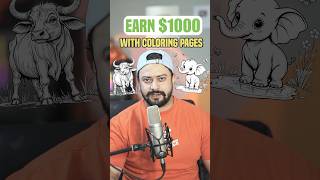

Make $1,000/mo with Coloring Pages
43sThe promise of earning $1,000 a month with a simple smartphone method is highly enticing and likely to drive clicks and shares.
▶ Play Clip"Delivers a real, actionable method, but the $1,000/month promise is speculative and unproven."
This video demonstrates a step-by-step method for creating and selling kids' coloring pages online using only a smartphone, with the goal of generating over $1,000 per month. It walks through using ChatGPT to generate ideas and prompts, an AI image generation app to create the images, Canva to assemble a coloring book, and Amazon KDP to publish and sell it.
Use ChatGPT with a simple prompt to get 50 unique coloring page ideas for kids. Copy the one you like.
Ask ChatGPT to write 10 prompts for generating coloring pages for a specific niche (e.g., elephant). Copy these prompts to use in an AI image generator.
Download the 'seat' app (likely 'SeaArt'), select the AI apps section, search for 'coloring book', paste the prompt, select the right aspect ratio and resolution, and generate the image.
Download the generated images. Open Canva, search for 'kids coloring pages', select a free template (e.g., 7 pages), upload your images, and replace the template's images and text as desired.
Click the share icon, select download, choose PDF print format, select all pages, and download the coloring book as a PDF.
Create a free account at kdp.amazon.com, upload the PDF, and Amazon will print on demand and sell worldwide. You can earn up to 70% royalty.
The video provides a complete, smartphone-only workflow for creating and selling coloring books on Amazon KDP, from idea generation to publishing. It emphasizes the potential for significant passive income through print-on-demand.
What is the first step to generate coloring page ideas?
Use ChatGPT with a simple prompt to get 50 unique ideas for kids' coloring pages.
00:02
How do you create prompts for the AI image generator?
Ask ChatGPT to write 10 prompts for generating coloring pages for a specific niche (e.g., elephant).
00:16
Which app is used to generate the coloring page images?
The SeaArt app (search for 'coloring book' in AI apps).
00:31
What format should you download the coloring book in from Canva?
PDF print format, selecting all pages.
01:53
What is the maximum royalty rate on Amazon KDP?
Up to 70% royalty.
02:18
AI-Powered Idea Generation
Shows how to use ChatGPT to quickly generate a large volume of niche-specific ideas, saving time and effort.
00:02Smartphone-Only Workflow
Demonstrates that the entire process can be done on a smartphone, lowering the barrier to entry for creators.
00:31Print-on-Demand Publishing
Highlights Amazon KDP's print-on-demand model, which eliminates inventory costs and allows worldwide distribution.
02:0670% Royalty Potential
The royalty rate is a key motivator for creators, showing the earning potential of self-published books.
02:18[00:02] $1,000 every month. And this is how you create these pages only using your smartphone. First, open chat GPT and write this simple prompt and then simply click here. That will give you 50 unique ideas for coloring pages for kids. Now,
[00:16] simply copy the one that you like. Now again write this simple prompt. Now write the 10 prompts to generate coloring pages for elephant or any niche will give you 10 prompts to generate coloring pages for elephant. Now copy
[00:31] these prompts one by one to generate the coloring pages. Now download the seat app on your smartphone. Now click on the search icon and then select AI apps and then search for coloring book and this app will appear. Now select this app and
[00:45] aspect ratio select the right resolution. In the prompt box paste the prompt that you just copied from chat GPT and then simply click here. And now click on the generate button. Within few seconds you'll get your image. So in the
[00:59] images. Just use different prompt from chat GPT. And you can see this image looks absolutely amazing. Just click here to download the image and it will save on your phone. Now from app store or play store download this Canva app.
[01:13] Inside the app search for kids coloring pages. Now select any free template. This template have seven pages. You can add as many pages as you want. Scroll right the bottom toolbar. Click on the upload icon and then click on upload
[01:26] files button and then select device and click on photo library and now upload select the image and you can move around. Select the background image and click on delete icon. It will delete the image. Now you can adjust your image
[01:40] however you like. You can even replace the text. You can type whatever you in the similar way you can replace these images with your own images and you can delete any element. You can replace any
[01:53] text however you like. Once you're done editing, click on this share icon and then click on the download button and make sure to select PDF print format and select all the pages and then click on the download button and download your
[02:06] all coloring pages as a PDF file. Now head over to kdp.amazon.com and create your free account and upload your coloring pages ebook. Amazon will print the book on demand and sell it worldwide. And you
[02:18] can see you'll get up to 70% royalty when you sell your book. So that's it. If you found the video valuable, don't forget to hit the like button and don't forget to subscribe or follow for more content.


⚡ Saved you 0h 02m reading this? Transcribe any YouTube video for free — no signup needed.