
One OS to Run All AI Tools?
45sChallenges the common frustration of juggling multiple apps, promising a unified solution.
▶ Play Clip"Title accurately reflects the content: a multi-agent system that integrates multiple AI tools in one place."
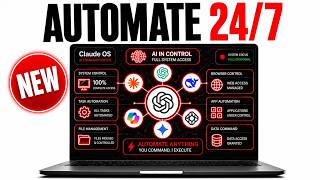
This video demonstrates a multi-agent operating system (Agent OS) that integrates tools like ChatGPT, Claude, and Hermes into a single platform for seamless automation. The presenter shows how agents collaborate to handle tasks such as content creation, SEO, and lead outreach, emphasizing efficiency and shared memory.
Agent OS is a unified system where multiple AI agents (Hermes, ChatGPT, Claude) work together, eliminating the need to switch between separate apps or tabs.
Includes SEO system that pulls keywords from Google Search Console, video agent, music agent, voice agent (Jarvis-like), lead outreach tool, and shared memory system.
Used to build a full content series for the AI Profit Boardroom: scripts, hooks, and captions generated in one go based on member questions.
A built-in Codex version allows switching between models like GPT 5.6 using OAuth, with all outputs saved in one place for preview.
Use a VPS (e.g., Hostinger) with Cloudflare for access from any device; local setup also works for single machine.
Memory system uses Obsidian markdown files organized by PARA method. Agents share context about projects, team, and brands.
Start with one workflow, automate it well, then stack more. Focus on high-impact tasks like marketing funnels, video, and newsletters.
Agent OS can be connected to mobile devices; Hermes Apollo voice mode allows hands-free operation.
The Agent OS enables powerful multi-agent automation by centralizing tools and memory. Start small, build a memory vault, and stack workflows for maximum efficiency.
What is the main benefit of Agent OS?
It unifies multiple AI agents (e.g., ChatGPT, Claude, Hermes) in one place, eliminating the need to switch between separate tools.
What is the memory system built on?
Obsidian, using markdown files organized by the PARA method.
07:00
How can you run Agent OS on multiple machines?
Use a VPS (e.g., Hostinger) with Cloudflare for remote access from any device.
05:30
What is the recommended strategy for automating workflows?
Start with one task, automate it well, then stack additional workflows one at a time.
09:00
Which model is considered the best writer according to the video?
Sonnet is the best writer, but GLM 5.2 is a cheaper alternative with a coding plan.
08:30
Unified Agent OS
Introduces the concept of a single operating system for multiple AI agents, a key insight for efficiency.
Memory Vault with Obsidian
Explains how shared memory via markdown files makes agents context-aware, a critical technique.
07:00Start Small, Stack Workflows
Practical principle for avoiding burnout while scaling automation.
09:00Model Switching with Codex
Demonstrates seamless model switching without losing work, a valuable feature.
04:00[00:00] Agent OS multi-agent automation is insane. What if one system could run every AI tool you use in one place? Not five apps, not 10 open tabs, one. Most people are still copy and pasting between tools all day long, and they have no clue there's a faster way to work. What if your AI agents could talk to each [music] other and build things for you? Let me show you what that actually looks like. I'm the digital avatar
[00:20] of Julian Goldie, and I help people learn AI tools and actually use them in their work. Today, I'm walking you through my Agent OS, and right away I'll tell you this. I've got Hermes, ChatGPT, and Claude all running inside it, working together in one spot. Stick with me because near the end I'll show you the memory trick that makes this whole thing actually click. So, let's talk about where AI is at right now. A couple of
[00:40] years ago, every tool lived on its own little island. You had one tab for writing, one tab for images, one tab for research, and you spent [music] your whole day jumping back and forth between them. The big shift now isn't a smarter chatbot, it's agents that work together. That's what an agent operating system is. It's one place where all my agents live and talk to each other. Instead of me doing everything by hand, they hand work
[01:00] off to each other and get it done. Once you see it working, you can't unsee it. Let me show you my Agent OS. Inside it, I can orchestrate all my agents in one group chat. They talk to each other right there in the same place. I've got a pipeline that takes me from an idea to a finished thing in basically one click. I've got Claude and Fable 5 plugged in. I've got Hermes running with any API
[01:21] or profile. There's a voice agent kind of like Jarvis that runs in the background on its own and can build stuff for me. There's a lead outreach tool. There's an SEO system, a video agent, a music agent, and a shared memory system so every agent knows the same things about me. It's all one click away. Here's a real way I use it. I use this to build out a full content series to bring more people into
[01:41] the AI Profit Boardroom. I gave it a list of topics AI Profit Boardroom members keep asking about, and it drafted the scripts, the hooks, and the captions all in one go. That's exactly the kind of content that pulls the right people toward the AI Profit Boardroom. Now, let me show you the core features. That SEO system I mentioned is one of my favorites. It can pull keywords straight from my Google Search console and publish them to
[02:01] a website for me. So, I ran this to find the keywords people search when they're looking for a community like the AI Profit Boardroom and turn those into posts. That means more of the right people finding their way to the AI Profit Boardroom on their own. And because everything sits in one place, the video agent and the writing agent can pick up that same work without me copying anything over. One thing people ask about a lot
[02:21] is model switching. So, inside my Agent OS, I built a version of Codex. I plug in my OAuth and I can switch between different models right there. I can use GPT 5.6, I can use my own account, so I'm not stuck on one single API. I just go back and forth inside the chat. There's a go mode that works inside a sandbox. We tested it one morning and it built out a full website for us. And
[02:41] every single thing I make with GPT 5.6 gets saved in one place, so I can preview it and come back to it later. It's honestly the smoothest way I found to jump between models without losing my work. A big question I get is how to run your Agent OS across a few different machines. Say you've got three computers and you want the same setup on all of them. The easiest way I've seen is a VPS. I
[03:01] actually run mine locally, but if you've got multiple machines, a VPS is the move. You can use something like Hostinger, put Cloudflare in front of it, and now you've got access from pretty much any device. A few members set it up this way and told me the whole thing was way faster than they expected. So, if you want your Agent OS everywhere, that's the simplest path. No fancy tricks needed, just a VPS and you're good. Now,
[03:21] if you want my exact setup, my whole Agent OS is all inside the AI Profit Boardroom. The full Agent OS zip file is in there ready for you to install. And we built a complete 30-day roadmap to walk you through it step by step, so you're not staring at the blank screen wondering where to start. There are daily tutorials on every single piece of this. The Codex model switching, the VPS setup, the SEO system, all of
[03:41] it. And there are weekly coaching calls where you can jump on, ask about your own setup, and get help in real time. Everything I'm showing you today, we go way deeper on inside the AI Profit Boardroom. Okay, let me answer a few more of the questions people keep asking. First, AI avatars. A lot of people try to make one and it comes out looking a bit off. I use HeyGen for mine, and the trick that fixed
[04:02] it for me was making a bunch of different recordings, training the avatar on those, and then testing every version to see which one looked the most real. Don't just do one take, do a few, test them all, and pick the best one. The recording quality makes a huge difference in how real it looks. Next, Hermes Mission Control. This is one of the most powerful parts of my Agent OS. I've got a chat mode where I go
[04:22] back and forth with my agent. I've got a talk mode where I actually have a conversation out loud. There's Apollo, which is a voice version of Hermes. There's Oracle, which pulls in the latest news every 24 hours. There's Astros, which finds news based on the exact keywords I'm watching. And there's a studio where I generate images, voice, and video. Each one handles a different job, so I'm not cramming everything into one messy chat. It just keeps
[04:42] my whole workflow clean. People also ask about cheaper writing models. If you do a lot of writing, Sonnet is the best writer, hands down. But if you want something that costs less, GLM 5.2 is great. Grab the coding plan, and you basically never run out of tokens. The key is giving it a solid skill file on how to write properly, so it checks its own quality as it goes. It won't beat Sonnet, but it gets close,
[05:02] and it's a lot lighter to run. Now, here's how I think about automating a whole workflow. Don't try to automate everything at once. That's how people burn out. Look at what you actually do day-to-day, and pick one thing. For me, the biggest wins were the marketing pieces. I automated the funnel pages. I set up the video agent, and I automated the newsletter. All pointed at bringing more people into the AI Profit Boardroom. Week one, I built
[05:22] one solid workflow. Week two, the next one. Week three, another one. Start where you are, keep it simple, and stack it up. Those automations are what keep the AI Profit Boardroom growing without me doing it all by hand. What about using it on the go? Say you're at the gym or out walking. Some members have connected their Agent OS straight to a mobile device, so they've got the mobile version right there in their pocket. And you
[05:42] can set up Hermes Apollo with voice, so you just talk to your agent while you're moving around. No laptop needed. You can keep building even when you're away from your desk. Something cool I've noticed, too, a lot of people inside the AI Profit Boardroom are looking for partners and people to build with. So, it's turned into a really good spot to meet others who are doing the same thing you are. There's even a map where you
[06:02] can find people building with AI agents near you. That part alone makes it worth being in the room. Okay, here's that memory trick I promised you. This is the part that makes everything else work. My memory system lives in Obsidian, which is just a bunch of simple markdown files. Each note is one memory. It holds who I work with, who's on my team, what brands I run, and what projects I've got going. Here's how I built
[06:22] it. I went into Claude and ChatGPT and said, "Based on everything you know about me, create a project folder and markdown files explaining it all, and organize it with the PARA system." Then I kept asking Claude to make it tidier and better over time. So, now every agent shares that same memory, including everything about the AI Profit Boardroom. When I ask an agent to make something for the AI Profit Boardroom, it already knows the full context.
[06:43] That's what makes the whole Agent OS feel like it actually knows me. And that's the real beauty of having an Agent OS on your side. Every part of it you can customize, the systems, the memory, even the way it looks. You make it yours. So, here are my tips to wrap this up. Start where you are. Pick one task and automate it well before you move to the next one. Build your memory vault early because context
[07:03] is what makes your agent smart. And don't overthink it. Keep it simple and keep stacking one workflow at a time. If you want the full process, the SOPs, and 100-plus AI use cases like this one, join the AI Success Lab. Links are in the comments and the description. You'll get all the video notes from there, plus access to our community of 85,000 members who are crushing it with AI. And if you're about to go build your
[07:23] own Agent OS, here's the thing, you're going to hit questions. How do I set up the VPS? Why won't my model switch over? How do I get my memory vault just right? That's exactly where the AI Profit Boardroom helps you move faster. You get the full Agent OS zip file, the 30-day roadmap, the daily tutorials, the coaching calls, and the prompts to go with all of it. With over 4,000 members building right alongside you, you're never
[07:43] stuck for long. Come join us at iprofitboardroom.com.
⚡ Saved you 0h 07m reading this? Transcribe any YouTube video for free — no signup needed.