AI Summary
This transcript demonstrates a powerful ChatGPT prompt that transforms any text into different writing styles using a structured table format. The prompt generates five style suggestions, lets the user pick one, and then rewrites the original text accordingly.
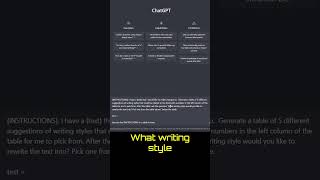
The prompt instructs ChatGPT to generate a table of 5 different writing style suggestions for a given text, with numbers in the left column for the user to pick from.
After the table, the prompt asks 'what writing style would you like to rewrite the text into? Pick one from the table above.' The user then selects a style (e.g., number 4: descriptive and poetic).
The user pastes the original text after 'text=' and the prompt executes, rewriting the text in the chosen style.
This prompt is a simple yet effective way to leverage ChatGPT for creative rewriting, offering users a choice of styles and delivering a tailored output.
Clickbait Check
90% Legit"Title accurately describes the prompt's functionality; delivers exactly what it promises."
Tutorial Checklist
Study Flashcards (5)
What is the first step in using this ChatGPT prompt?
easy
Click to reveal answer
What is the first step in using this ChatGPT prompt?
Copy the prompt and paste your text after 'text='.
How many writing style suggestions does the prompt generate?
easy
Click to reveal answer
How many writing style suggestions does the prompt generate?
5.
What format does the prompt use to display style suggestions?
easy
Click to reveal answer
What format does the prompt use to display style suggestions?
A table with numbers in the left column.
What question does the prompt ask after generating the table?
medium
Click to reveal answer
What question does the prompt ask after generating the table?
'What writing style would you like to rewrite the text into? Pick one from the table above.'
00:15
What style did the user choose in the example?
medium
Click to reveal answer
What style did the user choose in the example?
Number 4: descriptive and poetic.
00:30
💡 Key Takeaways
Favorite Prompt
Reveals a practical, reusable prompt for creative text rewriting.
User Choice Mechanism
Demonstrates an interactive way to let users select desired output style.
00:15Full Transcript
here I want to show you one of my favorite prompts to use in chat GPT today's prompt is I have a text I would like to make changes to generate a Table of 5 different suggestions of writing styles that could be related to the text with numbers in the left column of the table for me to pick from after the table ask the question what writing style would you like to rewrite the text into pick one
from the table above below the table then you go text equals paste your text scroll down execute instructions in the table format okay so here we have our table broth writing stuff you'd like to rewrite the text into I would like to pick number four descriptive and poetic and here we have it our text in a descriptive and poetic Style