
New Laravel Boost Feature Explained
45sIntroduces a new feature with a clear, engaging explanation that hooks viewers interested in Laravel updates.
▶ Play Clip"Title promises a new feature and delivers with a practical demo, but includes a sponsor segment that pads the runtime."
Laravel Boost 2.5 introduces a new 'project rules' feature that lets developers record and enforce coding conventions directly within their projects. This video demonstrates how to create, modify, and automatically infer rules using Cloud Code, and highlights the feature's potential to standardize code patterns across a codebase.
Taylor announced a new feature in Laravel Boost 2.5 that records rules about your application. The feature is initially confusing but becomes clear with practical demonstration.
Using Cloud Code with Opus, you can record a rule by speaking or typing, e.g., 'all controllers should be invocable with single action.' The rule is saved in a new `.ai/rules` folder as Markdown files.
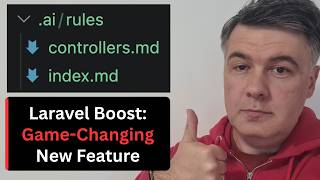
The `.ai/rules` folder contains `controllers.md` (the rule) and `index.md` (a list of all rules). Rules can be created manually or via AI, and they can include exceptions (e.g., auth subfolder).
You can ask Cloud Code to check if existing controllers follow the rule. It found 3 controllers that violate the invocable rule, demonstrating the feature's ability to audit code.
Sponsored by Spatie and Flare. Shows how AI can install Flare in one command, including running tests and verifying setup, instead of manual steps.
The most powerful feature: using the 'infer conventions' skill in Cloud Code scans the entire project and suggests potential rules based on existing patterns. It found 15 suggestions, e.g., 'fillable in 26 out of 27 models'.
The feature is underhyped compared to other Laravel announcements. It can standardize code patterns, especially in larger projects, and is a significant addition to Laravel Boost.
Laravel Boost 2.5's project rules feature is a powerful tool for enforcing and standardizing coding conventions, with the ability to create, modify, and automatically infer rules. It is underhyped and highly valuable for maintaining consistency in larger codebases.
What is the new feature in Laravel Boost 2.5?
Project rules that record and enforce coding conventions.
Where are the recorded rules stored?
In a `.ai/rules` folder as Markdown files.
01:45
How can you create a rule?
By using Cloud Code to record a rule via speech or text.
01:19
What does the 'infer conventions' skill do?
It scans the project and suggests potential rules based on existing patterns.
07:13
How many suggestions did the infer conventions skill find in the video?
15 suggestions.
08:02
What is an example of a suggested rule from the video?
Use fillable in models (26 out of 27 models).
09:14
New Feature Announcement
Introduces the core topic and sets the stage for the tutorial.
Rule Storage Demo
Shows the actual file structure created by the feature.
01:45Infer Conventions Skill
Highlights the most powerful aspect of the feature.
07:13[00:00] Hello guys, in this video I want to show you a new feature they released in Laravel Boost in version 2.5 which was announced in this tweet by Taylor and at first it got me confused. So Laravel Boost record rules about your application in circumvention, so fancy words.
[00:19] What does it actually mean and how does it actually work? Especially since we do have already things from Laravel Boost like automatically generated agents.md or cloud.md also agent skills with big structure so where does that new thing come in and I will show you on a
[00:35] practical level how does that work in one of my projects and you will realize how important and awesome that new feature is. So in the docs of Laravel Boost there's a new section project rules which is right below guidelines and skills and it does look confusing and similar and kind of all
[00:53] about the same thing. But actually it isn't. You can record rules that will be stored in a separate rules folder. So let me show you an example. So here I have Composer.json, and first I upgraded
[01:05] Laravel Boost to version 2.5. So if I run composer show in the terminal, Laravel Boost should show, yep, there we go, 2.5.0. Next, I run cloud code and tell it with my whisper flow, record the rule
[01:19] that all controllers should be invocable with single action. My whisper flow spelled invocable with C and not K, but I think that Cloud Code will understand. And I'm using Cloud Code with
[01:32] Opus, and look what will happen now. It's calling Laravel Boost. So, there we go. Recorded in this file. And let's see what's inside. So, we have a new folder .ai. We should have that, yeah, .ai
[01:45] rules and we have two new files controllers.md and index.md so this is what it recorded after my well short speech it wasn't just that it added some more details so controller must be invulpable
[01:58] with k and let's see in this case and also a few more details and then do not add index store show split them into separate controllers you can record rule after rule in this way and this is
[02:10] of the path where it would be applied and then there's index.md basically the list of all rules it actually reminded me way back when we started with some guidelines which started for me
[02:22] from Sparky coding guidelines so they have Sparky guidelines for Laravel so how do we do things at our company what do we do with return types with properties with enums and stuff like that
[02:35] So it's a very long list and now it also can be downloaded as a skill from what I remember. So there's a section using our guidelines with AI. So something similar now in Laravel Boost in a separate structure of AI rules And in the docs you can find that you can create those files separately manually like this in Markdown but why bother if you can just tell Cloud Code to do that for you And now next what
[03:01] we can do, look what Cloud Code is actually suggesting. So we can just hit tab for example, and we now refer to existing controllers to follow this rule. I will not do that, I will hit double
[03:13] escape. Instead, I will say check if all existing controllers follow this rule. So, not refactor, but just check the current controllers, which is a small project. AI coding daily, so it should be pretty quick. But before I show you
[03:27] the result of that prompt and show you the most powerful feature of that Level Boost new version, let me talk about Spotty again because they suggest the guidelines, but also they are kindly
[03:39] sponsoring my videos, which allows me to continue my mission of shooting these videos with reviews and news from Laravel. This video is sponsored by Sparti and Flare, their error monitoring and performance monitoring tool and in this video I want to show how
[03:54] easy it is to install partially with AI if you want. So typical installation for such tool involves quite a few steps. So install the package, then add something to configuration, then to .env, and also it depends on your version, but luckily they
[04:11] have instructions for older versions, and side note, they started supporting older Laravel 10. So I recently noticed a tweet by Freq that they support Laravel 10 and PHP 8.1 again, so separate side note.
[04:24] Anyway, I wanted to try out Flare 4 JavaScript, and I will show that in the future videos, and to install this seems like so 2025. Can I ask Cloud Code to do that for me?
[04:36] And yes I can. Let's try it together. I copy the instructions, I launch Cloud Code in my project, I paste, and look at the instructions. This is local project.
[04:48] Basically same instructions, but AI can do that for me in one command instead of doing that one by one. So let's see the result. Of course your agent has to have permission to run Composer, installing Composer require,
[05:01] And also updating .env is a sensitive topic, you may want to do that manually. But in this case I trust cloud code with that pretty simple task and you see the changes. So yeah, in one minute I have Flare installed and not only installed but also Flare test
[05:15] has been executed and let's see if we have that actually registered. And at the end verify setup, Flare is connected, all good. So if I now go to the errors section, yep, I have the first exception logged successfully.
[05:29] So yeah, if you are kinda lazy to read the docs, you can burn some tokens and install Flare with AI. And thank you, Spacy, for sponsoring my videos again. And there we go in 14 seconds we have the analysis results and it found 3 controllers that do not obey that rule So for example for cores if we have cores index controller with invoke and cores show controller with invoke
[05:52] exactly what I wanted. And by the way, I'm not saying that you should do that in Laravel. This is my preference. Also, it depends on the project. Sometimes I do prefer that, especially for smaller projects where I know there will be like maximum 20 controllers altogether.
[06:07] So, yeah, this is the structure that I want for controllers. and it found that there are three controllers that could be refactored. But also I see auth social controller, which I don't want to have that invocable structure,
[06:20] so I can change the rule. Change the rule to have exception for auth subfolder in controllers. It does not need to have invocable controllers. So again, I'm typing or talking to Cloud Code,
[06:33] and it will do all the changes for me. It found that it's AI rules controllers, and it will add one more line. As you can see, exception auth subfolder is exempt. Exactly what I wanted.
[06:46] So now I have two violations to controllers that I may want to refactor, which I will not do in this video. This is not the point of this video. You get the idea of the rule that you may create and modify with cloud code. And then the future controllers
[06:59] that will be built by AI agent should be listening to that rule that we have just created. But this is actually not the most powerful part of the new feature. So this is how you create the rules, but also we can infer applications conventions.
[07:13] Again, it's a very sophisticated language, but basically it's this. Use the infer conventions skill. That's all you need to type into Cloud Code, and look what happens. Let's clear and start a new session, so the session wouldn't know anything about the rules that we just built.
[07:30] And Cloud Code should run infer conventions skill. skill, I didn't even pronounce it correctly, and look what it will find. It will search through all our project for potential rules. So, there's a checklist that contains kind of guidelines and
[07:49] typical things, typical decisions of Laravel, typical kind of best practice skills. And there we go, it took a bit longer, three and a half minutes, and it evaluated what are the patterns
[08:02] throughout all the projects that could be potentially written as rules. And it found 15 of them. So, orientation, some general information about the project, and eloquent in line.
[08:15] So, it suggests a rule that I don't use any repositories, actions, jobs, or event listeners. I would not agree. Sometimes I would want to do that, so I wouldn't consider that as a rule. But it noticed that there is a pattern in this project.
[08:29] And the most probably valuable use in general of this one is if you have bigger codebase and you have multiple patterns so Cloud Code with this skill could potentially find you what are the majority of patterns and one or two files maybe have different patterns and
[08:47] you may want to merge them. So, for example, I create services, resolve services with app something. So, I'm not using constructor injections in this case, but also I don't want it to be a rule. Another proposed rule about Livewire,
[09:01] which also I don't want to use then validation in live where is what this validates also not a strict rule oh this one this I do like fillable in 26 out of 27 models
[09:14] this is exactly what I wanted to show so one model is different it doesn't use guarded it actually doesn't use anything it just doesn't have fillables actually cloud code didn't specify which one
[09:26] but you could make it a rule I prefer fillables maybe you prefer guarded but it could be a global rule, and this is a candidate. Then with observers, you may prefer attributes over registering observers in the app service provider, for example.
[09:41] Then you may also prefer global helpers, which I do prefer, actually, so auth, config, and stuff like that, instead of doing facades. So you get the idea. There are 15 suggestions, which you may or may not agree with,
[09:54] and again, you can prompt Cloud Code to build the rules out of those, and also you may add your own suggestions how to modify the rules, not exactly the way that Cloud Code is suggesting here.
[10:06] And actually, I keep saying Cloud Code is doing that, but no, this is the skill, which is exactly what Taylor is talking about here. So, automatically infer conventions, this is what it means. So, use the infer conventions skill, and you may take a look what's inside.
[10:20] So, in the version 2.5 of Booth, there's journal and infer conventions by pushback, which doesn't actually have any description, but 61 files changed, so pretty huge feature to be honest.
[10:32] So you can take a look at what files changed, what is the checklist of references here. It's pretty long, so you can see, I'm not sure if you see, the scroll bar is pretty huge.
[10:44] And also it contains stuff for like InertiaView, InertiaReact, a lot of other versions, so it depends on what version you want. So yeah, it's a pretty huge feature, but not really emphasized enough.
[10:57] this tweet sounds like new, okay, but I think it's underhyped. Some things in Laravel community and in Laravel core features are overhyped, in my opinion, and this is much more important than
[11:10] just a tweet. I think many of us should use that skill or set of skills to standardize our code patterns in the project, especially if it's a bigger project. But what do you guys think? Maybe
[11:22] I'm over hyping it in this case or will I actually use it or try to use it in the project and let me know in the comments is it actually useful. That's it for this time and see you guys in other videos.
⚡ Saved you 0h 11m reading this? Transcribe any YouTube video for free — no signup needed.