
Stop Using NotebookLM Wrong!
43sReveals a common mistake viewers make with a popular free AI tool, creating immediate curiosity and relatability.
▶ Play Clip"Delivers on the core promise of showing an integrated system, but heavily padded with promotional content and live demo fluff."
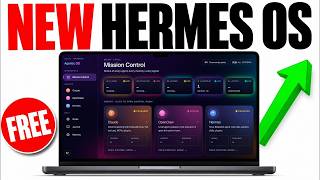
This video introduces the Goldie Infinite Knowledge Engine, a system that integrates Google's Notebook LM with an agentic operating system (Hermes, Claude, OpenClaw) to automate content creation. The presenter, Julian Goldie, demonstrates how to move from manual, fragmented AI usage to a fully automated workflow that generates personalized, SEO-optimized content at scale, including a ranking stack for search traffic.
Standalone Notebook LM has a messy UI, no memory between sessions, and no integration with other AI agents, making it inefficient.
Three layers: knowledge vault (stores sources), AI agents (Claude, Hermes) that use MCP to access Notebook LM, and an infinite loop that regenerates content.
Old manual approach takes 8 hours per piece of content; new automated system produces 12 assets in 20 minutes.
A three-layer system for SEO: Claude (planning, writing), Hermes (deployment), Obsidian memory (personalization). Automates keyword to ranked article.
Obsidian vault stores user's case studies, projects, and business context, making content unique and Google-friendly.
Websites using the ranking stack saw traffic increases: from 0 to 71 clicks, 2 to 346, 22 to 1,134 clicks per day.
No coding required; AI content ranks if personalized; SEO is not dead—AI overviews and search engines drive more traffic.
The Goldie Infinite Knowledge Engine with the ranking stack transforms Notebook LM from an isolated tool into a powerful, automated content machine that produces personalized, SEO-optimized content at scale, delivering significant traffic growth with minimal manual effort.
What is Notebook LM?
A free AI tool by Google that creates a notebook container for sources (PDFs, websites, audio) and generates 12 types of content on demand.
02:15
What are the three layers of the Goldie Infinite Knowledge Engine?
Knowledge vault (stores sources), AI agents (Claude, Hermes) connected via MCP, and an infinite loop that regenerates content.
04:16
How much time does the old manual content creation process take compared to the new automated system?
Old way: 8 hours per piece. New way: 20 minutes for 12 assets.
08:00
What is the SEO ranking stack?
A three-layer system: Claude (planning, writing), Hermes (deployment), and Obsidian memory (personalization) to automate keyword-to-ranked article.
28:16
How does the memory system (Obsidian vault) improve content?
It stores user's case studies, projects, and business context, making each article hyper-personalized and unique.
29:45
What is Hermes Agent and why is it recommended?
A free AI agent built by News Portal; it is smoother, has a self-learning loop, and integrates well with free APIs.
26:43
What example traffic increases were shown?
Websites went from 0 to 71 clicks, 2 to 346, and 22 to 1,134 clicks per day.
41:06
Infinite Knowledge Engine Concept
Introduces a system that transforms Notebook LM from isolated to integrated, a key insight for AI automation.
02:03Time Efficiency Comparison
Quantifies the dramatic reduction in content creation time from 8 hours to 20 minutes.
08:00Ranking Stack Architecture
Explains the three-layer system that combines planning, deployment, and memory for SEO success.
28:16Memory Layer as Differentiator
Highlights that personalized content from memory is what makes AI content rank, a principle often overlooked.
29:45Traffic Growth Proof
Provides concrete case studies showing significant traffic increases, validating the system's effectiveness.
41:06[00:02] most powerful way to use Notebook LM with a new setup that makes Notebook LM way more powerful, way easier to use, and just way more useful in general. So,
[00:15] Notebook LM is that you would go into Notebook LM as you can see right here, messy UI. It's quite difficult to manage. It's not that clean. And, you know, like it's difficult to sort of integrate with your other AI agents. So,
[00:30] for example, if you're using like OpenClaw or Hermes or Gemini or Anti-Gravity, well, how do you get them working with Notebook LM? Well, actually, what you can do is you can build them into an
[00:42] agentic operating system, which I'll show you exactly how to do today, right? have Notebook LM inside this section. Look how much cleaner it is to manage than, for example, having all of your notebooks spread out like this, right?
[00:56] And the really cool thing about this is we've got the chat, we have the studio, the infographics that we've created with Notebook LM over here. We've a full right? And so, what I'm going to
[01:09] introduce you today is a new way of looking at Notebook LM, which is called the Goldy Infinite Knowledge Engine, which you can pair with Notebook LM. And Notebook LM, which is, I would say, probably the most underrated free AI
[01:22] tool of 2026, right? And the cool thing about this is you can actually use generate videos, you can generate podcasts, you can generate whatever you want. But, also, you can plug it into your AI agents. So, you can see, for
[01:36] example, here, we have free Claude code, which can operate Notebook LM. We have Hermes agent, which we can run with free APIs. And again, that is free to use you're looking at, you can actually build for free.
[01:48] Now, the only thing about Notebook LM is if you're using it directly like this, well, 99% of people are using Notebook LM wrong if they do this, right? Because close the tab. Whereas today, what I'm going to show you is the Goldy Infinite
[02:03] Knowledge Engine, which has three layers. You can plug into Notebook LM into a full agent operating system. So, it turns any information you give it into like an unlimited content machine. And that's really what we're looking at
[02:15] here. So, if you've ever looked at Notebook LM, like, "Okay, what is Notebook LM?" So, this is a free AI tool made by Google, right? And you can create a notebook, and a notebook is just a container of
[02:27] information. So, you can add sources into it. A source could be a website, a PDF, um it could be a Google Doc, audio, etc. You can drop it in. understands what they say, and it turns that into knowledge in into 12 different
[02:42] on demand for free. So, if we go to the studio section here, for example, we can generate podcasts, we can generate video views, we can generate slide decks, uh info graphics {slash} cards, uh flashcards, etc., right? Uh
[02:56] for example, FAQs, reports, right? And you can have 12 different deliverables tool. Most people are not using it that way, but that's the way you can use it. The problem is that if you're using Notebook
[03:08] LM on its own, it's it's just a hammer. And what I mean by that is like it's powerful, but it's isolated. So, here's what every standalone Notebook LM user runs into within a week when they're using this sort of stuff, right?
[03:23] like dozens of notebooks and no way to organize them. There's no real memory between sessions, so every conversation just starts from zero. You You're having to switch between tabs. So, if I want to connect all the cool stuff I build
[03:36] inside Notebook LM over to Claude and then to Hermes Agent, well, you know, tabs, right? It gets very messy. So, you flip between Notebook LM and then then you browse, and then your files, right? And also, it has no connection to
[03:49] other agents. So, for example, Claude doesn't know what Notebook LM did if you're just using it inside the tab here. And there's no real library, Notebook LM but not on your machine. And also, everything just starts from zero
[04:02] really know your business, your goals, your customers, or anything about you, And so, the problem is that you have the most powerful free AI tool on the planet and you are using maybe like 10% of what it can do. And the fix is not a better
[04:16] tool. The fix is a system built around it, right? And this is what I call the Goldy Infinite Knowledge Engine. And you can see an example right here. So, we've got, for example, all of our AI agents connected.
[04:30] And so, you know, most people think of AI tools as fancy search engines. They get an answer, they close the tab. But it's really not a system, right? And the totally different because it's a free layer loop that takes raw knowledge,
[04:46] right? For example, articles, PDFs, um websites, whatever you want, and turns it into a powerful media engine that runs locally, right? And so, you have the knowledge vault and this is where all your information lives, right? This
[04:59] is where you can, for example, feed it your Notebook LM sources, blog posts, research papers, industry news, etc. So, Notebook LM can read all of it, that AI can use forever. You want to think of it like a brain that never
[05:12] And then you've got where the AI actually does the work, right? So, the on your computer. It can connect directly to your Notebook LM notebooks through a bridge called MCP, right? And so, the cool thing about this is when
[05:28] the amazing thing is like Claude can see everything in your knowledge vault, right? So, it can trigger Notebook LM to generate videos or to generate infographics or audio views, etc. So, if we click this notebook right here on
[05:41] studio here, we can just generate like can see stuff that we've generated right Claude can see everything in your knowledge vault and, you know, it can
[05:55] So, there's no human in the middle here as well. There's no clicking buttons or >> And then the final step is the infinite loop. smarter every day. So, every time you
[06:07] system can regenerate new content. That means, for example, new videos, new audience to listen to. And the loop never ends because knowledge never runs out, right? So, you input the knowledge, which you can do over here.
[06:21] like this. The agent runs machine, the content comes out, and it repeats forever, right? Now, most people are still manual might be using ChatGPT, but they're switching between tabs. They're copying
[06:35] going into all their other AI agents, right? The knowledge engine makes you right? The knowledge engine makes you the owner of the factory instead.
[06:52] And so, you can get like your AI engine or your your AI agents to actually build this out for you if you give it access to the notebook um LM-MCP instead. again. Now, let's talk about why the old way
[07:08] >> [laughter] >> And this is a guy doing everything manually, and this is the new way, right? Which is using the infinite making, you know, content look like this. You read a research report, you
[07:21] write a summary by hand, you design an infographic by yourself, you recorded a podcast script from scratch, etc. Maybe you spend like 8 hours producing one piece of content. It's not smart. It's not automated. It's really like 2019
[07:34] thinking in a 2026 world. The new way looks like this. And so, the new way is the knowledge engine, right? And the difference is take you 8 hours. You do everything by hand, you read the source, you write the
[07:48] summary, you open up for cap for Canva, for example, you design the infographic, you write a podcast script, you record it, edit it, cut it, re-record, get one piece of content out the door, and then start over for the next one, right? And
[08:00] that might take about 8 hours. With the new way, the knowledge engine runs itself because you can drop your sources into Notebook LM. You click into the agent operating system dashboard. You trigger the generation, right? All 12
[08:12] different formats at once. And you can generate videos, infographics, audio, slide decks, mind maps, etc. that pull into your agent operating system, and then you can browse them in your asset library, which we've got over here.
[08:26] right? So, you have the same source, but the difference is the old way takes 8 hours, the new way takes 20 minutes, right? And one piece can become 12. So, actually get smarter and better the way the more you use it as well. So,
[08:39] can use with Notebook LM. Now, it what you can actually do is like take this idea and just ask Hermes or Claude to set it up for you. We actually have a full
[08:56] Boardroom.com if you want to get access to that. But yeah, that's the way that I the other cool thing about this is like Notebook LM actually lives inside your dashboard, right? So, the simple version of how this works is
[09:11] operating system, you click the Notebook LM panel, you see every notebook in your account, which you can see over here. You can click a notebook, and you can actually chat with it like so, right? You can see the sources, every asset
[09:24] that's been generated, you can click the studio tab over here, you see every video, every audio file, every slide deck, every infographic that Notebook LM has ever made for you. And then you can actually
[09:36] pull these in directly yourself, right? And that's the whole loop. So, Claude can see your knowledge vault. Claude can trigger views for free. Assets land inside your local setup. And
[09:52] as you have Obsidian, right? So, every output and idea feeds back into the vault. So, if we have a look for example inside the vault over here,
[10:05] right? So, this is a knowledge system as you can see. So, we have this vault where the AI, based on what we generate inside our agents or what we use inside for example Notebook LM etc.,
[10:17] we can generate like a whole map of all of our knowledge and memories together, and then our AI agents have infinite context. They have infinite right? [snorts] And that's the powerful thing about this.
[10:29] And so, Obsidian becomes your long-term memory with all of your ideas, memories, And then Hermes, Open Claw, and Claude all share the same brain, right? Which is built in inside the memory section. So, what one agent learns, all agents
[10:42] So, there's no coding, there's no API setup, there's no prompt engineering. Um you just click and create. That's the cool thing about this. Now, you might be practice? How can this save me time etc.?" Let me talk about, you know, how
[10:57] you could do this. So, for example, you could use this for SEO. You could give it case studies and then generate articles using this process, right? So, inside for example, we select Open Claw here,
[11:09] we could generate articles. We could create like for example, um lead magnets. We could create courses with this. We could create research, right? There's so much cool stuff that you can do with this.
[11:22] the difference here is like if you want this in one place, you know, Notebook LM is powerful on its own, but really Notebook LM inside the agent operating system sharing memory with Claude, Hermes, and Open Claude is a completely
[11:35] what we're looking at. So, we've got one operating system, right? And if you want to plug Notebook LM into your full agent operating system with Claude, with Hermes, with Open Claude, and Obsidian, etc., we have the setup already ready to
[11:48] go inside the AR Profit Board and it's a full operating system I built. You know, zip files, the prompts, and everything else. And your Notebook LM notebooks live inside one dashboard alongside Claude,
[12:01] Hermes, and Yassir library, right? So, your agents share one memory, they know when you set up the knowledge engine, your agents already have full context content gets better and more personalized every time. So, what you
[12:14] you join us, you get the agent operating system with every prompt, the Obsidian memory setup, the Notebook LM MCP integration ready to go. Uh we actually have 100 Notebook LM prompts for all the types of content
[12:28] I've talked about today. We have a 30-day implementation roadmap walking you through the full knowledge engine step by step, coaching calls every week where you can set this up live, daily tutorials on
[12:40] getting the most out of Notebook LM, and Claude, and Hermes, 3,000 business owners already inside there so you can ask the questions inside the community, people near you in your local city. Uh we actually have over 158 pages of
[12:54] saying, "Well, this is great, but you know, know, see John for example here. John's an absolute legend in the community. Uh he just said, "I just got the um I just got done building the agent OS system
[13:08] from your blueprint." And and he said like, "Thanks so much for this out directly. And you can see like we have 161 pages of testimonials and wins like this. So, it's just an awesome community
[13:21] growing together. And that's exactly what we want here. what we want here. As you can see.
[14:17] powerful framework for ranking with Hermes Agent Opera in system, right? And I'm going to show you exactly how I'm using Claude and Hermes Agent OS to rank cool thing about this is you can give your system a keyword, it researches,
[14:33] writes, and deploys the article to your website while you're doing something which I'll talk you through in a minute. I'll show you the exact setup and the real traffic that it's producing. Now, if you want to have an example of this,
[14:50] working on that are using the same sort of systems, using this whole process. And the cool thing about this is you can get your AI agents to create content and for example, this website went from like 16 clicks a day all the way up to 718.
[15:06] growing in trajectory massively, as you can see. Uh another one which we've got right here. I mean, that's growing massively over time. And And they're all sort of following the same trajectory when we're using this
[15:20] process. And so, this is something that I call Agent this is something that I call Agent Operating System for SEO, right? Um the way this works, let me break this down for you. All right? If we have a look at
[15:33] the mission control dashboard that we have over here, most people are still doing SEO the slow way, right? So, if you don't build a system like this, well, the problem is even when you're using AI, it's fragmented. So, you got
[15:47] tabs. You got content that's being written manually. You're publishing one piece of content at a time, and most of it never ranks anyway, right? So, here's what most people do. Like, they'll go over to Claude,
[16:03] They'll publish an article. It will take ages to publish. It will take a long time to format it. And also, it's really still manual in an age of AI where system, right? And so,
[16:21] does all of this automatically for you, right? You can give it a keyword, which topic, writes the article, designs the page, and deploys it to your website the best part is like you don't need to code. You don't If you can type in a a
[16:35] keyword into a box, you can run this. Um there's one thing inside this setup that most people completely miss, and it's the reason the articles built this I've tried before. Now, if you want to see like a live example of how this
[16:48] so, let's say for example, I'm trying to let's say for example, I'm trying to target keyword like Agentic OS,
[17:07] keyword, which I can see people are typing in here. for that keyword, here's what I'm going to do. I'm going to plug in a keyword over here, right? And then it automatically starts creating the page,
[17:20] study, right? Or I can pick an existing one. So, for example, I could take this example case study that I already have on Agent Operating Systems, and I can use that to create the page. And then what I can do over here is I can click
[17:34] this one single button, and it deploys it across all of my websites. So, if I click that now, that's going to start generating the SEO content across all of my websites. So, it's a really powerful system.
[17:49] Now, if you want to see some examples of what the finished articles look like, pull these up, we can have a look at these articles, and we've published these using the system that I've just shown you, right? So, it creates a
[18:02] shown you, right? So, it creates a keyword-optimized SEO article for all of different websites that we can deploy at once. And so, everything is automated. Everything is ready to go. Everything can be fully um
[18:15] created. And the cool thing about this is is also better than my normal human myself, well, number one, it's going to take me like maybe like 10 hours to create something awesome like this. And then, number two,
[18:27] it's probably not going to be written as well as the AI can do it, right? Claude or Hermes or whatever you're using can create much better content. And also, you can plug free APIs into this whole system.
[18:43] here. So, Chad says, "Are you publishing much to WordPress agents to publish to WordPress if you tried WordPress yet?" So, I actually don't. For for Agentic websites like this,
[18:58] I prefer not to use WordPress if I can avoid it, simply because if you log into WordPress, it's super slow, it doesn't load properly, it breaks a lot, it's very time-consuming, and it's not really optimized for AI agents. So,
[19:11] what I should prefer to do is I connect my agent operating system to Netlify, and I can give Netlify a personal access token websites, right? Now, if you wanted to connect this to WordPress, and I've done
[19:27] that before with Open Claw and Hermes before as well, you would get your login details from WordPress and then API token and then plug them in directly. right? And so,
[19:39] not just use the normal version of AI SEO?" Here's why I think that still loses RAM. And I would say the standalone approach falls apart fast best models, it it has a lot of fragmented tools,
[19:55] do. And so, they would have example, the keyword research inside Ahrefs, right? They're going to go into Ahrefs and do some keyword research.
[20:08] Then, the other problem is that if they go straight to Claude, it's not really right? It might have a little bit of detail about you, but it doesn't know The other problem is manual publishing.
[20:21] it sits in a Google Doc for days before you push it live, that's slowing you down, right? That's adding more friction to the process. And then also, know, for example, you're pulling in the
[20:35] keywords in Ahrefs and then you go over to Claude and then you're uploading some everything and trying to prompt it manually with context, even if you do all that, it's going to be super slow to index that content,
[20:48] new articles so you can better to start ranking. And so, inside this system, we ranking. And so, inside this system, we actually linked the Omega Indexer API and so that we automatically index content using the API so that every
[21:02] article we publish using this system gets sent over to Omega Indexer via the and then we can automatically um index our content so it gets found faster. And also, usually when people are using like Claude to
[21:18] create content, there's no case studies built in, right? So, your content kind doesn't know you, it doesn't know what you've worked on, it doesn't know who you are. I mean, for example, if we look at my recent content,
[21:34] include my own case studies inside the content that I create, right? And so, it's unique to me, right? I I talk I mean, this is actually my post here. You my website ranking here using this process, LinkedIn, too. And so, when we
[21:47] use this process instead, the powerful thing about all of this is that we have unique information about us and who we are. Now, if you're wondering, "Okay, So, we have a memory section over here, right? And so, this is a full knowledge
[22:03] graph of me, who I am, what I work on, different memories inside the system, right? Even, for example, it has like uh the tools that I use or what I worked on recently. And so, I built in this memory
[22:17] recently. And so, I built in this memory system into the SEO Creator so that it has all these memories about me, right? I actually use something called the infinite context engine that I've built so that, for example, you can see
[22:29] my memories here, and it's got all this information about what I'm working on, what I'm doing, who I'm working with, what sort of tools I'm using. And then, unique to me. It all has unique stuff, right?
[22:41] And then finally, as well, even if you are fast with flicking between different tabs and different tools and indexing and everything else fragmented way, even when you're fast, you're just really creating one piece of
[22:55] content at a time. With this, what we're doing is we're using the ranking stack, which creates five different articles at once, right? these articles are being created um and then they'll be deployed in a
[23:08] that's the articles I've just created, right? And so this creates and deploys content across five different websites, which means we're good to go. Let's see what questions we've got here. Do I live in China? No, I don't. Um
[23:25] How Oh, here we go. So Chad says, "How are you sending your AI agents to this CMS? Um you must have forms going into So again, I use Netlify. I don't use
[23:38] WordPress, but if you want your AI agents to go to WordPress, you just give them the personal access token and the API and the login details for WordPress, right? And that way your AI agents can post
[23:52] directly to WordPress for you. >> [snorts] >> Chad says, "Very cool." Thank you. And then we've got another here, which is how do you ensure quality of content? So I
[24:05] actually built in inside the prompts for this whole system. I've I actually got right here. You can get it inside the AI Profit Bot if you want my exact system. as you can see,
[24:18] which can basically work through this whole system step-by-step and quality control it, right? And so
[24:31] improve stuff and how we can make it the best we can. We also have schema built inside there as well. And it basically has a step-by-step um system for quality controlling the content and making it the best it can
[24:43] into the prompt, into the system. And time, which is why when we're doing this, what we try and do instead is we build it into the skill and then the AI
[24:55] operating system uses the skill workflow every time instead, right? So if you look through this page for example, you can see here um like it's written in a very human way.
[25:07] The article headline itself is like very benefit driven. It's got information about me and who I am with a clear CTA. And then if we keep scrolling down here, you can see that it it's interesting and it answers the questions since people
[25:21] need it, right? It also has case studies embedded inside the content so it's unique to me and unique to my systems. And also the content is written like has like these callouts and CCAs throughout the page. The other thing
[25:34] creates a page for you, it's going to load faster because the code is optimized in a way that humans usually don't like. If you use WordPress, quite simply because there's so many like plugins and stuff in the background.
[25:48] It's very bloated. And then also if you look at the system like look how clean it is when you scroll down, right? It's super clean, easy to scan through. Everything is separated on like a new line. Every sentence is on a new line.
[26:00] Just makes it easy to read and an easy to scan through, right? So that's basically how we're doing this and and how we're step by step, right? and and how we're step by step, right? Now
[26:15] that we're using right here. And we've got another question which is do you prefer Open Claw or Hermes? And King says, "I want to create an AI agent for creative writing to be my personal
[26:29] storyteller." And that's an awesome idea. Like I really respect the idea. So that's super cool. So I prefer personally using Hermes. The reason for that is because it's smoother and it's easier to use, right? It tends to always
[26:43] time they add a new update, it gets better not worse, right? Open Claw very buggy, seems to break a lot, even takes quite a long time to to to to update and to start working. And so, it's a bit of a struggle, right? Whereas, for example,
[26:59] the box. Same with Claude, as well, right? Uh yeah. So, that's what I'd recommend. I recommend using Hermes. And then also, Hermes, right? So, you want to make sure
[27:11] That way, for example, Hermes is really like the harness for the agent, right? It's a system for the agent to use. And then you plug in the brain into the agent, which is, for example, uh
[27:24] our Alpha. Or, for example, like you could use Claude or Chat Even Chat GPT thing about Hermes is that it uses OAuth, so you can log into Hermes with
[27:36] Grok 4.3 or OAuth uh with Chat GPT 5.5, and you'll get really nice outputs from it, okay? Now, you can see the keyword that we were targeting just a minute ago and the pages we were creating has been set up
[27:48] here. So, if we open up these pages, as you can see, to you, while I was explaining the whole system, right? And so, you can see how it's deployed perfectly, no issues, no back and forth, nicely formatted,
[28:02] beautifully written. You can see, for example, even like the way that it's written is so much better than I could possibly write, right? And was talking to you, which is pretty crazy when you think about that.
[28:16] let's talk about this. This is the Goldie ranking stack, which means you have three layers and one ranking machine. And each one does a job no single tool can do alone, right? This is why you need the operating system. So,
[28:30] how it works is basically Claude can plan, write, and design for you, right? Claude does the thinking, it can build the SEO dashboard itself, um it can it signs the page layout, even embeds your case studies in the right places,
[28:42] right? And this is the layer that most people use already just in isolation, plugged into the ranking stack, which is what we've built over here. Claude knows previous wins before it even writes a single sentence.
[28:54] So, that's the brain system, right? Now, you've got layer two, which is the implementer, and that's layer number two, right? Which is Hermes agent. So, automate. Hermes is the layer that actually publishes, so you can hit
[29:07] you've got over here. And then Hermes can push the article to Netlify or your content management system. It can send it to the Omega index or API to get it picked up by Google fast. And also is free, right?
[29:19] Hermes is free itself. It runs on News Research's portal. You can plug it into Portal, and they always have new free models. So, you can basically create unlimited articles for free, and it also has a self-learning loop built into
[29:33] Hermes agent, right? So, Hermes agent has a self-learning loop where it gets better and better every time you use it. And then finally, you've got the memory layer, and this is how every article gets smarter than the last.
[29:45] miss, right? So, you have the Obsidian vault built in over in the memory section here. And again, this is the system for storing all the knowledge about us, all the people in our lives, all the notes
[29:58] long-term memory, so it stores everything about you, right? Your case articles, your projects, your business. So, when the brain writes a new article, it pulls from this memory, so the content is hyper-personalized to you.
[30:12] It's not a generic AI content. It's content that nobody else can write because nobody else has your memory, and that's what makes this all unique. So, page here, which we just fully automated in the background, you can see it's got
[30:25] unique case study information about me, right? It also talks about what I've been working on recently, which is the agent operating system, right? And also, it talks about my setup here. So, these are literally
[30:38] the steps that I used, right? It's talking about my memory panel that I've just been talking to you about right now. It links to another article where I use Hermes Agent, right? It has the goals and journal, which is unique to me
[30:51] because I have that system, right? And I've got the goals and the journal over memory. And that's the beautiful thing about this, right? So, everything is And so, when we create this article, it's 100% unique. It's It's different
[31:04] and it's written from an angle that nobody else can do. And so, the the key takeaway here is with the ranking stack, anyone can write AI content, but the ranking stack writes AI content that's personalized to you, your business, your
[31:18] case studies, and nobody else can do this, right? That's the difference. right? If you want the full like zip files and
[31:33] prompts that I've used, and everything else, it's all inside the AI Profit description, or go to the AI Profit Blueprint.com. But, yeah, it's a really >> [laughter] >> Uh David says, "This is the hardest
[31:47] working man in AI. What motivates you?" Do you know what what genuinely motivates me is just helping people, right? That's the way I look at it. It's like, you know, we're going through probably the biggest technological shift
[32:00] in our history, right? You know, in thousands of years. And so, the way that I look at it is like, if I can help everyone through then we're all going to learn and we're going to grow and we're going to raise
[32:13] the impact of that every day. Like, for example, John, he built his own AI says, "Thanks so much for your guidance." Stuff like that just makes my day, right? You can see, for example, Ross, he's winning with it. Just getting
[32:27] loads of testimonials and wins from all the community members that we have. keeps me going, right? It's not about me anymore. It's about the community. It's helping as many people as I can. That's the mission that I have.
[32:49] Come out says hi. And bro says awesome. Cool. a video about Hermes. Yeah. Uh so Hermes itself, the research lab
[33:02] is News Portal. Right? It was built by News Portal. And so News Portal have They've been developing their own AI models. But they just released Hermes Agent to the public in uh February, right? It's still on still very early
[33:18] days for Hermes. It's only like on version 0.14. So Hermes 1.0 is not even out yet, right? This is the sort of beta version of Hermes, and it's still the most powerful agent in the world.
[33:35] the new way. And I I would honestly say like the old way of SEO, it just can't like the old way of SEO, it just can't keep up, right? Even if you are doing AI even if you're using AI for uh you know, let's say for example,
[33:47] you're generating articles in ChatGPT. It's going to be way slower than using this system, right? And how can you compete with someone who can create like amazing personalized articles in one single click whilst you you know, all
[34:01] getting deployed. How can you compete with that? If you're going into ChatGPT and then copying and pasting from Ahrefs and then going over to WordPress and waiting 10 minutes for WordPress to load properly and then
[34:14] formatting it, designing it, hoping that your content ranks, right? You just can't compete with a system like this. And that's the biggest difference. So, the old way is like, you know, you spent 8 hours with manual SEO
[34:29] just doing one article at a time. And that's even if you're using Chat GPT because normally, in the old way, you'd research a keyword and address, open Chat GPT in another tab, write the article, edit it by hand, open Canva,
[34:43] build some infographics, copy and paste that into WordPress, format the article, Publish, wait a couple of weeks for Google to find it, repeat for the next good 8 hours. With the ranking stack as you saw today,
[34:57] using this system, right? You type one keyword, you get five articles deployed as you can see right here. We got five articles built. Um all beautifully deployed, all unique, all unique angles on the same keyword,
[35:10] all using my memory system, writing something interesting, right? And so literally the whole system is like you type the keyword into the Agent Operating System, you paste in your case study and details to embed, you click
[35:23] generate five articles, right? Which you can see over here. Claude writes, pulling from your Obsidian memory, Hermes deploys to Netlify, Omega pushes the articles to Google.
[35:35] formatted uh blog like you can see right here, and you're creating content automatically right? This is all working autonomously again whilst I was presenting to you.
[35:48] keyword, but you're condensing 8 hours of work becomes five, and the articles know your business, which is the part that a template or prompt can really copy, right? Even if you get an amazing
[36:03] prompt, it doesn't have the memory system, and so that's why you really need an agentic operating system with the full memory built in, right? That's the difference that we're building out here.
[36:18] keyword to ranked articles, and I'll show you some examples here. So if we go to Google here and we type something like You can see that it's it's recommending me inside AI overviews. We're ranking
[36:33] and we're ranking multiple piece of content, right? We've got Reddit ranking here. We've got a website ranking here. We've got LinkedIn ranking here, right? the same keyword using this process.
[36:45] Even my podcasts are ranking, as you can see. And then, if we go to AI mode as see. And then, if we go to AI mode as well, right? And it's actually teaching the AI who to recommend,
[36:59] right? So, [snorts] that's the difference here. And if we actually, for example, go into the AI, not only does it use and recommend me, right? So, it recommends um SEO practitioners like Julian
[37:12] Goldie's, it says here. But, here's the other difference as well. Is that actually pulls in the principles and the frameworks that are unique to me, right? So, for example, I often talk
[37:24] is a system we have inside the Authority Builder, and you can see that actually talks about my Omi and Obsidian setup like about my Omi and Obsidian setup like this, right? And so, AI mode is pulling
[37:36] right? It's not just recommending me, it's recommending my frameworks. It's recommending the systems I've built. It recommends my brand, basically.
[37:51] uh how does it work with Netlify? So, literally with Netlify, this is how it works. It's so simple. With Netlify, it's it's free to use. It's free to deploy to a subdomain, and then if you want a custom domain, you
[38:05] just buy and set up, right? And that's it. That's as far as it goes. it. That's as far as it goes. Um yeah, it's it it is very, very cheap. So, from keyword to ranked article,
[38:17] you know, you put one keyword in, you get five articles out like this. And so, the actual workflow inside the Agent Operating System is the key case uh you click generate five articles,
[38:31] appear in your history, which you can see over here. You can click deploy and Hermes pushes the articles to Netlify on your CRS CMS. And then Omega Index API receives URL and tells Google and the article ranks
[38:45] system that I found. And that's it, you know, the dashboard remembers every article you've shipped, every keyword you've targeted, and every site you've deployed to. So the system gets smarter every time every week as well, which is
[38:58] every time every week as well, which is really really cool. Ram says, "Nice." Thank you very much, sir.
[39:12] which one do you prefer? Do you prefer Hermes Agent or do you prefer Open the implementer? This is a really common question. For me, I have them both built into the system, but the cool thing with Hermes Agent is
[39:25] News Portal. So you can use step 3.5 flash. You can't link Open Claude to And also Hermes is designed to work with News Portal cuz that's who built it, right? And also with Hermes Agent, you have a built-in self-learning loop, so
[39:41] it improves every single time you use it, right? It is smoother out the box, it just works. It's got uh more daily usage actually on overtaken Open Claude. And it's built by News Research, who are the people behind
[39:55] like the, you know, uh some of the biggest ecosystems in AI in the world, right? Whereas Open Claude is pretty popular. It's capable when it works, but more you use it. There's uh
[40:08] I'm aware. And it's still a good option, but quite if you're learning this stuff, which we all are, right? This is all new technology that's just really come out recently, it's a great option, but
[40:23] It's going to hit bugs and that sort of thing. So, I keep both inside Agent Operating System, but yeah, if if Open Claw is having a day, Hermes to organize Open Claw, too. So,
[40:36] everything else. And for the ranking stack specifically, I'd recommend starting with Hermes, right? You'll you'll create and build faster than and you can use free APIs in there as well.
[40:54] studies and proof, but here are some of the numbers we've worked on, right? So, you know, if you look at this website, this one, this one, and this one here, the system. And you can see that, for example, with
[41:06] the ranking stack, like one website went from zero to 71 clicks a day. Another one went from four clicks a day to 95. Another one went from two to 346. to 95. Another one went from two to 346. Another one went from 22 to 1,134,
[41:19] 1,134, and it was getting like two clicks a day a while back, right? So, that's the biggest difference here is like there's proven case studies for this stuff. And that's what happens really when
[41:33] content is generated with your memory built in, right? And when it indexes fast. So,
[41:46] the ranking stack works, I've shown you proof that it works, I've shown you how how you can set it up and everything else, right? If you want the zip file, the prompts, the dashboard config, a 30-day road map
[41:58] to deploy it to your own website, you can get it inside the AI Profit Bot in, right? I use the combination of Hermes, your Open Claw, and you have our Alpha plug in as well. You can build this yourself, you can ask
[42:10] Hermes to build it for you, but if you want the full system that I've spent hours refining and perfecting and and testing on my own websites, as you can Profit Bot. Link in the comments and description, or go to the
[42:22] aiprofitbot.com, right? And inside there, you get the complete ranking You get the dashboard with the SEO panel pre-wired in. You get Hermes and Claude the Obsidian memory system. You have the
[42:35] ready to deploy. All of us got 100 SEO prompts inside there, a 30-day ranking stack. We got weekly coaching calls with members own agencies right now. Daily tutorials
[42:48] evolves. Uh member maps you can connect with Uh member maps you can connect with other SEOs near you. And available for you right now. The other thing I would say is if you want a free
[43:00] SEO strategy session, you can get that at goldie.agency. So, if you go to goldie.agency, you can book in a free one-to-one SEO strategy session. We'll can rank. We'll give you a custom-tailored game plan. We'll answer
[43:13] you'll learn the best strategies for your website to outrank your competitors your website to outrank your competitors and increase your SEO traffic.
[43:25] are holding some people back, right? So, [snorts] some people say, you know, and and the thing I would say if you watch this far stack, right? There's probably three beliefs in your way right now. So, some
[43:37] people say, "Well, I'm not technical enough to build this." SEO automation sounds like coding, right? I built this whole agent operating system in 1 hour, right? Uh I didn't write any code. I literally just typed, "Like create a
[43:50] tweaked and refined it from there. So, if you can type a keyword into a box, you can run the ranking system. Other people say, "Well, AI content doesn't rank, you know, it like Google doesn't like it." Here's the difference.
[44:03] The right belief here is like generic AI content doesn't rank, but AI content with your case studies, your memory, your real business context baked in, that's the part Google's all algorithm rewards, right? So, I've shown you proof
[44:17] proof is right there. And then I have people say, "Well, SEO Actually, if you look at the recent Google I/O conference, before. More people are searching than ever before because AI gives better
[44:32] answers than ever before, right? And the cool thing about this is also you rank Google AI reviews, and you rank inside AI search engines like I've shown you already, right? And so, the article I showed earlier ranks inside AI reviews,
[44:45] it ranks inside Google search, so you can have the same article ranking across multiple platforms and services and get more traffic that way. And you might say, "Well, that's great for you, Julian, but you know, what
[44:57] about me?" Um and I would say we actually got like 161 pages of testimonials like John built out this awesome dashboard. He actually thanked us earlier today for helping him build out the Agent OS. You know, you can see
[45:09] Ross is crushing it. We got Bjorn here as well. Like loads of people just getting awesome results with this stuff. We got uh so many testimonials and wins So, if they can do it, so can you. That's the way that I would look at it.
[45:41] got any questions. Trad says, "Cursor does a beautiful job Trad says, "Cursor does a beautiful job for basic AI tasks if AI if terminal is too difficult." Yeah, that's why I use Claude a lot.
[45:54] Claude and Hermes they just make things easy, right? There's no coding involved. It just goes off and does everything for you. like what's your favorite VPS? I actually don't run VPS's with my AI
[46:09] agents, but the ones that I see AI Profit Bot and community members using a lot is Hostinger. Hostinger seems to be the the Hostinger. Hostinger seems to be the the most popular one.
[46:22] Yeah, so you can you can get mine if you want my full system is inside the AI Profit Bot community, right? So you can get it to install from the AI Profit Bot community.
[47:01] see you on the next one. Cheers. Bye-bye.




⚡ Saved you 0h 47m reading this? Transcribe any YouTube video for free — no signup needed.