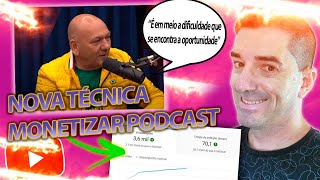

Monetize Podcast Clips on YouTube
43sReveals a controversial yet lucrative method of reusing content to make money, tapping into the curiosity of aspiring creators.
▶ Play Clip"The title promises a new technique to monetize podcast clips, and the video delivers a detailed, actionable method."
This video presents a step-by-step method for creating a YouTube channel that monetizes podcast clips by overlaying stock footage and background music. The creator explains two income streams: ad revenue from views and affiliate marketing commissions. The tutorial covers sourcing Creative Commons content, editing with Movavi, and adding calls to action.
A channel with 1M subscribers and 1,100 videos, earning up to $2,600/month from views by editing motivational podcast clips.
Social Blade estimates 700k views in 30 days; with a CPM of $4+, earnings could exceed $2,600/month.
Use YouTube's Creative Commons filter to find reusable podcast clips. Download via third-party sites.
Movavi offers AI-powered background removal, noise reduction, and easy drag-and-drop editing. Sponsor provides a free trial.
Use free stock video sites like Pixabay to overlay relevant visuals on the podcast audio, ensuring originality.
Promote products like 'Mão na Roda' (design course) with a call to action in the video, earning up to 97% commission.
Use AI tools to generate a short call-to-action video/audio, insert it after the first 10 seconds of each video.
Use impactful phrases and relevant images. AI tools like Gattocoin can generate thumbnail ideas.
By combining reused podcast clips with stock footage and affiliate marketing, you can build a monetized YouTube channel with minimal original content creation. Consistency and proper licensing are key to long-term success.
What is the name of the channel used as an example that has 1 million subscribers?
Motivação Águia
00:27
According to Social Blade, how many views did the example channel get in the last 30 days?
Approximately 700,000 views
01:50
What filter should you use on YouTube to find videos that can be reused?
Creative Commons filter
04:04
What is the name of the editing software sponsored in the video?
Movavi
04:56
What AI feature does Movavi offer for audio?
AI-powered sound removal to eliminate unwanted noise
06:22
What is the recommended free stock video site mentioned?
Pixabay (referred to as 'Texas Instruments' in the transcript, but likely a mispronunciation of Pixabay)
10:48
What are the two ways to earn money from this type of channel?
Ad revenue from views and affiliate marketing commissions
12:52
What commission percentage can you earn from promoting 'Mão na Roda'?
Up to 97% commission
15:10
Where should you insert the call to action in the video?
After the first 10 seconds
16:05
What tool can generate thumbnail ideas using artificial intelligence?
Gattocoin
17:26
Successful Channel Example
Demonstrates a real channel with 1M subscribers earning from reused content.
00:27Earnings Breakdown
Provides concrete numbers on potential ad revenue from views.
01:50Legal Content Sourcing
Emphasizes using Creative Commons to avoid copyright issues.
04:04Dual Income Strategy
Combines ad revenue with affiliate marketing for higher earnings.
12:52Thumbnail Optimization
Highlights the importance of thumbnails for click-through rates.
17:10[00:02] show you how to create a YouTube channel by reusing content from the internet and earning money in two ways. I'll show you step-by-step how these two earning methods work, and I'll also teach you how to
[00:15] create a video in this style. You can earn money solely from views. In this type of channel that I'm going to show you in this video, watch until the end so you don't miss any details. I
[00:27] you can see the "Motivação Águia" channel, which has one million subscribers and about 1,100 videos. They have videos with up to 4 million views, 3 million,
[00:39] 3.5 million. How does the " Motivação Águia" channel work? Basically, they cut and edit interviews and podcasts, phrases from motivational and
[00:53] motivational and personal development figures interviewed on the most famous podcasts on the internet, not just YouTube. They take excerpts from the cuts, like a podcast editing channel, and edit them,
[01:08] creating original content. And if you search here (Ctrl+ F) in your Google Chrome browser, F) in your Google Chrome browser, monetization will show as true. The truth is, regarding the
[01:22] monetization of this channel, another thing that shows that the channel is still monetized correctly, right? Videos were posted at 9 AM, 5 PM, and one day, so it 's a channel that can post about two videos a day in this style. How
[01:37] can you create videos like this? How many views does a channel like this get? Let's see here on the Social Blade platform, which gives us this data. If you use Blade, it finds it, sometimes it doesn't find the data either. Around
[01:50] 700,000 views in just the last 30 days. Okay, just from views, it could be earning up to $2,600 according to Social Blade. However, here, Social Blade shows that the maximum CPM is four dollars per thousand
[02:04] monetized views. Since it's a niche totally focused on money and commercial things, motivational phrases can indeed exceed that. So, it could be earning more than $2,600, which would be
[02:18] 13,000 reais (R$3,100) just from views. Motivational motivation, right? It's just an example here that you can see if you click on... Their video
[02:30] will have an ad; there are usually ads in all of them because it's garbage aimed at people looking for business opportunities. On the side, you'll doing exactly the same thing. See, "Código de Sucesso" ( Success Code), "Império Mente Milionário" (Empire
[02:44] Millionaire Mindset), it's another channel, not the same reason, it's "J Blog Motivação" (Motivation Blog Success Code). See, there are several channels that make the same style of video. How do they do it? First, if you don't know how to create a YouTube channel, how to make
[02:58] platform to use to increase your earnings, I'll leave a free course in the description. register, and you'll receive five step-by-step lessons in your email on how you can start today in digital marketing. Okay, register
[03:11] and join the VIP WhatsApp group to get more information on how to receive the lessons and various other opportunities. Okay, now how can we put together a video like this? Let's see. Basically, I
[03:25] Let's see. Basically, I 'll try to cut the ad here. first and you won't be the last. These phrases, these voices in the background here, are usually cuts from some videos on the internet.
[03:40] What's on top are other videos, right? In this case, they mix two types of content: music. And a third type of content—they even put a watermark here so people don't copy it. You're not going to copy their videos to make something, you're
[03:52] going to come here to YouTube and type here, " Motivational podcast clips, best moments," or similar things. Of course, I wrote that, but you don't need to write exactly that; it can be other things. You'll choose one of them,
[04:04] click on filters, click on Creative Commons, okay? Then the filter here will only show videos that have permission to reuse content, that is, you can reuse this content to create original content.
[04:18] Okay, you're not going to just grab it from any channel, you can't use any video, right? You could have a problem in this case. Here, we're going to use the ones that can be used, in this case, the most important part of the video, which is the
[04:30] motivational part, the content itself, right? What will be said in the video? So you won't need to say anything; you 'll use content from the internet. How do and type "download YouTube video" into Google, several sites will appear, you
[04:43] click on one of them and put the link there. He'll download the video for you, okay? Then for editing, I recommend you use a good software like Movavi, for example. Vibe is the sponsor of this video here, I'll leave
[04:56] the link below for you to download MovieVibe for seven days free. It's an easy-to-use software, very intuitive, you can do everything you want, you don't need to be advanced in video editing, you just click on these menus here and you'll
[05:11] easily find these options. It has a special offer, a special discount for the channel because they for you with a discount in the description. You can work with sounds, you can work with
[05:26] sound effects, music, you can work with context, you see, add text to videos, it's all very intuitive, you can add media, drag and drop, it has an Artificial Intelligence feature, I'll leave a video here where I remove the
[05:41] background from another video so you can see how I remove noise from sounds where there are noisy places, right? Here in the mulata, the Movavi software has this functionality, you can remove unwanted tones with
[05:55] artificial intelligence. Okay, okay, this is Movavi and it has some very cool features, for example, if you want to improve your Okay, so I grabbed a random video from some paid traffic source. Oh, I saw that you accessed the "
[06:08] Pulo do Gato" training page but didn't finish your registration, just a little bit, right? The video is compressed in the background and all that. If you go to the audio section on the side, you have this option here: AI-powered sound removal.
[06:22] You can separate the audio or clone it here to create a duplicate version. This clone here, I'll use this AI feature. Great, put it here, apply it, it will go through the audio, find
[06:37] unnecessary noise, and improve the quality of your audio. Oh, I saw that Pulo do Gato" training page but didn't finish your registration, I'm just letting you registration, I'm just letting you know. Oh, it compressed the voice and removed
[06:49] the background noise. So if you want to, for example, change the background, it can often change the background even if you don't have chroma key. In this case, I 'll click here on video, there's this option here: background removal.
[07:03] chroma key, you need a static color. For example, in the background, there's green, right? Blue, which people use to remove the background. There's this high-precision option here that allows you to track your video and remove the person
[07:19] speaking, so you don't see the background, leaving only the person. Then, for example, you can come and put another photo here. I grabbed any image here, see? To put a photo here below and put the video on top, when you click on the photo here,
[07:32] you have the option to crop and rotate. There are position options available; you can increase it here, and that's great. Click outside and re-enable your character here. If you increase the background duration a little, it will go all the way to the
[07:45] end here. Oh, I saw that you accessed the "Pulo do Gato" training page you know. Oh, I saw you can remove the background, you cool features within this software called Movavi. Okay, I
[08:00] Movavi link below in these sponsored videos with a special discount provided by the company itself in the description. See you below the main video links for you. Okay, access it. Another cool thing is that if you work
[08:16] with other social media platforms, like YouTube and TikTok, for example, you can make a video here on Movavi and export it directly to your TikTok account. log in to your account, and when you're finished editing, you click
[08:30] export, and it will appear on TikTok with the things you wrote here. It's the same thing on YouTube; you can do it for YouTube too. Okay, with this icon, you can transform a normal YouTube video into
[08:43] short videos, TikTok videos, Instagram videos, Rios, and so on—various types of content in different video formats. But let's get to the motivational video here. How do we do this? I downloaded this video here, a podcast clip. I'll
[08:57] play it so you can see nobody believes in you. So when you understand that nobody believes in you, this video here is motivational; it's an interview with this guy, and he says some motivational phrases, etc. What's
[09:13] a video that doesn't have background music. It's cool. If you take a video that doesn't have background music, you can cut out the unnecessary parts. For example, if you don't want this part here, like this, how am I supposed to believe it? It's
[09:26] incredible what happens! And then, saying these things, if this part here does n't make sense to you, you click on it and press Ctrl+B (on mobile), you'll delete it, it will remove this part, leaving only this part. Okay,
[09:38] so the video doesn't have background music, I removed the conversations, the dialogues, the laughter, and so on. And here's a motivational part of the video, right? We've already taken a clip from a podcast that's focused on motivation, so
[09:53] said there is useful for you to use in the video. With a podcast clip, you can make several motivational videos. Okay, then you use videos from the internet to bring them in here and put them on top. But
[10:07] for example, the music, right? You can go here to Bubá itself, click here on calm music and use a song like this, for example. I'll put it here below. Here, lower the volume a little, play it, it will give a
[10:20] different feel to the video. Lower it more because it's too loud, nobody believes you. If you think the video here is too quiet, you can increase it. If it's at its maximum, you really have to lower it like this. See? If you understand that nobody
[10:33] believes in you, it's just you and God, my brother, that's the point. So, you're not going to use what's here, okay? You're going to use content from the internet to overlay this video here.
[10:48] We can go to the free video bank on the internet, you can access any video bank. The most famous of all is Texas Instruments. You can come here, type something related to Vitória,
[11:02] then you can click here on explore videos and see what's available here. Put in videos that really make sense with what he's saying. The cool thing about Texas Instruments is that it has some videos that are in slow motion and stuff, so it
[11:16] drag the video here into the software and put it on top, not behind. See? It's going to look like this: nobody believes you. So when you understand that nobody believes in you, it's just you and God, my brother,
[11:33] that's the point. So, if that wasn't enough, I'm going to put more, I'm wasn't enough, I'm going to put more, I'm going to drag one more. Here's what you do: you click on it, click on "position," and adjust its size to
[11:46] enlarge it. See, it didn't fit. Okay, I'll go back to this approach. So, if you don't believe in yourself, how am I supposed to believe in myself? When you're in this solitude, you're already
[12:00] using something that people want to see, which is motivation, right? Motivation with the interviewee. You took a video that has reuse permission, which is from the creative, and you can put a
[12:13] logo on top of it. If you have a logo, you can make one online for your channel and put it here to avoid plagiarism. And then you just can render it and post it directly to YouTube, add a title, description, and
[12:26] Tales, even on mobile. Or if you 're using other software, you can upload it manually later. But the idea is to use videos to overlay what's being said, to use videos from the internet that don't have music, and to add other
[12:39] music to make the content original. That way you'll be able to monetize it. Okay? And how do you make money the second way? I said there are two is... Working with affiliate marketing, you can promote
[12:52] 'll leave some of my products here for you to affiliate with if you join any platform like Hotmart, Monetizze, Duos Prime, or any other platform and affiliate with products you think are worthwhile and promote them on
[13:06] your motivational channel. But how do you do that? You create a call to action create a call to action in the middle of the video? Let's see. Okay, you can use artificial intelligence to create the artwork. You can go here, for
[13:22] example, to "Gato Come" (Cat Eat), if you want to joke around, and click here on "GTA for Videos" in Artificial Intelligence. This menu is full of promote, for example, a product like "Mão na Roda" (Handyman), I'll leave
[13:36] the link below for you to affiliate with this product if you want. Okay, it's a if you want. Okay, it's a graphic design product. It has a Netflix-style design course where you can download files, a Photoshop course, an Adobe After Effects course,
[13:49] all within this product. Adobe Premiere teaches you how to be a filmmaker, right? For weddings, events, parties—it's a cool product for those who want to start. The business in this area, right, of graphic design, wire making, providing services to
[14:06] third parties, here it explains exactly what " Mão na Roda" is, I'll click here on Gatocoin, and I'm in this Artificial Intelligence section, right? CTA for videos, as I said here, there's a CTA for ads, there's a CTA for videos, it
[14:19] 's a product to create designs in a few minutes, right? How do you create professional design artwork in a few
[14:32] minutes and also learn advanced video editing? The product name is " Mão na Roda," which is Adobe After
[14:45] Effects. Let's click here to see if it generates a call to action for us in this type of motivational video. If you put a call to action in the middle, you can put the link in the description, create a
[14:58] standard video for the call to action, and in all the videos you can promote the same product, " Mão na Roda," for example, that's why you can earn 50% commission, about can earn 50% commission, about 97% commission there for you, so it
[15:10] 's already a good product to promote in this style. Okay, you can write a lot of things here in Artificial Intelligence. It might not find it, so you can shorten it and put something else here, "create professional design artwork,"
[15:22] find you. You can come here to my searches and create professional artwork in minutes. Look, are you tired of spending hours creating professional spending hours creating professional designer artwork? Don't worry anymore with
[15:35] change it right here with a helping hand. You can create professional design artwork for products. Don't waste any more time, start creating professional designer artwork as soon as possible. Click the link in the description. Try creating a call to action for you here. With
[15:50] short video with a synthetic voice or with your own voice. You can use the suite in the Valley, you can download it from the description, and use the screen recorder. It also has a microphone recorder to make this little call to action. Then
[16:05] you'll use this audio in the middle of your motivation video, or at the beginning, after the first 10 seconds. You use this audio with the call to action, and all your videos. The video that goes viral will
[16:17] description so you can sell something related to what people are looking for here, right? In this case, it's entrepreneurship, right? In this case, you're design tools for you to create
[16:30] artwork in minutes. These are editable artworks and such a cool product. Okay, the affiliate link below for you to edit videos. Put a call to action on all your videos, create a standard call to action, render it,
[16:44] and make videos this way using various podcast clips. You can make two or three videos a day, for sure. The more videos you make, the more chance of your content going viral in this motivational niche, and yes,
[16:57] your channel will start getting recommendations from there. Don't forget to also look at what style of cover art people use. What style of cover art do people use so you can base your work on those who are already doing it and making it work? Okay,
[17:10] generally it's an impactful phrase in the thumbnail and a photo of something related to what the phrase is talking about. Here at Gattocoin, for example, there's a thumbnail idea tool too, you understand? Thumbnail ideas with
[17:26] artificial intelligence, I don't know what I put here, you say, I put here, you say, motivational phrases applied to the law of attraction to attract money. Then you click on " generate content," Artificial Intelligence
[17:41] you can base your work on that idea. The turbine can be placed wherever you want in Photoshop, Canva, or the Muva editor—there's a photo editor there. A good idea for a persuasive thumbnail for a video about
[17:54] motivational phrases related to the law of attraction to attract money would be an image of a man or woman with their back to the camera, looking at the horizon with a large sun setting behind them. The image should be a warm color palette
[18:08] like orange, yellow, and red to convey a feeling of hope and motivation. The thumbnail caption could be something like "I discovered how to attract money with the law of attraction" or something more elaborate, right? Just
[18:22] a short phrase already gives you the idea. The whole thumbnail outline is here. And with this, Tubemate ideas for any content from any video on the internet. Okay, it's already played, and it check out. This video was about two ways to earn money through monetization, the
[18:37] video, and also affiliate products. leave them below here for you to affiliate with as well. Just click there to affiliate with the one that has Wi-Fi and... Start selling them all, they have a 50% commission.
[18:52] digital marketing. Thanks guys, see you in the next video!
⚡ Saved you 0h 18m reading this? Transcribe any YouTube video for free — no signup needed.