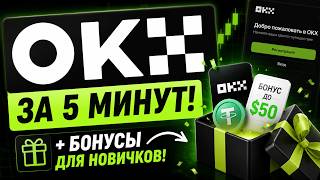

OKX Registration: Unlock Bonuses
45sQuick, actionable steps to get bonuses attract crypto beginners looking for easy rewards.
▶ Play Clip"The title promises a 5-minute registration and bonuses, and the video delivers exactly that — a straightforward, no-frills walkthrough."
This video is a step-by-step tutorial on how to register on the OKX cryptocurrency exchange, complete verification, and claim the available bonuses. The creator walks through each stage, from using a referral link to depositing funds and unlocking rewards, all within about five minutes.
To maximize bonuses, register through a referral link provided in the video description.
Enter email, referral code, complete captcha, then input email and SMS codes. Select country and create a strong password with Latin letters, a capital letter, numbers, and a symbol.
Verification is required to use all services and receive bonuses. It takes up to 5 minutes. Go to profile > verification, select document type, scan QR code or use the OKX app, take a photo and selfie.
After verification, open the Reward Center to claim gift boxes. The first box gives $0 commission coverage (expires). To unlock the next, deposit at least 50 USDT, then claim $1. Additional tasks offer more USDT.
What is the first step to get the most out of OKX bonuses?
Use a referral link to maximize bonuses.
00:32
What information is required during OKX registration?
Email, referral code, captcha, email code, SMS code, country, password.
00:46
What are the password requirements for OKX?
Latin letters, at least one capital letter, numbers, and at least one symbol like # or !.
01:58
Why is verification necessary on OKX?
To unlock all services and receive all possible bonuses.
02:13
How long does the verification process take?
Up to 5 minutes.
02:27
How do you proceed with document verification on OKX?
A QR code appears; scan it with your phone or use the OKX trading app.
02:55
What is the first gift box reward after verification?
0 dollars to cover commission, but it expires.
03:39
What is required to unlock the second gift box?
Deposit at least 50 USDT.
03:56
How much do you receive after depositing 50 USDT and claiming the reward?
1 dollar.
04:23
Referral Link Maximizes Bonuses
Using a referral link is a simple but effective way to ensure you qualify for all available bonuses.
00:32Verification Takes Only 5 Minutes
The video emphasizes that verification is quick, encouraging users to complete it immediately.
02:27Reward Center Unlocks Bonuses
The Reward Center is the central hub for claiming bonuses, and it's easy to overlook.
03:39Deposit Requirement for Bonus
A minimum deposit of 50 USDT is required to unlock the second gift box, a common exchange tactic.
03:56[00:03] correctly register on the ukx crypto exchange and receive ukx crypto exchange and receive gift boxes and all kinds of bonuses for this.
[00:32] need. Let's move directly to the registration itself. To get the most out of the possible bonuses, you need to register through a referral link. I have such a link. You can find it in
[00:46] the description under the video. Click now you are redirected to the exchange website, or more precisely, to the registration page. In the top field, you need to enter your email address. Below will be a referral code. If you followed my
[01:00] link, then click "create an account," confirm that you are not a robot, and pass this captcha. If you didn't know, when you pass these captchas, you help train artificial intelligence, which is associated with
[01:15] Google. Now you need to paste here the code that came to your email that code that came to your email that you specified, copy it and paste it
[01:28] Just first, indicate the country in which your number is registered and also enter here the code that came in an SMS to your phone. Confirm now select your country of residence, or more precisely, the one
[01:42] indicated in your identity card. Agree to all the conditions. Click this checkbox. Click next again, make sure that we have indicated the country, for example, in the passport. Click confirm now. Come up with a
[01:58] password. It must consist of Latin letters, at least one capital letter, necessarily numbers and at least one symbol such as a hash or an exclamation mark. Click next again. Congratulations. Now you have registered
[02:13] on the exchange, but to be able to use all the services of the exchange. And also to receive all possible bonuses, you need to go through the verification procedure. I advise you to do this immediately because it will take only up to 5
[02:27] minutes of your time. And then you can deal with the rest of the functionality. To do this, you need to go to your profile by seeing the cursor on this person and select the verification item. Select the verification of an
[02:41] verification item. Select the verification of an the terms and conditions, we see that after verification we can receive
[02:55] it cannot be changed, and in the second field, you select the document that you will photograph. A QR code will appear on the screen. You scan it from your phone and you will be redirected to the website on your phone. But I would advise you to simply
[03:10] download the OK X trading app to your phone because this site may not always work correctly. Next, we proceed from the phone, we see the conditions: photos without glare, complete, not blurry. We take the document, point and
[03:25] the document, point and take a photo, click next. Now you need to take a selfie, then wait a few seconds, confirm that your information is accurate and voila, you are verified. Now, for
[03:39] convenience, let's return to the PC to open the gift box. Point to different ones and select the reward center. Here are our gift boxes. One box is already unlocked for us because we have passed verification. And here we receive 0 dollars to cover the commission.
[03:56] Keep in mind that this bonus expires. top up your balance with at least 50 usdt. Now I will do this quickly, I will transfer tether from another exchange, like this You can do it right in my video about
[04:11] transferring cryptocurrency between exchanges. The link will be in the description. After I've done this, click "Receive a reward" again, log in through your phone and receive
[04:23] one dollar again. There are giveaways below. Fulfill the conditions for which you receive additional US DT, that is, Dollars. To read the conditions, Dollars. To read the conditions, click and read, fulfill these
[04:38] conditions and receive your USDT. Also, don't forget to come here from time to time because new tasks appear here on which you new tasks appear here on which you can earn good money. That's all.
[04:50] Thank you for watching the video to the end. I hope it was useful for you. Please give it a like. Also, don't forget to subscribe to the channel so you don't miss similar useful videos. And if you have any questions or suggestions, feel
[05:03] free to write about it in the comments. Links to the crypto exchanges on which I trade will be in the description under the video. Bye, you will receive discounts on trading commissions and bonuses. For registration, and also in the description there will be
[05:16] links to my social networks. Once again, thank you all for watching. Bye everyone.
⚡ Saved you 0h 05m reading this? Transcribe any YouTube video for free — no signup needed.