[00:03]
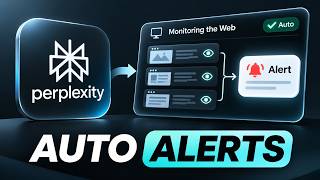
Today I'm going to show you how AI can now watch the internet for you, all day, all night. It never sleeps, it never even asks for a coffee break. When something big changes, it taps your app on the shoulder. It's brand new, it's
[00:19]
simple, and it changes how AI agents work. So stick around because the best part is the bit most people will miss. Here's what happened. On November 16th, Perplexity launched something called the monitor API. Now think about how you use
[00:35]
AI right now. You ask a question, it gives you an answer, then it stops. If you want to know what's new tomorrow, you have to ask again and again and again. That's like having a guard dog that only barks when you poke it. The
[00:51]
monitor API flips that around. You tell it what to watch one time, then it keeps checking on its own. And when it finds something that matters, it sends a message straight to your app. The first way is called a search
[01:04]
monitor. You give it a topic, something like new AI model launches. Perplexity then searches the web and the news on a timer you pick. Every time it runs, it
[01:16]
picks up where it left off. It skips the stuff it already showed you, so you don't get the same story 10 times. You only get what's new. Here's how I'd use that. Inside the AI Profit boardroom, we cover new AI tools all the time. So
[01:31]
picture a search monitor watching for new AI model launches. When something real comes out, it gets flagged. No more scrolling for hours and hoping you didn't miss anything. The second way is called a page monitor.
[01:44]
This one is different. Instead of a topic, you give it pages, real web pages, up to 10 of them in one monitor. The first time it checks, it takes a snapshot. That's the starting point. It doesn't report anything yet.
[01:59]
Then every check after that, it compares the page to what it saw before. If the words changed, it shows you exactly what changed. Think about what that means. A competitor updates their offer page. You know, a tool you use updates its
[02:15]
changelog. You know, a rule you have to follow gets changed. You know, you're not checking pages by hand anymore. The pages check themselves. So which one do you pick? Simple. If you want to find new stuff, use search. If you want to
[02:31]
catch edits on pages you already know, use page. You can't mix both in one monitor, so you just make one of each. But here's the thing. Watching the web is the easy part. The hard part is the noise. And this is where Perplexity did
[02:46]
something really smart. I'll show you right after this. Quick pause because this matters. Knowing about the monitor API is one thing. Setting it up so it actually helps your business is another. That's what the AI profit boardroom is
[03:01]
for. It's the best place to scale your business and save time with AI automation. Inside, you learn how to take tools like Perplexity's monitor API and turn them into real workflows. Things like watching your competitors
[03:16]
and tracking your industry on autopilot. New tools like this drop all the time, so join now while it's fresh. The link is in the comments and description. Okay, back to the noise problem. The internet is loud. If a monitor sent you
[03:31]
every article and every tiny page edit, you'd turn it off in a day. Decider. Decider is like a bouncer at the door. Every result has to get past it. For search results, it checks four things.
[03:47]
Is this relevant to what you asked for? Is the source legit? Is this actually new information? And is it fresh? For page changes, it checks if the change really matters for your goal. An update only gets sent if it passes every
[04:02]
check. So the small stuff that doesn' matter to you doesn' wake you up, and you control the bouncer. When you make a monitor, you can write a goal in plain monitor, you can write a goal in plain words. Something like find official AI
[04:16]
model launches and ignore rumors and opinion pieces. Decider uses that goal to judge everything. Every update also comes with a confidence score so you can see how sure it is. You can make each check stricter or looser, and you can
[04:32]
change the goal later without building the monitor again. That's a big deal. You don't have to get it perfect on day one. Here's a quick tip on writing that goal. Be clear about two things, what you want and what you don't want. Most
[04:47]
people only do the first half. They say tell me about AI news. That's way too tell me about AI news. That's way too wide. A better goal says find official launches from the big AI companies and skip the rumors, the repeats, and the
[05:01]
hot takes. The clearer you are, the better the bouncer does its job. Think of it like giving directions to a new team member. Vague directions, messy results. Clear directions, clean results. Now let's talk about timing.
[05:15]
You pick how often it checks. Every 15 minutes, every hour, every day, every week. Or you can set a custom schedule if you want something special. You can also pause a monitor, start it again, or run a check right now whenever you want.
[05:32]
And it keeps a history of its runs for 90 days so you can look back at what it found. But the part that makes all of this exciting is what happens after it finds something. It's called a webhook. Don't let the word scare you. A webhook
[05:47]
is just a message from one app to another, like a text between two computers. When the monitor finds something that passes decider, it sends that message to your app, and these messages are signed. That means your app
[06:01]
can check the message really came from perplexity. If the message doesn't get through because of a small hiccup, it tries again on its own. send, so you can make sure everything is hooked up before you rely on it.
[06:16]
why does that matter? Because that message can kick off anything. This is where AI agents come in. The monitor spots the change, the webhook passes it along, then your agent does the work. It could write a summary, it
[06:30]
could post an alert to your team, it could update a dashboard, it could draft a research brief. Back to my example, the monitor catches a new AI model launch, the webhook sends it over, an agent writes up what's new, and it could
[06:44]
be ready for the AI Profit Boardroom before I've even opened my laptop. That's AI that reacts instead of AI that waits. And that's just one idea. Let me give you a few more because this is where it gets fun.
[06:58]
Say a competitor changes their offer page, your agent could spot it and write Say a company you want to work with shares big news, your agent could team. Say a rule in your industry gets
[07:13]
updated, your agent could catch it and send it to a real person to review. Say a tool you rely on ships a new feature, your agent could tell your team the same your agent could tell your team the same day. Same simple pattern every time.
[07:28]
Watching this video is a good start, but watching isn't the same as building. That's why I recommend the AI Profit Boardroom as your next step. It's the best place to scale your business and save time with AI automation. Inside,
[07:43]
you learn how to build real systems like monitors that track your market and agents that act on what they find. You stop just keeping up with AI news and start using it. So join now and build your first one. The link is in the
[07:57]
comments and description. And if you want the full process from today, join the AI Success Lab. It's free. You get the notes from this video so you can follow every step for setting up your first monitor. You also get practical AI
[08:12]
first monitor. You also get practical AI processes and SOPs you can copy plus 100 plus AI use cases just like this one. So when the next tool like the monitor API comes out you already know what to do with it. It's the easiest way to keep
[08:25]
learning and keep using AI. The link is in the comments and description that in the comments and description that I'll see you in the next one.