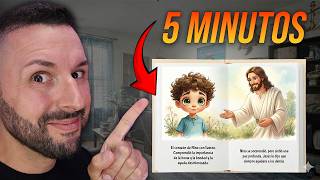

Make $3,835/Month with AI Children's Books
54sHigh earning potential hook with AI and passive income angle is irresistible to viewers seeking money-making methods.
▶ Play Clip"The title promises a new tool for making money online, and the video delivers a tutorial, but it's padded with repetitive explanations and a heavy sales pitch for BookBolt."
This video demonstrates how to create and sell children's storybooks on Amazon using the BookBolt tool, which leverages artificial intelligence to generate stories, illustrations, and book formatting. The presenter walks through a three-level process: finding a profitable niche, creating the book with AI, and designing the cover, then publishing via Amazon KDP. The video emphasizes that this method is beginner-friendly and can generate passive income.
The video opens by showing an estimated income of $3,835 per month from simple children's books on Amazon, suggesting that thousands of dollars can be generated monthly.
Children's books like 'You Were Born to Shine' and 'Dream Big and Be Yourself' have many reviews (e.g., 88, 2150, 2138), indicating active demand and a growing market.
Amazon handles printing and shipping; creators only need to create the content. No inventory or shipping is required, and royalties are earned on each sale.
Creating a book traditionally involves writing, illustrating, designing, and formatting, which is complex and expensive. AI tools like BookBolt simplify this process.
Use BookBolt's keyword search to find high-volume search terms. For example, 'children's books' has a search volume of 92,000. Look for repeated themes like 'Christian children's books' to identify niches.
Use BookBolt's Studio to generate a story. Customize language, age range, story type, character traits, and moral lesson. The AI creates the full story and illustrations.
BookBolt's 'All Enhance' feature generates illustrations that are consistent across pages, maintaining the same character appearance, which is crucial for a professional look.
Use BookBolt's cover designer to create a cover that matches the book's content. The tool can generate images based on the book's characters, avoiding misleading clickbait covers.
Download the formatted book and upload it to Amazon KDP (Kindle Direct Publishing). It's free to publish, and Amazon prints and ships on demand. Books are typically live within 72 hours.
Publishing multiple books (10, 20, 50) increases the chance of success. Even if not all are successful, a few winners can generate monthly income.
What is the estimated monthly income shown for children's books on Amazon?
$3,835
00:03
What is the name of the tool used to create children's books with AI?
BookBolt
02:29
What is the first step in the three-level process?
Find a profitable idea using keyword search.
03:08
What search volume does 'children's books' have?
92,000
04:04
What feature in BookBolt ensures illustrations are consistent across pages?
All Enhance
08:57
What is the name of the publishing service used to sell the book?
Amazon KDP (Kindle Direct Publishing)
12:16
How long does it typically take for a book to go live on Amazon after uploading?
Within 72 hours
12:44
What is the recommended BookBolt plan and why?
Prime Pro, because it gives more AI credits per month.
13:10
Market Demand
Shows real examples of books with hundreds of reviews, proving the market is active.
00:57Low Barrier to Entry
Amazon handles printing and shipping, making it easy for beginners to start.
01:38Consistent AI Illustrations
The 'All Enhance' feature solves a common problem of inconsistent images, improving book quality.
08:44Avoid Clickbait Covers
Using AI to generate a cover that matches the content prevents negative reviews and builds trust.
10:32Scaling Strategy
Publishing multiple books increases the odds of success, a key principle for passive income.
12:58[00:03] Notice here that it says estimated income $3,835 are generating thousands of dollars a month. Best of all,
[00:16] artificial intelligence in less than 10 minutes. Those amounts I sold on Amazon right now. In this video I'm going to show you chewed just the way you like it. Don't worry, you don't have to be an author,
[00:30] 've ever written is a text message asking your ex to come back to you. But the most interesting thing is that thousands of people are buying these books all the As you can see on screen, I have bought these storybooks. Here
[00:44] 's one, here's another. But there is a mistake that many people make when they try to do this. And if you do that, you'll be limiting the success of your book. Don't worry, I'll reveal everything here, but I won't tell you, I'll show you.
[00:57] Amazon has extremely simple children's books that generate thousands of dollars a month. Look here, you were born to shine. Look at this other one. You're a fantastic guy. Another example : dream big and be yourself. These are
[01:09] books that generally teach children things like managing emotions, the importance of being kind, learning from mistakes, and if you pay attention you'll see that they have quite a few reviews. Look here or reviews 88, 2150, 2138.
[01:25] Those reviews are from customers and customers mean money, showing that this market is active and continues to grow. And here's the opportunity because Amazon lets you royalties every time someone buys it.
[01:38] Note: You only create it; Amazon will print and ship it to the have to ship anything, you don't have to keep inventory. All we're going to be Well, artificial intelligence will do it for you. You're going to see the little surprise I have for you
[01:51] Raúl, what's the problem? Because everything always has a problem. I like to tell him about a situation or difficulty. The difficulty—and this is a good thing— do it, and the fewer people do it, the more chance you have of succeeding in
[02:05] any business you do. When you tell someone you're going to create writing a story, creating illustrations, designing the book, designing the cover, formatting it for
[02:17] Amazon. All of this can be very complicated and very expensive, but luckily artificial intelligence can help us with this. And this is where the Bookbat tool comes into play. Many of you already know it since I
[02:29] they have a new update that allows you to make these books into children's stories. And all this in minutes. You will be able to access this tool below in the description of this video. Notice that it says I created coloring books,
[02:42] storybooks, which is what we're going to be doing in a few seconds. And 3-day free trial to see how it all works. Like I told you, I 'm giving you everything pre-digested. The great thing about this tool is that it will help us
[02:54] with the big problem, which is finding book ideas that people the story. In fact, he's going to create the story for us. It will generate the 's saving us. He's going to design the book and let me download it
[03:08] already formatted for Amazon. To make our book, I divided it into three levels. Level one of three, find a profitable idea. Once click on the link below where it says sign up so you can create your
[03:22] people make: they write a book that they like and don't do the people are interested in buying. Remember that you're not selling that book The Bootball tool does not simplify all of this. As you can see, it's in English,
[03:36] to Spanish. You have product searches, as you can see, it shows us any of these books it takes us directly to Amazon, where we can see first thing I'm going to do is click where it says keyword search
[03:50] and up here in the search box I'm going to put children's books because that's enter and the tool will give me keywords with, very importantly, Listen, Watson, this is important. Remember that we are making the book
[04:04] buy it. How do we know what they are looking for? due to children's books has a search volume of 92,000. Then 4,000 Catholic books for children. Bilingual books for children 4 and it keeps giving me
[04:18] more search terms. Looking here I see that something is repeated. Christian children's books and Catholic children's books. This catches my attention because there might already be a niche here. And what I'm going to do is copy this phrase
[04:31] and search for it on Amazon. Let's see what kind of book I end up writing. Take a look at this book. Thank God. Sofia learns to pray. As you can see, it has reviews. You show me that there is interest. Another one here. My guardian angel. Level two of three, create the
[04:43] book with artificial intelligence. The next thing I'm going to do is click where it says Studio Bookbat Bolt to create our book here using the same where it says project and then click where it says new project. Then here I'm going to
[04:56] story generator with artificial intelligence", project name. You can put identifier for you, to let us know that you are making this book. Nobody's going to You can put the book on, uh, whatever . I'm going to leave the measure the same.
[05:10] leave it here. Then you can adjust the page number add more if you want. And you click on create project. Perfect. Remember, understand it better in English because I'm used to this tool. Don't
[05:24] . You won't even have to change it if you want, since we often . But don't worry, that's what Raúl will give it to you. The project name was the name we gave it. Note: This is
[05:37] I'm going to change the language to Spanish because our book will be in Spanish. The age range of our child who will be reading this Often what happens is that parents read the story to the children,
[05:49] not yet read well. Type of story, bedtime story, fantasy adventure, moral, funny, animal, educational. I'm going to put it in a moral sense because Characteristics of our character.
[06:03] Brave, curious, kind. The translation is something like silly, but not silly in the sense of n't know, he's kind of silly, like a kind of naive me, so to speak. Intelligent, helpful, painful. I'm going to make it so it's friendly. And the lesson, the
[06:16] moral, kindness, honesty, courage, the act of sharing, teamwork, respect, respect, I have the obstacle. Self-confidence can important, you can put specific instructions here if you want
[06:30] so that our story is based on what we want. In my case, I do want it to be that way . And I can open Google Translate and put something like, "Create a story about a child who is taught by Jesus to be kind to other people."
[06:43] copying it here and putting it here. Perfect. Then click on continue. And your character, what name you want to give it. In my case, I'm going to name him I like that name. In the style type, you can choose how you want
[06:57] that character to look. Like watercolor, like a 3D cartoon, acrylic. I like books. Maybe it's because I'm old , but I always fact, the new books too—I just said old—but the
[07:11] watercolor style which is very beautiful. What kind of character do you want it to be? In my case, a magical creature, an animal, a magical animal, a robot, a talking object, or something personalized. The gender will be male. I'm going to leave the eyes
[07:24] color. Skin color type, I'm going to put medium. Hair color, I'm going to put brown. What will he be wearing? I'm going to use blue and yellow. Perfect. Here you can specify if you want him to have glasses or anything
[07:38] I'm going to put it here where it says general character. And this will be creating the madness. In my case, I want to create a Christian or Catholic book. It just create another one, all you have to do is click here and then you can select
[07:52] images look extremely good. I like both, that happens sometimes. I'm going to honestly either one is perfect. Look how good that looks. I'm going to says generate content. Wson, look at
[08:05] this madness. Book Ball just created the story for us. What you are seeing is each page. It was a sunny morning in the small town where Nino ran . The scent of flowers filled the air when Nino saw a bird
[08:18] trapped in a thorny bush. And he continues telling us here, showing us that Jesus then appeared. All of this that you are seeing is the story that has just been modify something, click here where it says edit text and you can change
[08:30] any word. For example, let's say, if instead of soada I want to put bella, I beautiful morning in the small town. You can leave it however you want, you can we need images. You can click here and generate an image, but
[08:44] again, one of the things I like about this tool is that you can create I mean by this? That they have something to do with each other, that they resemble each other. Previously there were images, but the images on one page didn't look the same as on another, and that didn't look
[08:57] Let's go all the way down here. I'm going to click where it says "all enhance," which enhanced and look alike. And then I'm going to click where it says generate 24 illusions. Illusions, illustrations, because it's 24 pages. I'm going to click
[09:11] here, will be creating all the images for us. The tool to what I was telling you. Look how this image resembles this one and this one. same character, same face, same clothes. That matters a lot because it's a book after all
[09:25] . You can see all the images. If you do n't like an image or do is regenerate the illustration. Here you can see images. It's incredible what we I'm going to click where it says continue. And here I'm going to select the 24 pages we
[09:38] have and click on continue. And here it lets us choose the type, the font, the typeface. One that I like is this one called Bubblegum Sands. It looks quite like something out of a history book. And here I'm going to put that you format the book according to Amazon
[09:52] selling our book. Click here to submit. If you look to the left, beautiful that looks. Tell me if that doesn't look professional. That's a story. However, we have just unlocked level number three, designing the cover.
[10:07] our book, is the cover, the book tool. As you can see, here you are giving us the template of what we need. The left side is the here is the front part. What we are going to do is the following. I'm going to
[10:19] tap up here to make this transparent. It gives me the CA here exactly as I here on these little stars and then on image generator. And now once again , that's why I like this tool. Previously, people would put a
[10:32] . What does this do? If people do n't like it because it's clickbait, they end up leaving bad reviews, not buying your book, and in the end it hurts you. select here and set the image I create to use the
[10:46] content from my book. Every time I want to ask him for something, for example, my child's name is Nino. I can say, "Give me a picture of Nino hugging a dolphin." All I have to do when I'm referring to Nino, and it will create that image for me. It's crazy. And I'm going to
[10:58] worry. I'm going to add "enhance" to make it better. For the image aspect ratio, I'm going to set it to 16*9 so that it can be seen throughout the entire book. And now I can ask you for on my cover, I'm going to copy it here next to it because it works better in English." I'm
[11:12] image. Perfect. And as you can see, it just created that image for me. I'm going to click this allows me, all I have to do is set it to the size I want, of course. In this madness. This looks great. As you can see,
[11:24] Then the next thing I can do is click here where it says text, click on heading and this lets me give our book a title . We put our title. You can also change the font here. I like this one from Ace. You can add different
[11:37] extremely good. Then here on the left, I can click where it says text, add multiple text. You can put some text here to tell you complicate things. Something like this seems extremely good to me. Once again, I'm going to
[11:50] change the lyrics. I'm going to put in that font I showed you earlier. Bobcom. here. Watch the entire creation process. The says download, which is descargar. Click here and then by clicking here
[12:04] we will be downloading our book. As you can see, here is the whole book, the cover exactly as we made it, and our book already formatted, ready to sell on Amazon. Amazon. To sell our book we will be using Amazon
[12:16] KDP, which is Kingdom Direct Publishing. This is free, as you can see here, self-publish books and reach millions of readers worldwide. The great thing our book here for free. You have to pay to put it here. Amazon will be
[12:30] sell it for us. Once someone buys it, they print the book and take 1% of that money, of course, and then give you the rest. As I Then, when you enter, you will select paperback book. You put the
[12:44] Spanish language, the book title, and a brief description. I can help you with this, EPT chat, it's nothing out of the ordinary. Then you upload your book and it will be available in 72 hours like 24 hours ago, it's already available on Amazon. Imagine having 10, 20, 50
[12:58] books published, each generating sales every month. Of course, not all of them will be successful, but you only need a few that work to be able to generate income each month. As you can see here, estimated income.
[13:10] Look how much money those books are making on Amazon. I'll be leaving . They have two plans, both of which have 3-day free trials. I use Prime Pro and it's the one I recommend since you get more credits to create
[13:23] artificial intelligence each month. In addition, I'm going to leave this code that you see on the screen so that you get a 20% discount on either of the two plans. Of course, I wish you the best of luck and see you next time.




⚡ Saved you 0h 13m reading this? Transcribe any YouTube video for free — no signup needed.