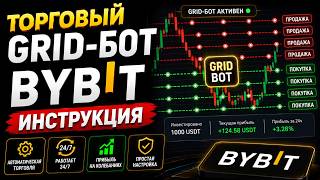

What is a spot grid bot?
55sEducational hooks are highly shareable, breaking down complex trading tools for beginners.
▶ Play Clip"Delivers a thorough, practical guide that matches the title's promise of instruction and operational principles."
This video provides a comprehensive guide to using spot grid trading bots on the Bybit exchange, explaining what they are, how they work, and how to set them up manually. It covers the bot's operational principles, strategies for choosing coins and timeframes, and practical tips for managing risk and maximizing profits.
The video introduces trading bots, specifically grid trading bots, as automated tools for placing buy and sell orders at specified intervals within a price range, aiming to profit from price fluctuations in volatile markets.
The process of creating a spot bot on Bybit is demonstrated, starting from the main page, navigating to the tools tab, and selecting the spot grid bot option.
The video explains how to choose a trading pair (e.g., BTC/USDT) and emphasizes that bots only work with coins on the provided list. It also shows how to skip AI-suggested settings and opt for manual configuration.
The price range defines the boundaries within which the bot operates; if the price exits this range, the bot pauses. The number of grids determines how many orders are placed, with more grids leading to more frequent trades but smaller profits per trade.
The minimum investment amount is around $16, but it increases with the number of grids. Funds must be in the funding account, and transfers between accounts are free. The amount is frozen while the bot is active.
The entry price sets a specific level for the bot to start buying; if not set, it buys at the current market price. Stop-loss and take-profit can be set to close the bot at certain levels, but stops should be outside the range to be valid.
Upon creation, the bot immediately buys a portion of the coin to enable trading. The video explains that this initial purchase is necessary for the bot to start operating.
The bot's dashboard shows its status (active/inactive), duration, investment volume, grid range, number of trades, and PNL. Initially, PNL may be negative due to opening commissions.
The chart displays yellow (zero), green (buy), and red (sell) lines. The bot buys at green lines and sells at red lines, with the interval between grids determining profit per trade.
The ideal coin for a bot is one trading in a flat range, not trending strongly up or down. The video advises against opening bots on coins at their peak and suggests choosing coins with smaller capitalization for more frequent trades.
If the price drops, you can either wait for it to return or open another bot at a lower level. It's recommended to use only 5-10% of your deposit per bot to maintain flexibility.
When closing a bot, you can choose to convert everything to USD, keep the coin and USD, or convert all to the coin. Profits can be withdrawn separately without affecting the bot's operation.
The video concludes that spot grid trading bots on Bybit can generate passive income by automating trades within a set price range, but success depends on choosing the right coin, setting appropriate parameters, and managing risk by not over-investing in a single bot.
What is a grid trading bot?
A tool for creating automated trading strategies that place buy and sell orders at specified intervals in a given price range to profit from price fluctuations.
00:55
What is the purpose of grid bots?
To profit from price fluctuations, most effective in volatile markets.
01:08
What happens if the price exits the set range?
The bot will not work until the price returns back into the range.
04:12
Why is the minimum number of grids two?
Because the bot needs at least one buy and one sell order to start working.
04:57
What is the recommended percentage of deposit to use per bot?
No more than 10%, ideally 5%.
13:44
What type of coin is ideal for a grid bot?
A coin that is traded in a flat range, not constantly rising or falling.
12:23
What should you do if the price goes beyond the upper range boundary?
It is best to close the bot altogether.
15:11
What is the entry price in bot settings?
A certain price level at which the bot will buy a set number of tokens; if not specified, it buys at the current market price.
07:06
Definition of Grid Trading Bot
Provides a clear, foundational definition that sets the stage for the entire tutorial.
00:55No Liquidation Risk
Highlights a key advantage of spot grid bots: you never get liquidated, only hold coins if price drops.
04:12Initial Coin Purchase
Reveals a crucial detail often overlooked: the bot buys a portion of coins immediately to enable trading.
08:17Ideal Coin Selection
Emphasizes the importance of choosing flat-trending coins for optimal bot performance.
12:23Risk Management Advice
Provides practical advice on capital allocation to maintain flexibility and avoid overexposure.
13:44[00:02] Simply Invest and in this video you will learn What is a trading bot on the spot market of the Bybit exchange and how you can earn money with it, as well as how to set it up correctly, all the buttons and values, the principle of trading Bot, all kinds of strategies,
[00:17] pros and cons and much more, this video will be long but very useful. video will be long but very useful. Sit back comfortably, we are starting,
[00:29] video, I would ask you to please like and subscribe to the channel and questions if you do not understand something, or comments with your wishes. I will be very pleased to see your activity. Thank you for doing a
[00:42] review. I will be on the Bybit exchange, it is in third place in popularity and I use it as the main exchange for trading. The link to it is in the description under the video, as well as a link to other trusted exchanges. So,
[00:55] what is a trading bot, and a more correct name is a grid trading bot. This is a tool for creating automated trading strategies. They are designed to place buy and sell orders at specified
[01:08] intervals in a given price range. The purpose of grid bots is to profit from price fluctuations, they prove most effective in volatile markets. The bot places a grid of orders, limit orders to buy and
[01:21] sell the coin, the investment amount is distributed equally between all orders, orders are placed at an equal distance from each other, but let's not rush and we'll come back to this later. Now let's proceed
[01:35] directly to creating a spot bot. On the main page of the exchange, hover over the tools tab and select a trading
[01:48] different markets. Here we can create a futures bot, a futures martingale combo, a spot grid bot, and a dca bot. In this video, we will create a spot bot. That is, it will work
[02:01] only on the spot market. The spot market is a place where you simply buy a coin, hold it, and then sell it when the price has risen. This makes sense. Your capital, which is in trading
[02:14] bots, will be displayed a little higher. Here, for example, I have one spot bot open for 50 USD. And your profit or loss will be displayed here, so a little lower. Bots from different markets that recommend us artificial intelligence, this intelligence
[02:29] builds strategies based on the data received and there is nothing smart in it above all, then we can select and copy the most popular bots. Select the spot bot we are interested in and choose from the list. This list
[02:44] can be sorted as you wish. The percentage of profitability and the number of copies is how many people have copied it for themselves. This is the operating time of this bot. You see, some have been working for almost a year, all this is copied for free, but it is better to learn how
[02:59] to create it yourself for different market situations, your strategy and everything else. So, let's start creating the ladder up and click on the spot Grid bot. Now we are on the Bot creation page. In this first tab,
[03:16] we can select the coin or pair on which it will trade. Keep in mind that the bot works not on all coins, but only with those that are on this list. For general clarity, let's simply select the Bitcoin USDT pair below. The
[03:29] Aurora artificial intelligence will offer its settings. We skip all this and now on the right we have the choice to use both the strategy or manual settings. The strategy is, as it were, already ready. But we skip it. Let
[03:44] 's do everything ourselves, click manual settings. So, for better clarity, settings. So, for better clarity, let's open the
[03:56] we can see the whole situation. We have it just like this, in a downwards. So, we select the price range, this is the range within which our bot will make transactions. If the price leaves the range in any direction, the bot
[04:12] will not work until the price returns back. In this case, you will never be liquidated and you will never lose anything. So, we write the minimum price, this will lose anything. So, we write the minimum price, this will be the bottom of the range, let it be
[04:26] 55,000. Now, we write the boundary of the upper range. Let it be range. Let it be 75,000 on the chart. I will draw the lines of these
[04:42] the number of grids. What are these grids? In simple terms, where the transaction will be made, that is, the place where the order will be triggered. The more of these grids there are, the more often the bot will make transactions. In our case, the minimum number is two.
[04:57] This is because for the bot to start working, there must be one purchase and one sale. If we select two, then this will be the boundaries of the range. If we select Well, let's For example, we'll write five on the chart, and
[05:12] three more lines with the same interval will appear. Well, the interval between each grid will be approximately 4,000 OS DT, this is the will be approximately 4,000 OS DT, this is the price interval, the difference is 4,000, and the profit in one
[05:27] transaction will be from 5.5 to almost 7%. Next comes the field where we write the investment amount in the trading bot, the minimum here is almost 16 USD, the amount depends on the number of grids. If we write 10
[05:41] grids, the amount will almost double, if we write 50, then we will need to contribute almost 1,000 USD. Accordingly, when we change the number of grids, the interval automatically changes, now it is only 400 USD on the chart, this will be
[05:57] 50 lines inside this zone. Well, the profit per grid has now become less than 0.5-0.7. I round off the number of five a little and write
[06:11] round off the number of five a little and write the number of USD, let's say it is 20. It is very important that you can invest funds in the bot that are in the financing account if you do not have them. Click on transfer, then you
[06:24] will see a standard window for transferring. You can choose between SU accounts or within an account. Here, with derivatives for financing, select a coin. By default, USDT is set here. Write the amount and click on
[06:39] confirm. No commission is charged for transferring between accounts. Now you have money in your financing account. Done. Another important detail. When you create a Bot, this amount will be frozen while the bot is
[06:53] running and you will not be able to use it. When you want to delete the Bot after a while, this amount will be unfrozen again. We also have Additional settings. Open them. So, here we have an entry price,
[07:06] stop-loss, and take profit. The entry price is a certain price level at which the bot will buy a set number of tokens you selected. If the entry price is not specified, the bot will automatically buy the coins you selected at the current
[07:21] market price. If you write the entry price, the bot will start working when the price reaches your mark, this price. Profit and stop-loss are set when you want to close the Bot upon reaching a certain level. Let's say
[07:35] you set the take profit slightly above the upper limit and the bot will lock in all the profit. Set the stop loss slightly below the lower limit, the bot will lock in a small loss, but you need to set stops wisely or not set them at all.
[07:48] Especially stop loss is a spot market. In the worst case, what can happen to you is if you skimp on all the capital and if the price goes down, you will just have these coins lying around. Stops should always be outside the
[08:02] range, otherwise you will not be able to open them. Next, click create. This window will contain all the information: volume 20 usdt, Bitcoin pair usdt, price range, number of grids, interval, profit per grid that we set, and most
[08:17] importantly, which few people talk about, This number of bitcoins will be bought at once. Why is this done? And in
[08:30] order for the bot to start working, I will tell you about this in detail a little later. Look, click confirm. Now let's go to the main page and at the top, select look at my bots. You can see them already.
[08:46] We press two, here is our spot bot Natko. And this is Inch, I opened it as an example, we will return to it. So, what information do we have here? The green circle indicates that the bot is active, the red one indicates that it is not active, the bot's duration, the
[09:01] investment volume, the grid range, the number of trades is zero so far, and here we have our initial profit written. When you first open the bot, you will have a negative PNL because you will be charged a commission for opening a position on Bitcoin. In general, the entire
[09:16] automated process of trading on the spot market according to all the rules of the spot market. Just make trades, spot market. Just make trades, not you, but the robot, and that's it, and so on. Here
[09:28] we can use our PNL. By clicking on the candles, we will go to the chart. Delete is like closing the bot and detailed information. Click on detailed information. Its status is indicated here, it can be updated, this is the position and history of its
[09:44] trades, here you can change the bot, add grids, change the range. But you will have to deposit funds before, it's very simple, I already showed this. Withdraw. Here you can withdraw our profit, namely the profit that the bot traded on. But if you have it, of
[09:59] course Well, the delete button Let's now go to the chart, click here now We have gone to the chart if you do not have the grid shown, then at the top put a tick to show the
[10:14] grid on the side, you can see the trading terminal It is exactly the same as in the tab where we entered the settings Now let's open the chart and analyze the principle of the trading Bot the yellow line is like your zero from here
[10:28] begins the calculation of the interval between orders from here 4.000 and from here 4.000 The green line is the place where the purchase will be and the red line is the place where the sale will be Remember I said that when opening and creating a Bot, we buy
[10:43] part of the bitcoins, this is necessary for the bot to work and when, for example, the price goes up, here we will sell part of the bitcoins that were bought at the very beginning at the very beginning when we opened the Bot for 20 dollars, then a
[10:57] certain percentage of bitcoins was immediately bought Upper Limit, we will sell all available bitcoins and get a small available bitcoins and get a small profit And we will only have usdt left
[11:11] now let's consider Another scenario: if the price goes down, we will buy bitcoins; if the price goes even lower, we will buy more bitcoins here. And these green lines will now be repainted in red. Now they will be places for selling. Well, let
[11:26] 's say the price has reached here and now all the lines will be red and now when the price rises up to this line, we will sell part of the bitcoins, and specifically the part that we bought here, and so on. All five grids, and this Bottom
[11:42] line, it will be yellow, like zero, when we reach the Top line, these lines will be repainted in green as they grow and will again become places for buying, and this can continue indefinitely while the bot moves back and forth
[11:56] within this range. If the price goes out of the range, nothing bad will happen; it will not close. In this case, you have two
[12:08] options: the first is to close it manually and fix either the profit if the price has gone up or the loss if the price has gone down; and the second option is to simply wait for the price to return and the robot will start again. Making deals, the
[12:23] operating principle of a trading Bot. I think it's clear to everyone now. Now let's talk about trading strategies. The most ideal option for a Bot would be a coin that is traded in a flat, not one that is constantly rising
[12:37] or falling. Well, for example, how let's choose. Well, as you can see, the price is constantly falling. If we open a grid, we will simply buy up all the coins and sit with them like baboons. No. We need a chart that
[12:52] is in a flat. For example, I opened a bot on the One Inch chart a week ago. You see how the price goes up
[13:17] first option is to wait until it returns, and the second is to open another bot on the same coin, only a little lower. Look, if you open a bot, let's say, here, and the price suddenly starts to fall, you open
[13:31] another bot on the same coin, but for this you must have additional funds on In general, I advise you not to create a bot with all the money, but to open it with a small percentage of the deposit. Well, so that in the future you
[13:44] have the opportunity to open a new Bot. I advise no more than 10% or even ideally 5% of the deposit. Well, if you have an extra $1,000 and you don’t want to extra $1,000 and you don’t want to bother yourself, you can
[13:59] create a bot for the whole summer on a chart like this and let it trade there for six months or a year while you do other things. It depends on your preferences. Let's continue the boundaries of the new Bot, set it at about 70 to 30. 30%
[14:13] should climb onto the old Bot and 70 will remain here. What's the point here? The point is that when the price reverses, and it will reverse sooner or later anyway, here you will have double the benefit, double the Profit, because
[14:29] When the price goes beyond the upper boundary of the second Bot, you close it and do the same if the price goes down. Open another Bot 70 to 3 here. The main point is not to open them when the price of some selected asset
[14:44] is at its peak, that is, at its historical maximum, we do not open at the peak, otherwise you will have to Well, well, wait a very long time or even close at a loss. Ideally, this is when the price is near the bottom, like on a 1 inch coin, you see a
[14:58] near the bottom, like on a 1 inch coin, you see a chance to go down. Well, let's say it's not enough, but what to do if the price went up and went beyond the upper range boundary. The best advice here is to close the bot altogether, because, as we already said, all the grids will already
[15:11] be green. This means that the bot, as soon as it reaches the first line, will start buying coins, and we need it to buy coins at this price. No, of course not. Why do we need a bot that will constantly buy from here from the upper
[15:25] boundary to the very bottom? All these coins turn out to be when, let's say, it bounces off the lower boundary and returns to the top. Well, we will practically break even, you understand, so when the bot goes beyond the upper boundary, it is better to close it and
[15:40] look for a new coin, or wait until the price goes down and open coin capitalization, everything is individual here. The smaller the capitalization The more often you will make
[15:53] transactions, the more often the price will jump a lot, but again, everything depends on the number of grids you set. My advice is to choose coins with a smaller capitalization because the
[16:08] accordingly, the number of transactions will be less, but we need the opposite. As choose a coin with a smaller capitalization. The time frame is also an individual thing. If you want to open a bot for a long term, from a couple of months, then
[16:23] choose a daily time frame and see where the support and resistance levels are. In your profit will certainly not be that big because the intervals between these lines will be too large. If you choose an hourly time frame and open a bot
[16:39] for a day, two, or a week, then your profit will of course be greater, but the risk, as you can guess, will also increase if the price goes down. Choose what you like, you can use one bot for a long term, the second for a short term, they can be opened up
[16:54] to p at the same time, experiment. Don't be afraid, you can at first. First, start with a small amount and remember that it is impossible to lose money on the spot market. You can
[17:11] the graph, you can see the open Bot, its active operating time, price range, number of grids, and profit. This is only $50 per week. You can delete it here. But for convenience, let's go to the Bot page. Here we have gone
[17:26] and see all the parameters. Here you can see how much profit we have in total. These are the Grid percentages, this is calculated annually. You don't need to pay close attention to them because they fluctuate greatly and depend on how much you have accumulated over the past period. So,
[17:40] in theory, it will work out for the year. But when you decide to close the Bot, click delete. It says how many coins you have in total, 1 inch, and how much USD. Select the
[17:52] first item. All of this is ultimately converted to USD. If you select converted to USD. If you select the second, you will receive 1 in and USD, and the third, everything is converted to One Inch. Click confirm and the bot closes.
[18:05] And your assets will again become available in the financing account. But if you just want to withdraw the profit that the bot traded, click withdraw and write how much you want. Let's say all 100%. And that's how much you'll receive on your
[18:20] funding account. You won't be able to withdraw anything you've earned, since it could affect the Bot's operation. That's the amount I was worried about with 50 USD, and I didn't do anything, I just spent 5 minutes opening the
[18:34] Bot and that's it. Well, I'd rather sit on a bench with the guys for a beer. There's already something about beer - it's a joke, I think. I told you everything in detail, how to open and close it. How it works and how it trades. Please give this video a Like if it
[18:49] was even a little useful for you, and also subscribe to the channel so you don't the description under the video there will be links to the crypto exchanges where I trade. Through these links you'll receive discounts on trading commissions and bonuses. For
[19:03] registration, and don't forget about the giveaway for the most popular comment. Read the terms of the giveaway in the description under the video. Thank you all for description under the video. Thank you all for watching. Good luck with your trades.



⚡ Saved you 0h 19m reading this? Transcribe any YouTube video for free — no signup needed.