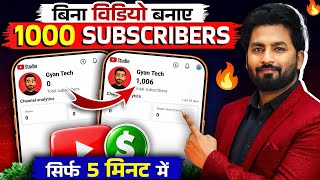

I Got 1000 Subscribers Without Posting Videos!
45sThe claim of gaining subscribers without uploading videos is surprising and intriguing, prompting viewers to watch more.
▶ Play Clip"The title promises a quick fix for 1000 subscribers, but the methods are basic and heavily padded with repetitive explanations and a long demo."
This video presents two methods for rapidly increasing YouTube subscribers, claiming that 1000 subscribers can be achieved within a day or a week. The first method involves creating engaging photo posts with AI-generated questions that appear in the Shorts feed, while the second method focuses on long-duration live streams of mobile games to boost channel reach and visibility.
The creator shows a channel with increasing subscribers despite not uploading videos, setting up the promise of a genuine trick to gain 1000 subscribers in a day or 7 days.
The creator clarifies that the method does not involve buying subscribers, emphasizing that the trick is genuine and organic.
The creator demonstrates that a channel can receive thousands of views (3.5K to 5.7K per hour) without uploading videos or going live, hinting at the power of posts.
The first method involves uploading photo posts (with multiple images) that appear in the Shorts feed, potentially gaining likes and views, which can lead to subscribers.
The creator demonstrates using AI tools like ChatGPT or Gemini to generate engaging posts, such as a quiz with a distorted spelling of 'YouTube' and four options, which encourages comments and subscriptions.
The process of uploading the AI-generated image to YouTube as a post is shown, with a caption like 'Only 1% people can give the correct answer' to drive engagement.
The second method is to go live with a mobile game for extended periods (3-9 hours). The creator shows examples where longer live streams result in exponentially more views (e.g., 3 hours = 3000 views, 9 hours = 26,000 views).
Step-by-step instructions: install a game, open YouTube, select the channel, tap the plus icon, choose 'Live', set orientation to vertical (to appear in Shorts feed), add a thumbnail and title, enable screen cast, and go live.
The creator demonstrates going live, sharing the screen, and playing the game. They show how to check the live stream from another device and note that the live can appear in the Shorts feed.
To stop the live, click the cross icon and confirm. The live is then uploaded to the channel, and viewers can watch it later, potentially increasing subscribers and monetization.
The video concludes by encouraging viewers to try these two methods—AI-generated posts and long-duration game live streams—to boost subscribers, with the promise of additional tricks in future videos.
What is the first method to increase YouTube subscribers as described in the video?
Creating AI-generated photo posts with engaging questions that appear in the Shorts feed.
01:59
Which AI tools are recommended for creating the posts?
ChatGPT and Gemini app, both free on Play Store.
04:12
What type of post content is suggested to drive engagement?
A quiz with a question like 'Which is the correct spelling of YouTube?' and four options, with a caption like 'Only 1% people can give the correct answer'.
04:24
What is the second method to increase subscribers?
Going live with a mobile game for extended periods (3-9 hours) to gain views and subscribers.
07:22
Why is the orientation of the live stream important?
Vertical orientation ensures the live appears in the Shorts feed, increasing visibility.
11:04
What is the recommended duration for a live stream to go viral?
3 to 9 hours or more; longer streams get more views (e.g., 3 hours = 3000 views, 9 hours = 26,000 views).
08:42
How do you end a live stream on YouTube?
Click the cross icon and confirm 'OK' to stop the live, which is then uploaded to your channel.
15:18
No Buying Subscribers
Clarifies that the method is organic, which is a key trust factor for viewers.
00:27Posts in Shorts Feed
Reveals a lesser-known feature where photo posts can appear in the Shorts feed, driving views and subscribers.
01:59Longer Live = More Views
Provides concrete data showing that longer live streams (9 hours) yield significantly more views (26,000) than shorter ones.
08:42Vertical Orientation for Shorts Feed
Highlights a specific setting that can make live streams appear in the Shorts feed, a key to viral growth.
11:04Live Streams as Permanent Content
Emphasizes that live streams are saved and can continue to attract viewers and subscribers after the stream ends.
15:44[00:01] as I am refreshing my channel here , you can see. Like Refreshing here, my subscribers are increasing here. And the most important thing, friends, let me tell you that I have not uploaded any video here.
[00:13] And let me clear your confusion in advance that friend, you have to buy this subscriber. subscribers. Nor am I going to say that brother, you should go and not going to do anything like that. I will definitely tell you the genuine thing.
[00:27] increase their subscribers. If you want me not to make videos, then I should But I want to increase the subscribers on my channel, so brother, this video is many people who, by using this trick, are able to
[00:41] complete 1000 subscribers within a day. If you too have decided to increase your subscribers, brother, just 7 days. Brother, try doing this for 7 days, your you will definitely reach 1000 subscribers. Friends, you can see my mobile screen here.
[00:53] can see that if you look inside the top videos, 3.5K views are coming here is written here to make the shots viral, 3.5K means friend, I am getting 3500 views every hour here.
[01:05] Now you will say that friend, you must have uploaded these shorts, so let me not even a shorts video. You can see it is not a short video. Now you people will think that it will be a show you in the video also. Brother, you can see this is not even a video. I did
[01:18] live. You can see this is not a live video. So brother, what is this thing? What and you can see that it had 3.5 views, now friends, you can see that 4.6, 4.7 views are visible here. You can see after some time here brother, 5.7 5.8
[01:33] friends, I am going to tell you two methods and if you work properly in both the methods, then no one can stop your subscribers from increasing. Before moving ahead in the video, a small request friend, I am tell you this much. So friend, it is your duty to subscribe to the channel. Ok
[01:47] click on the bell icon so that whenever I upload such a video, the notification will go to you first and you will be able to watch this video. If you learn anything from this video and like it, please
[01:59] friends, let us talk about what was that thing which I was showing you in the beginning. Please Friends, you can see here that I have opened my YouTube application here. Went to the shots section. Scrolling through shorts. Ok? Like, if
[02:12] brother, see what he sees here. Look, the shots that I have uploaded are is also visible live here. You can see that videos are visible here and can see what is visible here? Here you can see a photo. This is just a
[02:25] can see that the post is written here. This is the post. Now brother, your post also appears here in the short feed. If you look here, he has uploaded five photos. Let me show you all five photos. And what do you have to
[02:38] upload? How to upload? Brother, if you upload your photo then it will will tell you the method of what you have to do. You can see that this guy has uploaded the photo here and look at the likes here, likes here. If it gets 1 lakh likes then brother, how many views will it get here and it is
[02:52] Brother, you can see this post of a completely new person. You option to subscribe is also available here. So brother, when their Ok? For example, suppose I subscribe to them. Ok? Now let me
[03:05] show you brother when did he post this and when is he showing it to me. and if you see here, this was the same post brother which we day since these were uploaded and you can see that here it is showing 1.1 less.
[03:19] So many likes have come here. So in this way brother, whatever post you make, it also goes that if you just go and upload your photo on your channel, then your photo will knows you? So the photo will not go viral. So I am going to teach you everything about what things you should post.
[03:33] friends, let me show you on the side. You can see that the views you were seeing here, can see it if you go to my channel, I had posted it here. You post here has started going into the short feed.
[03:46] Ok? So your post also goes viral here. You might have seen many posts. Now let's talk about ? Let me do a full live showing you how to create a post.
[04:00] Here friends, we will first make a post and we will make such a post that if we show it in front of anyone, then he should comment on that post and subscribe to my channel. How will they make the post? Please pay close attention. We will use AI here. You can see that
[04:12] you can make it with chatty also. You can also make it through JMni app. You will get both these apps for free on Play Store. Ok? So let me open Chat GT here. brother, if you want, you can also write. If you want, you can also speak here. Ok? So
[04:24] I create a post here in front of you. Make me a post in which a question is written as to which of these is the correct spelling and there should be four options A, B, C, D and the spelling of YouTube should be written in a distorted manner and
[04:39] one of them should also be written correctly as the spelling of YouTube. And its ratio will be 1:1. Make me a photo like this. I have said this here. After saying this, friends, just click on this arrow that has been made. You just have to speak. It is
[04:53] here immediately. It will automatically make it for you. Ok? Now if there is also learn how to correct it. Now friends, you can see how can see what is written and the question is which of these spellings is correct.
[05:07] Ok? And four options are given here, out of which this option is absolutely correct. You can see. Now here, suppose you have to make can do it directly here. See how to do it. It will be written here Edit. Okay, right
[05:20] click here, you will get the option to select the ratio. So what do you have to do? This is the selected area, you just have to click here. want to change? For example, suppose I want to change this one. Ok? So what do you have to do?
[05:34] Just place your finger here like this. Look, I kept it like this. Then here After clicking, friends, what do you want to change here now? So I want to write this This is the spelling written here. Ok? He is writing this.
[05:48] I wrote it here. He is writing this. Correct? And here you just have to click. As your spelling will automatically be edited here. This means that you do not need to create this photo separately. Now friends, you can see here that
[06:02] can see in this one, this one wanted me to write this and come. Now this correction has been done here. After clicking, you can see what is written above, this
[06:15] And friends, this will be downloaded in your gallery here. You can see. In the I have made more mangoes as well, which one of these is the right one? Some question has been created here. So friends, you have to make a post like this.
[06:27] open your YouTube application. After opening, friends, you have to [nasal sound] What do you have to do after you click? all the posts will be showing below. You just have to select it here. As you
[06:40] write it here. Friends, you can see here that we have written here that only 1% people can this post goes in front of anyone, it will be written in front of him that only 1% people can give the correct answer to it. He will find the right answer. Will comment. Ok? So all you have to do is
[06:55] Ok? He will also comment and there are many such people who feel like solving such questions. They like it very much. So what do you do, subscribe to such a channel. If your post starts reaching 1 lakh, 2
[07:08] brother, you will get as many subscribers as you are thinking in one day. you can do this work. Now friends, let us talk about our second trick. Please understand this trick very carefully. I will
[07:22] and open your YouTube application. After opening it, you should go for the gone into short fit and scrolling like this. Ok? See what happens here how will your video get views? Please pay close attention. Okay, right?
[07:36] guy is playing a live game here and neither is that guy visible nor is his coming in it. I am showing you the sound. You can see that only the sound of the game is You can also speak if you want. You will get all the options here. Like I'm
[07:50] here that this guy has got 7000 subscribers. And can you see what this guy is doing ? He just keeps doing live, brother. Live. Now friends, you also have to make the game live here. But let me tell you one thing, if you
[08:02] do a game live, then you will not get views on your live. Please doing live, they are not getting views. Because they don't know the method of views. Please pay will show you everything live how the views come. Ok? Look brother, whenever
[08:17] channel which I have opened in front of you. You should understand this channel first. Then I will can see here that this brother had done it live just 9 days ago. I did a 1 hour and 1/2 hour live. Only 207 views were received. Ok? Then did it live. This
[08:29] guy extended the time a little. Got 213 views. Then the guy went live but for a shorter views. Please understand it very carefully. The trick lies here. Ok? here 8 days ago, 7 days ago, you can see it here 6 days ago. So
[08:42] when you watch it live here, what is he doing live ? The duration is increasing. And he is doing this live did a live of 3 hours 3 hours. Brother, you can see it has reached 3000 views. You can see can see here he did a live for 9 hours, you can see 20,000 views here, 26,000
[08:57] views went up and you can see brother, it means that the longer you go live, the longer your live will be, 4 hours, 5 hours, 6 hours, 7 hours, if you go live for so many hours, brother, the reach of your channel will increase, you can see now, he went live a day ago, you
[09:10] can see, he did a live for 3 hours, he got 1 lakh views, you can see here, so what do what mistake do you people make, you go live for only a few minutes, you go live for 10 minutes, 20 minutes, let friends, if you see the channel here, brother, you can see that you can see only three videos,
[09:22] this is not the video, if you see his channel, brother, you can see that uploaded live only. He has 438 And see what the guy does live, you can see this in this live, he has gone
[09:35] live just 15 hours ago. You can see the 13 minute one and then the 38 minute one. Like his minutes are increasing brother, you can see that the views on his live are increasing. And when this live pay views are coming brother, then it is obvious that this guy has neither uploaded shots nor
[09:47] doing live and has got so many subscribers here. You can see. It happened in one day, brother. You can see that it took only one day for it to go live and it has already achieved 450 subscribers. can work here. And it's not just that you have to play this game live. It's not like that.
[10:00] such games which people are streaming live here. You can see that subscribers and their live is getting a good number of views here. Now the biggest thing friends is that how will we do this kind of live?
[10:12] ? What is the process? Let me teach you the process so that you too can do live streaming like this from home. First of all friends, you have to download and install any game in your mobile phone, the game which you like,
[10:25] what you have to do is open your YouTube application brother and select the channel on which you want to increase subscribers, okay so selected it here, from here if you look down, there will be a plus here, okay,
[10:38] as soon as you click you can see, you will get many options here, also get the option of live here, okay, you just have to select the live one, what do you have to do after selecting it? Let me tell you. Like let me flip the camera over here. I turn off the camera.
[10:52] friends, what will you have to do after coming to the live option? Please look very carefully here. made, you cannot see it. You can see this orientation, this is the orientation. If you it has become horizontal. So horizontal
[11:04] Horizontal rotation means friends that your live will come like this. Ok? So this one which is live, brother, does not go into the short feed. It does If you want your live to go viral, then
[11:17] ? You have to click here and click here. After clicking, you should see this written here: Vertical Orientation. see that your sign is made here, it should be made like this. This one should
[11:31] What do you have to do to do this ? This pencil has been made, Now friends, you can see here that there is a pencil made here, by clicking here will be there, whenever you come live. As you can
[11:45] put a thumbnail here and friends, if you want, you can get this thumbnail made from Chat GT, just like teach you how to make a post here, similarly you can also get a thumbnail made. Ok? After adding the thumbnail, friends, if you look below, the
[11:58] title will be there. You can write whatever title you want here. Ok? You will see them live. can write whatever you want. Ok? So suppose I write the name of Ludo here, whatever ? Then here the visibility is whatever you want, friends, you can keep this visibility public also. There
[12:10] is no need to unlist it either. Let it remain public. Ok? Brother, after clicking on Select Audience, you have to select No here. Please do this for sure. And here comes Go Live Together. Friends, you don't have to do anything in the description. You can leave. Ok? Come down. Here you will
[12:23] see an option written as Screen Cast. Screen cast. Ok? You just have to As soon as you turn it on, after turning it on, friends, you will go down and you will find advanced settings. you have to allow everything here. After that friends, what will you have to do
[12:36] you had turned on the screen cast, the ad game title is written here. Ok? So can write the game title here. You can write here. For example, suppose we can write it here. After writing, friends, if you want,
[12:50] suppose I have selected this here. Ok? online and so on. Ok? Friends, as soon as you click on Next here, you can see that Ok? Just what do you have to do? Click here to complete the entire screen.
[13:03] friends, here you can see that I have selected Share Entire Screen here and soon as I click, friends, you can see that what will you do to stop this? You will click on the camera here. You
[13:17] And our channel logo is visible here. Ok? If you do your voice will not go here. Plus, if you click on the settings here, you can see that you can reduce its size. So if you
[13:30] its size reduces. You can see here that its size has reduced. Ok? The size of your channel logo will be reduced. So please reduce the size. Please back it up. you just have to click on what is written here, Go Live.
[13:45] screen will go live. You can see your stream has started. Friends, whatever number of people join, you will see here above how many people are joining. visible here. Ok? We've been here for 10 seconds. He is sharing his screen. You
[13:58] This screen of ours must be going to our channel. Ok? Now friends, like I want to play this game, so I opened this game. Friends, whatever game you I have opened my game here. After opening it, I will
[14:12] look live. How can you go and check this? I will show it to you too. You People must be watching all this on YouTube. Ok? Now friends, whatever you are doing live, if me bring another phone in front of you and I'll
[14:26] I have kept the same channel open here. After opening it, friends, you can see that it is show it to you. You friends can see whatever I am doing live on my phone, can see it live and look here it is written one, meaning one person is watching this live. You
[14:39] can see that all this is going live here and there is also a short, friends, your live can also come inside it. Ok? Friends, this is the benefit of doing in this you can ask people to subscribe. Brothers also subscribe to this.
[14:52] brother, you can see how the subscribers increased here. I grew up like this. You leave it live. Let it go live for 3 hours, 4 hours, 5 hours. You can play the game if you want. If you want, you can just start it live and leave it after playing an automatic computer game. Brother, whenever
[15:06] your live remains live for a certain period of time, your live here will automatically start going viral here. Now friends, let's talk about it, suppose you have done it live. hours, whatever you had to do live, you did it live. If you want to stop this live then how will you
[15:18] right? You just have to click on this. As soon as you click, you will see this option above. You can click on the cross that is made here. And they will say that if you want to stop your live then just click on OK here. As soon as you click on OK,
[15:31] your live stream will be closed. But friends, after the live is closed, You can see now it is showing here how many people were connected with us in this live. We can see here how many views it got. Ok? You have to click on Done.
[15:44] this live will be uploaded here, friends. You can see our live, it has been uploaded here. It will be uploaded. And as friends, this anyone comes and watches this live here, anyone will see it,
[15:56] and your channel gets monetized by this also and whatever methods I told you, way, brother, whatever happens to increase your subscribers, brother, if the just try this once, friend, I have told you so much, brother, I am
[16:12] brother, definitely like the video and if you have not subscribed to the channel, brother, then please if you want more such tricks, brother, to increase subscribers, then you will see a video here, click here and go and watch it. Brother, apart from these two, there are other ways by
[16:24] apart from these two, there are other ways by which you can increase your subscribers.
⚡ Saved you 0h 16m reading this? Transcribe any YouTube video for free — no signup needed.