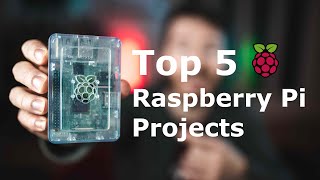

Raspberry Pi for Beginners? Start Here!
45sImmediately addresses a common pain point for beginners, promising a solution and sparking curiosity.
▶ Play Clip"Title accurately promises beginner Raspberry Pi projects and delivers exactly that with clear explanations."
This video presents five beginner-friendly Raspberry Pi projects, explaining why they are valuable for learning Linux, programming, and hardware skills. The host emphasizes that these projects help overcome the high barrier to entry for Raspberry Pi newcomers.
The three main challenges are learning the Linux-based OS, programming (especially Python), and GPIO/circuitry/hardware.
Controlling a WS2812B LED strip is a great intro to OS commands, basic programming, and simple circuitry with ample documentation.
Pi-hole blocks ads network-wide, teaching networking basics with little to no programming or GPIO required.
Installing RetroPie for game emulation is fun and requires only basic OS knowledge, no programming, and minimal hardware.
Setting up a local web server (e.g., with Ruby on Rails, Python, PHP) builds OS and web service skills with no hardware needed.
A smart mirror project that combines OS setup, minimal programming, and some hardware (building a frame) for a functional result.
These five projects provide a solid foundation in Linux, programming, and hardware, making them ideal for Raspberry Pi beginners.
What are the three main areas to learn for Raspberry Pi projects?
Linux-based OS, programming (especially Python), and GPIO/circuitry/hardware.
01:31
What is the first recommended beginner Raspberry Pi project?
Controlling a WS2812B LED strip.
04:17
What does Pi-hole do?
Blocks ads network-wide on all devices connected to the router.
05:16
What is RetroPie used for?
Emulating classic video games from consoles like N64, Game Boy, PlayStation, etc.
06:00
Which Raspberry Pi model is recommended for RetroPie?
Raspberry Pi 4 for extra performance.
06:32
What programming languages are mentioned for setting up a web server on Raspberry Pi?
Ruby on Rails, Python, Java, PHP.
07:11
What is a Magic Mirror?
A smart mirror that displays weather, date, time, and notifications.
08:11
LED Strip Laughter
The host laughs knowingly because he uses WS2812B LED strips in many projects, showing personal experience.
04:17Pi-hole Utility
Pi-hole is presented as a highly practical project that blocks ads across the entire network, appealing to everyday users.
05:16Magic Mirror as Capstone
The Magic Mirror is described as a slightly more involved project that combines all three skill areas, making it a rewarding challenge.
08:11[00:00] Build, build, build. Welcome back everybody to another episode of Ty and Gig Build. It's just Ty here today and I'm going to explain to you some beginner Raspberry Pi projects I think are very important to learn or start if you're just getting introduced to Raspberry Pi
[00:15] and really don't know how to get started. So with that, let's get started. Build. Just another day at the Build's office. So primarily on Ty and Gig Build, we do a lot of build videos.
[00:27] We do a lot of projects. They involve a lot of different things. Arduinos, Raspberry Pi, and woodworking mainly. Typically, we don't produce videos like this, so we list off things that are good for beginners to do or just, you know, in general, projects that are good to do
[00:41] because that's not our style. But I think this video is very important because I've looked at a lot of videos like this, and I've got a lot of questions from people about what projects to start if you want to do Raspberry Pi projects.
[00:54] And I looked myself, and I couldn't find anything that I liked out there. there wasn't really anything good. A lot of them are kind of countdowns and say, this is good and you know, just do it. They don't really explain why. So I'm gonna try my best to explain
[01:06] some of the top five projects that I think you should start if you're considering getting into Raspberry Pi, or if you do have a Raspberry Pi already and dabble a little bit, maybe you should do if you wanna hone your skills. For some of these projects will be primarily beginners
[01:19] and there will be some intermediaries in there. I'll try to do my best to explain why you should be doing these projects and why they're so cool. So one of the main reasons I think these videos are not as helpful as I'd like them to be
[01:31] is because they don't really explain kind of the three areas that I see are, you know, big steps to tackle if you're trying to get into Raspberry Pi projects. The first one I would say is the Linux-based operating system for Raspberry Pi.
[01:45] Basically, the Raspberry Pi is a little mini computer, and it has an operating system in it. It could be, you know, Rastian. It could be Jesse. It could be RetroPie. It doesn't matter. there are a lot of different operating systems
[01:57] but the big issue that's at high is Linux-based and not a lot of people are very familiar with Linux unless they're very tech savvy and they've used it before. Now Linux is super, super good to learn. I highly recommend it. But if you're new to Linux, it can be very intimidating.
[02:12] And what comes with learning Linux is a lot of networking skills, a lot of computer commands to remember, and a lot of different structures and different maybe concepts you not used to Now the second thing you probably need to worry about if you getting into Raspberry Pi is the actual application software
[02:29] In this case, it's the programming language. You probably need to know how to program in some cases if you want to use a Raspberry Pi project. And that could be, you know, Python, mainly I've seen with Raspberry Pi. It's kind of like the go-to language, but it could be anything.
[02:43] Because it is link-based, you could use any programming language with it. that is supported by Linux. I'm sure there's some exceptions to that, but that's the main concept there. So you do have to have some programming knowledge
[02:57] here or there to kind of get by with some of the projects. Some, not so much, and we'll get into those, but for some of them, you do have to know programming language, and that's a little intimidating if you haven't gotten into that. The third and last issue is probably the biggest thing to tackle,
[03:12] and I still myself haven't mastered it yet, and I've been doing this for a very long time. is the GPIO pins, the circuitry, and the hardware. Basically, you can hook up lots of hardware to the REST.
[03:24] The beautiful thing about REST of the time is that it allows you to integrate with other pieces of hardware. So touch screens, LED light strips, a lot of motors, anything with circuits, anything.
[03:37] And to know how to do certain things like that, you're going to need to know how to do certain types of electronic circuits and other things like that that might not be firsthand if you're not into that field.
[03:51] Those are kind of the big three things that involve Raspberry Pi and why it's so difficult to get into. And I think it's a high barrier of entry. But I think there are five projects I can mention now to maybe get your feet a little wet,
[04:03] stick your feet in the pool a little bit, kind of maybe do one of these. And you'll be a little less intimidated, and I think anyone can do these projects. The first project that I think anyone should ever do when they start doing Raspberry Pi projects
[04:17] is controlling a WS2012D LED strip. If you know why I'm laughing, it's because I do so many projects with these LED strips with Raspberry Pi. You don't necessarily need a Raspberry Pi just to do these types of strips.
[04:30] You can use an Arduino or an USP, a lot of different microcontrollers that aren't Raspberry Pi based are great for controlling WS2012D strips But if you trying to just get used to the Raspberry Pi and get used to some of the commands and maybe program a little bit it a great start It requires little knowledge of the OS you know basic knowledge of some packages
[04:51] It's a great intro to that. Programming-wise, very simplistic. You can get a lot of demo code out there. You can base your code off of that. It's going to write new code to see how to do certain things on the strip. It's great for starting programming.
[05:03] PTIO-wise, electronic-wise, it's a very simple circuit. there's really not much to it. There's a lot of documentation out there how to do this on that. So if you get lost, there's a lot of references you can Google, and it's a great starting project.
[05:16] I really highly recommend it. The second project I'd recommend doing is a very utilitarian project, very functional, very useful, is the Piehole. Piehole basically blocks every ad that's coming to you
[05:28] from mobile devices, streaming, you know, from your Wi-Fi, your laptop, things like that. You're basically using the Pi hole to block ads that are coming into your router, so every mobile device gets ad blocked. It's very beginner-friendly in terms of OS, and it's a very good step to learn a little bit more about networking
[05:45] and how the Pi networks with other computer devices and things like that. There's little to no programming, and there's also no GPL open. So it's a great beginner project, very useful for the house. So the third project I'd probably start if you're doing Raspberry Pi or considerate doing it
[06:00] is installing RetroPie and using it to emulate, you know, classic video games. If you don't know what RetroPie is, it's basically an OS that allows you to play different video games. You know, Baskin N64, Game Boy, different arcade games, just PSP and PlayStation games.
[06:20] And it's very fun and, you know, Ness, Sony, old Sega games. It's actually very useful, you know, it's like a video game console that does everything. In that case, you probably want the Raspberry Pi 4 to have that extra performance boost.
[06:32] There's a little bit of knowledge to know about the OS installing OS. Aside from that, it's very basic beginner knowledge. Programming is none, and hardware is just kind of what comes in the kit. I'll link everything in the description. People go crazy with these things.
[06:44] I mean, they make mini arcades out of them. I don't recommend going that route if you're a beginner. Go ahead if you feel like it, but I recommend probably starting with just the controllers and then work your way up to an arcade cabinet or something like that.
[06:56] The fourth project's a little bit more abstract and kind of up to you but I recommend probably for number four if you doing a Raspberry Pi or just starting out one of the first few is setting up a web server and this is a little bit you know a track because you can start out
[07:11] with Ruby on Rails, Python, you know Java, PHP, there's a lot of different programming languages. I love Ruby on Rails but that's just me. If you Google setting up a local web server on Raspberry Pi with X programming language I'm sure there's a lot of resources. I know there's a lot
[07:28] of resources it's a great start to get really familiar with the OS and it's a great start to understand how to start the program and kind of web services and all those different types of things I highly recommend it there's a lot of documentation out there she shouldn't get lost the hardware aspect of it there
[07:43] shouldn't be any you can integrate it you know any way you'd like I we've done a lot of different integrations of web servers on this channel I'm so check those out if you want you know some inspiration but this is something I
[07:55] I highly recommend doing for Raspberry Pi if you're just getting into it and you want to kind of start a project to start out with. So for the last one, it's a little bit of a loaded project here because it's not necessarily a beginner project. I mean, it is pretty simple, but it's a little bit more with setup involved
[08:11] in terms of, you know, building things, in terms of building a case or something like that. But I definitely recommend trying out building a magic mirror. It's basically a smart mirror that you ask as a mirror that also tells you the weather,
[08:26] date and time, things like that, notifications. All you really have to do is kind of set up the OS and then configure it to the preferences you'd like. And so it's a really basic one in terms of OS, understanding Linux.
[08:38] It's a basic one in terms of programming. You don't really have to know how to program much and there's a little bit of hardware involved, not much. So it's a great beginner project. There's a little bit of a barrier of entry in terms of building the structure to have
[08:50] and kind of making it here itself but aside from that the actual you know oh the actual raspberry pie stuff is very pretty beginner friendly i highly recommend doing it so those are my top five beginner raspberry pie projects i know there's a lot more out there but i thought these
[09:04] for me in my opinion are the most important to be a good base on all those three categories we talked about of course if you don't like those or you have some other ideas you can look back at our videos make a ton of raspberry pie projects we also do our demo projects and woodworking if
[09:18] if you're interested, I suggest you take a look. And with that, we'll end it with saying, follow us on Instagram for live updates throughout the week. We'll see you next time. So...
⚡ Saved you 0h 09m reading this? Transcribe any YouTube video for free — no signup needed.