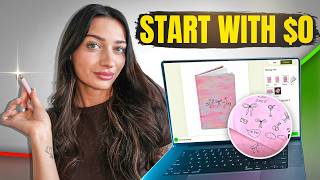

Print on Demand with $0 Upfront?
45sGrabs attention by promising a way to start a business without any upfront payment, a common pain point.
▶ Play Clip"Title promises no upfront payment, and the video delivers exactly that with Printify Pop-Up Shop."
This video introduces Printify Pop-Up Shop, a feature that allows you to start a print-on-demand store without upfront payment. The creator demonstrates how to set up a store, create custom designs using hand-drawn doodles, and list products, emphasizing that Printify handles payment processing and only deposits profits after sales.
Printify Pop-Up Shop eliminates the need for upfront payment to print providers; Printify manages payment processing, printing, shipping, and customer service.
Create a store directly on Printify without needing Shopify, Etsy, or other platforms. Choose a theme, add a logo, and start listing products.
Name your store (e.g., 'Caviar Cowgirl') and get a unique URL (e.g., printify.me/caviar-cowgirl).
You can create new products or copy existing ones from other Printify stores. The video demonstrates adding a hardcover journal.
Draw doodles on paper, photograph them, remove the background in Krita, and convert to black and white. Then arrange them on a digital canvas to create a design.
Use Printify's AI to generate a title and description. Set a retail price that ensures profit after production and shipping costs.
Since it's an external store, you need to bring traffic. Use Pinterest by uploading mockup photos with direct links and keywords.
Printify Pop-Up Shop is a zero-risk way to start print-on-demand with no upfront costs. By creating unique designs and driving traffic via Pinterest, you can generate sales and profit without financial investment.
What is the main benefit of Printify Pop-Up Shop?
No upfront payment is needed; Printify handles payment processing and only deposits profits after sales.
What platforms do you NOT need to set up a Printify Pop-Up Shop?
You do not need Shopify, Etsy, TikTok, or Wix.
01:29
How do you create a store URL in Printify Pop-Up Shop?
Enter a store name and it generates a URL like printify.me/yourstore.
03:12
What design software does the creator use to edit doodles?
Krita.
04:35
What is the recommended method to drive free traffic to a Printify Pop-Up Shop?
Upload mockup photos to Pinterest with direct links and keywords.
19:39
How does Printify handle payment processing for pop-up shops?
Printify manages payment processing, printing, shipping, and customer service, and deposits profits via PayPal or Stripe.
02:31
What is the first step to create a design for a product on Printify?
Check the print area dimensions under product info, then create an artboard in Krita with those dimensions.
08:52
How can you copy an existing product from another Printify store to your pop-up shop?
Go to the product, select 'Copy to', and choose the target pop-up store.
18:30
What is the purpose of the AI generation feature in Printify?
It automatically generates a title and description for your product listing.
16:28
Why is Pinterest recommended for driving traffic?
Pinterest is a search engine where users look for ideas, making it easy to attract potential buyers.
19:54
Zero Upfront Cost
Eliminates the biggest barrier for beginners: needing money to pay for products before selling.
Printify Handles Everything
Printify manages payment, printing, shipping, and customer service, simplifying operations.
02:31Hand-Drawn Doodle Design Hack
Shows a creative, low-cost method to create unique designs without professional design skills.
10:17Free Traffic via Pinterest
Provides a practical, zero-cost strategy to drive sales by leveraging Pinterest as a search engine.
19:39[00:00] you're new here and today I'm going to be sharing a really exciting way that you can do print on demand and you do not need any upfront payment. And as we know with print on demand, typically when we do get an order, we are going to
[00:15] have to use a credit card or some form of money to pay our print provider to show it to you today on Printify, you actually don't need to do that. So, it's really, really great and a great way for you to try out print on demand and start
[00:30] getting sales and you really will see how much profit you're making and not said, hi, I'm Mac. If you're new here, I talk about e-commerce, passive income, print on demand. So, if that interests you, I would love to have you as a part
[00:47] you in a step-by-step process so that you can actually start this up today if with you as well that I learned recently and I've been obsessed with it. Okay,
[01:00] say bye because you're distracting me. So, first things first is how are we actually going to set this up? If I said we're using Printify because typically payment processing plan, right? But this is how we're going to do it. We're going
[01:14] to be creating a Printify popup shop. Now, if you use Printify, you may have I've been playing around with more. And I find it to be really great for beginners or people that are like interested in print on demand and aren't
[01:29] somebody that's kind of like skeptical, this is perfect for you. So, a Printify pop-up shop is essentially your own website where you can start listing don't have to have a Shopify account. You don't need to set up an Etsy
[01:45] account. You literally don't need much at all. You can just log into your Printify account and select the Printify popup option and start creating your print on demand store right now because again, you don't need an external site
[02:00] to link it with. You don't need a Tik Tok, Etsy, Shopify, Wix, etc. You can literally just start listing products directly onto a Printify pop-up store. then add a logo. And then you can literally start listing your products.
[02:14] And as I said, the key thing in this is that you do not have to have a payment processing. So, Printify, right on their website, let's read it together, it integrations because you won't be charged for any products. Instead,
[02:31] Printify manages payment processing, printing, shipping, and customer PayPal or newly updated into your bank account via Stripe. So, you do will have
[02:44] to create your Stripe account just to like verify when you do sign up, but it's a really simple process. So, I will leave a link directly to that below, but find this to like add your new store. So, where you would select your stores,
[02:58] you would just click manage my stores and add a new store. And then this is top here, it is still a beta version, but they're making a lot of changes to it. See? Start selling right away. Launch your pop-up store. Then all you
[03:12] have to do is create your store name. So this could be my store. I'm just giving have to create a specific URL. Um, and you can just create a really cute
[03:24] curated store. So let's create one and call it caviar cowgirl. Cute. Okay. Printify.me. Hit next. And now it's going to tell us to pick our theme. So there's not too too
[03:37] that's going to save you time. like you don't have to go and like do a whole theme on Shopify. You just pick one of these pre-made themes. Personally, I cream situation they have going. I'm just going to keep it on the allwhite,
[03:52] vibe. Continue. And now we are connected and we can start publishing immediately. maybe you've like started creating products on another store in your
[04:07] Printify account, you can copy products to over to this store, which will save process. All right, so now that our store is set up, all we have to do is add products to it. So like I said, it's already live. It already has a domain.
[04:21] You see here, Caviar Cowgirl, and it's ready to go. So we can start uploading our products. Now, I'm just going to quickly create like a really simple logo see like caviar cowgirl. I don't know why I'm having such a hard time saying
[04:35] that. It'll also have a logo next to it. So, I'm just going to go over to KD, click the um create a new artboard, choose artboard size logo, and then I'm they have to give me like a little bit of a head start. And the whole thing
[04:52] with this that I really like, as I've said, is that it's not super process can be. Um, I kind of like this vibe
[05:05] here. And while the cheetah was really cute, I'm just going to delete that. And now I have like caveat cowgirl. And I know that I want to have some sort of like a circular type of thing there. So, I'm going to go to elements and just
[05:17] type cowgirl hat and see if there's anything here that I can use. And if not, I'm just going to use the AI tool. Yeah, let's go down to the AI tool, image generator, and I'm going to type girly cowgirl hat. And I would like to
[05:35] do that in some line art, and generate image. And we'll have our logo. All right. So, let's center everything. Make it cute. I really want this to be pretty basic. And then we'll go to edit, customize store, and this is where we're
[05:51] going to add our logo. Okay, cute. My logo's there. See, it's like right at the top. Show logo. Show store name. Publish. And then we can just see see And now let's upload a product so I can show you how this works. So, I'm going
[06:09] to go back to catalog and catalog home. So, this is where we get to choose the product that we actually want to list on our store. What's also great about the requirements of Etsy or like Tik Tok. You can add supplements or coffee to
[06:26] your store um without it flagging anything. So, that's really great. Can I never really know where I want to go with it. But, I'm thinking, if you know
[06:38] me, I love to sell journals and I love like the little glass zipper cups. But I think for this Caviar Cowgirl brand, I can really just play off of like girly stuff. So, I can add tons of different types of products on my store. So, let's
[06:51] I've been doing a lot. It you might have seen me do it on Instagram. A lot of people loved that video, but I basically turned my own drawings and made it digital art. And it was so fun. Like, I don't know if that like classifies as
[07:06] like mixed media, but in my mind, I think it does. Cuz if you don't know, I'm actually not a professional designer. I took a few classes in high school, too, like not college. I was trying to go to college for nursing
[07:20] and law, so nowhere near designing, but I've always had like a spec for design, and I love digital art, and I've never been super good at like drawing things, but this was such a fun way that I could actually be able to draw something and
[07:33] bring it to life on the computer um that I really loved. And yeah, so I'm going to show you how to do that. But first, let's pick which journal we want because there's actually a lot of different options here. Um, one of my favorites,
[07:46] it's right here. I'll show you. Is the hardcover journals. So, the this is a Printify hardcover journal. Look like my lighting is a little orange. Sorry for that. It is all over print and I also printed on the back side as well. It's
[07:58] like a thought journal, but super cute. You may have seen this design if you watched my last video. Um, absolutely love it. It's just lined on the inside. So, I think I want to like list a bunch of like cute journals like this to kind
[08:11] shop, which I'll show you. So, I'm going to go with the hardcover journal. The Like, they're nice, but they're not like that's not the right word. They're
[08:24] they're nice, but they're not like um you know what I mean? If you get it, you get it. Okay, so let's go down. And this is district photo, which I think they're really great. Start designing. And here I get this question a lot where people
[08:38] will ask me how do I create a design like how do I know what size to make my So anytime you want to do that before you start your design go to printify
[08:52] pick the product that you want and right over here under the eye for important information it will always show you your full print area size. Now something like this could be a little bit confusing because it's a full like layout. So,
[09:05] it's showing us this basically, right? That's what it's showing us of like where the design's going to be. Some people like to design that way. I like you how we can do it as a full design. So, what I'm going to do is I'm going to
[09:22] copy this dimension here. 4065 by artboard in that exact dimension size. And now this full size of this artboard
[09:35] is the whole thing, right? So what I'm going to do is I'm going to come from the side here on KD and I'm going to create a line that is directly in the an idea of like the middle. You know what I mean? So that way like that's
[09:52] where the book is going to fold. And then I can start creating my design. So, one of the most fun design trends that I've been seeing a lot on Etsy, and it's really girly and popular coming up into like the summer seasons is different
[10:04] types of doodles. Okay? And what better way to draw your own doodles and put them onto your artboard. So, I want to create a really cute like doodle inspired journal. And so, I'm literally going to draw on some paper and we're
[10:17] Okay. So, first I'm going to grab a piece of paper literally right off of my notebook here. I'll show you how easy this is. So, ideally, you want to go for a white piece of paper. I got clowned on Instagram because I showed me drawing my
[10:33] and kill, but everybody was like, "Why would you not just use a white doodles literally." And I wanted to show you guys how you can turn them into art.
[10:45] Anyway, okay, let's stay focused. So, clean sheet of paper is much easier to do this on, but if you want to use a line paper, it's fine, too. And then I'm or you can pull up some inspiration on Pinterest of like what types of doodles
[11:00] to draw. But, I'm just going to kind of doodle and we're going to see how it comes out.
[11:36] Okay. So, so you just saw me do that literally on the back of my notes. Now I have all my little doodles. And I am not a professional doodler, so don't make actually just pop this into our artboard. So, I'm just going to take a
[11:50] photo of my doodles and then I'm going to airdrop it to my computer. And then that's like sized out correctly. Okay. Just going to click on that. And then we're going to crop this. I'm just going to click here. And now
[12:06] I'm going to remove background. Okay. And then now I'm going to go ahead and rasterize this image with only one color because I just want the black and I How cool. So, I'm just going to go through and erase what I don't want. So,
[12:23] I don't want this. And then, as you can see here, all of my art is now a doodle. that like I don't want. So, like for my cherry, right? This is a little
[12:36] excessive. So, I can kind of like see I can like correct this. And it also like made all of my lines perfected cuz if you look at this cherry design that I did, it's not like perfect, you know? And this just like made it look better,
[12:49] you know? So, super cool. So, I'm just going to pick which ones I want to use for this design. I honestly think I'm going to keep it kind of simple just to show you. But really cool and honestly a method that I think more people should
[13:01] use cuz I know a lot of times too people are like, I really like using my own And this is a really great option. And I actually did this the other day, too. really pretty bow, which I'm actually really proud of. So, I'm going to bring
[13:17] that into the art board. Um, and then this is what it looked like the other it still came out really great. So, if you do draw it on lined paper, that's going to make some copies of these and just erase whatever I don't want. And
[13:34] that way, I can make them each like in their own individual element. Okay. So, bunch of these cute doodles. And then I'm going to kind of see if I can just
[13:46] make a design that's really simple and like a little thought doodle journal, you know? So, I'm just going to like line these up. Okay, this is really cute. And it's literally just my doodles. So, I'm going to line it up so
[14:02] this and hit Ctrl + G, which is going to group them together. And there. And then I want like some sort of background. And I'm going to go to
[14:14] images and I'm going to do pink background. See what I can find. Try this out. I don't know if I'm going to love it, but this is all part of design, right? I'm just going to make it really big. And I'm going to go over to
[14:30] opacity. And I'm just going to tone it down. And then I'm going to send this to the back. Use as background. Okay. So, this kind of gives the vibe that I want. It's a little bit like very pink, but I think I'm going to go with it. And then
[14:44] I'm also going to take one of these from the front of the design and I'm going to make a copy of it. And I'm going to put it back here. And I think I want a little bit of text. So, I'm just going to add in some text here.
[14:58] Okay. And then, obviously, this is not perfect, but I just want you to see that can put right onto your Printify product. I think it's so fun. It's so creative. And I could even do these like themed. So, if I wanted to, I could do
[15:13] just like different things that are coming up like even like a Mother's Day and a really unique touch. Or of course, you can just use the elements. Like
[15:25] like this. So, now I'm just going to export this design. Just going to hit remove background export. And then we can just pop right over to Printify and tweak it just a little bit to get it actually like centered. So I just was
[15:42] going back to KD and like moving it around so that it was exactly as I needed it to be cuz once I pasted it into Printify. And then I got it exactly little doodles on the front. And we're pretty much almost done listing this on
[15:57] our store which is crazy. So now that it's ready to go. Looks great. I'm going to hit save product and we're going to move on. So, I'm just going to pick my Play It to get more mockups or you can just use the ones over here because
[16:13] these. And if you want to like add more, you just click over here and it shows selection. And then we are going to go down. And what's great now is Printify
[16:28] actually has this AI generation for your description and your title which saves you a lot of time. So, I'm going to go to generate with AI. It already gave me say Coette Doodle Pink Journal and hit generate. And then it's going to give me
[16:46] a title for my listing. Coat Doodle Pink Journal hard cover. Okay. And all right. And then it gives me a description already. So, I want to add to that I can. And then I'm going to go down to my price. So, as we know with these pop-up
[17:01] stores, they're really great because we don't have to deal with the payment processing. So, basically, once we get a sale, Printify is only going to deposit the profits that we made after the production price and the shipping price.
[17:14] like how much we're actually making when paying off our credit card and doing all want to make sure when we're creating our price that we are still making a
[17:27] profit, right? So, we know here that the cost of shipping is $6. And we know that with all of this retail price at $11, we'll be profiting $5. So, maybe we want to raise the price a little bit. So, I'm going to charge $14 for the journal. And
[17:43] margin at $7. And then I'm just going to hit publish. And then this is going to go directly onto my store. So, we'll wait a few minutes for it to actually store. And look, there's already a product ready for us to sell. And that's
[18:01] then immediately add to cart and make a purchase. So, like boom, super easy for And you can add more photos if you want to. Um, I have videos about mock-ups
[18:15] you wanted to transport a product from another store and put it on your store, different store now and I'm just going to look for a product that I want to
[18:30] transfer over. I want to bring this teddy bear journal to my store. So, what copy to. And then I'm going to select the store that I want it to go over.
[18:43] Right? Then I'm going to go back over to Caviar Cowgirl and see now it's over here. And I'm just going to hit publish now. Publish. And so it just took that So that's really simple if you already have some products that you would want
[18:58] keep doing that process and keep creating. But I feel like it's so much fun. And just for some context, this is going to be an external store. So it's
[19:10] not like you're selling on a marketplace like Etsy or Amazon or Tik Tok. So, it you just post your Printify store and you're like, I don't know why I'm not store, then yeah, you're not going to get any sales. Let's be real, right? So,
[19:27] you are going to have to bring some traffic to your Printify pop-up store as you would for a Shopify store or any other external website. So, just keep that in mind and don't panic. There's a great way to do it for free and that's
[19:39] download the ones that Printify gives you, like these actual mockup photos. You can download that and then upload it to Pinterest with a direct link to your store and utilize some keywords that you can really get people over to your
[19:54] Pinterest is it's actually a search engine. So, people don't go there to ideas, things like that. So, it's a it's really easy to sell to people on
[20:08] Pinterest because they'll click on something that they see that they like and it can bring them directly to your store or whatever you link. So, it's a the link to your website in your bio. And yeah, so it's just really great,
[20:23] really easy. You can set it up in less than an hour. Honestly, you could do it even quicker, but I was just sharing this in a tutorial. And I really hope literally no money. Like you don't have to put any money into this which is so
[20:38] amazing. You do have to connect a Stripe account but that's like fine. You can just connect it to your bank account or PayPal. And yeah, so thank you so so talked about today linked in the description below of course along with
[20:52] any discounts that I have. If you do want to check out Printify if you don't discounts on your um products and have Printify premium, I also have a code for that that's below. And if you do want to check out KD and do this cool um doodle
[21:07] design hack that I did, it's really really great. It's fun because it's like more of a advanced design technique that you can't do in a lot of like the online been using all the time now, it is in the description as well for you. Thank
[21:23] this below. I know that we went over a lot and the Printify pop-up stops I haven't really talked about much. So, if you want to see more, definitely let me know. And there's also a pricing and u marketing video that I have coming out
[21:38] of my videos in the future. Join our community. Thanks so much and I will see you in the next
⚡ Saved you 0h 21m reading this? Transcribe any YouTube video for free — no signup needed.