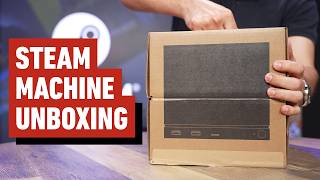

Steam Machine Unboxing: First Look
45sThe opening excitement and anticipation of unboxing a new gaming console creates immediate engagement.
▶ Play Clip
[00:00] Hey, what's up everybody? Nick Limone
[00:01] here from IGN and today is a very
[00:04] exciting day. We've got the Steam
[00:06] Machine here in the studio and I'm going
[00:08] to do a little bit of unboxing. So,
[00:10] enough talk. Let's [music] get to it.
[00:12] All right, this is the beautiful
[00:14] top-down view. We've got plenty of
[00:15] cardboard to take a look at. Let's start
[00:18] off with the I assume the machine
[00:20] itself.
[00:22] Right in here. Let's pull that out. I'll
[00:24] move this box aside later. Let's see,
[00:27] we've got some Steam Machine face plates
[00:29] here.
[00:30] So, try to figure out how those snap on
[00:32] a little bit later. Looks like Valve
[00:35] sent us two of them.
[00:38] And then I assume
[00:40] that this
[00:43] is accessories, wires.
[00:47] Nothing in there.
[00:49] Nothing in here. Let's go ahead and lose
[00:50] this box.
[00:52] All right, let's see. Oh, this is a
[00:54] Steam Controller as you can [music] see
[00:55] from the labeling on the cardboard. So,
[00:58] we kind of already know what that looks
[01:00] like, but for now, let's uh start with
[01:03] the
[01:04] Steam Machine itself. So, here's what it
[01:07] looks like on the box itself.
[01:09] We'll get it from the top-down view just
[01:11] to be safe.
[01:12] And now we open.
[01:15] See if I can figure this out.
[01:21] All right. Looks like it starts here.
[01:24] This is kind of a a complex cardboard.
[01:28] All right, there we go.
[01:32] It's got some heft to it.
[01:36] All righty.
[01:38] I think all the cables are in here, but
[01:40] for now, set that there.
[01:43] Let's see.
[01:45] You want to make sure you don't throw
[01:46] this bad boy away. I think it's got some
[01:47] cabling inside.
[01:51] Here we have our
[01:53] standard power supply for the Steam
[01:56] Machine.
[01:57] Don't forget to take plastic off,
[01:58] otherwise you can't plug it in.
[02:00] And we have our HDMI. Now, if I'm not
[02:04] mistaken, the Steam Machine actually
[02:06] comes with an HDMI 2.0, and according to
[02:10] the Steam store page for the device,
[02:12] that should support 4K at 120 Hz.
[02:15] [music]
[02:16] That's what the Steam store page says.
[02:20] All right, there's that.
[02:22] Over here, we have all of our paperwork.
[02:28] Beautiful, zoom in, Malk.
[02:33] Uh, and I think that's it for this. It's
[02:36] a heavy-duty piece of cardboard, so I'm
[02:39] going to set that aside.
[02:41] And now, the moment we've all been
[02:43] waiting for,
[02:45] see a Steam Machine in person.
[02:50] All right, got to unwrap it.
[02:55] Let's see.
[02:58] This is the bottom.
[03:03] And cue angelic choir.
[03:10] Well, this is on pretty snug. I'm just
[03:11] going to slide this off cuz
[03:15] keep it organized for whomever else
[03:16] needs it. And there you have it,
[03:19] the Valve Steam Machine.
[03:22] This thing is pretty sleek. Nice boxy
[03:26] design.
[03:27] Fairly heavy.
[03:29] As you can see here, we have our
[03:31] DisplayPort connection. We have our
[03:33] HDMI, power supply. We have our
[03:36] Ethernet, two USBs, and one USB-C in the
[03:40] back. And over here in the front, we
[03:43] have additional USB-As, along with what
[03:47] looks like a slot for a microSD,
[03:50] and our power button. Underneath, we
[03:53] have our
[03:54] four foot holes along with some
[03:56] ventilation. And one more time on the
[03:58] back, just in case you didn't get enough
[03:59] the first time,
[04:01] the Valve
[04:03] branding.
[04:05] There you go.
[04:06] So, that is the Steam Machine itself.
[04:08] We're going to do some comparisons to
[04:10] other tube-shaped devices in just a
[04:12] moment, but before we do that, let's
[04:14] take a look at everything else we've got
[04:16] in here. I'll start off with the Steam
[04:18] Controller. At this point, this is a
[04:20] little bit of old news. So, this right
[04:22] now is basically a known quantity for
[04:24] anyone who might be watching this,
[04:25] interested in the Steam Machine and the
[04:27] Steam Controller. But, uh I am still
[04:30] waiting for my pre-order reserve to kick
[04:32] in. So, Valve, if you're watching this,
[04:34] hook me up. I'll
[04:35] I'll give you the money. You just got to
[04:38] give me the privilege to pay you the
[04:39] money.
[04:43] And we also have the puck and USB-C
[04:45] cable in here, but I'm going to set that
[04:46] aside for now.
[04:52] And now the face plates. If you are
[04:55] inclined to customize your devices,
[04:58] uh this is the stock black front, which
[05:01] looks nice.
[05:02] See what else we've got in here.
[05:04] This is
[05:06] Ooh, more unwrapping.
[05:09] Let's take a look.
[05:12] Pristine. Let's see.
[05:16] I think I've seen like a wood paneling
[05:18] finish for a front panel, and I thought
[05:20] that looked pretty slick.
[05:23] Right now, I do kind of love how this is
[05:26] just super low-profile, like subtle. I
[05:29] don't I don't often like to show that my
[05:31] computer is in a given space. Ooh, this
[05:35] is classy. So, as you can see right
[05:37] here, this is a just delightful bright
[05:40] brick red {slash} orange look, an orange
[05:43] box, if you will. Transforms your Steam
[05:45] Machine into an orange box, perhaps. Uh
[05:47] one thing that's nice that maybe it
[05:48] doesn't read particularly well on camera
[05:51] is that there is like this sort of felt
[05:53] material on top, so let's see if we can
[05:56] get a little felt ASMR.
[06:00] Yeah, that's for you watching at home.
[06:02] You know exactly who you are.
[06:04] I like it though. It's bright, [music]
[06:05] it pops a little bit, but it's subtle
[06:07] enough and looks classy enough that I
[06:09] feel like it's going to make the Steam
[06:11] Machine pop on any given entertainment
[06:13] stand entertainment stand without
[06:15] drawing too much attention to itself,
[06:16] which I really appreciate.
[06:19] Additionally, we have one more. I wonder
[06:22] if this is the wood finish one.
[06:25] Place your bets now.
[06:27] Ooh, this is a privilege right here. I
[06:29] get to do one of these bad boys.
[06:36] Love getting to do that.
[06:38] This, all right. Moment of truth, let's
[06:40] see what we've got.
[06:44] Let's unwrap this one as well. Let me
[06:46] set this aside.
[06:48] I always feel bad throwing the
[06:49] cardboard, but it is just cardboard.
[06:50] [music]
[06:52] Now let's open this bad boy up.
[06:55] Oh yeah.
[06:56] >> [music]
[06:57] >> Ooh, I'm liking this one already. Yeah,
[07:01] this is like a beautiful like walnut I
[07:04] don't I don't know wood, man. While
[07:06] we're kind of articulating and trying to
[07:07] figure out what color this is, it's a
[07:08] darker wood finish. Looks [music] really
[07:11] pretty, and again, this is just a nice
[07:14] way to do subtly display the Steam
[07:16] Machine on any given entertainment
[07:18] center. So, [music] you know, if you're
[07:20] going with something a little more uh
[07:21] ooh, I just noticed there's a magnet on
[07:23] it. You see that?
[07:26] It just sticks directly on. So, I assume
[07:28] that if I remove this particular plate
[07:30] Oh my gosh, it's that easy.
[07:33] You just
[07:34] boom. Done. Dishes are done.
[07:37] >> [music]
[07:37] >> That's great.
[07:39] What a happy little accident, but also,
[07:41] I mean, that actually makes me more
[07:43] inclined to actually want to get face
[07:45] plates because it's as easy as
[07:46] magnetizing it. And I also cannot wait
[07:48] to see what people make and sell on like
[07:51] Etsy and stuff like that cuz you know
[07:52] people are going to make some
[07:53] wild-looking stuff. So, on that note,
[07:56] Valve is actually releasing the CAD file
[07:58] for the face plate, so people are going
[07:59] to be able to print their own out, make
[08:01] custom designs. You name it, people are
[08:03] going to figure out a way to display
[08:04] their given personality on their Steam
[08:06] Machine. And I think that's a really
[08:08] chill Valve move. in line with what they
[08:10] do already with stuff like Steam
[08:12] Workshop and things of that nature. But
[08:14] for me, for now, I'm just going to pop
[08:17] the wooden finish face plate on just cuz
[08:19] I really love the way this looks and
[08:21] honestly, this matches with my desk at
[08:23] home. So, uh
[08:24] uh I don't know who I need to ask at
[08:25] IGN, but Papa's going to bring this home
[08:27] with him. And
[08:29] I promised you that we would do a size
[08:32] comparison, so let me
[08:36] compare this to the only other
[08:37] cube-shaped device we have here at IGN,
[08:40] the GameCube.
[08:42] So, immediately, big standout difference
[08:44] is the uh size difference. The Steam
[08:47] Machine [music]
[08:47] is uh
[08:49] significantly larger than a Nintendo
[08:51] GameCube. I will say,
[08:53] no handle on the Steam Machine. So,
[08:55] you're just going to have to be very
[08:56] careful when you're transporting your
[08:58] given Steam Machine around. All right,
[09:00] now let's talk specs. So, the Steam
[09:02] Machine comes with two different
[09:03] flavors. First flavor is going to be
[09:05] your 512 GB of storage. That one is
[09:08] $1,049.99.
[09:10] And this one right here is actually the
[09:12] 2 TB of storage, which is $1,349.99.
[09:16] But now let's talk nitty-gritty specs.
[09:18] The Steam Machine is rocking a
[09:20] semi-custom AMD Zen 4 CPU. It has a
[09:24] semi-custom AMD RDNA 3 GPU. In terms of
[09:29] memory, the Steam Machine is rocking 16
[09:31] GB of DDR5
[09:33] >> [music]
[09:33] >> and 8 GB of DDR6 VRAM.
[09:38] As I mentioned previously, the storage
[09:40] comes in two different varieties. We
[09:41] have a 512 GB NVMe SSD or this one, a 2
[09:47] TB NVMe SSD. Both models include a
[09:50] high-speed micro SD slot, which you can
[09:52] see
[09:53] >> [music]
[09:53] >> right here in the front. In terms of
[09:55] connectivity, the Steam Machine offers
[09:57] Bluetooth 5.3 with a dedicated antenna.
[10:00] It includes a Steam Controller as I
[10:02] showed earlier with a puck and USB-C.
[10:05] So, you're going to be able to snap it
[10:06] on and connect wirelessly. If we flip
[10:09] the Steam Machine over on the back, we
[10:10] have a DisplayPort 1.4, which according
[10:14] to the Steam store page supports up to
[10:16] 4K at 240 Hz or 8K [music] at 60 Hz.
[10:20] Don't know how many people have an 8K
[10:22] monitor out there, but if you do, you're
[10:24] in luck. The Steam Machine also supports
[10:26] HDR, [music] FreeSync, and
[10:28] daisy-chaining. In terms of HDMI, the
[10:31] Steam Machine, again according to the
[10:33] Steam store page, has an HDMI 2.0 port,
[10:36] which supports up to 4K at 120 Hz. And
[10:40] of course, the HDMI also supports HDR,
[10:42] [music] FreeSync, and CEC. Over back in
[10:45] the front, we have two USB-A 3.2 Gen1
[10:49] ports. And
[10:51] >> [music]
[10:51] >> if we flip it back over to the back, we
[10:52] have two USB 2.0 high-speed ports and
[10:56] one USB-C 3.2 Gen2 port in the back. And
[11:00] in terms of networking, we're keeping it
[11:01] simple with a gigabit ethernet port.
[11:04] [music]
[11:04] Uh one thing that the Steam Machine has
[11:06] that you may not be readily apparent uh
[11:08] since it's not plugged in at the moment
[11:10] is it does feature 17 individually
[11:13] addressable RGB LEDs for system status,
[11:16] customization, things of that nature.
[11:18] So, if you love your RGB, you are in
[11:21] luck because you can customize it. And
[11:23] according to the official specs, this is
[11:25] 152 mm tall, 162.4 mm deep, and 156 mm
[11:33] wide. And in terms of weight, we're
[11:35] rocking [music] approximately 2.6 kg.
[11:38] And of course, the Steam Machine is
[11:40] operating on Steam OS 3. And there you
[11:43] have it. That is the Steam Machine. I am
[11:47] loving how compact this thing is. And
[11:49] honestly,
[11:50] the magnet base face plate system is
[11:52] pretty slick.
[11:54] Just very satisfying to snap on new face
[11:57] plates and you know, make your own
[11:59] orange box. Unfortunately, that is all
[12:02] the time I have left with the Steam
[12:03] Machine. But if you're like me and can't
[12:05] get enough Steam Machine, make sure to
[12:07] stay tuned to IGN. We're going to have a
[12:08] full review of the Steam Machine going
[12:10] out as well as different performance
[12:13] capture of different games running
[12:15] >> [music]
[12:15] >> on the Steam Machine. But for all things
[12:17] Steam and Valve, stay tuned to IGN.




⚡ Saved you 0h 12m reading this? Transcribe any YouTube video for free — no signup needed.