
Why Micro-Optimizing PHP Is a Waste of Time
43sChallenges common developer habits with a counterintuitive claim, sparking curiosity and debate.
▶ Play Clip"Delivers on the promise of discussing micro-optimization with a concrete example, but the title's 'Unless You Rely On This' is vague and the video is more of a cautionary tale than a guide."
This video discusses the pitfalls of micro-optimizing PHP code, using the example of testing for an empty array. The presenter, Benjamin, demonstrates five different methods and benchmarks them, revealing that performance varies by platform and PHP version. The key takeaway is that micro-optimizations are rarely worth the effort because the PHP engine constantly evolves, and developers should focus on readability and use profiling to identify real bottlenecks.
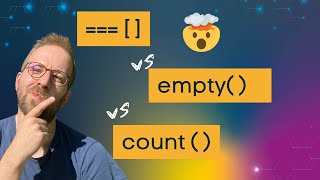
Micro-optimizations are not worth the time in 95% of cases, but they can be interesting when taken to a different level. The video will explore five ways to test if an array is empty and why you shouldn't care which is fastest.
The PHP engine constantly evolves, adding specialized opcodes for common functions like strlen, count, get_class, and more complex optimizations like sprintf to string interpolation conversion in PHP 8.4. This means performance characteristics change over time.
When microbenchmarking, beware of the opcache optimizer. If examples are too simple, opcache might optimize them away entirely. The benchmark uses Hyperfine to compare five methods: !$array, count($array) === 0, count($array) === 0 in namespace, empty($array), $array === [], and $array == [].
On a Mac (compiled with Clang), the empty() test is fastest, followed by identical (2% slower), not (9% slower), count (15% slower), and equal (17% slower). The slowest is count in a namespace, which is significantly slower.
On a Linux machine (compiled with GCC), the results differ: not, empty, and count are within 8% performance, while the identical check is 50% slower than the not test. This shows platform-dependent performance.
Function calls have significant overhead compared to inlined code. However, the engine optimizes certain functions like count and empty into specialized opcodes that avoid the function call overhead. This is why they perform comparably to non-function tests.
Use opcache's opt debug level to inspect the generated opcodes. For example, count in a namespace does a regular function call, while count without namespace uses a specialized opcode. This explains the performance difference.
When microbenchmarking on CLI, ensure opcache is enabled (opcache.enable_cli=1). Without it, the specialized opcodes won't be generated, leading to misleading results.
PHP compiled with Clang (Mac) vs GCC (Linux) have different virtual machine optimizations. GCC-based PHP is generally more optimized for PHP, leading to performance differences in edge cases.
Tim added an opcode specialization for the identical empty array test, which was merged for PHP 8.5. On Linux, this made the identical test the fastest, running 4% faster than empty, 4% faster than not, and 30% faster than count.
Sarah's summary: 'Just use whatever you find most readable. You have no control over what is the fastest way today and it's constantly changing.' Micro-optimizations are minuscule and not worth the effort. Only optimize when a profiler confirms a real bottleneck (5-10% of total request time).
Micro-optimizing PHP code is rarely worthwhile because the engine evolves and performance varies by platform. Focus on writing readable code and use profiling to identify real bottlenecks before optimizing.
What is the main reason micro-optimizations are not worth the time?
The PHP engine constantly evolves, and performance characteristics change, so you have no control over what is fastest today.
17:37
What is the specialized opcode for count() called?
The specialized opcode for count() is generated by the opcache optimizer and avoids the function call overhead.
10:23
Why does the identical empty array test perform differently on Mac vs Linux?
Because PHP is compiled with Clang on Mac and GCC on Linux, and they have different virtual machine optimizations.
14:45
What is the recommended approach to micro-optimization?
Use whatever is most readable, and only optimize when a profiler confirms a real bottleneck (5-10% of total request time).
18:37
What is the result of Tim's opcode specialization for the identical empty array test?
On Linux, the identical test became the fastest, running 4% faster than empty, 4% faster than not, and 30% faster than count.
17:22
Use Readable Code
This is the core takeaway: readability trumps micro-optimizations because performance is unpredictable and changes with the engine.
17:37Engine Improvement Example
Demonstrates that PHP engine developers actively optimize common patterns, making micro-optimizations obsolete.
15:30Compiler Differences
Highlights that performance is not just about code but also about the compiler and platform, which are out of the developer's control.
14:45Opcache Must Be Enabled
A practical tip for anyone benchmarking PHP: without opcache, results are misleading.
10:50[00:03] acceptable way to micro optimize PHP code, and it's probably not the way that you would expect. Micro optimizations are not worth their time in 95% of all
[00:15] cases. But by bringing them on a whole different level, they suddenly are. In this video, we talk about micro optimizing PHP by looking at one example, five different ways of testing if an array is empty and why you should
[00:31] not care about which version is faster. Mo, I am Benjamin and me and my team are laser focused on PHP performance topics for the last 10 years and we have helped thousands of developers, companies and open-source projects to improve
[00:46] performance. The story for this video started with this thread by Haliboot on Masttodon where they asked about the most efficient way to test for an empty array and shared their surprise about the
[01:00] result of their own microbenchmark. Using this starting point, I want to discuss a few problems with micro optimizations that can mislead you and why you ultimately don't even have control over the end result over time.
[01:14] The reason is the PHP engine itself. It constantly evolves and includes new optimizations for commonly used code patterns. This starts for example with specialized op codes for common
[01:27] functions like string leng count get class get type and more and more complex optimizations like the sprint f to string interpolation conversion that was added in PHP 8.4. It is also affected by little
[01:42] things that you don't have control over like using Linux with GCC compiler or Mac with a CN compiler and their differences in optimization possibilities. Engine implementation details that are different for operating
[01:57] details that are different for operating systems and different modes of operating the virtual machine of PHP. But we are getting ahead of ourselves and should start with the example again. Let's look at an empty array test and write some
[02:10] benchmark code to compare. The first bare trap to fall into when microoptimization with PHP is the opache optimizer. If you design your examples too simple, then opach might just optimize them away. As my colleague
[02:26] mentioned in a reply on the question of how the benchmark script designs, Halibut answers that he just initializes the array in a variable and then ran a loop over it um which does the comparison the
[02:41] operation. The problem with this is that op might see that the loop is not actually doing work and optimizing the loop away completely. We start off by looking at the examples that Tim provided to make sure the
[02:55] optimizer isn't too clever. The first example is using the clever. The first example is using the not operator, testing that the array is not operator, testing that the array is empty by using uh the exclamation
[03:14] at is using count with a identical operator to zero. And there's also the secondary example of using count within a name space which we see the what the
[03:27] difference is in a few seconds. The next example is that we are testing the emptiness of the array using empty empty function. Then we also test emptiness
[03:40] with the identical operator using three equal signs and an empty array. Also, we tested using the equal operator. And these are the different examples that we can test each other
[03:55] against each other to see if a a PHP array is empty or not. And from the outset, you don't really know which one is faster. You might have a few assumptions based on your knowledge of the PHP engine. um
[04:11] maybe function call overhead versus other things, but we cannot really be sure and we should run run a benchmark. For microbenchmarking, we are using a tool called Hyperfine and you find a link to it in
[04:25] the description. Um it's our preferred tool of choice and for experiments with benchmarking data and we also have a blog post explaining why we like to use blog post explaining why we like to use it and how it works.
[04:39] In this case, I'm running it on my Mac and we will see a little later the operating system is important here. I have a small script run sh which runs hyperfine with this different scenarios. PHP with a not equal identical count
[04:55] name space and empty functions. Let's run functions. Let's run this. Hyperfine then executes all those this. Hyperfine then executes all those scripts multiple times. Um, and it makes
[05:08] sure that they are not interfering with each other a lot. Uh, in my case here, because I'm uh streaming the video, it's uh taking a little bit longer than without it, but um the general proportions are the same. So, it's not
[05:25] uh not a problem to look at that. uh after all the different thing uh scripts are ran into each other with hyperfine we uh it will compare them and it will also use statistical comparisons to make sure that we don't only compare
[05:42] to make sure that we don't only compare the one single value but also compare like um sort of the the standard deviation the variance in the script runtimes to each other to really make sure this is a
[05:55] fair comparison. The result on my Mac is that comparison. The result on my Mac is that the empty test is the one that is the empty test is the one that is fastest. The next one is the identical
[06:07] fastest. The next one is the identical um uh with which is 2% slower. Then the um uh with which is 2% slower. Then the not test is 9% slower than empty. Um not test is 9% slower than empty. Um count is 15% slower and equal is 17%
[06:20] count is 15% slower and equal is 17% slower. And the slowest is actually uh slower. And the slowest is actually uh by a huge margin. if we execute count in a namespace. So this is a little bit
[06:32] different to the results that Halibut had in in his uh example. He was probably running on on a Linux machine because his result was that the identical test was actually much slower than empty not and count. And we can see
[06:48] than empty not and count. And we can see this uh by run rerunning the tests on a u Linux machine. where I ran those tests before uh on a where I ran those tests before uh on a machine on a server that I have and um
[07:03] machine on a server that I have and um here we can see not empty and count uh here we can see not empty and count uh are within like 8% performance and the identical check is actually much slower at 50% slower than the not test um equal
[07:17] and count name space being much slower as well. Let's discuss a few reasons why these different cases look so different in tests. And we can
[07:33] And we can um learn a lot about the engine by doing this. So one thing that we should look at is the different between a function call and not a function call. So the tests for not
[07:48] identical equal They are not using functions to perform They are not using functions to perform this test. this test. And in comparison, empty count and count
[08:01] And in comparison, empty count and count by namespace, they are using function or function like constructs. So if you know a little bit about PHP you know that the overhead of calling a function be it an internal function or a
[08:14] username function is quite significant compared to inlining the code and not calling a function at all. So we would expect that the count empty and uh count
[08:26] namespace examples are slow and for count namespace we see that it's actually super slow. Why is count and empty not significantly slower or even
[08:38] empty not significantly slower or even faster than the cases where no function um is being called? The reason for this is that the engine is optimizing um a few central functions of PHP into
[08:52] specialized op codes that don't even call the function anymore. So how do we find out which ones these are? So it's not actually quite easy. There's a list of them deeply hidden in the PHP source code. But we can use a feature of
[09:08] code. But we can use a feature of opcache to look at all the op codes that a script um translates uh for the virtual machine of PHP and we can see
[09:20] how they look uh how these examples we have here look in op codes and compare have here look in op codes and compare what they actually do. So let's use this opcache opt debug level uh with this bit mask to look at the count namespace
[09:38] example first. And in the count namespace example we can see namespace example we can see here that we initialize a namespace function called f count. We are sending a
[09:53] this function and then we make an is identical check here. So this is this part of the code. So this block here is actually the function call. So um we would expect empty and
[10:09] call. So um we would expect empty and count to look similar uh without the namespace component but similar. However uh this is not the case because the opcache optimizer does some things here. Let's look at the count example.
[10:23] So we again see here is identical equals zero in our count example here. But instead of uh initialization and the do function call we see a specialized op
[10:35] code here for count. And this specialized op code is generated by the opcache optimizer. And this is where an additional caveat comes into play. If you're microbenchmarking code on the
[10:50] CLI, then you need to make sure that opcache is enabled because otherwise you cannot make a true comparison and make assumptions about how the code runs in a
[11:02] enabled. So let's call PHP info and we look for So let's call PHP info and we look for opc cache enable cli and then we can verify that on my test machine enable cli is on. So uh we know that already
[11:19] since we have the specialized op code here. If we run this code again with d cli
[11:31] cli zero, then it doesn't print the op uh codes because that's a feature that only works when op cache uh is enabled. But it also um if we could see them, it would um actually do a uh regular
[11:47] function call here with the additional overhead. So also let's look at the generated op codes generated by empty. We can see here we have is set empty. So
[11:59] it's also a specialized op code. And these specialized op codes have comparable performance to for example the not operator which when we look at the not operator um the it also has a specialized op code
[12:14] here bool not for the variable and then it performs uh the empty test. Uh no it doesn't. So this is the way it performs the empty the empty test. So we can see one huge caveat of
[12:29] microbenchmarking specific code is that the opcache optimizer works its magic the opcache optimizer works its magic and it can elevate the performance of functions depending on opcache being enabled or not um and how you use the
[12:44] functions. So if you use a function like count which can be optimized by an op count which can be optimized by an op code this would not work in a name space and uh we also have a blog post about that that I link in the description. If
[12:59] that that I link in the description. If you say use function you say use function count and then generate this
[13:15] Why? That's confusing. That should have worked. confusing. That should have worked. Maybe I have to prefix it this
[13:32] way. Okay, I've confused myself. Honestly, I think um maybe the optimizer does this in a later step and we can't see it here. That's probably the case. So the optimizer might do this after printing out them. So using use function
[13:46] count or prefixing with a slash uh it imports the count from the global and it imports the count from the global and it looks the same uh like um if we have this count here. So this is one difference uh that we have and why the
[14:02] difference uh that we have and why the performance for not and empty and uh count equals zero is so close to each other and on a Linux machine the identical test has such a different performance. So let's look at the op
[14:16] performance. So let's look at the op codes for uh and it's also a specialized op code, but remember from the Linux test that
[14:30] still the identical code was much much slower. So it really depends on like how the engine implements those small things, how it works and um yeah how we things, how it works and um yeah how we can rely on them. And I've also showed
[14:45] how the performance is much different between Linux and my Mac system. And the reason for this is that on Mac PHP is compiled with CIANG and CIANG just has
[14:57] different optimizations that have been programmed into PHP different virtual programmed into PHP different virtual machine modes um compared to GCC. So Linux and GCC are more optimized than Cang uh for at least for PHP. So using u
[15:15] Cang uh for at least for PHP. So using u a platform that is has a GSTCC based PHP is going to be faster in some edge cases because the engine can provide better virtual machine codes uh and run better things this way. And now the magic
[15:30] happens. What if we change the virtual machine to uh produce better output based on the different variables that we have, the information we know and make
[15:42] have, the information we know and make one operation better than before. And this is what Tim did after uh discussing this benchmark uh on Masttodon and looking at the different things. He sat down and uh performed a change of the
[15:57] virtual machine. He added an opcode specialization for the um identical empty array test and the result is actually quite fascinating. Uh on a
[16:10] Linux machine this becomes the fastest test now where previously it was the test now where previously it was the slowest one. And how does it work? If we slowest one. And how does it work? If we look at the code then we can see here
[16:23] look at the code then we can see here that in the engine we can add specialized uh handlers for up codes and we can only uh handlers for up codes and we can only run them or use them if there are
[16:37] certain conditions which are true uh during compilation. The engine already knows during compilation and optimization that certain things are true about variables. For example, a certain variable is an
[16:50] array. And um then it allows us to run specialized code instead of the more general code for the zent is not or z is identical op
[17:06] for the zent is not or z is identical op codes. And what this change here does is providing us with a benchmark where we can see that the identical test ran
[17:22] we can see that the identical test ran 4% faster than the empty test, 4% faster than the not test, and 30% faster than the count test. So it's a significant improvement over the state previously. And this pull request was merged for PHP
[17:37] 8.5. On Maston, Sarah summarizes my own thoughts on this issue fully. Just use whatever you find most readable. You have no control over what is the fastest way today and constant it's constantly changing based on the engine and
[17:53] different input variables. And to be honest, the small percentage change between the different fast options is just so minuscule that it doesn't really just so minuscule that it doesn't really make sense to perform the work. Also,
[18:07] it's not really feasible to change the code all the time when the engine changes. You wouldn't go and change the whole code base between versions 8.4, 8.5 just to benefit from those small percentage changes. you can just lean
[18:22] back and trust that the engine developers of the PHP project are going to work on optimizations down the road and the code that you write today is probably going to be faster in the future. It only really makes sense to
[18:37] start optimizing if on the micro level if a profiler confirms that the code that you've wrote is really really slow. That means by optimizing the code you can shave off like five to 10% of the total request time of a script. In that
[18:54] case, it really makes sense to perform the optimization. Otherwise, if you have just 1% optimizations, you really need to find quite a bunch of different optimizations, stack them on top to get a result that is meaningful to users and
[19:10] visible um and psychologically um an improvement that users can actually feel. If you want to learn more about PHP performance and optimizations that really move the needle, see a few other videos on this
[19:24] channel. And if you want to stay on top of PHP performance topics in the future, please subscribe to our newsletter for more. The link is in the description. more. The link is in the description. Bye.
⚡ Saved you 0h 19m reading this? Transcribe any YouTube video for free — no signup needed.