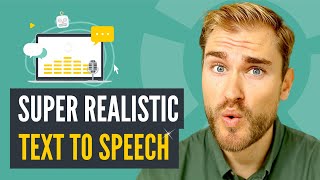

AI Voice Generators: Are They Good Enough?
45sDirectly addresses a trending question about AI replacing human voiceovers, sparking curiosity and debate.
▶ Play Clip"Delivers exactly what the title promises—a thorough, honest comparison of TTS tools with no fluff."
This video explores the current state of text-to-speech (TTS) software, testing whether AI-generated voiceovers can replace traditional microphone recordings. The creator reviews four major tools—Murf, Speechify, Descript, and Synthesia—evaluating their audio quality, features, and pricing. The conclusion is that while TTS isn't perfect, it's good enough for many professional uses, offering flexibility and speed that outweigh minor imperfections.
Murf offers impressive audio quality, a light and intuitive interface, and easy pronunciation fixes. It provides 10 minutes of free voice generation, then requires a Basic plan at $19/month or Pro at $39/month.
Speechify is lightning fast, generating near-perfect voiceovers instantly with no login required. The premium plan costs $139/year and removes the word limit on the Chrome extension.
Descript offers a flexible workflow with live audio generation and easy edits. Its Overdub feature clones your voice using 30 minutes of training audio, with a 24-hour wait. The Pro plan costs $288/year.
Synthesia generates voiceovers alongside animated avatars, allowing you to create complete videos in one platform. The personal plan costs $30/month.
Vyond integrates TTS into animation workflows using Amazon Polly's voices. It's ideal for internal learning and development content where flexibility outweighs the preference for human voiceovers.
The creator recommends choosing a TTS tool based on overall sound and interface, accepting imperfections. TTS is best for flexibility and shorter time-to-content, not as a perfect replacement for human voiceovers.
TTS tools like Murf, Speechify, Descript, and Synthesia are now good enough for many professional uses, offering flexibility and speed that outweigh the minor imperfections compared to human voiceovers. The choice depends on your specific needs, from simple voice generation to full video creation with cloned voices.
What are Murf's pricing plans after the free tier?
Murf offers 10 minutes of free voice generation, then requires a Basic plan at $19/month or Pro at $39/month.
01:41
What is the annual cost of Speechify's premium plan?
Speechify's premium plan costs $139 per year, which is about $12 per month.
03:13
How much training audio does Descript's Overdub need to clone a voice?
Descript's Overdub feature requires 30 minutes of clean training audio and a 24-hour wait to clone your voice.
05:20
What is the annual cost of Descript's Pro plan?
Descript's Pro plan costs $288 per year, which is twice the cost of Speechify.
06:10
What is the monthly cost of Synthesia's personal plan?
Synthesia's personal plan is $30 per month and includes animated avatars and voiceover generation.
08:15
Which TTS engine does Vyond use for its voiceovers?
Vyond uses Amazon Polly's voices for its TTS engine, which was recently updated to improve quality.
08:50
Murf's Production-Ready Quality
Highlights that Murf's audio quality is ready for production, setting a new standard for TTS tools.
00:13Voice Cloning with 30 Minutes of Audio
Demonstrates that modern TTS can clone a voice with minimal training data, a significant technological leap.
05:20Accept Imperfection for Flexibility
Advises creators to prioritize flexibility and speed over perfect voice quality, a practical workflow tip.
09:51TTS for Efficiency, Not Perfection
Emphasizes that TTS is best used for its efficiency and shorter time-to-content, not as a perfect replacement.
10:07[00:00] What is the fate of TDS or text-to-speech software? Let's take a look at some of the newer tools and see if it's become good enough to replace some of that tedious, microphone-recorded human voiceover.
[00:13] So MIRF is one of the AI voice generators that are breaking serious rounds. The quality of MIRF's voiceover is impressive. Hi, this is Eliza. I am one of the most mature British voices in MIRF's studio.
[00:26] Some of the other AI voice generators sound a little thin sometimes, but Merge's audio quality is ready for production. It depends on how good the tech becomes, but someday we might not even need microphones.
[00:40] The interface is light, minimalistic, and super intuitive to operate. You write or copy-paste the text in that you want to charge into speech, select a voice, and hit play. A tiny drawback is that this takes about 10 seconds.
[00:54] It doesn't sound like much, but if you have a lot of text or you make a lot of changes, this adds up over time. And changes need to be made from time to time. If you don't like how a word is pronounced, Merck makes it really easy to change that
[01:07] pronunciation. Root. Roulette. Merck also lets you insert pauses, and sometimes that's all you need to take that robotic
[01:19] feel out of the sentence. Well done, Merck. And if you're happy with how everything sounds, it's super easy to export your voiceover as an mp3 file. As long as you haven't used the pro voices, which are the good ones. If you don't upgrade, you get 10 minutes of voice generation for free, before you have to upgrade to either basic at $19 a month or pro at $39 a month.
[01:41] And a little less if you pay for a full year. In general, I think Merck is quite impressive. at presence interface, at fair price point, and AI voices that are more than good enough for things like e-learning, presentations, or explainer videos.
[01:56] For YouTube videos, podcasts, and ad campaigns, I still think that Merck lacks that last 10% but let's see if the next tool gets there. Speechify is a serious contestant for the crown in the land of text-to-speech software.
[02:11] What Merck likes in speech, well, Speechify is crazy fast. You can create great sounding voices about instantly with their online text-to-speech generator. I am a generated voice and have never spoken these words into a microphone.
[02:25] It depends on how good the tech becomes, but someday we might not even need microphones. No logins no nothing you just insert the text and wait hop a text Now you have a close to perfect voiceover that you can download as an mp3 file and use in your project Pretty wild to think
[02:43] how far we've come with this. And well-functioning, lightning fast, super great TTS engine, available online for free. When I was a kid, these were horrible. This is Alex. She's an artist. And I'm
[02:56] not even that old. If you want more features, you need to sign up and come inside the actual FeatureFi platform, although this is not overly impressive. You can't do anything in here really if you don't upgrade, but that's also relatively affordable at $139 a year.
[03:13] That's about $12 a month. This also removes the word limit on the Chrome app, which is a great little extension. It allows you to scan any web page and have FeatureFi read back to you. This is Alice. She's an artist. Normally she sells her art in galleries,
[03:28] but now she wants to explore NFTs as well. But let's stay focused on how good these text-to-speech tools are at generating human-like voiceovers. A tool that does this really well is G-Script.
[03:42] And as you'll see in a moment, G-Script moves beyond the use of soft voices and allows you to create voiceovers in your own voice. Not that that's really needed because their soft voices are super great.
[03:54] What does microlearning look like specifically? The format is often video, but can also be a fact sheet, an infographic, a slideshow, or a chatbot. And one thing that Descript does particularly well is the change of voice styles.
[04:07] Two weeks later, he says they both dug the hole. For the last year, I've spent every working day trying to figure out where a high school... In fact, these kinds of records are mostly useful as a way to say where someone wasn't.
[04:19] You might not want the same tone of voice for a children's book, a course lesson, and an explainer video, for example. Descript lets you shuffle between different variations of the same voices until you find a perfect balance between energy and professionalism that you're aiming for.
[04:33] Descript generates your audio live when you've chosen a voice, and when you make changes to something, new audio is automatically generated. Descript's interface is super great and make this get symbol to make changes to a sentence or a word
[04:48] that then gets converted to audio. What does microlearning look like in the context of online learning? This adds a lot of flexibility to a video production process, for example. You just make a change and then download a new version of the voiceover.
[05:02] And I think that C-Trix makes this workflow slightly more delightful than Merck and C-Tribe. Easy interface flexible workflow impressive sound quality Does this mean that I no longer record my own voiceovers Well maybe because Descript has an extra ace up their sleeve and it called Overdub
[05:20] To use Overdub, I was asked to upload 30 minutes of relatively clean training data The Overdub voice you are listening to right now is created using only 30 minutes of training audio and then wait 24 hours.
[05:32] I said Descript a couple of my podcast episodes, and a day after, Descript has cloned my voice. First time I tried this, I was pretty mind-blown.
[05:44] You now know how I sound with my Danish accent and my tone of voice, and I didn't expect Descript to be able to clone that. I was wrong. This is how it jibber when a modern piece of tech copies your real voice.
[05:57] About 100 jibber accurate, but close enough to blow your mind a little bit the first time you experience it. Yes, Descript inserts these gibberish words until I upgrade to their pro plan at $2.88 per year
[06:10] instead of the $145 I pay now. Twice the cost of Speechify, but maybe worth it if you are sometimes educator and now you can generate all your voiceovers instead of using a microphone and no more notions.
[06:23] How about these YouTube videos? Should I generate my voiceover instead? I don't know. I use Descript to transcribe my podcast episodes, which it is great at, and to make small social media clips of my whole-length YouTube videos,
[06:38] and not so much for voiceovers. Yes. Alright, so Merck, Beatify, and Descript are all text-to-speech software that lets you generate a voiceover and download that audio file as an M3 file to use in whatever kind of project you like.
[06:52] Yes, some allow you to upload a little bit of video and sync the sound to that, But at its core, these tools are made for generating voiceovers and then pull that file out of the platform.
[07:04] This flexibility is, of course, really great, but it also requires you to use multiple tools. Let's take a look at some text-to-speech applications that generate voiceovers in the context they're used.
[07:17] A friend of mine started this company a couple of years ago, and they've been growing like crazy. I attribute some of their success to their amazing tech that allows you to generate voiceovers to get.
[07:29] An NFT is like a contract on a piece of art, for example. But also generates animated human life, avatars, events lifting to that voiceover. An NFT is like a contract on a piece of art, for example.
[07:44] The contract is not the art itself just proof that you own it
[08:15] together with the animated avatar and create your whole video inside Synthesia. So that's also totally fine, as the interface is super sleek and easy to work with. Well done, product designers! Synthesia's personal plan is $30 a month and comes with a bunch of goodies.
[08:30] We're quickly moving on to another tool that also lets you generate voiceovers but as a step on your way to creating a full-fledged animation video. Using Amazon Polly's voices, Vyond lets you generate your voiceover inside the tool, add it to a scene that you then animate.
[08:50] Vyond's voices used to be super bad, but they recently upped their TTS game. What does microlearning look like specifically? The format is often video, but can also be a fact sheet, an infographic, a slideshow or a chatbot as long as it's digital and mobile.
[09:06] I've used the On2Gears and with their recent update of their TCS engine with Amazon Polly, I think they are getting to a quality where you can start to use these voices professionally. Especially for internal use, like in a learning and development context, where the flexibility
[09:22] you get from being able to change your video in minutes far outweighs any preference you might have for a more humanized voiceover. A lot of tools to choose from, the competition in the Texas Beach market is fierce and that's
[09:35] Competition makes everyone better, and the ads that I'll share in this video are the ones that impress me the most as a professional content creator. My recommendation is that you don't spend too much time on changing every little word and words with the emphasis and pronunciation in every sentence.
[09:51] Find a text-to-speech tool where you like the overall sound and the overall interface, and just accept the fact that it's not perfect. No, text-to-speech tools are still not as good as the sound you get from recording in VoiceOver.
[10:07] But that's not a problem as long as you choose text-to-speech for its flexibility and its shorter time to content. Efficiency is important, and if you want to learn my process for how I create content like the video you've just watched,
[10:19] click this video next to learn what comes before any considerations around VoiceOver. Generated or recorded.
⚡ Saved you 0h 10m reading this? Transcribe any YouTube video for free — no signup needed.