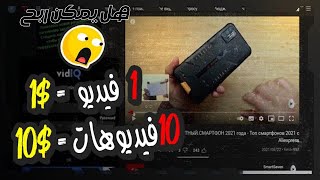

Your Phone Is Enough to Start Earning Online
44sOpens with a relatable promise that remote income is accessible to anyone, immediately hooking viewers.
▶ Play Clip"Title promises a proven personal experience, but the video is just a signup walkthrough with no earnings proof."
The video is a beginner-focused tutorial on earning money online by watching YouTube videos through a paid-to-watch website. It walks through registration, the 15-second viewing requirement, using a macro app for automation, and withdrawing earnings via Payeer.
The host explains that anyone with a phone or laptop can start earning online; you only need patience, willpower, and a willingness to learn.
People do earn a steady monthly income from home using just their mobile phones or laptops, but starting correctly matters more than talk.
Click the link in the video description or pinned comment, scroll to the bottom of the post, and use the registration links for the website.
The website shows about three million registered members who have reportedly been paid, which is presented as proof of legitimacy.
To use the site comfortably, translate it via right-click on a computer or the translation option on a phone.
Click 'Sign Up', enter your email and password, click 'Install Robot', confirm, then enter the verification code sent to your email.
The core earning method is simple: watch YouTube videos on the site and get paid for each one.
Tasks are only available on mobile devices; on a PC you can right-click and select 'Check' to open developer tools and emulate a phone.
The site recommends downloading a supported macro application so videos start playing automatically without manual effort.
Go to the payments section, add your Payeer wallet address, save it, and once you reach the minimum withdrawal amount you can cash out.
The video presents a straightforward, low-skill way to earn small amounts online by watching YouTube videos, but stresses that execution and following the steps carefully are essential to avoid account bans.
What is the required minimum watch duration for each video?
15 seconds.
04:10
How many registered members does the site claim to have paid?
Approximately three million.
02:13
Which wallet service is used for withdrawals?
Payeer.
06:45
What must you do after signing up to verify your account?
Enter the code sent to your email address.
03:05
Why can't desktop users run the tasks directly?
Because the tasks are only available for mobile devices.
03:44
How can PC users emulate a mobile device?
Right-click and select 'Check' to open developer tools, then switch to mobile view and use the 'A' button.
05:07
What type of app does the site recommend for automatic video playback?
A macro application supported by the website.
04:22
What should you do after waiting 15 seconds on a video?
Return to the site, close the page, and watch the next video in the same way.
05:36
What is the main action required to earn money on the site?
Watching YouTube videos.
03:19
Zero barrier to entry
The video clearly states that no experience, capital, or equipment is needed, making it accessible to absolute beginners.
01:34Core earning activity is watching videos
The simplicity of the method—getting paid just for watching YouTube videos—is the central promise of the entire video.
03:19Automation via macro app
Using a macro app to auto-play videos is presented as a way to reduce the manual effort, but it also carries a risk of account issues if not followed exactly.
04:22Withdrawal through Payeer
The payout process is clearly explained, showing that earnings can actually be withdrawn after reaching a minimum threshold.
06:45[00:02] available to us today. We used to think that work had to be from an office and that you had to commute every day. Now, your mobile phone or laptop is enough to open a real door to income. The internet has become an open world with many opportunities for everyone, whether you have experience or are a beginner. You can
[00:17] work from the comfort of your home, at any time that suits you and in a way that is comfortable for you. You don't have to be a genius or a professional. All you need is a little patience, willpower, and to learn and develop yourself. In this video, or rather in the content you'll see, I'll talk about the ways you can
[00:31] start your journey in the field of making money online, step by step, without complications and without feeling that the subject is too big for you. All it needs from you is a little focus, perseverance, and a real desire to change your situation and build a source of income. Stick with it until the end because this moment could be a
[00:46] new beginning in your life. So, how can you profit from today's method, and how... You'll be able to work on it, and that's what we'll start seeing together, God willing, but after the next intro.
[01:06] Ibrahim. First of all, if you haven't subscribed to the channel yet, please subscribe and like the video. It really encourages me to share new methods and strategies for making money online. Making money online is n't a dream or empty talk, as many people say. There are actually people who
[01:19] work from home and earn a steady monthly income, all while working from their mobile phones or laptops. But keep in mind that the secret is n't in the talk; the secret is in starting correctly and understanding what you're doing. That's why in this video, I'll explain one of the easiest and most reliable methods you
[01:34] can use to start, even if this is your first time thinking about working online. In this video, I won't need any experience from you, I won't need any capital, and I won't need any complicated tools or equipment. All you need is... All I need from you is a little focus and a genuine desire to begin. If you're tired of
[01:49] videos that talk a lot and don't do anything useful, pay attention because what's coming next could be a real start for you. Without further ado, so you can work on today's website and earn money from it, you'll start by clicking on the link I'll leave for you below the
[02:01] video, either in the description or in the pinned comment. I'll start by directing you to this post. You'll start by scrolling down to the end of the post, where you'll find the registration links for the website. Click on them, and it will take you to this website. As soon as you open the website, it will open the
[02:13] explaining everything together here, one by one. If you scroll down further, it will show you the number of registered members on the site, which is approximately three million. The site has paid this number of members, which is a very large number, as you know. So, to be
[02:27] able to use this site, you need to create an account. But first, you'll need to translate the site into Arabic so you can use it better. If you're using a computer, right-click and select "
[02:39] Translate to Arabic." If you're using a phone, the translation option should appear below. If it doesn't, dots in the top left corner of the screen and select "Translate." To use the site, you'll need to create an account. Click "Sign Up" and enter
[02:52] account. Click "Sign Up" and enter password. Then click "Install Robot" and click " Sign Up." That's it! You're registered on the site. The site will send you a code to your email address, which you'll use to register. Now you can
[03:05] enter it in the required field to verify your account on the site and start working on it. After creating your account, you can log in directly. When interface you see here. We'll explain everything here step by step.
[03:19] So, how does this site work, and how can I earn money from it? The method of working on this site is very easy and simple. All you have to do is start watching YouTube videos and earn money from them. I don't think there's an easier way to
[03:31] earn money. You can earn money here by watching YouTube videos. All you have to do is go here to YouTube. Now pay attention to the next point because you might encounter some problems if you're working on this site from
[03:44] your personal computer. When you click Here, on the video player, it will tell you that these tasks are only available for mobile devices and you won't be able to work on them except through your phone. You can work on them through your computer, and I'll start
[03:57] explaining the solution here. But first, pay attention for the next few minutes. If you're working here on your phone, it will be video player, and I'll redirect you to the YouTube app. You'll start watching the video
[04:10] here. The required duration is 15 seconds. So, you'll start watching the video here, and then you'll return here to the website and start watching the next video, as we'll see now. Now, if you want to
[04:22] the videos start playing automatically, but... You'll start by sitting here, and the website will explain that you need to download this application to your phone. It's a macro application, and it's supported by the website. So, you'll start by downloading the application
[04:36] to your phone. It will then explain the steps you need to take to the videos will start playing automatically, as you can see. It will also show you in a video how to create the application
[04:50] and how to install it on your website. Keep in mind that your account won't be flagged as I mentioned, and it will start working automatically. Now, all you have to do is right-click and scroll down to "Check." This will
[05:07] open the user interface. Or below, and of course it will see it. So all you have to do is click on this icon, and it will start appearing here in the shape of a phone. Then you start clicking on the "A" button, and of course,
[05:21] the page will start to talk to you, and you can work on this site very easily. do is click here on "Watch Video," and of course, it will start opening the video in another page. So all you have to do here is wait
[05:36] here for 15 seconds until they pass. I will wait here for 15 seconds. I will go back here to the site again can watch it again in the same way. The method is simple: wait here for 15
[05:52] seconds until they pass. After that time, return to the site, close this page, and watch the next video in the same way. You can earn money from it, and I don't think there's an
[06:05] easier way to earn. This is the simplest solution to the problem you might encounter. If you're using a phone, you can easily watch the videos here. Also, if
[06:19] the videos here. Also, if your account from being compromised. the steps we've already discussed:
[06:33] click on the word... You'll start by creating a preview of the site, as if you were viewing it on your phone, as you can see. Then you'll begin working on the site. Be careful about this point so your account doesn't get suspended. Now, if you want to
[06:45] if you want to withdraw your earnings from the site, you'll go here to the payments section. You can easily
[06:58] withdraw your earnings from this site through several methods. You can as soon as you reach the minimum withdrawal amount. Let's begin.
[07:14] Payeer wallet here. Then, you'll click on " Select Wallet" and enter your Payeer wallet address here, or the wallet address you'll use for withdrawals. After that, click " Save" here, and you'll be able to withdraw your earnings
[07:26] from this site. Once you reach the minimum withdrawal amount, you can easily withdraw your profits. This site is one of the simplest and easiest to use, and you can earn very respectable profits from it. I've started to explain the site in detail, clarifying
[07:41] everything about it and highlighting some potential problems you might encounter. And I want to emphasize again, to avoid having your account banned, you must... You start by doing what I've explained to you here in the video, and that brings us to the
[07:55] end. If you've made it this far, I'm confident you're truly ready to begin and change. The method I explained today isn't a fantasy; it's one of the simplest and easiest ways you can work if you're a beginner in the field of online earning. Many people have started with it and have
[08:08] actually managed to generate a respectable income. The difference here is always in the execution. Some people hear and forget, while others hear and start. I want you to be the type of person who takes a step and tries. If you feel the video has truly benefited you, don't forget to support me with a like, subscribe to the channel, and activate the
[08:24] bell icon to receive notifications as soon as new videos are released. Write in the comments what you think of the video or even what methods you'd like to see in future videos. Rest assured, I'm always with you, and we'll continue the journey step by step. See you in a new video, and always remember that a
[08:38] in a new video, and always remember that a small beginning can open a big door for you.




⚡ Saved you 0h 09m reading this? Transcribe any YouTube video for free — no signup needed.