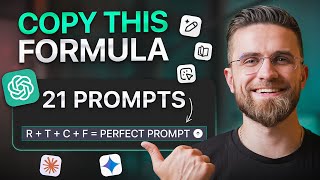

You're Using ChatGPT Wrong!
45sImmediately calls out common mistakes, creating curiosity and FOMO.
▶ Play Clip
[00:00] Most people are using Chad GBT
[00:02] completely wrong. They type in basic
[00:04] questions and basic answers and think
[00:06] that's all there is to it. But here's
[00:07] what they don't realize. The difference
[00:09] between beginner and an expert isn't
[00:12] just knowledge. It's knowing the right
[00:14] prompts to unlock GPT's true potential.
[00:16] The problem is most tutorials show you
[00:18] surface level tricks while the real
[00:20] power stays hidden. Today I'm going to
[00:22] show you exactly 21 prompts will
[00:24] transform you from someone who asks,
[00:26] "Hey, can you help me with this?" to
[00:28] someone who commands chat GBT like a
[00:31] professional tool. We'll go from basic
[00:33] conversations to advanced techniques
[00:35] most people don't even know exist. Let's
[00:37] start with the seven prompts that will
[00:39] take you from a complete beginner to
[00:41] someone who actually understands how
[00:42] chat GPT thinks. Prompt one, basic
[00:45] structure. Most people type something
[00:47] like, "Write me a blog post about
[00:50] marketing." That's amateur hour. Here's
[00:52] the professional approach. You are an
[00:54] experienced marketing strategist. Write
[00:56] a 1,000word blog post about email
[00:58] marketing for small businesses. Include
[01:00] specific tactics. Avoid generic advice
[01:03] and format it with clear subheadings and
[01:05] bullet points. See the difference? I
[01:07] gave it a role, specific task, clear
[01:10] constraints, and formatting
[01:12] requirements. When I run this prompt,
[01:14] Chad GPT doesn't just generate text,
[01:16] creates structured professional content
[01:18] because I told it exactly what I wanted.
[01:20] The amateur version would give you
[01:22] something that screams AI generated. The
[01:25] professional version gives you content
[01:27] that's indistinguishable from expert
[01:29] human writing, but I always recommend
[01:30] add a bit of human touch. Remember, AI
[01:33] is not creator. It is very efficient
[01:35] assistant. Actually, before we dive into
[01:37] the next prompts, show you what I
[01:39] personally use to save my prompt writing
[01:41] time. While you're learning these
[01:42] techniques, you probably don't want to
[01:44] memorize every single prompt structure,
[01:47] right? Look inside AM Pro, we have
[01:49] Prompt Lab Pro. 300 plus readyto-use
[01:52] prompts for exactly what we're covering
[01:55] today. Content creation, data analysis,
[01:57] business automation. Instead of starting
[01:59] from scratch every time, just grab a
[02:01] proven template, customize it, and
[02:03] you're done. This is especially powerful
[02:05] for freelancers and entrepreneurs who
[02:07] need consistent results without spending
[02:09] hours crafting the perfect prompt. But
[02:11] let's keep building your foundation with
[02:13] prompt number two. Prompt two,
[02:15] roleplaying power. Here's where most
[02:17] people completely miss the boat. They
[02:19] think chat GPT is just a smart search
[02:22] engine, but it's actually a master actor
[02:25] that embody any expertise you need. Try
[02:27] this. You are Gordon Ramsay teaching
[02:30] cooking to a nervous home chef. I want
[02:32] to make beef Wellington, but I've never
[02:34] done pastry work. Be encouraging, but
[02:36] honest about the challenges. Give me
[02:38] step-by-step instructions in your
[02:40] characteristic style. When I run this,
[02:42] GPT5 doesn't just give me a recipe,
[02:44] becomes Gordon Ramsay. the tone, the
[02:46] encouragement, the brutal honesty about
[02:48] technique. It's all there. This is
[02:50] because Chad GPT has been trained on
[02:52] massive amounts of text, including
[02:54] interviews, shows, and writing from real
[02:57] experts. But most people pick boring
[02:59] roles. Be a teacher is weak. Be a
[03:01] patient kindergarten teacher. Helping a
[03:04] frustrated parent with homeschool math
[03:06] is powerful. Specificity in ROS creates
[03:09] authenticity and responses. Prompt
[03:11] three, stepbystep mastery. Most people
[03:13] ask chat GBT to solve complex problems
[03:16] in one go, then get frustrated when the
[03:18] answer is shallow or incorrect.
[03:20] Professionals know how to break down
[03:23] complex requests. Instead of how do I
[03:25] start a business, try this. I want to
[03:27] start an online consulting business.
[03:29] Walk me through this step by step.
[03:31] First, help me identify my expertise and
[03:34] target market. Wait for my response
[03:36] before moving to step two. Then, we'll
[03:38] work on pricing strategy. Then,
[03:40] marketing approach. Then, legal setup.
[03:42] Ask clarifying questions at each step.
[03:44] This approach turns Czech GPT into a
[03:47] consultant rather than search engine. It
[03:50] forces the AI to go deeper, ask
[03:53] questions, and create a customized road
[03:55] map instead of generic advice. When I
[03:57] use this technique, I get responses that
[03:59] are 10 times more valuable because Chad
[04:01] GBT is forced to think through the
[04:03] problem methodically rather than
[04:05] generating surface level content. Prompt
[04:07] four, formatting control. Here's a
[04:09] simple trick that immediately makes your
[04:11] outputs more professional. Most people
[04:13] let Chad GPT choose how to format
[04:16] responses, but professionals control
[04:18] every aspect. Try this. Create a
[04:21] comparison between iPhone and Android
[04:23] phones. Format your response as a table
[04:25] with these columns. Feature iPhone,
[04:27] Android, winner. Include 10 key
[04:30] comparison points. After the table,
[04:32] provide a one paragraph recommendation
[04:34] for business users and another for
[04:36] creative professionals. This level of
[04:38] formatting control makes GPT's outputs
[04:40] immediately usable in presentations,
[04:42] reports, or client communications.
[04:44] You're not just getting information, you
[04:46] are getting professionally formatted
[04:48] deliverables. You know what's crazy? We
[04:50] spend all this time mastering chat GPT5
[04:53] and these incredible AI tools, but most
[04:55] sales teams are still drowning in busy
[04:58] work. It's like having a Ferrari, but
[05:00] being stuck in traffic. That's exactly
[05:02] why I'm excited to tell you about
[05:03] today's sponsor, ZAMS. Think of it as
[05:05] your AI command center for sales. Here's
[05:08] what makes it different. Instead of
[05:09] clicking through 10 different apps, you
[05:12] just tell ZAMS what you need in plain
[05:13] English. You can say something like,
[05:15] "Pull my latest call from AMC from Gong
[05:18] and add a summary in Salesforce." It
[05:21] just happens. Or every time we get a
[05:23] demo request, assign the right rep and
[05:26] send me a Gmail asking for approval. The
[05:28] thing is, ZAMS connects to everything
[05:31] you already use. Salesforce, HubSpot,
[05:33] Slack, Apollo, Gong, and 100 plus other
[05:37] apps. But instead of managing each tool
[05:39] separately, you're running them all from
[05:41] one interface. Sales teams using ZAMS
[05:43] are saving 20 plus hours a week. If busy
[05:46] work is the hidden tax on your revenue,
[05:49] ZAMS cuts it out. Check out the link in
[05:51] the description to book a demo and see
[05:53] it in action. Let's get back to
[05:54] mastering the next prompt. Prompt five,
[05:57] context and constraints. This is where
[05:59] beginners often struggle. They either
[06:01] give too little context or too much.
[06:04] Here's the sweet spot. I'm a freelance
[06:06] web designer who primarily works with
[06:08] local restaurants. I need to write a
[06:10] cold email to a new Italian restaurant
[06:12] that just opened downtown. The email
[06:14] should be personal but professional.
[06:16] Mention their recent opening, offer
[06:18] specific web design services they likely
[06:20] need, and include a soft call to action.
[06:23] Keep it under 150 words, and avoid
[06:25] overly salesy language. This prompt
[06:27] gives Chad GBT enough context to write
[06:29] something specific and relevant while
[06:32] constraints ensure the output meets my
[06:34] exact needs. Without constraints, it
[06:36] might write a 500word sales pitch that
[06:39] nobody would actually send. Prompt six,
[06:41] style mirroring. Here's a technique that
[06:43] most people never discover. You can
[06:46] teach it to write in your exact style by
[06:49] giving it samples of your writing.
[06:51] Analyze the writing style in this email
[06:53] I wrote. Paste your email. Now, write a
[06:56] follow-up email to the same client about
[06:58] project delays. Matching my tone,
[07:00] sentence structure, and communication
[07:02] approach. Exactly. This is incredibly
[07:04] powerful for business communication.
[07:06] Once GPT understands your style, can
[07:08] write emails, proposals, and content
[07:10] that sound authentically like you. I use
[07:13] this technique to maintain consistent
[07:15] voice across all my communications, even
[07:17] when I'm pressed for time. Prompt seven,
[07:20] error correction. Here's what separates
[07:22] beginners from experts. Knowing how to
[07:24] fix problems when chat GBT gets it
[07:27] wrong. Instead of starting over,
[07:28] professionals know how to guide the AI
[07:31] back on track. When it gives you
[07:32] something offtarget, don't just type
[07:35] that's wrong. Instead, try this. That
[07:37] response was too technical for my
[07:39] audience. Rewrite it for business owners
[07:41] who aren't familiar with marketing
[07:43] jargon. Use simple language and
[07:45] practical examples instead of theory.
[07:47] This approach teaches chat GPT exactly
[07:50] what went wrong and how to fix it rather
[07:52] than forcing it to guess what you wanted
[07:55] because the biggest AI world problem is
[07:58] chaos. GBT5 here claw there new models
[08:02] every week prompts scattered across
[08:04] notebooks. Most people drown in this
[08:06] mess instead of getting results. That's
[08:08] exactly why we built AI Master Pro. It's
[08:11] your home base for everything AI.
[08:13] Imagine instead of hunting for prompts
[08:15] online, you have a library of 300 plus
[08:18] tested templates. Instead of wondering
[08:20] if you're using AI right, you get our
[08:22] complete AI master method that walks you
[08:25] through building sellable AI offers.
[08:27] Instead of falling behind every week,
[08:30] you get curated updates and a community
[08:32] of people actually making money with AI.
[08:34] Look, these 21 prompts are powerful, but
[08:37] they are just the beginning. If you want
[08:38] the full system that turns GBT5 into
[08:41] your personal AI employee, check out AM
[08:43] Master Pro. Links below. Now, we're
[08:45] moving into techniques that most casual
[08:47] users never learn. These eight prompts
[08:49] will transform how you think about AI
[08:52] interaction. Prompt eight, chain of
[08:54] thought reasoning. This is where the
[08:55] GPT5 really shines compared to earlier
[08:58] models. You can force it to show its
[09:01] think and process, which leads to much
[09:03] better results. I need to decide whether
[09:05] to hire a full-time marketing manager or
[09:07] use freelancers for my growing SES
[09:10] company. Walk me through your reasoning
[09:12] process step by step. First, analyze the
[09:14] pros and cons of each approach. Then,
[09:17] consider the specific context of CES
[09:19] businesses. Finally, factor in cost,
[09:21] scalability, and control. Show me your
[09:24] complete thought process before giving
[09:26] your final recommendation. When I use
[09:28] this prompt, GBT5 doesn't just give me
[09:30] an answer, shows me exactly how it
[09:32] arrived at that answer. This
[09:34] transparency allows me to spot flaws in
[09:37] reasoning or areas where I need to
[09:39] provide additional context. The magic
[09:41] happens in that phrase, show me your
[09:44] complete thought process. This forces
[09:46] GBT5 to be methodical rather than just
[09:49] generating text that sounds good. Prompt
[09:51] nine, nested complexity. This is where
[09:54] we start getting into advanced
[09:56] territory. Instead of asking for simple
[09:58] outputs, you can create prompts within
[10:00] prompts that handle complex multi-part
[10:03] requests. Create a content marketing
[10:05] strategy for a B2B software company.
[10:07] Structure your response in three nested
[10:09] levels. Level one, overall strategy and
[10:12] goals. Level two, monthly themes and
[10:15] content pillars. Level three, specific
[10:17] content pieces for month one, including
[10:19] blog topics, social media posts, and
[10:22] email sequences. For each content piece,
[10:24] provide the title, target audience, key
[10:26] points to cover, and distribution
[10:28] channels. This type of nested prompting
[10:30] allows you to get comprehensive
[10:32] deliverables instead of surface level
[10:34] advice. You're essentially creating a
[10:35] content production system rather than
[10:38] just getting ideas. Prompt 10,
[10:40] perspective switching. This technique is
[10:42] incredibly powerful for decision-m or
[10:45] get in comprehensive analysis and force
[10:47] GPT5 to examine issues from multiple
[10:50] viewpoints. I'm considering pivoting my
[10:52] consulting business from general
[10:54] business consulting to AI implementation
[10:56] specifically. Analyze this decision from
[10:59] three perspectives. One, as a
[11:01] conservative CFO focused on financial
[11:03] risk. Two, as an aggressive growth
[11:05] strategist focused on market
[11:07] opportunity. Three, as a cautious
[11:09] operations manager focused on execution
[11:11] challenges. After all, three analyses
[11:13] synthesize the insights into actionable
[11:15] recommendations. This approach prevents
[11:17] the tunnel vision that often happens
[11:19] when you only ask for one perspective.
[11:21] You get a more complete picture of
[11:24] complex decisions because GBT5 is forced
[11:27] to consider multiple angles. Prompt 11.
[11:30] Image generation mastery. Now we're
[11:32] getting into Chad GBT's multimodal
[11:34] capabilities. Most people use image
[11:36] generation like this. Create a logo for
[11:38] my business. That's amateur. Try this
[11:41] instead. Generate a minimalist logo for
[11:43] a sustainable tech startup. The company
[11:45] develops solar panel optimization
[11:47] software. Style should be clean
[11:49] geometric shapes. Incorporate subtle
[11:52] solar or tech elements. Use a palette of
[11:54] deep blue and gold suitable for both
[11:56] digital and print applications. Avoid
[11:58] cliche sun symbols or overly complex
[12:01] designs. Create something that would
[12:03] work well on business cards and
[12:04] billboards equally. The specificity in
[12:07] style color application and
[12:09] constraints gives you professionalgrade
[12:11] results instead of generic clip art. I
[12:13] always include what to avoid because
[12:15] GPT5 tends toward cliches without
[12:18] specific guidance. Prompt 12, vision
[12:21] analysis power. This is where Chad GPT's
[12:24] vision capabilities really shine. Most
[12:27] people just upload images and ask, "What
[12:30] is this?" But professionals use vision
[12:32] for strategic analysis. I'm uploading a
[12:34] photo of my competitor's retail display.
[12:37] Analyze this image from a marketing
[12:39] perspective. Identify the target
[12:40] demographic they're appealing to.
[12:42] evaluate the effectiveness of product
[12:44] placement, assess the use of color and
[12:46] visual hierarchy, and suggest three
[12:48] specific improvements I can implement in
[12:50] my own store layout. This transforms
[12:52] check GBT from a basic image identifier
[12:55] into a marketing consultant that can
[12:57] analyze visual strategy and provide
[12:59] actionable insights. Prompt 13: OCR and
[13:03] document intelligence. Here's a
[13:05] capability most people completely
[13:07] overlook. GPT5 can read text from images
[13:10] and documents, but more importantly
[13:12] analyze and act on that information. I'm
[13:15] uploading a screenshot of my
[13:16] competitor's pricing page. First,
[13:18] extract all the pricing information
[13:20] accurately. Then analyze their pricing
[13:22] strategy. What market position are they
[13:24] taking? What psychology are they using?
[13:27] Where are the gaps I could exploit?
[13:28] Finally, suggest how I should position
[13:30] my pricing to compete effectively. This
[13:33] turns GBT5 into competitive intelligence
[13:36] tool that not only reads information but
[13:38] provides strategic analysis based on
[13:40] what it finds. Prompt 14. Voice mode
[13:43] conversations. Voice mode isn't just for
[13:46] convenience. It unlocks different types
[13:48] of interactions that text can provide.
[13:50] The key is structuring voice prompts
[13:53] differently. When using voice, try I
[13:55] want to practice a sales pitch for a new
[13:58] client. You'll play the role of a
[14:00] skeptical business owner who needs
[14:02] convincing. Interrupt me with realistic
[14:05] objections and questions. Let's have a
[14:07] natural conversation where you challenge
[14:09] my points and I respond. Start by asking
[14:11] me what I'm selling. Voice mode creates
[14:13] more natural conversational interactions
[14:16] that can help with practice,
[14:17] brainstorming, and working through
[14:19] complex ideas in a way that feels more
[14:22] collaborative. So, you're basically
[14:23] pitching me an all-in-one hub so I don't
[14:26] have to juggle a bunch of different AI
[14:28] tools and subscriptions separately.
[14:30] Prompt 15, agent mode automation. This
[14:33] is where GBT5 starts feeling like having
[14:35] a personal assistant. Agent mode allows
[14:38] GBT5 to work more autonomously on
[14:40] complex tasks. Research and create a
[14:43] comprehensive competitive analysis for
[14:45] my email marketing software startup.
[14:47] Identify the top 10 competitors. analyze
[14:50] their pricing, features, and market
[14:52] positioning. Create a comparison matrix
[14:54] of competitors, highlight market gaps,
[14:56] and suggest positioning strategies for
[14:58] my product. Work through this
[14:59] systematically, and ask me clarifying
[15:01] questions if something is unclear or
[15:04] needs more detail. Agent mode allows
[15:06] GBT5 to break down complex projects into
[15:10] steps, work through them methodically,
[15:12] and come back to you with comprehensive
[15:14] results rather than requiring constant
[15:16] guidance. Now, we're entering expert
[15:18] territory. These six prompts represent
[15:21] techniques that separate professionals
[15:23] from everyone else. Prompt 16, study
[15:25] mode mastery. Study mode turns GPT5 into
[15:29] personalized tutor that adapts to your
[15:31] learning style and knowledge gaps. I
[15:33] need to learn digital marketing
[15:34] fundamentals for my business, but I'm a
[15:37] visual learner who learns best through
[15:39] practical examples. Create a
[15:41] personalized learning path. Start with a
[15:43] knowledge assessment to identify what I
[15:45] already know. Then create lessons that
[15:47] build systematically. Use real business
[15:49] case studies include practical exercises
[15:51] I can implement and check my
[15:53] understanding before moving to the next
[15:55] concept. Begin with the assessment. This
[15:57] approach creates a customized
[15:59] educational experience rather than just
[16:01] dumping information. GBT5 becomes a
[16:04] learning partner that adapts to your
[16:06] needs and pace. Prompt 17, advanced data
[16:09] analysis. Here's where GBT5's analytical
[16:12] capabilities really shine. Most people
[16:15] upload spreadsheets and ask for basic
[16:17] summaries, but experts know how to
[16:19] extract strategic insights. I'm
[16:22] uploading six months of sales data for
[16:24] my e-commerce business, perform a
[16:26] comprehensive analysis, identify
[16:28] seasonal trends, calculate customer
[16:29] lifetime value patterns, analyze product
[16:32] performance correlations, detect any
[16:34] anomalies or unusual patterns, and
[16:36] predict likely outcomes for the next
[16:38] quarter. Present findings as an
[16:40] executive summary with visual
[16:41] recommendations for strategic decisions.
[16:44] This transforms raw data into actionable
[16:47] business intelligence. GPT5 doesn't just
[16:50] read your data, becomes a data scientist
[16:52] that can spot patterns and provide
[16:54] strategic recommendations. Prompt 18,
[16:58] creative combination mastery. This is
[17:00] where things get really interesting. You
[17:02] can combine multiple creative elements
[17:05] in ways that would be impossible with
[17:07] traditional tools. Create a marketing
[17:10] campaign that combines the storytelling
[17:11] approach of Pixar movies with the direct
[17:14] response techniques of old school mail
[17:16] order ads targeted at millennial
[17:18] entrepreneurs who are building their
[17:20] first businesses. The campaign should
[17:22] feel emotionally compelling but drive
[17:25] immediate action. include three
[17:27] different touch points, an email
[17:28] sequence, social media content, and a
[17:30] landing page concept. This type of
[17:32] creative hybridization allows you to
[17:34] create truly unique approaches by
[17:37] combining elements that wouldn't
[17:38] normally go together. Prompt 19,
[17:41] template creation systems. Instead of
[17:43] just getting one-off outputs, experts
[17:46] create reusable systems and templates
[17:48] that can be applied repeatedly. Create a
[17:50] comprehensive template system for client
[17:53] onboarding in my web design business.
[17:55] include initial client questionnaire
[17:57] with strategic questions, project
[17:59] timeline template that can be
[18:01] customized, communication templates for
[18:03] each project phase, and a final delivery
[18:05] checklist. Make each template
[18:07] professional but personalized to my
[18:08] brand voice. Also create instructions
[18:10] for how to customize these templates for
[18:13] different client types. This approach
[18:14] builds business systems rather than just
[18:17] solving immediate problems. You're
[18:18] creating assets that improve your
[18:20] business operations long term. Prompt
[18:22] 20, handling complex problems. Expert
[18:25] level prompting involves knowing how to
[18:27] structure complex multi-layered problems
[18:30] that require sophisticated reasoning.
[18:32] I'm dealing with a complex business
[18:34] situation. My main client wants to
[18:36] reduce their budget by 40% but they also
[18:38] want to expand the scope of work. I have
[18:40] three team members whose jobs might be
[18:42] at risk and I'm considering pivoting to
[18:45] a different service model entirely. Help
[18:47] me think through this systematically.
[18:49] First map out all the interconnected
[18:51] factors and potential consequences. then
[18:53] generate multiple solution paths,
[18:55] evaluate each path's risks and benefits,
[18:57] and finally recommend a decision
[18:59] framework I can use to choose the best
[19:01] approach. This type of prompt treats
[19:03] GBT5 as a strategic thinking partner
[19:06] rather than just an information
[19:08] provider. You're leveraging its reason
[19:09] and capabilities to work through complex
[19:12] ambiguous situations. Prompt 21, master
[19:16] integration prompt. This is the
[19:18] culmination, a prompt that combines
[19:20] multiple advanced techniques to solve
[19:22] comprehensive business challenges. I am
[19:24] the founder of growing digital marketing
[19:27] agency. I need a complete strategic plan
[19:29] that addresses multiple interconnected
[19:32] challenges. Act as my senior business
[19:34] advisor and work through this
[19:36] systematically. This technique actually
[19:38] reminds me of something we teach inside
[19:41] AI Master Pro. the idea that AI works
[19:44] best when you give it specific roles and
[19:46] constraints. We have entire modules on
[19:49] this in our generative AI course. But
[19:51] the key principle is what we're doing
[19:53] right here. Phase one, analyze my
[19:55] current situation using the data I'll
[19:57] provide about revenue, team structure,
[20:00] and client portfolio. Identify
[20:02] strengths, weaknesses, and market
[20:04] position. Phase two, research market
[20:06] trends in digital marketing and identify
[20:10] emerging opportunities that align with
[20:12] my company's capabilities. Phase three,
[20:14] develop three distinct growth scenarios,
[20:17] conservative, moderate, and aggressive
[20:19] with specific tactics, resource
[20:21] requirements, and timeline for each.
[20:23] Phase four, create implementation
[20:26] templates, including hiring plans,
[20:28] service offerings, pricing strategies,
[20:30] and client acquisition systems. Phase
[20:32] five, build monitoring system with KPIs
[20:35] and decision points for each growth
[20:37] phase. Work through each phase
[20:39] methodically, ask clarifying questions
[20:41] when needed, and present deliverables
[20:43] that I can implement immediately. Begin
[20:45] with phase one, and wait for my input
[20:48] before proceeding. This type of master
[20:50] prompt demonstrates how GBT5 can serve
[20:53] as a comprehensive business partner
[20:55] rather than just a tool for individual
[20:57] tasks. Let me share the most important
[20:59] insights I've learned from working with
[21:01] GBT5 at this level. First, the biggest
[21:03] mistake I see people make is trying to
[21:06] get everything in one prompt. ChatGpt
[21:08] works best when you treat it as
[21:10] conversation partner rather than search
[21:12] engine. Build complexity through
[21:15] iteration rather than trying to create
[21:17] the perfect prompt up front. Second,
[21:19] always be specific about what you don't
[21:22] want. Chad GPT has a tendency toward
[21:24] explain cliches and generic responses.
[21:27] Explicitly telling it what to avoid is
[21:30] often more powerful than telling it what
[21:31] to include. Third, context is
[21:33] everything, but too much context can be
[21:36] counterproductive. The sweet spot is
[21:38] giving chat GPT enough information to
[21:41] understand your situation without
[21:43] overwhelming it with irrelevant details.
[21:45] Fourth, save your best prompt. When you
[21:48] find something that works well, document
[21:51] it and create variations. Build your own
[21:53] library of proven prompts rather than
[21:56] starting from scratch each time. So,
[21:58] three immediate steps. First, I
[22:00] recommend you to pick three prompts from
[22:03] today's video and use them this week.
[22:05] Learning is not just watching, it's
[22:07] actually implementing knowledge into
[22:09] your work or business. Second, build
[22:12] your own template library for your most
[22:14] common tasks. And third, if you're
[22:16] serious about AMy, check out AM Mastery
[22:19] Pro. Links in the description. Remember,
[22:21] the goal isn't to replace your thinking,
[22:24] it's to amplify it. Thanks for watching.
[22:26] I'll see you in the next one.




⚡ Saved you 0h 22m reading this? Transcribe any YouTube video for free — no signup needed.