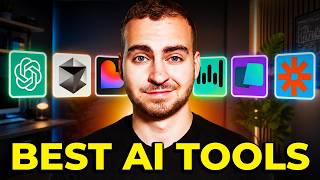

My 2026 AI Stack Revealed
40sThe promise of revealing a personal AI tool stack for 2026 is highly clickable and likely to attract viewers interested in AI trends.
▶ Play Clip"Delivers a comprehensive, honest list of tools with clear use cases, though some sections feel like a sponsor pitch."
In this video, the creator shares the exact AI tool stack they use in 2026, covering over 20 tools across seven categories: agent harnesses, models, editors/IDEs, development stack, productivity tools, coding frameworks, and AI platforms. The focus is on practical, daily-use tools for coding, business, and productivity, with explanations of when and why each tool is preferred.
Creator introduces the video, promising to show the exact AI tools used in 2026, organized into seven categories, with over 20 tools mentioned.
CloudCode is the daily driver for quick tasks and productivity; Codex is used for complex development with better verification; Hermes Agent handles finances and accounting on a VPS.
Anthropic models (Opus, Fable, Haiku) for zero-to-one projects; OpenAI models (GPT-5, Sol, Luna) for complex coding and bug fixing; open-source (Kimmy, GLM 5.2) for long-running tasks; local Qlenn 3.6 for offline or fine-tuning.
Cursor is the main editor for serious projects; PyCharm for Python-heavy work; CodeRabbit for automated code reviews.
Node.js with TypeScript for web apps; Supabase for backend (database, auth, cloud functions); Vercel or VPS for deployment, all integrated with AI tools via MCP.
WhisperFlow for voice dictation; Zapier MCP and Composio for connecting tools via one MCP server; Obsidian for knowledge management and integration with Hermes.
LangGraph/LangChain for orchestrating agents in Python; Pandas, Matplotlib, Streamlit for data science and dashboards; official OpenAI and Anthropic APIs for simple integrations.
GenSpark for simple agents/automations; Lovable for quick landing pages; Blitzy for enterprise-scale code generation and refactoring.
The creator emphasizes a practical, results-driven approach to AI tools, prioritizing speed and efficiency over brand loyalty, with a clear separation of tools for different tasks. The stack is designed to maximize productivity and minimize friction, leveraging AI for both development and business operations.
CloudCode
tool
Codex
tool
Hermes Agent
tool
Cursor
tool
PyCharm
tool
CodeRabbit
tool
Supabase
tool
Vercel
tool
WhisperFlow
tool
Zapier MCP
tool
Composio
tool
Obsidian
tool
LangGraph
tool
LangChain
tool
Pandas
tool
Matplotlib
tool
Streamlit
tool
GenSpark
tool
Lovable
tool
Blitzy
tool
OpenAI API
tool
Anthropic API
tool
Agent Harness Selection
Shows a practical approach to choosing tools based on task complexity, not brand loyalty.
00:53Model Use Cases
Clarifies that different models excel at different stages (0-to-1 vs. complex coding).
02:53AI-Optimized Tech Stack
Highlights how AI changes the choice of tech stack, favoring simplicity and integration.
07:51Productivity via MCP
Emphasizes the efficiency of connecting all tools via one MCP server, saving setup time.
10:48[00:00] So pretty much every single day, I get asked what AI tools I'm actually using. So in this video, I'm going to show you the exact stack that I'm using in 2026, and I mean the things that are actually on my computer and that are running my videos,
[00:13] my code, my programming projects, and a massive chunk of my business. Now in order to keep this video easy, I've separated my tools and kind of this stack into seven different categories. We have agent harnesses, models, editors or IDEs,
[00:27] like development stack, productivity tools, coding frameworks, and then finally AI platforms. Now I have over 20 tools on this list, so stick around and you're probably going to find out about a new one that you might want to start using today.
[00:40] Let's dive in. So let me start the list with agent harnesses. Now when I say agent harness, I'm talking about the tools that actually run AI models. In a minute, I'll get into the actual models that I use. There's three agent harnesses that I use to follow.
[00:53] I use CloudCode, I use Codex, and I use Hermes or Hermes or whatever you want to say, agent. And I use these three tools for different tasks, which I want to get into now. Now, CloudCode is my daily AI driver.
[01:05] I use this multiple times per day. I have the $200 per month plan. And effectively, I use this for anything I want to get done quickly because I'm running the desktop app on my computer. So I ask you questions.
[01:17] I have it analyze documents. I have it help me script out videos. that I have to do relatively small coding projects for me. I also have all of my MCP servers, all of my connectors, and a whole bank of information about me loaded inside of there
[01:29] so generally I can answer things and just do the daily tasks very quickly. Now Codex is the next harness that I use. I don't use this as much as CloudCode because I've just been using CloudCode for a while now and it's the main thing that I reach for,
[01:42] but I do use it when I need to do more complex development work and I don't want to dive into all of the code. I find that Codex is much better at verifying that something actually works. I find the way that it tests the software is better and more complete,
[01:54] and it typically gives me a higher quality development response in terms of actually writing code. I don't typically use it for productivity or daily tasks, although it does perform pretty similarly to CloudCode. And the last harness that I have is Hermes Agent.
[02:08] Now, this is something that I have spun up on a virtual private server, and I actually have a full agent that handles all of my finances and my accounting. So it's not really related to development at all, but I've created this so that it automatically tracks my emails and records all the invoices, receipts, and transactions, and then uploads that to a dashboard.
[02:25] So I don't use all of these for pure development. In fact, most of these are just for running my life, but those are the three agent harnesses, and previously I've used Open, Claw, and a bunch of other ones, but I find these are the best, most user-friendly, and I can use them across all of my devices.
[02:39] Now, the next category to dive into is models. Now, this is where there's probably going to be the most amount of backlash and the most amount of debate, but I use a lot of different AI models, and I want to discuss which ones I use for what, because there's a lot of different use cases.
[02:53] Okay, so the first, I'm going to say, family of models that I use is from Anthropic, where the quad models, okay? So we're talking, I guess, now Opus 5, Fable 5, Haiku, Sonic previously. I use all of these different models inside of quad code,
[03:06] and sometimes inside of agent harnesses like Hermes as well, but I'll tell you when I use them. I pretty much only use these models when I'm starting a project from scratch. I want to create something quickly
[03:18] or I'm just doing like general kind of business, productivity, you know, whatever document type work. And the reason I use these models, even though they are extremely expensive, is I find that when I'm going from zero to one,
[03:30] that these typically perform well and they're relatively fast to get me to that result. Now of course they have a lot of other use cases that are barely scratching the surface, but that's typically what I reach for these models. So in fast, quick, zero to one, not anything super complicated when it comes to a development perspective.
[03:47] Now the second family models I use are from OpenAI Okay so now we talking about GPT 5 Sol Luna Terra whatever the new models that they have and these are where I really reach for for complex development work Especially when I have bugs
[04:00] when I'm working in larger projects, when there's more context to understand, and when something's more complicated, I find these models perform significantly better, they verify the output better, and typically, when I'm going from 1 to
[04:12] 2, or 1 to 1.1, for example, these models now perform the quad family. So again, the quad or Anthropic, for me, 0 to 1. Then, I move over to these models when I really need more advanced reasoning, specifically
[04:24] for coding tasks, not to say they can't do the same thing as Cloud, it's just where I use them personally. Next, we have open source models. Now, I like to use open source models when I need to do long-running tasks and things that will be quite expensive or rip through my subscription, and personally, right now,
[04:38] I am using Kimmy, as well as GLM 5.2. I don't use them super frequently, but whenever I know that I'm going to need to do looping tabs or things that are going to rip through the credit, I will enable them inside of something like a cloud code, or maybe I'll bring them into a tool like Cursor, which we'll talk
[04:52] about later, and I find I get really good results. Honestly, one of the main reasons I prefer to use the other models is just because everything is already set up in their software, and the benefit that I get from using the open source models really doesn't outweigh the cost of having to change over all the settings or
[05:06] set them up in another tool. Now lastly, we'll talk about local models. These are models that I'm capable of running completely locally on my own machine. Now, the only ones that I will use here are the Qlenn family, so Qlenn 3.6, for example.
[05:19] And on my machines, I'm usually able to run up to 27 billion parameters. To be honest, the only time I do this is if I need to fine-tune a model for a specific task or if I'm going to be in an area where I'm not going to have internet, like a plane, for example,
[05:32] so I can actually get some productive AI coding work done. I rarely use them, but when I do, that's the model that I reach for, and I find it's capable enough, especially for a short period of time. Now, of course, there are tons of other models, and I've played around with a lot of them.
[05:45] These are just the ones I use most frequently, and that's not to say that I don't use any other model at all. For example, Mininax is something I typically recommend if you're going to use Hermes Agent. You don't have a large budget, and you want to run tons of tool calls, that would be the one that I would reach for.
[05:59] Anyways, let's move to the next section now, which is going to be Editors and IDE. Now, this section is obviously only relevant to developers, but because that's my channel, I'm going to go over it. Now for me, the main code editor that I prefer to use is Cursor.
[06:12] Now this is my general purpose code editor. I like it because I find the harness inside of Cursor is better than something like Cloud Code. I find it's better than Codex. And of course I can switch between all of the different models and even add my own models or use local models inside of this.
[06:27] Now I like using Cursor when I'm working on serious development projects. So things where I actually care about the output, I'm going to maintain it, I'm scaling it. I have thousands of files, for example, large dev projects.
[06:39] I won't use this for something really simple. If I could use it, I would just reach for something like CloudCode. Okay, now the next editor that I use is PyCharm. Now, similarly to Cursor, I will only use PyCharm typically for Python-heavy projects,
[06:51] specifically web development projects, data science or AI, and then machine learning-related tasks. Now, I like using PyCharm, again, when I need to do something a bit more professional, where I actually am going to read the code, I'm going to look through it,
[07:04] I have a large repo, I have something I need to maintain, and I can't mess something up. I always use a real IDE because the development tools that are inside of there help me, and I am a real developer, so I can take advantage of them and be able to fix bugs a lot faster
[07:17] than just blindly prompting a model like you kind of do in cloud code or inside of something like Codex. And then lastly, just because it's kind of in this section, I do use CodeRabbit for code reviews. I find it's quite good, and it will, again, automatically review the code.
[07:30] There's a ton of other tools that I use here too, however these are the primary ones, which is why I'm mentioning them in this video. Okay, now let's move over to the development tech stack. So I have a lot of other stuff to go through but what languages and tools do I actually reach for in terms of building an application from scratch mostly in 2026 Now because I using AI to
[07:51] build most of these applications, the stack that I use will differ than what I would have used a few years ago when I was going to build it by hand. So, for example, now I pretty much always reach for Node.js when I'm building any type of web-based application, which is 90% of what I make.
[08:07] Now, I like to use Node.js because I find it's very easy to deploy, and the code base stays a lot simpler, especially when the AI is building it out, because the backend and the frontend for it are somewhat coupled. So this just speeds up the development process for me,
[08:20] and because I'm not writing all of the code myself or reviewing every single line, I find that I get the best result in this tech stack compared to pretty much any of the other ones that I've tried. And it keeps it all full TypeScript, so I don't have two separate languages,
[08:32] and I have to instruct the model how to work with both of them. Now in terms of the back end here, I will always connect to Superbase. Now I like using Superbase because it's very easy to integrate into AI projects and actually comes with an AI connector.
[08:45] Just to give you a sense of what I do, I've pulled open a quick Superbase project that I've worked on. You see that I can view the full table schema, so all of the stuff is handled here. I can directly connect it to an AI tool, so I don't actually have to go in here and set up any of these features.
[08:58] It can just automatically handle everything for me, and then I can deploy my app super easily. I also can have cloud functions like you see here. I can have different triggers. I can have indexes. I have the role-based access controls, the policies. I have the authentication and the sign-in.
[09:13] So in terms of when I want to build a project and actually deploy it, I typically will use this because it's going to be way easier when it comes to the deployment side rather than me handling a ton of API keys, setting up a dedicated database, setting up an authentication service.
[09:27] you get the idea. Now, CepaBase, fortunately, has been a long-term sponsor of this channel, so shout out to them as well for supporting this video and sponsoring it. However, I would have mentioned them regardless because I use CepaBase in a ton of different projects. Anyways, if you
[09:40] guys want to check it out, I'll leave a link to it in the description, but what I typically do is I literally just connect to it from CloudCode. So, I'll just go like MCP, for example, and then I'll just copy in the prompt or copy the command, and then it will connect to it and automatically set
[09:52] up everything that you see here, so I don't actually have to go in the dashboard and touch anything. Now moving on from Node.js, I do also use Python frequently when I'm building applications, however only when I'm building purely back-end based applications or building things like bots.
[10:07] For example, I've actually built a lot of Discord bots recently, which AI makes really easy, and for that I'll use Python and the Discord Pi or Discord rewrite, whatever it's called now, library. Lastly, in terms of deployment, depending on what I'm doing, I will deploy to a dedicated
[10:20] virtual private server, or I will use something like Vercel, and that's why I haven't kind of that Superbase, Node.js, and Vercel stack connected together makes this very easy, very simple to deploy, sorry, and very easy to set up, and I can do almost all of it just
[10:35] from my AI code editor, so Cursor, Cloud, Code, whatever, rather than having to actually go to a dashboard and add that level of friction. Anyways, that's the main tech stack. Now let's talk about productivity and general AI tools.
[10:48] So in this category, I want to discuss the general AI tools I use that increase my productivity or kind of AI-chasing and connect to the tools that I already have. The first tool on this list is something I've sworn by for over a year now,
[11:00] and this is WhisperFlow. Most of you guys probably already use it, but this is an AI voice dictation software. The way this works is very simple. There's a keyboard shortcut on your computer. For example, let me show you. Hey, I'm just doing a dictation with WhisperFlow here to demonstrate how it works.
[11:13] And what it will do is very quickly transcribe what you say into a text box wherever your cursor is. It works inside of pretty much any tool, and it also works natively inside of Cursor and other AI tools. So you can tag files and stuff using your voice.
[11:26] And anyways, the reason I like it is because I speak much faster than I type. The dictation is extremely accurate and you can see for yourself how much I actually use it This is what the tool looks like Fortunately I have a long partnership with them as well I leave a link to the description It free You don need to pay to try it I think there a trial or something I don know how they have it working now but I promise if you
[11:46] use it, you will not go back. Now, beyond that, there's two MCP providers that I really like that allow me to connect all of my tools in one single MCP server to any AI agent I use. Now, those are Zapier MCP
[12:00] and Composio. Now, you can choose which one you want to use. For me, they're very similar. It's kind of hard to compare them. I find Composio, you have less control over the tools. However, it's easier to connect. And then, Zynker MCP, it is not on discovery,
[12:14] which means it will add all of the tools at once, which can blow the context a little bit. Anyways, what these both do is they let you connect your tools securely in one platform. And then, once all of the tools are connected, so, for example, I have, like, Slack and Google Docs here,
[12:27] I can just connect one MCP server to Cursor, to Cloud Code, to Codex, whatever, and all of the tools will be available. Now, this is important because if I change computers, for example, I don't want to reconnect 20 different pieces of software,
[12:41] so what I do is I just connect one MCP server, and then everything is already authenticated and set up. They work also, I believe, from the terminal or from the CLI, and both of them have literally thousands of applications that you can add,
[12:53] so pretty much anything you want, you can find and you can search. And the next productivity tool I use is Obsidian. I like the wiki. I like storing all of the data. I like having it connected to my Hermes agent, for example, for the accounting and understanding the records and the vendors and all of that.
[13:07] Don't need to get into it too much, but if you don't have Obsidian set up, I would recommend checking it out. Next on my list, I want to share some AI development frameworks that I use. Now, this is actually writing agents and writing code, you know, using a real framework, not using a tool like, you know, Cloud Code or Codex or whatever.
[13:22] Look, you're actually writing your own agent or writing some AI software, AI integrated software. Now, for that, I typically use LandGraph or LandChain, especially if I'm working inside of Python. I find these are the best for orchestrating agents and doing context management, tool calling, etc.
[13:38] I also like to use Pandas and Matplotlib, of course, for data science, AI-related stuff, organizing large pieces of data. I then use Streamlit, whenever I want to create a simple dashboard because it can be done directly inside of Python
[13:50] and is a lot easier than trying to set up an API and using JavaScript or HTML, etc. Lastly, I do use the official OpenAI and Anthropic APIs, especially if I'm making something relatively simple.
[14:02] It makes it very easy to orchestrate the context, do the responses, change the model. You get the idea. Okay, now lastly, we move on to AI platforms. And when I say AI platforms, I don't mean kind of like software you download on your computer.
[14:16] I'm talking about typically web-based platforms. So for this, the platforms that I typically use are GenSpark. I typically use this when I want to create agents, do some automations, have some workflows that are relatively simple,
[14:28] and I don't want to host them or set them up on my own BPS. I then use Lovable when I just want to generate landing pages. Typically not when I want heavy logic applications. However, sometimes I will do that with the super-based backend.
[14:41] But typically, if I just want a quick landing page or something very fast, I'll use Lovable to do that. And then lastly, I use Blitzy. Blitzy is an enterprise AI software that I will use when I'm doing serious coding work. The way that it works is it ingests your entire code base,
[14:54] takes three or four days, understands what you want to do, you give it a prompt, and then it will write code and generate like hundreds of thousands of lines, but it takes a few days to execute. So this is only for super serious projects, and typically for me it's very valuable for refactoring or taking something that's more legacy
[15:10] and bringing it up to date because it can handle all of those changes at once. Okay, this was a lot of tools, So that's going to wrap up this video. If you guys enjoyed, make sure you leave a like, subscribe to the channel, and I will see you in the next one.



⚡ Saved you 0h 15m reading this? Transcribe any YouTube video for free — no signup needed.