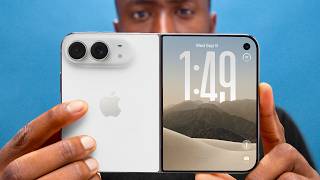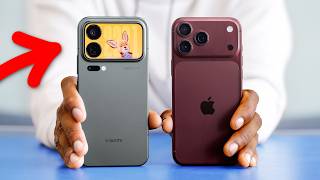

Is this the biggest Android update ever?
47sThe claim of 'biggest Android update ever' sparks curiosity and debate, especially with the hint that AI is the main driver.
▶ Play Clip"Title exaggerates; update is incremental with AI hype, not a revolutionary overhaul."
Google announced what it calls the biggest Android update ever, featuring new Gemini AI integration, redesigned Android Auto, and a new product category called Google Books. The update includes practical improvements like better autofill and speech-to-text, alongside controversial AI features like one-click ticket purchasing.
Google claims this is the biggest Android update ever, but the host is skeptical, noting that updates get smaller each year.
The Gemini interface is redesigned with a sparkly look and blur effect, but it's labeled as concept UI subject to change.
Autofill will pull data from Gmail, Wallet, Photos, etc., e.g., extracting passport numbers from photos.
Built-in tools for image processing and screen recording with overlay, similar to iPhone features.
Smart enhance for photos claims to reveal breathtaking detail, but the host criticizes it for making images flat and featureless.
A digital well-being feature that pauses you when opening an app and asks if you really want to use it, offering alternatives like deep breathing.
Improved speech-to-text called Rambler removes filler words like 'ums' and 'likes' to create coherent thoughts.
Gemini will use knowledge across Google services to take actions on your behalf, described as agentic AI.
A promo video shows one-click concert ticket buying, but the host doubts its reliability; Google says more steps exist but weren't shown.
Gemini can create temporary widgets for trips by sorting through connected services like weather and flight info.
Android Auto gets a modern visual update with building silhouettes, overpasses, lane guidance, and customizable widgets.
Android Auto can play full-screen YouTube videos while parked, then switch to background audio when driving.
AirDrop-like support expands from Android to iPhone with more devices.
Google Books is a new Chromebook category with AI-enabled cursor, multimodal Gemini integration, and premium design with RGB glow bar.
The update includes practical improvements like autofill and Android Auto, but the AI features, especially one-click purchasing, are met with skepticism. The host is excited to test the smaller conveniences but remains cautious about the overhyped AI promises.
What is the name of the new speech-to-text feature in Android?
Rambler
03:39
What does the Pause Point feature do?
It pauses you when opening an app and asks if you really want to use it, offering alternatives like deep breathing.
02:45
How does the improved autofill work?
It can pull information from Google services like Gmail, Wallet, and Photos, e.g., extracting passport numbers from photos.
01:13
What is the host's criticism of the Smart Enhance feature?
It makes images flat and featureless without contrast or shadows.
02:05
What is Google Books?
A new Chromebook category with AI-enabled cursor and multimodal Gemini integration.
10:32
What does the AI-enabled cursor on Google Books allow?
It lets you click on images or text to learn more, draft replies, or combine images using Gemini.
11:00
Smart Enhance Criticism
The host strongly criticizes the feature, calling it worse than the original, which is a rare moment of blunt honesty.
02:05One-Click Ticket Buying Skepticism
The host questions the reliability of AI buying tickets, and a Google employee confirms more steps exist, highlighting the gap between promo and reality.
05:15Google Books Announcement
The rebranding of Chromebooks to Google Books with an RGB glow bar is a surprising and somewhat humorous move.
10:32[00:04] this week's preio Android show as the biggest updates to Android ever, which then went on to announce a bunch of stuff from Android 17 to a new Android Auto to Google Books, not to be confused with Google Books. So, I'm going to show
[00:20] you what's good, what's new, what's meh, and what's a bit overhyped, I think. So, because every year, you know, updates to Android get smaller and smaller and more see what they were going to get so hyped about. Uh, this year, it's not a visual
[00:35] redesign, but there are some added features. And then there's some Gemini stuff sprinkled on top. And spoiler alert, that's the stuff that they're so hyped about. That's the stuff that makes them say it's the biggest Android update
[00:47] ever. Um, I have some thoughts. We'll get to that. But, a couple neat things in Android. The Gemini interface is redesigned to look a little different, a little sparklier, but also briefly very blurred around the edges before it
[01:00] sharpens up. Uh, but it also says concept UI subject to change. So, I guess I shouldn't go too hard on this just yet. Uh, autofill will expand to be better by including information that it can parse from other Google services
[01:13] like Gmail, wallet, photos, etc. So, it can already, you know, put in your name number when it fills out forms. But let's say you're filling out a weird passport number for some reason. Well, if you have a photo of your passport in
[01:27] Google Photos, it can actually pull that out and automatically paste it in there without you having to go to photos, find the picture, and then go back and forth. some new creator tools to be built directly into Android, like more image
[01:40] processing compatibility so that it matches what we see coming from iPhones and cutting you out and letting you talk over whatever's on your screen, which is a super popular format that we've seen all over Instagram and Tik Tok. So, you
[01:52] can do that now built into Android. But then they also showed us this new smart enhance for photos and videos, I believe, that can, in their own words, uh, reveal breathtaking detail and clarity that you didn't even know could
[02:05] be there. And then they showed a before and after going from this to this. And and after going from this to this. And Jesus Christ, just no, no, no. This, it worse. I know it's it's brighter and people typically like a brighter image
[02:21] in a sidebyside and I know there's technically more detail in the shadows and probably in the highlights too, but now it's you're creating this like flat featureless image without a hint of contrast or shadows or anything. It's
[02:33] just it looks worse. This is exactly what I was talking about in literally my image processing. I'll link it below the like button if you haven't already seen it. You can go watch it. This is what I'm talking about. But then there's this
[02:45] new feature. There's this new uh digital well-being feature called pause point stuff. Obviously, you've probably heard of screen time. So, if you've set a app during a day, you hit that limit, it kicks you out unless you bypass it. But,
[03:00] that. This is basically when you go to open one of those apps, it'll pause you open one of those apps, it'll pause you for a second and ask you like, is this this how you want to spend your time right now? It can even give you various
[03:14] prompts like taking a deep breath or open instead or literally swipe through some custom photos to remind you to go touch some grass along with showing how long you've already used this app today,
[03:27] is going to work any better than the other screen time tools, but it's different. It's a different take on it. So, I'll give them credit for that. It's interesting. There's some other more expanded emojis, and there's also better
[03:39] speechtoext called Rambler. I don't know why they name it, but it's just better. It removes a lot of filler words like ums and likes and neatly stitches single coherent thought, which is nice. We don't exactly know when all these
[03:52] they did do the thing that they've done many times in the past at a Google presentation, which is they say this will all be available first on Samsung Galaxy and Google Pixel phones. They've done this many times before, but it'll
[04:05] do come out, those will be the first devices to have it. definitely get subscribed to see the first hands-on and actual review video, which I always do for when that comes out. But then there's the AI stuff, too, the Gemini
[04:18] stuff. And I I expect to see a lot more Gemini on stage next week at Google IO, but there's already some big stuff here. and they're calling a lot of it Gemini Intelligence and branding it as a new intelligence system which is really
[04:32] is like giving it a new name even though it's just some new features and updates on top of what already exists. But the idea is Gemini is going to be using what it knows about you across the system and across a bunch of other Google services
[04:48] to be able to help you out. And it's agentic, so it can actually take actions for you and do things on your behalf if you ask it to. Now, I know agentic AI has been a pretty big focus of a lot of these models and systems for the
[05:02] especially the past year or so. And Google is making some pretty big I'm not sure how I feel about some of the promo videos has this scene in it, right? So, a guy just walks up to take a
[05:15] picture of a concert promo poster, texts somebody about it, then they agree they want to go. So, Gemini Intelligence pops up this button that says book two floor seats to this concert and you click it and then it just says buying tickets and
[05:28] then tickets purchased. And that that's it. You just that's the whole thing. can't be the whole thing, right? But this this isn't new. Like this has promo videos. are trying to make an ad with like the most relatable
[05:43] convenient thing that you want AI to do for you. Oh, help me plan my vacation to Italy. Give me an itinerary and then I'll just follow it blindly. But I just I'll just follow it blindly. But I just I I don't trust AI to get that all
[05:57] right. And maybe it's just because I've seen previous generative AI things get stuff wrong in the past or hallucinate insane things like we've talked about, but I just I don't think there's going to be a a one-click buy me these floor
[06:10] seats at a concert button that I would trust to press and it'll get everything right. Everything everything right. It's going to get the right seats. What if it going to get the right seats. What if it gets the wrong dates or the wrong venue
[06:22] what I expected it to be? So, I tweeted this just to make sure I'm not insane, you know, asking if anyone else would trust this. And about 99 out of every hundred replies were just like, "Absolutely not. I would also not trust
[06:35] this button." One of the replies though was deer bone from Google saying there should actually be more steps in the checkout process. They couldn't fit it all in the promo video. And I I would really like to see these steps, right?
[06:47] because maybe maybe it still would let me like pick the date and and verify the exact location and make sure everything's correct and set a price that I'm willing to pay. In which case, it let me do all the same stuff without
[07:00] website, which honestly is that that's flow, I'm definitely in the skeptical category because as of right now, this counts as like advertising a thing, a one-click thing that doesn't actually
[07:14] exist. But Gemini Intelligence will also let you make custom widgets, which I literally just a temporary widget for something like a trip you're about to be where again, it sorts through everything it knows about that trip through the
[07:28] services it's connected to, like the weather and the flight information. want to show up and it makes a widget for you. And then when you're done, you can just get rid of it. And this specifically, I think, is one of the
[07:41] best strengths of Android. not just like this one example, but the ability to do a lot of customization and do a ton of detailed personalization inside of something without knowing exactly how to do it. Like we've had this ability in
[07:53] of, you know, most people just do like the one-click light bulb, you know, very automations built in. And if you don't know how to use it, you might never touch it. But if AI can let you with natural language just ask it to, hey,
[08:08] turn on the light and the AC when I get home and do these two or three other then it just builds the automation for you. That's a huge win. So, this is another example of that. A custom widget for even someone like me would take
[08:23] right app, find the right customization settings, build exactly the way you want it to be. But if you can just ask it to build the widget for you and it does it, big update as well. The biggest one is probably just the visual overhaul. It
[08:38] looks a lot like a response to all those Apple Maps versus Google Maps last couple years now because it's now much more visually modern. Plus, it there's building silhouettes, which can help. There's overpasses and even
[08:53] lane you're supposed to be in for an upcoming direction. And then there's also the app drawer swipe over from the left side or the widgets that live over customizable. So we love to see that. Plus all the Gemini Intelligence
[09:09] features like making your own widget or magic queue if it works should still be here. So that's useful. And then maybe the most interesting feature, at least to me, was the ability to not only adapt to whatever screen is in your car, but
[09:22] then you can play full screen YouTube videos in HD on the screen of the car while you're parked. While you're parked. Uh, which sounds insane, but you know, you might sit there and charge for like 30, 40 minutes. So, that seems like
[09:36] then when you go to drive away, the video smoothly slides over to disappear, not be distracting anymore, but it becomes automatically a background audio podcast, which is nice. But I just don't know how the phone knows that you
[09:52] shifted into drive, right? Because the video it kind of implied that you shift into drive and then the the video goes away. And maybe it can use your GPS data to understand that you're moving and it'll eventually go away, but it's just
[10:04] be. We'll see. Also, if you don't have YouTube Premium, does it still do Premium for that feature? Oh, and they're also expanding AirDrop support from Android to iPhone with a bunch of new devices. You love to see it. Can't
[10:18] wait to airdrop a photo from my OnePlus 15 to my MacBook Pro. It's going to be great. But then last but not least, they showed us the beginning of a totally new showed us the beginning of a totally new product category called Google Books.
[10:32] And it's it's just Chromebooks, but with an update. So, they had to rename it. See, a lot of the demos they showed for these Google books looks a lot like the Chrome OS we already know and love. It's got the browser, the tabs, but we also
[10:45] can still do all of the Gemini intelligence stuff that we just saw like custom widgets. So, that's all very convenient. The big new feature really is the AI enabled cursor. So, you wiggle that cursor and it lets you turn it into
[11:00] essentially a multimodal portal for all things Gemini. It's really neat. So you can click on an image to learn more about it or even click on multiple images, drag them together and then combine them with Nano Banana and it
[11:13] will visualize those images all combined together. It just kind of lets you click around and do whatever you want in Gemini Land. Click on some text to draft a reply to it or learn more about that text. It's a genuinely very smart idea
[11:26] since the cursor is like the one universal thing everybody understands. Making that magical and super convenient I think levels this thing up. Now, the not just like a single laptop made by
[11:38] Google like you would think. Uh, it is more of a new generation of Chromebooks manufacturers. They said HP, Dell, Lenovo, Acer, and Asus. And the way just any Chromebook. Premium craftsmanship
[11:53] and the glow bar. On the back, there's this really sick RGB glowing bar. I don't think they said the lights actually do anything else. Like they didn't say what any of those functions would be. Like I think a battery
[12:07] indicator would be cool, like turn green when it's done or give me a notification light, but they didn't say any of that. It's mostly just looks cool. Hopefully the things don't end up being much more than $1,000. Otherwise, it might be a
[12:19] unfortunate throwback to the Chromebook Pixel days. Also, you might have noticed my CR48 back here. Really like that thing. Anyway, let me know what you guys think of all these new AI features built into Google and Android. Honestly, I'm
[12:33] I'm very excited to test it. I I think mostly my take is the smaller stuff seems the most convenient. Like the new autofill stuff is going to be really nice. Also, the new Android Auto seems like it's going to be really nice, but
[12:45] all that. So, let me know in the comments section what you want to see. Thanks for watching. Catch you guys in the next one. Peace.
⚡ Saved you 0h 12m reading this? Transcribe any YouTube video for free — no signup needed.