[00:00]
crypto bot I've been testing and show how it works in practice. I've been years and over that time I've tried quite a few different tools. So, I and see how it handles the whole sniping process. The main idea behind a bot like
[00:13]
while the liquidity is just being added. That first moment can be very short and trying to react manually isn't always realistic. This bot monitors pending looking for new liquidity pools before they become visible on regular price
[00:26]
charts across all networks without me having to switch between them. So, let's main page I use to check the account and the bot's current activity. The trading engine status is displayed here along with the current session information.
[00:38]
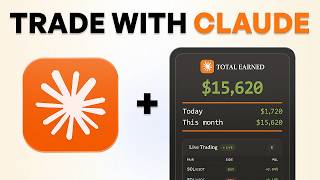
win rate, live trading activity, recent sessions, and the tier currently gives a quick overview of what's happening without having to open each For more detailed information I'll move over to performance. This tab contains
[00:51]
income projections, and the full session history. I usually look through these how the bot has been performing over time. The individual results are useful, compare with each other and whether the overall performance is developing as
[01:04]
So, the platform offers three different tiers. Each one has its own features and here. I keep the second tier to give it enough time to observe how the bot behaves before deciding whether to move to another option. Now, if this is a new
[01:17]
before the bot can start operating. The dashboard will show the status as activated yet. My current account is already active, but I'll go through the activation process to show how it works. I start with selecting the option.
[01:30]
and network are correct and match the transaction details.
[01:57]
transaction can be sent. We just need wait a few seconds for the blockchain wait a few seconds for the blockchain confirmation. platform updates the selected tier automatically. I'll return to the plans
[02:12]
The new tier is now showing as active, so the bot is ready to operate. From automatically in the background. The bot monitors new liquidity pools, checks that meet its requirements. There's no need to manually approve every entry,
[02:27]
watch every chart, or manage individual exits. My part is to review the bot's activity, follow the session results, and adjust the plan if I decide a really what I spend my time on while the bot is running, checking how it's
[02:39]
operation myself. So now let's take a look at the withdrawal process. The available balance is displayed at the top. Further down, I select the token and network, enter the address,
[02:52]
and specify the amount I want to withdraw. address and make sure the network matches. Once the withdrawal is
[03:05]
the request and the blockchain needs to complete the transaction. The waiting can vary. After confirmation, the balance on the app should update and the So that's how the platform is organized and how the main process works. What
[03:19]
the sniping operations on its own. It monitors new pools, checks launches, manages the exits based on the settings already in place. I don't have to spend catch every launch manually. I can come back, review the session history, check
[03:34]
I've been testing this bot for several months, and so far I found it other sniping tools I've used. I'll continue monitoring the results and history of sessions. If you have any questions about the platform or want me
[03:47]
feature, leave a comment below. I'll leave the platform details in the description and pinned comment. Thanks for watching.