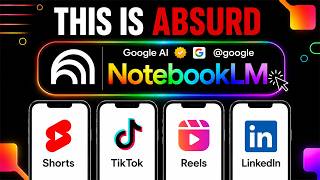

Turn PDFs into TikTok Videos in One Click
45sThe hook is shocking and practical, promising a quick transformation of boring documents into engaging short videos, which is highly shareable.
▶ Play Clip"Title accurately describes the feature; video delivers exactly what it promises."
Google's Notebook LM has introduced a new 'short video overviews' feature that transforms uploaded documents into 60-second vertical videos optimized for mobile consumption, similar to TikTok or Reels. The feature, announced on June 30, 2026, uses the Nano Banana 2 Light image model to generate fast, source-grounded videos that highlight a single key idea from the document. This tool is currently rolling out to Google AI Ultra and Pro users, with free access coming later.
Notebook LM's new feature turns PDFs and documents into 60-second vertical videos, announced June 30, 2026.
Google's research tool that reads uploaded documents and helps make sense of them, previously offering audio and longer video overviews.
The system picks the single most important idea from the document and builds a 60-second video with a hook, core point, and takeaway.
Open notebook, go to studio panel, select video overview, choose 'short' format, and hit generate. Rolling out to AI Ultra and Pro users first.
The feature is plugged into the creator's Agent OS system to automatically generate video summaries of AI news from source documents.
60 seconds means only one idea is highlighted; the video is a doorway, not a full replacement. Quality depends on source document quality.
Clear headers, tables, and labeled sections help Notebook LM produce better videos. Messy text leads to poorer results.
Every document can become short-form content: training material, research notes, internal docs, meeting notes. No video editing needed.
Fast image generation model released alongside short video overviews, enabling quick iteration and multiple attempts.
Treat first video as a draft; refine source document to focus on one core idea for sharper results.
Vertical, short, source-grounded video will become a standard output for information work, similar to audio summaries.
Notebook LM's short video overviews offer a powerful way to repurpose documents into engaging short-form content, but users must focus on source quality and understand the format's limitations. The feature is a game-changer for content creators and knowledge workers looking to compress existing material into digestible videos.
What is the maximum length of a Notebook LM short video overview?
60 seconds.
When was the short video overviews feature announced?
June 30, 2026.
00:45
Which image model powers the visuals in short video overviews?
Nano Banana 2 Light.
07:00
What user groups get access to short video overviews at launch?
Google AI Ultra and Pro users on web and mobile.
02:15
What is the recommended approach if the first short video overview doesn't capture the right idea?
Refine the source document to focus on the desired point and regenerate.
08:00
New Feature Launch
Google's Notebook LM introduces a novel way to turn documents into short-form video content.
Source-Grounded Video
The video is built from the actual document content, not generic stock footage.
01:30Agent OS Integration
Demonstrates practical use in a workflow that connects multiple AI tools.
03:00Nano Banana 2 Light
Fast image generation enables quick iteration, a key enabler for the feature.
07:00Future Standard Output
Predicts that short video summaries will become as common as audio summaries.
09:00[00:00] Notebook LM short video overviews is insane. What if your boring PDF could become a TikTok? 60 seconds, full vertical video, straight from your own files. Google just shipped this and almost nobody's talking about it yet. One click turns a wall of text into something you'd actually watch. Stick around because this changes how you'll use every document you own. I'm the digital avatar of Julian Goldie. I help people learn AI tools and actually use them in real
[00:22] work, not just watch tutorials and forget everything by Friday. Today, I'm breaking down Notebook LM's new short video overviews feature. What it is, how it actually works, and exactly how I'm running it inside my own Agent OS setup right now. By the end of this, you'll know exactly how to turn any document into a short video in under a minute. So, let's start with what Notebook LM even is, in case you're new here. It's Google's research
[00:45] tool. You upload your documents, your notes, your PDFs, and it reads through everything and helps you make sense of it. For a while, the big feature was the audio overview. Two AI voices talking through your sources like a podcast. Then Google added video overviews, longer narrated videos that walk through your material like a lecture. Now there's a third option, and this one's different. It's called short video overviews, and Google announced it on June 30th, 2026. It
[01:07] takes your sources and turns them into a vertical video about 60 seconds long, built to be watched on your phone the same way you'd watch anything on TikTok or Reels. Google even called it doom scrolling, but educational. That's genuinely the pitch, and I think it's a fair one. It's the part that matters most. The video isn't generic. It's not some stock footage with a voiceover slapped on top. It's built from your actual document, your research, your
[01:30] notes, your report. The system reads what you uploaded and picks the single most important idea in there, then builds a 60-second video around that one idea. A hook up front, the core point in the middle, and a takeaway at the end. It's ruthless about it. No rambling, no filler because there's no room for filler in 60 seconds. Getting one made is simple. You open your notebook in Notebook LM, go to the studio panel, and select video
[01:52] overview. You'll see a few format choices now. Explainer, which is the longer structured walk-through, cinematic, which is a full immersive version, and short, which is the new one built to get you the key concept in about 60 seconds. You pick short, hit generate, and it goes to work. At launch, this is rolling out to Google AI Ultra and Pro users first on both web and mobile. Free users are getting access soon. Google just hasn't given an
[02:14] exact date. It's English only for now, and it's limited to users 18 and older. Those are real limits worth knowing before you go looking for the button and don't see it. Now, here's why I actually care about this. Beyond it being a cool new feature, I run everything I do through a system I call Agent OS. It's how I stack AI tools together so they actually talk to each other instead of me manually copying and pasting
[02:37] between 10 different apps all day. The moment short video overviews launched, I plugged Notebook LM short video overviews directly into Agent OS because it solved a real problem I had, turning dense source material into something people will actually watch without me sitting down and editing a video by hand. Right now, Notebook LM short video overviews is a live working piece of my Agent OS setup, not just a tool I tried once. This is what I use
[02:59] it for inside the AI Profit Boardroom. I keep a running source document tracking the biggest Google AI announcements, and I feed it into Notebook LM to generate a 60-second short video overview covering what changed and why it matters. That's how AI Profit Boardroom members get a fast, clear breakdown of the latest Google AI updates the same day the news drops writing a script from scratch every time. I run the same process on Anthropic's latest Claude updates.
[03:21] I keep a source inside the AI Profit Boardroom on the newest Claude capabilities and real use cases, and Notebook LM turns it into a short video overview covering what's new and how to actually use it. That gives AI Profit Boardroom members a 60-second summary of what Claude can do now without me sitting down and editing a video by hand. Let's talk about the limits, too, because I'm not going to sit here and tell you this is
[03:44] perfect. 60 seconds means the system has to leave things out. If your source has three important findings, the short video overview is going to pick one and run with it. That's not a bug, that's the whole point of the format, but it means you shouldn't treat it as the full picture. It's a doorway into your material, not a replacement for reading it. If you need the complete breakdown, the longer explainer or cinematic format or the audio
[04:06] overview is still the better call. The other thing worth knowing is that it's only as good as what you feed it. Notebook LM grounds the video in your actual sources which protects you from it just making stuff up. But if your source document is thin, messy, or biased, you're going to get a polished, confident video built on shaky material. Clean up what you're feeding it before you generate because the output quality tracks the input quality almost
[04:29] exactly. One more practical thing before I move on. How your source is written affects the finished video. If you've got clear headers, clean tables, and labeled sections in your document, Notebook LM has better material to pull from when it's deciding what to show on screen. A messy wall of unformatted text gives it less to work with. So, if you're planning to turn something into a short video overview, it's worth spending a few minutes organizing it first.
[04:51] Now, I want to walk you through what I actually think this unlocks because I don't think most people have caught on to how big this is yet. Every document you own is now a potential piece of short-form content, training material, research notes, internal documentation, meeting notes. All of it can become a 60-second video without you touching a video editor. For anyone building an audience, a course, or a knowledge base, that's a massive shortcut. You're not creating
[05:13] content from nothing, you're compressing content you already have. And because it sits inside Notebook LM, it fits naturally into a bigger workflow. That's exactly what I mean when I talk about Agent OS. It's not about using one tool in isolation, it's about connecting tools like this one into a system where your research becomes your notes, your notes become your short videos, and your short videos become the content that reaches people. That's precisely how I'm using Notebook
[05:36] LM short video overviews inside Agent OS right now as one working piece of that machine, not a standalone experiment. If you want to see exactly how I built Notebook LM short video overviews into my Agent OS setup, that's something we go deep on inside the AI Profit Boardroom. We've got walkthroughs on the exact source formatting that gets a cleaner short video overview, and live coaching calls where members bring their own documents, and we work through generating
[05:58] them together. You can get the full zip file inside the Agent OS, ready to install, and we built out a complete 30-day roadmap here as use cases. So, you're not guessing what to do with it once you've got it. If you're watching this and thinking about how to actually use a tool like Notebook LM in your own workflow instead of just watching another video about it, that roadmap is built for exactly this moment. Let's get back
[06:21] to the tool itself because there's more worth knowing before you go try this. The engine behind the visuals is called Nano Banana 2 Light, a fast, lightweight image model Google released the same day as short video overviews. It's built for speed, generating images in just a few seconds each, which is what makes it possible to string together a full 60-second video quickly instead of waiting around. matters more than it sounds like it should because if generating
[06:43] one of these took 20 minutes, nobody would bother making more than one. Fast generation means you can actually iterate, try a different source, tighten your document, and run it again until the video actually nails the point you're trying to make. I did the same thing with the latest OpenAI updates, too. I take the source document we build inside the AI Profit Boardroom on what changed and why it matters, and let Notebook LM turn it into a
[07:05] short video overview highlighting the biggest announcements. That's become part of how I keep AI Profit Boardroom content current. Three separate video breakdowns Google Anthropic and OpenAI, all generated the same way, straight out of Agent OS. That iteration piece is honestly the most underrated part of this whole feature. Treat your first short video overview as a draft, not a final answer. If it picks the wrong idea from your document, or the hook falls flat, go back, tighten
[07:28] up your source material, maybe trim it down to focus on the point you actually want it to lead with, and generate again. It takes you almost no time to try a second or third version. And the difference between a flat video and a sharp one usually comes down to how focused your source document was in the first place. One notebook, one core idea, works a lot better than a giant pile of mixed material you're hoping the
[07:50] AI sorts out for you. So, here's where I'd start if you're trying this for the first time. Pick one document you already have, something with a single clear point you want people to walk away understanding, upload it into a fresh notebook, open the studio panel, choose video overview, and set the format to short. Watch what comes back. Notice what it chose to highlight and what it left out. That will tell you a lot about how to
[08:12] format your next source to get a sharper result. This feature is brand new, it's still rolling out, and it's already showing what's coming next for how we turn raw information into something people will actually sit through. Vertical, short, source-grounded video is going to become a standard output for a lot of the work you already do, the same way audio summaries did over the last year. Getting comfortable with it now puts you ahead of everyone who's going
[08:35] to be figuring this out in 6 months. If you want the full process, SOPs, and 100 plus AI use cases like this one, join the AI Success Lab. Links in the comments and description. You'll get all the video notes from there, plus access to our community of 85,000 members who are crushing it with AI. If you're about to go try Notebook LM short video overviews yourself, you're going to run into questions fast. What to upload, how
[08:57] to format it, how to steer what it picks as the main idea, how it fits into a bigger content workflow instead of a one-off video. That's exactly what we work through inside the AI Profit Boardroom. Tutorials built around this exact feature, coaching calls where you can bring your own source and get help on the spot, and prompts we've already tested. You can get the full zip file inside the Agent OS, ready to install, and we built
[09:20] out a complete 30-day roadmap here as use cases. Over 4,000 members are already inside building with tools like this one every week. Come join us at AI Profit Boardroom.com.
⚡ Saved you 0h 09m reading this? Transcribe any YouTube video for free — no signup needed.