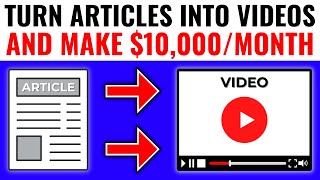

Turn Articles Into $10K/Month YouTube Videos
41sPromises a simple, faceless method to make significant money, which is highly appealing and shareable.
▶ Play Clip"Mostly delivers on the method, but the 'Make Money FAST ($10,000/m)' is speculative and heavily promoted through an upsell to a paid course."
This video provides a step-by-step guide on repurposing online articles into faceless YouTube videos using free tools like InVideo and Quillbot, with a focus on monetization through affiliate marketing. The creator demonstrates the entire process from article selection to video upload and earning commissions, claiming that this method can generate thousands of dollars per month.
Turn any online article into a YouTube video quickly using free software called InVideo, without copyright issues and without showing your face.
Two approaches: take a popular YouTube video title and Google it to find an article, or pick any article in your niche. List-based articles perform well on both platforms.
Uses Mayo Clinic's '7 benefits of regular physical activity' as an example. Emphasizes the value of list-based content.
Use Quillbot (free, 700 characters at a time) to rewrite the article and avoid plagiarism. Alternative: Spinbot (10k character limit). Paraphrase and copy to a document.
Start with free plan (has watermark). Upgrade to business plan when ready to upload to YouTube to avoid the watermark. Use code 'garretts25' for 25% off.
In InVideo: Text to Video > widescreen 16:9 > choose template (e.g., Business) > paste script. Set headline, ensure 'Auto suggest images/videos' is checked. The AI generates scenes with relevant media.
If a scene has too much text, split it or duplicate the scene and adjust media. Use highlight colors for emphasis. Change background music by adding new track.
Four options: none (not recommended), AI text-to-speech (may cause monetization issues), pay someone, or record yourself. Recommends doing it yourself for speed and learning. Use Advanced Editor > Voiceover > Record, then trim and adjust.
After rendering, download the final video. Free users should save projects and wait to upgrade before downloading to avoid watermark.
Create a niche-specific channel name. Upload video, add title, description, thumbnail, tags. Recommends three tools (listed in description) for optimization.
Instead of relying solely on YouTube ad revenue, use affiliate marketing. Join marketplaces like ClickBank or Digistore24, pick a product (e.g., Flat Belly Tonic with $150 commission per sale), generate affiliate link, and shorten with Bitly. Place link in video description.
Promotes his 'No Face YouTube Course' (beta pricing) and a free YouTube course video for those who can't afford it.
The video provides a complete, actionable blueprint for creating faceless YouTube videos from articles and earning affiliate commissions. The key is to paraphrase content, use InVideo for automated video creation, and promote high-commission affiliate products.
What are the two methods to find an article for a YouTube video?
1. Take a popular YouTube video title and Google it to find an article. 2. Pick any article in your niche, preferably list-based.
01:06
Which tool is recommended for paraphrasing articles, and what is its free character limit?
Quillbot, with a free limit of 700 characters at a time.
02:45
What is the downside of using the free InVideo plan?
The free plan adds a watermark to your videos.
05:17
What template does the creator use in InVideo for the example video?
The Business template.
06:45
How can you fix a scene that has too much text in InVideo?
Split the scene or duplicate it and adjust the media.
09:58
What are the four options for adding voiceover to the video?
1. None (not recommended). 2. AI text-to-speech. 3. Pay someone. 4. Record yourself (recommended).
12:04
What is the recommended method for converting affiliate links?
Use Bitly to shorten the long affiliate link to a more clickable URL.
18:53
How much commission can you earn per sale from the featured product 'Flat Belly Tonic'?
Approximately $150 per sale, plus recurring commissions of $34.
18:23
What is the name of the creator's paid course mentioned at the end?
No Face YouTube Course.
20:05
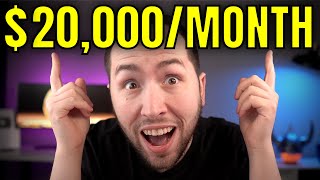
Method Claims High Earnings
Sets the expectation that this side hustle can earn over $10,000 per month, driving viewer interest.
00:01Use of Paraphrasing Tool
Key technique to avoid copyright infringement while repurposing content.
02:45Affiliate Marketing as Primary Monetization
Highlights that you can make money before reaching YouTube's monetization thresholds, providing a viable alternative.
16:59High Commission Example
Demonstrates potential earnings per sale ($150 + recurring), making the strategy tangible.
18:23Upselling Own Course
Shows the creator's business model: free content to drive paid course sales.
20:05[00:01] turn articles like this that you didn't even write into youtube videos like this in literally minutes without having any copyright issues just by using a free software called in video and not only are there channels that are having
[00:15] insane success with this exact method but they're making hundreds of dollars every single day and over ten thousand dollars in just a month without ever
[00:27] showing their face on camera or even making the videos themselves and i'm going to be showing you exactly how to do all of that completely step by step so you don't miss out on any of the steps but before we get started i just
[00:41] ask for one small favor and all that is is to go down below this video right now and give this like button a gentle tap for me because not only does it help out the video but i actually really appreciate it plus it's completely free
[00:54] to do and it takes like two seconds of your time so assuming you did that let's get started what's going on guys thomas garrett's here so like i said in the intro i'm going to be showing you how to turn articles into videos and
[01:06] make money and step number one is finding an article and the nice thing about this strategy is this works for pretty much any niche i'm gonna be doing it in the fitness niche just as an example you can use the same niche you
[01:20] pretty much every niche is gonna work now there's two ways to go about finding an article once you have your niche or your topic decided the first way it might be the better way but basically you can find a youtube channel in that
[01:35] niche and then you see like a popular video right so this is the video i was showing you and what you could do is you could literally take this title right here and type it into google and find an article on that topic because it's
[01:49] already a proven topic right it got 44 million views so you know people are interested in that on youtube because there's it's a little different what reading compared to interested in watching so that's just a little quick
[02:03] tip but for this example i literally just typed in is exercising good because that's the second way just picking any old article in your niche and not picking like a popular youtube video first and this first article right here
[02:16] is from the mayo clinic so this is seven benefits of regular physical activity and that's another quick tip is list based videos like where they're listing like a number of something those not only do good as articles but those also
[02:31] do good on youtube videos so just another quick tip now for step two this just take their article right that's like plagiarism copyright infringement all of that so what we're gonna do is we're gonna use a paraphrasing tool
[02:45] called quillbot and i like quillbot because there is paid plans just so you know but you can use it for free and i personally think it's the best one out there there is some downfalls of philbot which i'll show you in a second but like
[02:59] i said it's completely free and it works just fine so the first thing is you the whole article and you're going to see the downfall right so let's just take it like that much if we paste it in here right here you can change the mode
[03:14] there you can change the mode like to fluency you can have less changes where it's more accurate or more changes where it's less accurate but uh totally up to when you paste this in there you'll see so this is 300 characters it wasn't the
[03:29] full article but a free account you can only do 700 characters at a time so what you're gonna have to do is just do less at a time obviously so if that bothers you like copy and pasting like four or five different times which it will only
[03:43] take like an extra minute there is other options like i said what's it called i think it's called spin bot um yes spin bot right here and they have a ten thousand dollar or a ten thousand character limit on the free account so i
[03:56] quillbot but that's up to you but now for example i'm gonna just like copy a little bit of this and use that as um an example because i'm not actually making this video but i'm just gonna delete all of this and then i'm gonna paste it in
[04:10] there that's a little too much so let's just take just take this spot out and i'm gonna copy that and then delete it and then hit paraphrase and you see what it's doing it's like changing what they're saying here into other things
[04:23] and the cool thing is i'll show you in a second but you see these like orange actually click here instead of do you want you could change it would you like you know what i mean so you can change it all around you can also retype this
[04:36] yourself if you're more comfortable doing that not a big deal but then document so let me just open up a document real quick and then you just click right here copy full text go over to our document and paste it so we're
[04:50] gonna delete these spaces just so you know and make sure each sentence it goes to a new space okay you'll you'll see why soon but i'll leave it like that just for example and then i just copied that other last spot right here and
[05:03] we're gonna paraphrase that all right so that's done so we're gonna copy that and put that right there now for step three now that we got our article all paraphrased we're gonna go get our account foreign video because obviously
[05:17] you need an account like i said you can start with the free plan that's all you need however there is in video watermark so you can create all the videos you video but this is something i highly suggest when you're ready to start
[05:32] uploading your videos to youtube switch over to at least the business account i but the reason you want to do that is because you may think like oh i could just use the free account but having that watermark is gonna lose you much
[05:47] more money than this costs if you're doing things the way i show you because definitely don't want to have that watermark but like i said it's only when can start with the free account make a bunch of videos and get used to the
[06:02] software and then you can switch over once you start downloading the videos okay so i hope that makes sense but when you are ready to switch over or if you just decide to start with the business or the unlimited like i did make sure
[06:14] you use the code during your checkout code garrett's 25 and you can get 25 off your entire order but now that you got your account ready whichever one you decided to choose this is step four where we actually turn the article into
[06:29] going to want to do is just go over to text to video and then you want to keep it at wide 16 by nine right here now you just choose whichever one you like the style the most okay so personally down here where is it i think it's called
[06:45] business yeah this one i like this one if you mouse over it like this it will show you so this is the headline and that's like if you have a headline text this is the body text so if you want to check out other ones you just hold your
[06:58] it looks like so choose whichever one you want i'm gonna go with the business one and then all you do is you click right here use this template now there's two ways you could have done this they do have a spot where you can literally
[07:11] add the url of an article and it will scrape everything from there but to me it's just easier to go to the article copy and paste it into here into the paraphrasing thing and then paste it to a document just like this and then you
[07:26] can take all of this and then you just add your script right there so for the headline i didn't really think of one we could just say what was the name of theirs seven benefits of physical activity let's call this five benefits
[07:40] activity let's call this five benefits of working out regularly so it's kind of the same thing but you want to make sure auto suggest images and videos is checked you hit next um hey that's too much text for one scene do you want us
[07:52] to rearrange it for you rearrange text i don't know exactly why it said that i you know what it is it's because here let me show you so you see right here like what i was saying it's too long for
[08:06] like these are like that's one paragraph right there so what they did is they put it like this a new line after each period and i'll show you why they do that in a second but i'm gonna go back here and i'm gonna actually make
[08:19] this one longer so i can show you that so we'll hit next and then it's gonna load for us and i'll show you what happens now okay so as you can see here what it does is it takes all of that text and it turns it into a video and
[08:33] they take media whether it's pictures videos whatever and it puts the text over it and it uses like for example working out that's gonna be media that has to do with working out it's ai technology it's super dope and if we
[08:49] scroll down you can see it just does the entire thing right here now there is a said this is a headline you want the first one to be a headline right here because there's a question mark right here do you want to feel better have
[09:03] more energy and maybe live longer question mark they have this as a question and you can do that if you want but i personally i would just keep them as stories and then you hit yes and then it's just regular text it's just a
[09:16] little easier in my opinion to do it that way but uh it's totally up to you and then the other thing you can do is if you highlight some text you could just highlight right here just get some work out you could go right here and hit
[09:30] the highlight or you can just right click it and then hit highlight okay now it turned it yellow and you can change those colors like in your settings and each of these templates is gonna have different highlight colors but if you
[09:43] want you can go to your settings like and change your brand colors so they're always a specific color you like just so you know but uh for example right here suggested there's two things you could do here you could just put your cursor
[09:58] right here and split it and then hit yes so instead of being long let me hit play [Music] you see they added music but now it's that in one line and then the next one and another line okay so
[10:12] let me go back let me copy this delete that and then paste that there another thing you could do instead of that is you could duplicate it okay and then you delete the top line right there and delete the bottom line right
[10:25] there and then what you can do is you can just change the media of this so right there we could go to video or you could go to image whichever one you want and you can go right here and you could change it to exercise
[10:39] right and then hit enter and then we'll take this one and just drag it right where that is and then trim video to fit scene you click and then hit done and now it's it's the same text that there was but instead of just keeping it on
[10:52] the same image or video the whole time now you have two so those are just a that's basically the gist of editing all this sometimes you will need to change and you want it to be a story you change it right if you want it text too long
[11:08] you split it or you do what i just showed you the same thing with the media little off like if it doesn't make sense for what's being shown just change it super simple super fast and easy and again this text right here is the one i
[11:22] kept super long but i already showed you how to do that you split it you could little silly and then that scene's gonna be really long so again so just split that or duplicate it and that's pretty much like i said the gist of this and
[11:36] could hear but if you want to change the so you just hit add this will replace background music in this project i just wanted to show you that's what you do so now that you understand that
[11:50] you could just stop and be done with the video right now i mean obviously once this is something that a lot of people don't talk about and i personally think adding a voiceover so what you want to do is go to the advanced editor and
[12:04] there's really four ways to do this okay number one you could just not do it which i do not suggest at all number two is if you go to this voiceover button right here you can go to automatic text to speech and have like a robot voice
[12:17] i mean it's better than not doing it at all but sometimes it can give you trouble with youtube monetization you could still monetize it in the way i'm gonna show you later but i don't really suggest that personally the third way
[12:30] you could either pay someone to do the voice over or number four you could do it yourself so i suggest just doing it yourself at the start because not only will give you confidence and you can crank out these videos much quicker but
[12:42] but it's just the best way to do it because you learn so fast when you actually do it yourself so i'm just going to show for example the um record would just click it again that's better than nothing at all but basically what
[12:57] you do is you just hit record this voiceover okay so i'm gonna go right there so i can read this all right so go to voiceover record voiceover and then right here you click this button also once you click record it's gonna count
[13:09] down but what you could do is you could hit play on this so if you just um hit the spacebar then it will play right so you can see me i'm talking right now you could do that but it's probably easier to just do it like this okay if
[13:24] you hit pause right there that's gonna pause the voiceover so i'm gonna hit show you what i would do so i'm just gonna read that welcome to the five benefits of working out regularly video and then you just hit this stop button
[13:37] and then you would just go to the end so you would trim it if it lets me see me i'm talking right now we're freezing there for a second so you just bring it to the five benefits and welcome to the five benefits of working
[13:52] out regularly video all right and then you drag that regularly video and then you drag that regularly video and then hit add and then you just put that right there and then you could also if you wanted to you could drag this to fit the
[14:05] same size as the voiceover so now if we hit play welcome to the five benefits of working out regularly with video and that audio is a little too loud yeah so volume and fade so i would change the background
[14:19] settings to like 10 probably obviously you'd have to test it yeah that's much better so now welcome to the five benefits of working out regularly video so again you could just record the
[14:32] voiceover all in one take if you really wanted to but i think it's easier to just do it in each chunk trim it to how you like it if you mess up it's much easier and then just do that for each scene so that's what i would do that's
[14:44] pretty much the gist of how to create a video in in video then you just go right here and hit download and then export and again remember if you have a free account just leave it saved okay make sure you've saved it but uh yeah so
[14:58] it's downloading and i'll come back when it's finished did i even finish saying i'm saying is if you have the free account just leave them saved in in video and then wait to download them until you're ready to upgrade to the
[15:11] paid account is what i was gonna say but again uh i'll come back when this is finished rendering all right so the video is done right here i'll just play a couple seconds welcome to the five benefits of working
[15:23] out regularly video [Music] as you can see super easy i literally made minimal changes and the hardest voice over because i know a lot of people that worries them but just know
[15:39] when i first started on youtube i was scared too you have to be willing to do what others aren't if you want to be successful so i just wanted to say that quick but now just hit download and now that we got our video downloaded step 5
[15:51] is where we actually upload the video and this is just my test account i changed the name so basically it would be like a fitness name right so you want it to be niche specific so that way people know automatically okay this
[16:05] channel is about this this channel is about that whatever it is whether it's dogs cars fitness it's just much better that way then you want to go to upload video and then we're just going to drag our video right here onto there and
[16:17] we'll call it what was it the five benefits of working out regularly or something like that now when it comes to finishing the video in here there's a do like your description you want to upload a thumbnail you want to add tags
[16:33] and i have three tools that really help with all of those things or like certain ones i'll add those in the description below but i don't want this video to be super long so i'm not gonna mention those in this video but at the end of
[16:46] this video i'll link to a video that shows all of that don't worry but the most important part is adding a monetization method which is step number six and a lot of people think just because you can't make money with
[16:59] youtube ad revenue until you have a thousand subscribers and four 000 hours of watch time that youtube's pointless i'm not gonna lie when i first started on youtube i almost didn't start because i actually thought that i'm like how am
[17:11] subscribers is so many and it feels that way when you first get started but the truth is i made my first two thousand dollars before i even had 400 subscribers on youtube and that's with a business model called affiliate
[17:25] marketing and if you have no idea what affiliate marketing is basically i just found a company with a product that i liked and then they gave me a referral link and then i referred customers to them and every time that customer
[17:39] purchased one of their products that company gave me a commission of the sale for referring someone and affiliate marketing is by far the best know where i'd be without it to be honest with you and the most simple way
[17:54] to start affiliate marketing is going to affiliate marketing marketplaces like clickbank and digistore24 because they have a ton of affiliate programs on quick example because i've showed this plenty of times but you want to go to
[18:08] their marketplace up here and then you want to go to the categories so we're in health and fitness and then right here you can rank it by gravity which is the top selling product and this flat belly tonic i mean that's for people losing
[18:23] weight so this is perfect for a fitness channel and it's got a 428 gravity score which is really the highest i've ever seen so it's selling like hotcakes and conversion so the amount of money you're gonna get per sale is almost 150 dollars
[18:40] and they have a recurring rebill right here of 34 dollars so you're gonna make recurring income as well and to make that money just hit this promote button right here entering your username your nickname and then you hit generate hop
[18:53] link now you have this really long ugly link all you got to do is click copy right here this is super important go to bitly.com and you go right here paste it in there and shorten your link now you have this much shorter much more likely
[19:07] to get clicked link okay so you just copy that and then you go to your channel and you say get a flat belly here and then paste the link and then i personally always like to add an arrow on keyboard go right here scroll down
[19:23] and pick any arrow you want i use this one most the time a lot of people like this one so we'll just click it click copy and then you go right here and just paste that in get a flat belly here simple easy when someone clicks on this
[19:37] link it goes to this uh okinawa flat belly fix tonic whatever product and if someone purchases that product through you through your affiliate link you get a commission super simple to do but now like i said there's other things you
[19:52] need to do right you got to upload a thumbnail do the tags all of that i will add those tools in the description down below if you kind of understand that a little bit however i have my no face youtube course which teaches all of this
[20:05] completely step by step and it's still in beta so the the price is insanely cheap and that like i said teaches you how to do all of this without ever showing your face without creating the videos yourself without being on camera
[20:18] and that's truly in my opinion the best way to learn all of this and truly start a long-term business that can pay you while you sleep like it's done for me the description below you go to this page right here the no faceyt.com
[20:34] you just enter your email here and it'll take you to this page right here and you can watch this video to learn more about the no face youtube course and the only reason it was this price like so cheap for beta was because i started it before
[20:46] any of the content was in there but you can see about half of the videos are now that so you get about two-thirds of the course for the price that people got before it was even created so everything
[20:58] is in there that you need to know to get started and crush it on youtube without showing your face but now i know that not everyone can afford a course even if it's very attractively priced course but if you can't and you want to learn more
[21:11] about youtube i told you i'd link to a video that teaches you all of that stuff this video right here to watch my completely free youtube course that teaches you pretty much everything and how to do it without showing your face
[21:24] but that's all i got thanks for watching and i'll see on the next video
⚡ Saved you 0h 21m reading this? Transcribe any YouTube video for free — no signup needed.