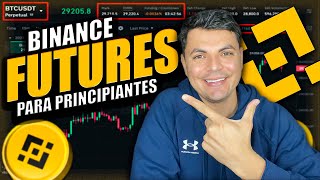

Futures vs Spot: Make Money Both Ways
44sClearly explains how futures allow betting on price drops, offering a high-risk, high-reward contrast to spot trading.
▶ Play Clip"The title promises a tutorial on using Binance futures, and the transcript delivers exactly that—a step-by-step guide with examples."
This video is a beginner-friendly tutorial on how to use Binance futures for cryptocurrency trading. It explains the difference between spot and futures trading, introduces leverage and its risks, and provides a step-by-step guide to placing orders, setting stop losses, and managing positions. The presenter emphasizes risk management and advises only trading with money you can afford to lose.
Futures allow you to profit from both rising (long) and falling (short) markets, unlike spot trading which only profits from price increases.
Leverage multiplies both gains and losses. With 10x leverage, a 1% price move results in a 10% change in your position.
Isolated margin limits risk to the amount in that specific trade; cross margin uses your entire futures balance and is riskier.
Limit orders let you set a specific entry price; market orders execute immediately at the current price.
Stop Loss automatically closes a trade at a preset loss level; Take Profit locks in gains at a target price.
Maker pays 0.02% commission; taker pays 0.05%. Having BNB in the account gives a 10% discount.
What is the main advantage of futures trading over spot trading?
Futures allow you to profit from both rising and falling markets by going long or short.
00:46
How does leverage affect profits and losses in futures trading?
Leverage multiplies both gains and losses. With 10x leverage, a 1% move becomes a 10% move in your position.
01:40
What is the difference between isolated and cross margin?
Isolated margin limits risk to the amount in that specific trade; cross margin uses your entire futures balance.
05:25
What is the difference between a limit order and a market order?
A limit order lets you set the price at which you want to enter the market; a market order executes at the current price.
06:57
What are Stop Loss and Take Profit used for?
Stop Loss automatically closes a trade at a preset price to limit losses; Take Profit locks in gains at a target price.
08:50
What are the commission rates for Maker and Taker on Binance futures?
Maker pays 0.02% commission; taker pays 0.05% commission.
04:03
What is the maximum leverage available on Binance futures?
You can leverage up to 125x on Binance futures.
06:32
Futures allow short selling
Explains how to profit from price drops, a key difference from spot trading.
00:46Leverage amplifies both gains and losses
Critical risk management concept for new traders.
01:40Isolated vs. cross margin
Essential distinction to avoid losing entire account balance.
05:25Stop Loss and Take Profit
Shows how to automate risk management and profit-taking.
08:50[00:02] asteroids: a tool to make or lose money quite quickly. Let's see how it works. For example, currently Bitcoin costs $2,000. If I decided to buy one Bitcoin today, I would be
[00:17] buying it spot. To get this Bitcoin, I would pay the $2,000, the orders we see here at Vinas under the spot wallet. By in the description I'll leave you a link with exclusive prizes and bonuses, and you
[00:33] would also be supporting the channel. This is at no cost to you. All the assets you see here are spot purchases; I paid what they are worth for each one. Going back to the Bitcoin example, if I bought this Bitcoin, I would
[00:46] only make money if Bitcoin continued to rise. With futures, it works a little differently. With futures, you can predict whether the asset, in this case Bitcoin, is going to go up or down. If you think it's going to continue
[00:59] rising, what you'll do with futures is place a long order. If you think that from here It's going to fall and go down. What we would do in futures is place a short order. If you're right in your
[01:14] prediction, you'll make money. If you're wrong, you'll lose. For example, if I think that from now on Bitcoin is going to start falling from $2,000, what I would do here in futures is place a short order that it will
[01:28] go down, placing that order for $100. If it falls 1%, then I'll earn 1% of those $100, which would be $100. But that profit isn't very juicy. And this is
[01:40] where another factor comes into play, and that is leverage. up to 1%. For example, if you trade with $10 and leverage by 10, it's as if you were
[01:53] trading with $10. If you leverage by 100 and trade with that same dollar, it's as if you were trading with $100. I'll give you an example: if I leverage by a certain percentage... Let's say I place a $1 order predicting that Bitcoin will fall. In this example, if Bitcoin
[02:08] actually falls 1%, it's as if it had fallen 10%. Even though the asset only moved 1%, I'll make money as if it had moved 10%. Therefore, with that $100, I'll earn $10 and
[02:24] end up with $110. But the opposite can also happen with that same $100 order and 1:10 leverage. If the asset moves against me—that is, if I predict it will fall and instead it rises 1%—then, since the price
[02:40] moved against me, the losses will be multiplied by 10. Even though the asset multiplied by 10. Even though the asset only moved against me by 1%, my losses will be multiplied by 10. Therefore, of the $100 I placed, I'll
[02:52] end up with only $90. As you can see, this is quite risky, and you can either win or lose money. Quite quickly. So now, let's stop showing you how you can place an order. Getting right into
[03:06] only trade with money you're willing to lose. This is a tutorial on how to use this futures tool in Vainas. To trade futures, you obviously have to do a technical analysis and a market analysis. Here, I'm only
[03:20] tools. So, in our Vainas application, we should go to the futures section. Here in futures, we can trade with dollars, that is, with stablecoins that are equivalent to one dollar, like USDC
[03:33] and USDT. We could also trade with other cryptocurrencies under coins. Here, we can trade with Bitcoin, Ethereum, and any other cryptocurrency. Below, your available balance will be shown. Here are the day's profits or losses. Here we'll find the
[03:47] trade, exchange, and make transfers is here. Below, they tell us that if we have BNB in this account, they'll give us a 10% discount on commissions. And the futures commissions. For example, if you're a Maker, someone who places an
[04:03] order, now I'm going to show you what a Maker and taker, you'll pay 0.2% commissions, which are quite low. If you're a taker, someone who takes an order from one that's already been placed, you'll pay a
[04:15] little more, which is 0.05%. And as I said, here you can receive a 10% said, here you can receive a 10% discount by having BNB in this account. Here we'll find the open positions and the assets we have in this account. As you can see, I have
[04:29] US and a little bit of UST. To place an order, the first thing will be to Usually, when you have money in BNB, we have it here in our transfer money, if I want to transfer part of this UST to the
[04:45] transfer." Here it is from the spot wallet, and here we select USD futures. Here, USDT is already selected. Here you enter the amount you'd like to transfer, let's say $1, and click " confirm transfer." And that's it. At
[04:58] this point, we go to futures. Here we'll have that UST available, and now we're going to open an order. We're going to click on Trade, and the first thing here is to select the currency pair we want to trade. Here are
[05:12] the pairs; you can trade USDT. Basically, you can trade all of them. For this video example, I'm going to leave it as Bitcoin with USD. And here's something quite important: we must select whether we want to trade individually or crosswise. Trading
[05:25] individually means that you will only risk the total amount of the order you placed. That is, if I have $2,000 in my futures account, but I only placed an order for $100, then I will only risk $100 of
[05:40] those $2,000. Trading crosswise means that if I placed an order for $100, for example, and the market goes up and moves against me, and I start losing money, when I reach a point where I've
[05:53] lost those $100, trading individually means that even if I lose the $100 I placed in this order, if I have more money in the account, for example, the remaining $10,000, then the balance will continue to be used. From what I have in the
[06:05] this cross-trading is very risky because you can blow up the account and lose all the capital you have in it. So it's always better to trade in isolation; that way you only risk the total amount
[06:19] you placed in that order. The next thing you have to choose is the leverage. As I'm saying here, you can leverage up to 1.25%, which is quite risky. It's always recommended that you only use
[06:32] 1x leverage. So, as an example, I'm going to set it to 1x leverage and leave it on confirm. On this side in red, we have the sell orders; people who want to sell. On this side in green, we have buy orders; people who
[06:44] sell high, people who want to buy low. And in the middle, we have the market price, which is what Bitcoin currently costs. When you want to place an order, you basically have several options,
[06:57] but in this video, we're going to focus on two. One of them is a limit order. With this type of order, you decide at what price you want to enter the market. For example, currently, Bitcoin... It's at 92,000. I want to place
[07:09] a long order predicting that Bitcoin will go up, but I don't want to enter at this price. Let's say Bitcoin drops to $90,000. So what I'm going to do here is place $90,000. On this side, I'm putting
[07:22] the minimum amount I want to trade with. It's 180 USDT, which is roughly 18. So if I want to trade with the minimum of those 180, I'll only use $8 of my capital. The next thing we'll do
[07:36] is place the buy order by pressing "buy." Here it gives us a enter this order at, which is $90,000, and here's the cost I'll put in from my confirm," and on this side, I already have an open position that will be
[07:51] placed here as a buy order when Bitcoin starts to fall. With this order, I'm a Maker, so I'll pay point 02. Commissions are much lower. But remember, this order will only be executed
[08:04] if Bitcoin falls to $90,000. If it doesn't fall, this order will never be executed. executed immediately and enter the market right now, then there's another type of order we'll look at here where it says "limit." Here we'll place a
[08:19] Market order. With this type of order, you'll enter the market at the current price, which is $2,000. When you place this type of order, you become a taker because you'll be taking one of the orders that
[08:33] Therefore, you'll pay a little more in commissions, which is currently 0%. But remember, if you have a Bitcoin account, you'll get an additional discount. Here you enter how much you want to trade. I'm going to trade with $200. Of those $200 of my capital, I'm only going to use $
[08:50] very important tool, which is the Stop Loss and Take Profit. We'll select it here. And this is the Stop Loss and Take Profit This is quite important because it will allow us to take profits
[09:02] and also stop losing money. Let me give you an example: I'm going to place a long order. I'm going to predict that Bitcoin will continue to rise. So what I'm going to do here is set a price at which I want to take profits. Let's
[09:14] at which I want to take profits. Let's say it's 92.372. I want to take profits at $4,000, to use a simple example. But also, if the price goes against me, I want to stop losing money
[09:27] at around $91,000. And here we click on "Buy Long," and here it gives us a small summary: Okay, the total amount with which we are trading, the total cost of our capital, which is $ 18. The rest will be lent to us by Binance, you
[09:41] leverage. And here it shows us $ 44,000, which is when we will take profits and close the trade automatically. It also shows us the Stop Loss, which is when we will stop losing money, and
[09:54] If we agree with these parameters, we click on "Confirm." Order, and right now, here in positions, the order we placed will be reflected. market, we are now making or losing money. On this side,
[10:09] the profits or losses will be reflected in dollars. Here is the percentage that we are gaining or losing. Here it shows us the entry price, which was 92346, and here it shows us the
[10:22] liquidation price when we would be losing these dollars that we placed. This price is 83300.52, but remember, since we placed the stop loss, we are not going to reach that point. We are going to lose much less if
[10:35] the time has passed and you want to take profits, which in our case we have gained 5 cents, which is point 31, then you would simply click here on close trade. And you enter how much
[10:47] you want to close. I am going to enter everything we have and confirm. And at this moment, the order is closed. I already have this order closed. Here it will also placed, the stop limit. If I want to close that order, I simply... I
[11:00] click on Cancel All, and on this side, I click on Everything and Confirm. At that open orders will be closed. Then, to withdraw this money from futures, you can go to your wallets, click Transfer, and then click
[11:14] this little arrow. Now the money will be transferred from the futures account to the spot account. Here's the USDT; enter the amount. I'm going to transfer the same $100 I sent. And I click Confirm Transfer. And that's basically it.
[11:26] can leave them in the comments. I always do my best to answer. Also, if you'd like to stay informed about what's happening day by join our Telegram channel. Here, we basically
[11:40] about what's happening in the world, and we also occasionally hold giveaways leave the links mentioned in the description. I'll say goodbye here. My name is Miguel Valencia, and I'll see you next time.

![How to Buy USDT on Binance P2P 2026 [Easy, Fast and Safe]](https://img.youtube.com/vi/ZmjPLzr6_IM/mqdefault.jpg)
⚡ Saved you 0h 11m reading this? Transcribe any YouTube video for free — no signup needed.