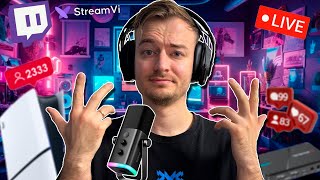

Start Streaming: Console vs PC
41sContrasts the ease of console streaming with the necessity of a PC for serious content creation, appealing to aspiring streamers.
▶ Play Clip"The title promises a guide on streaming from a phone/console and equipment, which is covered, but half the video is a reality check on streaming's difficulty and the importance of passion over profit."
This video provides a practical guide to starting game streaming, covering essential equipment, software, and platforms. The creator shares personal experiences and advice on technical setup and the realities of building an audience, emphasizing the importance of doing it for fun rather than solely for money.
Streaming directly from a console (PS5, Xbox) is possible but less convenient; a PC offers more functionality and options.
OBS (Open Broadcaster Software) is the standard program for streaming on PC, offering scenes and sources for customization.
Restreaming services like Stream Vi allow streaming to multiple platforms (Twitch, YouTube, etc.) simultaneously, simplifying management and reducing lag.
Services like Stream Vi offer features like stream scheduler, transcoding for quality adjustment, and moderator management; they also buffer streams during internet interruptions.
Stream Vi has a referral program where the referrer gets 10% of the purchase amount, and the invitee gets 400 rubles added to their account.
A capture card (e.g., Omediaia Game Capture) is needed to output console video to a PC. A good microphone (e.g., Finfine) and webcam (e.g., Logitech C920) are also recommended.
Streaming as a business is very competitive; success often depends on luck and recommendations. Many established streamers have producers and large budgets.
The creator advises starting streaming for enjoyment and finding an audience you like to chat with, rather than focusing purely on income.
Streaming can be a rewarding hobby that may lead to income, but it requires passion and patience. Beginners should focus on enjoying the process and connecting with a community, rather than expecting quick financial success.
What is the recommended standard software for streaming on a PC?
OBS (Open Broadcaster Software).
01:35
What does a restreaming service like Stream Vi do?
It redirects your stream to multiple platforms simultaneously.
03:10
What happens if your internet connection drops without a restreaming service?
Your broadcast will be interrupted and need to be restarted, potentially losing viewers.
04:57
What is the referral program benefit for an invitee on Stream Vi?
They get 400 rubles added to their account.
09:43
What piece of equipment is needed to stream console gameplay through a PC?
A capture card.
10:09
What webcam does the creator recommend for beginners?
Logitech C920.
11:14
Why does the creator advise against streaming solely for money?
Because the competition is intense, success often depends on luck, and it's easy to become disillusioned.
12:23
What is the creator's main reason for starting to stream?
To find people to play with and discuss games, not for income.
14:11
What psychological issue can arise from focusing too much on viewer numbers?
Dependence on numbers, leading to loss of motivation when viewership drops.
18:12
OBS as Standard Streaming Software
Central tool for PC streaming; offers scene and source management.
01:35Multi-Platform Streaming via Restreaming
Key technique to increase discoverability and reach wider audience.
03:10Streaming as Business: Low Success Odds
Hard truth that streaming for profit is difficult without connections and budget.
12:23Stream for Fun First
Core advice; passion prevents burnout and builds genuine community.
17:18[00:01] who loves video games has had the urge to either stream or somehow share their progress online. Many people coming to my channel asked: "How do I stream? Where do I start? And what do I need to
[00:13] stream from a console and so on? And since I'm also a kind of content maker, a streamer, we'll talk about this today. And I'll share my experience. Well, and also talk about the pros and cons, because streaming and all
[00:26] this creative activity is not only about positive aspects. In the first aspects, and in the second, we'll talk about something more social. So before like, subscribe to the channel, and also write whether you've streamed or created
[00:41] any channel content and what came of it . Let's get started. I'll probably start with the phone, but for gaming content, you'll often need equipment. console by connecting to Twitch, for example. And the only thing you'll need
[00:57] microphone. And in general, you won't have any difficulties, because now this is standard functionality of the PlayStation 5 or Xbox. I streaming from consoles. I remember streaming on Mixer on Xbox, which
[01:11] Microsoft later shut down. But, honestly, it was a so-so experience, because streaming from a console is not so convenient. So, to absolutely everyone who has asked, is asking, and will ask, I answer the same thing . Guys, if you want to
[01:23] unfortunately, you can't do without decent equipment and you need to build your own PC, or buy a laptop. And that's because it's much more convenient and functional through a PC; you'll have a
[01:35] design and a ton of options. For example, I do this on a computer By the way, I'm still completely satisfied with it, because overall it's enough for both editing and streaming. Well, for streaming specifically, I I use OBS. As
[01:48] you can see, it's probably the most standard program for this. By the way, where can I download it? I'll also leave a link in the description. And as you can simple. Of course, it's not for you, but one way or another. Here on the left we have
[02:01] scenes. That is, this is the thing to which I switch other events. For example, if I want to stream with some design, then I click this button, bam, and I switch to, so to speak, my usual functionality.
[02:14] If I need to stream a game, then I, for example, have a specific scene for PlayStation. Here. And, accordingly, this is how the switching happens. So, each scene has its own sources. Sources
[02:27] are, so to speak, subsections where we can stick everything we want. design. We can, for example, insert design here. We can insert some things like that. We can here Insert donations. We can
[02:41] insert absolutely everything. So, there are 1,000 guides online. Here we can adjust how we sound.
[02:53] There. And, accordingly, these columns will also be connected to this. For example, finfin one. I'll tell you a little about it too . So, accordingly, we set all this The only thing, by the way, I recommend you look at the guides on launching a
[03:10] later. Because you'll need to look for keys there. Keys are located differently on different platforms, . And, accordingly, you need it specifically for withdrawal, so you can choose a platform and then stream. But probably the most important question now:
[03:25] where is the best place to stream? Because there are a ton of platforms now, we know that there are, so to speak, hyped-up, over-engineered platforms, where there is a lot of competition, and super-megaweek advice. Try to stream absolutely everywhere, because that's how
[03:39] chance. And you'll generally see where your audience is watching you the most, and Basically, again, you can stream all this through Obeska, yes, by downloading a specific plugin, as I actually did, yes, but it's not particularly convenient,
[03:53] because you'll need to enable each stream separately. You'll need to display 1,000 commentary windows, again, from different platforms at once. And if you want to, uh, stream to three or four platforms, then there
[04:05] are restreaming services for this, where you, so to speak, redirect your stream to different sources, and this is, in fact, convenient. One of the coolest such services, by the way, is Stream Vi. Basically, this is what the service looks like. As you
[04:17] can see, everything is laid out here like this. There's a single interface. And add a channel. We can add a channel either there Insert the stream key, or just, I don't know, log in through Twitch. There you go. And, accordingly, start
[04:32] many other channels in the business. Again, this theme is much more convenient because it allows you to combine absolutely everything at once , rather than enabling everything separately, as is done through a plugin. You will have a chat here, yes, and,
[04:45] accordingly, it will be shared with all channels. All your channels will be here. And most importantly, it doesn't overload either the internet or the computer, because it will be like a single stream from your computer . And it will distribute this service
[04:57] a much better chance of hooking an service is that if your internet is suddenly acting up, yes, your connection is interrupted , then without this service, your broadcast will essentially be interrupted. It will
[05:10] need to be restarted, this means a loss of viewers, and so on. And this service, it essentially saves the stream until your connection is restored, and an image, which There's some interference, so to speak. It's much more convenient. As
[05:24] scheduler, so you can actually pre-record a show, like, I don't know, a stream or a video, and then upload it and broadcast it to a something else. It's a bit of a hassle, of course, because a stream is a live
[05:38] the audience, but if you have a show recorded, why not? Actually , by the way, I'd like to point out that this service is also good because it's useful not only for beginners, but also for professionals, since you can assign
[05:51] moderators and, let's say, have someone responsible for the technical side, for example, and you, for example, stream, someone helps you, and you can do it together with a team. There's also an interesting feature here called transcoding. That's it. And it's not for nothing that
[06:03] to learn how to launch broadcasts on Twitch, YouTube, and so on, because there you'll get more or less familiar with the keys and also the bitrate, which is what allows you to stream in a particular
[06:15] quality. And here's an important point: each platform has its own bitrate—high, low, yes—and, accordingly, more or less, so to speak, general indicators that directly depend on quality. And this section
[06:28] allows you to change these parameters. The only caveat is that it's a paid service. So, if you, for example, want to stream on YouTube in 2K, yes, but on Twitch you want to stream in Full HD, then, accordingly, you'll need this
[06:40] plan to implement this, to change this parameter. But if something happens, you can use it completely for that is, if you want to stream on YouTube, yes, there's Full HD, Btreate
[06:55] 6.000, and those are the same parameters you have on Twitch. Accordingly, You can want to improve the quality, you can use this service. Okay, now a little practice. Go
[07:08] here, copy the stream key to Obeska. And here we find the most optimal server for us. For me, it's Moscow. Here, the ping is 60 ms, because I'm in Moscow. And we copy it, actually, to Obeska. And here we
[07:23] disconnections. Personally, I set it to 4 minutes. Some people might set it to 5, but you never know what happens if something goes wrong with the stream, yes, a viewers don't run away. Here we can set up the image and, accordingly,
[07:39] go back. Here we can turn on the channels to which we will now broadcast. Here, if we, for example, launch one channel, yes, we can set up just here, for example, a test, there, I don't know, a
[07:53] description, or a category by type of video game, Somewhere around here, they should also accordingly, set up one broadcast. But since we want to output two, we'll simply write a test called "chill chill." Here,
[08:08] too, if necessary, we'll check, for example, its category, because this is important on Twitch. And, accordingly, after we've set all this up, we can, by the way, move on to transcoding. This is exactly what I was talking about. For example,
[08:21] if on YouTube we have a higher, yes, what do you call it, bitrate, then switch over now and show you. Accordingly, here we create a new stream, write, for example, we create a new stream, write, for example, Twitch, select our channel here. And,
[08:34] set all this up, yes, for example, video bitrate and the like, you can simply click here on Twitch, save, and, accordingly, you will have a channel linked to transcoding, so you have exactly the
[08:48] settings you need. Stream. So, we have everything connected and configured here. Now, just click "Start Broadcast" and watch what's about to launch. As you can see, the connection is established, and
[09:01] our broadcast is now live. Both on Twitch and YouTube. By the way, there will be general comments here, both here and there, like this . Hello. And, accordingly, here we can monitor everything, stream,
[09:14] multiple platforms. By the way, it's very convenient here that we have Bitrate, FPS, resolution, and so on. Well, I'll also clarify an important point: if you suddenly want to stream on, for example, Natrova and VKontakte, where the Bitrate is also different and you also
[09:29] want to adjust the quality, then each channel adds one transcoding. Just know that. There's also a bonus here, like a referral program. invitation link, you get 10% of the amount of what they
[09:43] buy on this service. Well, whoever essentially accepted this invitation gets 400 rubles added to their account. And overall, it's kind of nice. So, if you'd platforms, you can generally use this service because
[09:56] it's convenient. And, accordingly, the basic functions here are free, which will streaming. If anything, I'll leave a link to it in the description, follow along. Many people are also interested in how I output from the console to the PC. This is where this
[10:09] capture card helps me. You can basically buy any, but look at the parameters you need, since they are different. I used to have an Omediaia Game I used to have an Omediaia Game Portable 4K 2+, but then I got a third one
[10:21] for 2K and 120 FPS. It's clear that such quality is difficult to achieve; few people will watch it, few will be able to appreciate it, but one of the selection criteria, again, lies in the image you will see. Because again, my previous card
[10:34] output Full HD and 60 FPS, and Now I play at 2K and 120 FPS. And in shooters, it's much more convenient. But again, look at your budget. You can get absolutely any microphone. There are tons of options now, literally for 2-3,000 rubles,
[10:47] which are quite capable of making you heard well by both viewers and teammates. Personally, I have a Finfine microphone. I reviewed it two years ago. description. It still works. And in general, you can hear its quality
[11:00] because I use it constantly. As for the webcam, there is also a huge choice now. Personally, I used the Logitech C920 for a long time. A very cool webcam in terms of price and quality. It's definitely enough for a start,
[11:14] quality depends on it. Well, I've been using this smart show you in a more Sharp resolution, better focus, and a higher frame rate. This is, of course, much better, but also more expensive,
[11:29] so overall there's no point in buying an expensive webcam right away. You can just buy a standard one and install good lighting. I also used a webcam that costs literally up to 2,000 rubles. I think I bought it on marketplaces
[11:41] because there's no normal focus, and the resolution is so low, and the matrix is weak that even good lighting won't really help. Oh, and I forgot about monitors, by the way. They generally have three, but you'll probably need at least two,
[11:55] on the other you'll be seeing OBD settings, chats, and so on. So, to summarize a little, you only need a webcam, a microphone, and two monitors, because it's really difficult with one . If you're playing on a PC, then you don't
[12:09] playing on console, you'll have to buy a video capture card to stream the console through your PC . And, of course, you'll also need to download a streaming app. And you'll also need to enable donations, which is a must. The investment isn't that
[12:23] for everyday use, like in games, yes, at conferences, and so on. But the main question here is probably whether it's worth starting at all. And honestly, it's a rhetorical question, because you need to understand
[12:38] you're looking at this directly as a way to make money, as a business project, then the chances aren't that great, because there are already a bunch of guys with producers, a bunch of guys with, I don't know, big money, show projects,
[12:52] collaborations, connections, and, accordingly, it's hard to break through among them , because you either need to have a name or somehow, I don't know, get recommendations from other social networks . And then, when someone's
[13:04] viewers are being inflated, yes, how do you proceed from that? From last year's scandal, frankly, it's so-so , but you know what? The chances are slim, but they're not zero. you really want to do it? It's just that if you
[13:18] see this as a way to make money, as a business model, then you'll have to really chat, have fun, but have some kind of measured business strategy, yes, some kind of image to adhere to. In short, you won't be like
[13:31] me, like, let's just be lazy and so on. That's it. Because if you look at Twitch, YouTube, you'll understand. Well, many people might not understand, but some girls there love games, and more often than not, they
[13:44] just work, they just play, sit in front of the camera, and behind them stands , for example, some dude, a brother, a colleague, an uncle, someone else. And, accordingly, more or less controls this whole thing, to at least somehow
[13:57] knock it out some kind of advertising, some kind of donation based on the cute appearance of this or way, it's just that it slightly ruins my original vision of this whole started, I generally didn't have any thoughts about making money or anything like that.
[14:11] That is, I just wanted to find people to play with, and with whom I could discuss games and so on, because there was practically no Xbox community. And, accordingly, when I started, yes, and continued doing this, there were people
[14:24] who liked it, accordingly, they began to support it financially, yes, accordingly, some advertisers were drawn to it , and at least somehow it, well, shifted into some kind of income. Although initially it was absolutely not, well, I didn't
[14:36] think that I would become a streamer and become rich. No, that was not the case. But even now it is perceived as simply communication with a certain circle of people , ah, with similar interests. Because , again Well, at work, somewhere in life,
[14:48] we don't have many people with whom we can discuss what we want, for example, some games, TV series, because everyone is different, yes, and, for example, where we are, such people are not always there, and on the internet it's
[15:00] in fact, on my streams, if this is true, then one of the, uh, guys found a girlfriend. True, I don't know if they will get married or not, but I wish you luck, Krafi. But then again, even in my story there is a certain rosy side, yes,
[15:14] that I was lucky to find an audience that watches me, who likes the content, who follows there, supports, likes, and so on. Thank you, by the way, guys, for this. But then again, all of this has a flip side that many don't
[15:26] notice, because again, there are thousands of streamers in the world, 1,000 channels who are also trying, making, producing some shows, coming up with something, They edit well, but they don't do well because, well, that's just the way it is. In
[15:40] reality, it's more, I don't know, the factor that influences it is simply chance, these are just recommendations. That is, if you suddenly end up in the right accordingly, your number of viewers, views, and
[15:54] 'll continue to sit there with literally two or three viewers, among which there will be a cat, a dog, and someone else. Accordingly, you know, probably the most important advice in this whole topic is that if you want to stream at all
[16:09] , start doing it for fun. At least start, because if you don't have a soul for it and you again see it as a means of probably quickly win, quickly become disappointed, because
[16:22] literally, I don't know, 5, 10, 20 people will come to you and [ __ ] on you, [laughter] so to speak, He'll just hate and that's it. And that's it, and you, accordingly, will put this business plan far and wide away. That's why, in my opinion, you
[16:36] need to love this business and not try to play around, but, well, probably lately I've seen many disillusioned with this activity in general, because no matter how hard you
[16:49] try, no matter how much you come up with cool ideas, edit, entertain people, it still might not be as popular as some or streams without a webcam in crappy quality, but I'll watch him more
[17:03] you can analyze and argue a thousand times over why this happened, but in reality, again, it's rivers and chance. So, I'll probably repeat again, try to do this, of course, if you want to enjoy it. Just
[17:18] find an audience on your own, yes, with whom you simply enjoy yourself. It's fun to chat and sometimes when I start a stream, I try to find people to play. There are even played much, like VR, right? So, I try to find people
[17:32] to play. to beat, because playing with randoms is , well, so-so. Here. And, doing it for fun, maybe you'll get hooked, maybe you'll succeed, the rivers will pick you up and, I don't know, you'll acquire an audience, you'll play together,
[17:45] communicate, because this is a really cool form of communication. That's precisely communication, because I'm not really used to talking about earnings, differently. That is, it will be like advertising, okay. That is, I can’t
[17:58] even say that this is freelancing. It's just like a hobby that brings you extra income and just from what you do. And that's nice. awaits you, then when you start streaming and it somehow works out for you
[18:12] , and your audience grows, then you will get, so to speak, a certain dependence on numbers. Because when I started streaming, the same thing happened. I needed views, I
[18:26] needed likes. That means you will definitely get hooked on this thing, so take that into account. And perhaps this will make your head spin, because then, when you come up with some content there, your number of viewers will not be so
[18:38] sad, again, motivation will be lost, and you can also become very disappointed in all of this. Here again , for example, I know a lot of guys who still have a small online presence, but they stream, play,
[18:54] and generally do it as a hobby, yes, so that they can share with someone, discuss with someone, and it’s very joyful to see their reactions when, for example, I go to Max, hi, how are you?” And so on. Because, again, streaming,
[19:07] gaming, and so on are one big community. But again, be very careful with the numbers because they are swirling. in the head. This is indeed true. So again, whether you stream or not is up to you . But again, if your
[19:21] especially if you have the opportunity, time and desire for it, time and desire for it, because there are good stories about this, and sometimes not so good ones. But again, do everything with pleasure, and you will
[19:34] . If you liked the video, give it a like, subscribe to the channel, and share your stories, stream, and create content as you see fit. Until content as you see fit. Until next time. Bye bye.
⚡ Saved you 0h 20m reading this? Transcribe any YouTube video for free — no signup needed.