[00:00]
By now, you've probably tried out some really helpful AI models
[00:03]
to summarize your data, to act as a pair programmer, and much more.
[00:08]
But traditionally, this meant using cloud services.
[00:11]
Perhaps you were using an LLM through some type of chatbot, or for me, an API that was hosted on a cloud service.
[00:19]
But at the end of the day, I was using someone else's cloud computing resources.
[00:23]
Now, what if I told you, though, that there's open source way.
[00:27]
to run AI models and LLMs locally from your own machine.
[00:32]
And that allows you to save on cost for your AI bills,
[00:36]
to keep your data private and as a developer to build out applications and features that use AI from your on machine.
[00:44]
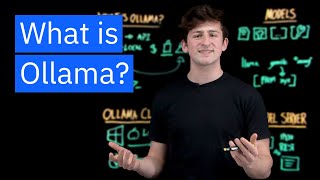
Now that's right, today we're gonna be taking a look at Ollama to run large language models or LLMs from your old machine.
[00:53]
Now, this is really, really cool because you're able to take a model
[00:56]
which might be quantized or compressed and run it from your own system resources
[01:02]
and integrate with a huge ecosystem of models from Llama to Mistral and beyond.
[01:07]
And for organizations that are looking to use AI in their applications, it can be very helpful
[01:12]
because we're able take and deploy a small or large language model
[01:17]
locally and ensure that customer data doesn't leave the secure environment at all.
[01:22]
And this is all using a simple command that we're going to take a look at here in a second.
[01:27]
But how does it work and what should you know about using Olamma?
[01:31]
Well let's begin with the Olammas CLI.
[01:33]
Now whether you're on Windows, Mac or Linux,
[01:37]
you can head over to ollamma.com in order to download the CLI or command line interface for your machine.
[01:46]
Now this allows you to download models, to run them, and to interact with them all from your own terminal.
[01:51]
While in the past you had to go over to repositories such as Hugging Face
[01:56]
in order to download model weights,
[01:57]
and you had work with complicated setup in order to get the model ready to be inferenced and chatted with,
[02:03]
this is all simplified with Olamma through a single command, Olammarrun.
[02:10]
After that, we'll pass in the argument or parameter of the model name.
[02:14]
It could be granite, could be llama, could be deep seek, and that'll kick off the process.
[02:19]
to download one of the Olamas own models,
[02:22]
their compressed and optimized models to your machine, and start up an inference server,
[02:26]
similar to how you would start up a web server and serve your web pages.
[02:31]
This will drop you into a GPT looking chat window,
[02:34]
and you can almost think of the olama run command as a package manager for AI,
[02:39]
allowing you to run and manage models with a single command.
[02:43]
Now, that's awesome, but speaking of models, Thanks for watching!
[02:46]
Olama has a catalog of standardized and customizable language, multi-model embedding and tool calling models.
[02:53]
Now, I just said a lot of things, but let's break it down here.
[02:57]
The first one that I wanted to mention is a type of model for language.
[03:01]
So for example, that means working with your text and data,
[03:04]
either in a conversational or base type of format or an instructional format for answering questions and answers.
[03:11]
Now, the second type is multi-modal models.
[03:14]
So for example.
[03:16]
working with images and being able to analyze, hey, what's going on in this specific frame?
[03:21]
Now, the next one is a type of model called embedding,
[03:24]
which is essentially taking our data from PDFs and other types of data formats
[03:29]
and preparing it to be used in a vector database to do question and answering on our own unique data.
[03:35]
And then finally, the last type of model that you can use is tool calling.
[03:39]
So, it's a fine-tuned version of a language model.
[03:43]
that is familiar with calling different functions, APIs, and services in an agentic way.
[03:48]
Now, these are some of the types of models, but how would you pick the right model for your use case?
[03:54]
Well, it's a good question, and it depends on your project's requirements.
[03:58]
But some of popular models that we see being used a lot in the community are, for example, llamas series of models.
[04:06]
Different open and fine-tuned models for various use cases that provide support for different languages.
[04:12]
as well as IBM's Granite model.
[04:15]
So, the Granite Model is a enterprise ready LLM that can be used with RAG or agentic functionality.
[04:22]
And we also see these types of reasoning models that are being
[04:26]
more and more popular that essentially provide chain of thought or thinking capabilities to answer your questions.
[04:34]
Now, beyond just using the Model Catalog, you can actually take advantage of what's known
[04:37]
as the Ollama model file to essentially just how Docker has abstracted the complexities of containers.
[04:46]
Well, we're using a model file to abstract the complexities models to be able to import
[04:51]
from Hugging Face, for example,
[04:53]
or to start from a model that you already have
[04:56]
and customize it with system prompts and different parameters to be the best model for your use cases.
[05:02]
But no matter what type of model that you want to use,
[05:05]
your request at the end of the day will be passed through the Ollama server, which is running on localhost on port 11434.
[05:13]
So for example, let's say you're making a request or prompt to the model from your CLI, from your terminal with Ollama.
[05:21]
Well, this is actually being passed to the O Lama model server,
[05:24]
and in a similar way for applications that might want to use models,
[05:28]
for example with Lang chain or another framework, you're make a post request to the model that's running on local host.
[05:35]
on this specific port, which is a REST server.
[05:39]
So it has endpoints, and we can make that request
[05:42]
similar to how we would make a request to any other service that's running on our machine.
[05:46]
And right here is the simplicity of Ollamo for developers.
[05:50]
It lifts the weight of having to run the model in your application, and it abstracts the model as an API.
[05:56]
So you make that requests, and you get that response back all locally on your machine.
[06:01]
Or let's say you want to run Ollama on another machine and you just SSH there, or you make that request remotely.
[06:08]
No matter what you do though, Ollama is doing the heavy lifting of running the model.
[06:12]
And you can even connect other interfaces, such as Open Web UI,
[06:16]
in order to set up a simple RAG pipeline and use your PDFs or other documents
[06:21]
to be passed with the context of that information to Ollama and get that response back.
[06:28]
But that is the Ollama server.
[06:29]
Now.
[06:31]
Whether you want to save on cloud costs when you're using AI models, or have
[06:35]
private sensitive data that can't leave your premise, or even
[06:38]
limited internet access in an IoT device,
[06:41]
you can use Ollamma and the power of open source AI to use and manage LLMs from your local machine.
[06:48]
Now, it isn't the only tool for doing this, but as a developer, it's made my life much easier, and I encourage you to check it out.
[06:55]
As always, thank you so much for joining us today.
[06:58]
Make sure to like the video if you learned something.
[07:00]
and have a good one!