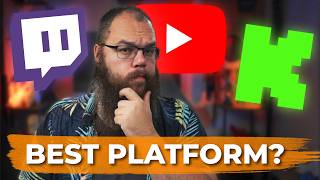

Which Platform Should New Streamers Choose?
45sThe hook directly addresses a common dilemma for new streamers, creating curiosity and engagement.
▶ Play Clip"Title accurately reflects the content: a thorough comparison leading to a multistream recommendation."
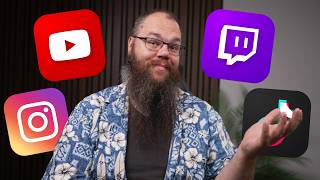
This video compares Twitch, YouTube, and Kick for new streamers across three categories: growth, engagement, and monetization. The creator concludes that multistreaming to all platforms is the best strategy to find where your audience clicks.
The video compares Twitch, YouTube, and Kick across growth, engagement, and monetization to determine the best platform for new streamers.
Twitch and Kick require being live for discoverability, while YouTube pushes streams to subscribers and recommends them via algorithm, making it easier to grow.
Twitch excels in engagement with low-latency chat, channel points, game integrations, and robust moderation tools. Kick has similar features but is less safe. YouTube has lower chat activity and fewer interaction tools.
Kick offers the best short-term monetization with a 95/5 split and partner pay. YouTube has the highest long-term potential due to ad revenue and sponsorship platform. Twitch has lower ad revenue and a 50/50 split initially.
The creator recommends multistreaming to all platforms to test which audience resonates best, as each platform has unique strengths.
Multistreaming to Twitch, YouTube, and Kick allows new streamers to discover where their content resonates best without limiting their growth potential.
What is the main disadvantage of Twitch and Kick for discoverability?
They only display your channel when you are live, making it invisible otherwise.
00:29
How does YouTube solve the discoverability problem?
YouTube pushes live streams to subscribers and recommends them via algorithm, and VODs are automatically saved for later viewing.
03:49
What is the revenue split for Kick?
95/5 split in favor of the streamer.
11:48
What are the requirements to become a Twitch affiliate?
Stream for 4 hours on 4 days, have 25 followers, and average 3 viewers for 4 streams.
09:29
What is the long-term monetization advantage of YouTube?
Higher ad rates and a sponsorship platform, allowing small channels to earn $250-$500 per month from ads alone.
10:50
YouTube's Discoverability Edge
YouTube's algorithm and VOD system solve the discoverability problem that plagues Twitch and Kick.
04:42Twitch's Engagement Dominance
Twitch's low-latency chat, channel points, and game integrations create unmatched community interaction.
04:42Kick's Short-Term Monetization
Kick offers a 95/5 split and partner pay, making it the best for immediate income.
11:48Multistreaming Recommendation
The creator advises new streamers to multistream to all platforms to find their audience.
12:42[00:00] I stream to Twitch for over 4 years, but if I started as a new streamer today, which platform would I stream on? Well, over the past few months, I've been checking out Twitch, YouTube, and Kick to see which platform is best. To do
[00:13] this, we have to look at three different categories: growth, engagement, and of course, monetization. If you're new here, my name is Barry Eps. I'm a your channel the right way. And the first thing we need to talk about is
[00:29] growth. The truth is, unless you have viewers that watch you, all the other categories don't matter. You can't make any money or enjoy engagement with your community unless you have people that actually watch your stream. Everybody
[00:42] knows that Twitch doesn't do much to help you grow your channel. Especially if you're just starting, you are not going to have many viewers. And since Twitch sorts its channels from most to least viewers, people are going to have
[00:54] to scroll very far to find you. something most viewers won't do. Twitch has been working hard on making your channel more discoverable by providing features such as stories which make it easy to share your clips on Twitch, but
[01:07] that alone is not going to help you find more viewers. You need to get those amazing clips out to people outside of Twitch so that you can then bring those viewers back to Twitch. But learning how to edit and remembering to post can be
[01:20] hard, especially if you're working or studying full-time. That's where Nexus Clips comes in. Nexus Clips helps you find the best moments of your stream and edits them automatically in your browser so you can post them directly to YouTube
[01:33] and Tik Tok. All you need to do is go to nexusclipips.com, sign up, and link your waiting for you in Nexus Clips. They will even have a virality score to let
[01:45] you know if your clip is likely to go viral. It automatically adds a title and captions, which you can edit easily and style to fit your brand. Short form is king and you too can create shorts that get thousands of views. Check it out now
[02:00] on nex.com and use code delta for a discount. Thank you Nex Clips for sponsoring this video. While Twitch is trying to make discoverability easier for new viewers, it is very hard to make any changes because most people don't
[02:14] even browse for new streamers anymore. They just open the website, see if there are any channels they follow that they want to watch right now, and if not, discoverability. For you to be discovered on Twitch, you need to be
[02:29] live when a viewer is looking. Otherwise, your channel is just invisible to them. It's like running a shop. You can have the best products in the most attractive storefront, but if you're only open a few hours a day,
[02:41] you'll miss most potential customers. The moment you close up, it's as if your shop never existed. which is why it is so hard to compete with online shops where you can find what you need and order it anytime. But they are trying to
[02:54] add things to help with that. Stream together is the newest feature on that add their webcam and stream to your screen. This feature can also combine
[03:06] your chats and viewers so you can appear higher in the category and not miss out on the conversation the other streamer is having. The problem is you still need to be live, which is why Twitch gets a two out of five stars for
[03:18] discoverability from me. And it's the same for Kick. Kick uses the same ranking system and only displays your channel if they are live, just like Twitch. The only benefit of Kick versus Twitch is that there are generally fewer
[03:31] categories than you would on Twitch. Because of this, I'm also going to give problem of needing to be live before it even became a live platform. On YouTube,
[03:46] you have one channel for your videos, shorts, and live streams. It doesn't streams. When you go live, your stream will be pushed to them and is very
[03:58] likely to appear on their home screen at least once. At the same time, the algorithm is trying to find viewers for you. So, potential viewers that get served your live stream are far more likely to click it. Unlike Twitch and
[04:10] just like your videos would because it's automatically saved when you end your stream. That means even if people do not catch it live, there are more and more
[04:22] people that will go back and watch the VODs of earlier live streams, especially if it's episodic. Before we move on to the next point, your main takeaway for discoverability should be that no matter where you are streaming, you need to do
[04:36] something besides streaming to get people over. And it does work. I see people pop in for my Tik Tok or YouTube weekly on Twitch. All in all, YouTube gets four out of five stars for discoverability. And next up is
[04:49] engagement. Now, this this is what Twitch has managed to get down to a T. If there's one thing Twitch does better than anything else, it is this. And that is because their platform is 100% dedicated to live streaming. The culture
[05:03] stream makes this a great experience for both the streamer and the chatters. Back when I streamed a few months in 2017, Twitch had a 10 to 30 second delay
[05:16] between when the streamer said something and when the chat replied. They managed to reduce the stream and chat latency to a point where there are now seconds of delay at most. The ability to chat like that makes the direct interaction
[05:28] between the streamer and their viewers one of the main reasons why streamer communities are so tight-knit. But that is not all they do. Integrations with games either natively or through extensions allow your viewers to
[05:41] directly interact with the game you are playing. One of the most successful games that has done this is PlayTub, which allows viewers to visit the vote on things that make the game more difficult for the streamer as well.
[05:56] Another thing that Twitch has is channel point rewards. Channel points are a to redeem these points to interact with the streamer or the game, send sound bites, or unlock some of the streamer special emotes. This is something that
[06:11] Kick has only recently added and YouTube can't do this without an advanced bot that require you to put hours into setting that up while Twitch can do it natively. Twitch has also made it super easy for you to keep your community fun
[06:24] and safe while you engage with it. They've introduced extensive automot features which moderate your chat even when you're not paying attention to it. how strong you wanted to react to different settings. They have even
[06:39] implemented a panic button called shield mode which allows you to lock down your chat completely in case someone is acting out and you need a few minutes to to win this one was not up for debate. Five out of five stars. But what about
[06:55] the other two platforms? Well, Kick has many of the same features as Twitch. Low latency chat, a similar culture, channel point redemptions, but there are also some differences. Kick has implemented gifts which allow you to spend kicks,
[07:08] more on what they are later, to make things appear on screen for both the the past 6 months, but not everyone has received access to them yet. And while Kick has the same low latency chat and similar culture, there is a significant
[07:24] of Twitch, it is the wild west out there. From people using bots to spam hateful comments in people's chats to emote spammers, kick is currently not as
[07:36] safe or easy to moderate as you might want. While they do have an automot feature, this feature is a lot less versatile than Twitch's version. And because they do not have an anti-boting policy, there are times where suddenly
[07:48] you have hundreds of bot viewers trying to get your channel banned. And there is nothing you can do about it except ban them one by one. Not something you can the future, I can only judge Kick on what they have now. Three out of five
[08:04] stars. And YouTube is very different. YouTube's chat engagement and culture are a lot less well-defined as Twitch and Kicks are. On YouTube, people are much more likely to just watch and not chat, what's commonly called lurking.
[08:17] Due to that low chat interaction, it can be hard, even when you have a small community, to create an atmosphere where chatting with your viewers becomes normal. And so you have to rely on talking to yourself a lot more. To give
[08:29] an example of the difference in culture, I can easily have 20 to 30 viewers on YouTube and triple that on Twitch. But where the chat interaction is nearly constant on Twitch, YouTube sometimes goes 10 minutes without a single message
[08:42] being sent. Since YouTube does not have an easily accessible API, at least not one that allows for two-way traffic, there are also far fewer options for you as a streamer when it comes to interactions. no integration with games,
[08:55] no channel point rewards, and only a few bots actually support YouTube commands. make the decision between which platform to go for so much easier. All in all,
[09:08] engagement is not where YouTube excels. Two out of five stars. Okay, time to crack out the big guns. Monetization. To get monetized on Twitch, you need to monetized from day one, it's not really monetization. You can start earning
[09:27] money and spending that money on Twitch, but you can't get paid out until you are hours on 4 days, have 25 followers, and stream for an average of three viewers
[09:40] for four of those streams, all in the space of 30 days. When you become a Twitch affiliate, you unlock subscriptions, ad revenue, and Twitch's own currency called bits. For these, the conversion is simple. A 100 bits that
[09:53] the viewer gives is $1 for the streamer. To get monetized on Kick, you need to become a Kick affiliate. And to do that, you need 75 followers in 5 hours streamed. This is significantly easier to do than Twitch's alternative. And
[10:06] when you do that, you unlock subscriptions and kicks, which is Kicks version of bits. You also unlock gifts, which we talked about before. These are like stickers you can send to the streamer to appear on stream. Finally,
[10:18] YouTube has two tiers of YouTube partner. Tier one, or YouTube fan funding, requires you to get a total of 500 subscribers and 3,000 total watch hours. This will unlock memberships, super thanks, super chat, and super
[10:32] stickers. For the top tier or YouTube partner, you need to get 1,000 subscribers and 4,000 total watch hours. Once you get there, you unlock YouTube's sponsorship platform and ad revenue. Of those three, YouTube's partner program
[10:46] is definitely the hardest to unlock. But with the sponsorship platform and much higher ad rates that you get on Twitch, in the long term, it is also the one you can make the most money on. And that is what YouTube Partner is really for.
[10:58] While Twitch does offer ad revenue, the revenue is, from my own experience, much, much lower, between $40 and $100 per month if you have an average of 100 viewers. For YouTube, even small channels can make $250 to $500 per month
[11:14] on ad revenue alone, meaning they are the only platform that let you monetize without making your community pay for it. On top of that, YouTube offers you a 7030 split on all fan funding. So, if somebody spends $5, you get $3.50. For
[11:30] Twitch, this rate is much lower to start off with, 50/50, meaning you get $ 250 for every $5 spent. So, as your channel grows, you are going to take part in their plus program. If you get a 100 paid subs every month for 3 months, you
[11:44] get a 60/40 split. And if you get 300 paid subs every month for 3 months, you get a 7030 split. But here is where kick takes the cake. You get a 955 split. Meaning, if a viewer spends $5, you get $4.75.
[11:59] There's one thing that does need to be mentioned, though. While Twitch partner doesn't unlock any extra pay, being a kick partner does. Once you become a kick partner, you get access to partner pay, which will pay you for just being
[12:12] live. While this is not a fixed pay, if you have about a,000 average viewers, get about $10 per hour. All in all, I think in the short term, Kick would take
[12:24] the cake, coming in at a five out of five stars with YouTube and Twitch trailing at three out of five stars. However, in the long term, YouTube definitely takes it with five out of five stars. Kick would come in not far
[12:36] behind with four out of five stars, and Twitch stays stuck at three out of five stars. So, if I were to start today, what platform would I stream on? Well, merits. Twitch is great for engagement. Kick has a low barrier to entry and is
[12:53] more raw and wild. And YouTube gives you a one-stop site to do everything and a super high income potential. So if I were to start today, then I would multistream to all these platforms at the same time. You have no idea which
[13:07] audience you are going to click with. And if you decided to stream on Twitch, for example, then you might never figure out if it would have been much easier and quicker to go live on YouTube or kick. Your style and personality might
[13:20] click better with one over the others, and you'd be grinding away on a platform you have no loyalty to. Yeah, the setup will be a little harder because you need to learn how to set up a multistream, but in the end, you are on zero viewers,
[13:33] zero followers, and you have nothing to lose. Why not just give it a try and see what sticks? Multireaming allows you to test the waters and find your voice and audience quickly. And if you're wondering how to set up your OBS so you
[13:46] right here that shows you exactly how to do that. And as always, stream better, stream
⚡ Saved you 0h 13m reading this? Transcribe any YouTube video for free — no signup needed.