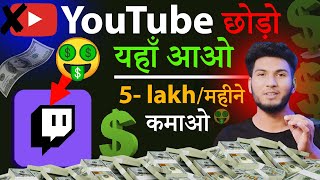

Start Earning from Day 1!
45sPromises instant monetization without YouTube's strict criteria, appealing to creators frustrated with YouTube's barriers.
▶ Play Clip"Title promises an alternative to YouTube, but the video is mostly a basic Twitch tutorial with exaggerated earning claims."
This video introduces Touch TV (Twitch) as an alternative platform for video creators to earn money from the first upload, bypassing YouTube's strict monetization criteria. The presenter demonstrates how to sign up, customize a channel, and access the wallet to track earnings.
On Touch TV, creators can upload videos and start earning from the first day or first video without needing 10 million views or 1000 subscribers like YouTube.
The platform is called Touch TV (Twitch). The presenter claims earnings start from day one and shares that they have already monetized their channel.
Users can access Touch TV via its website or download the app from the Play Store. The interface shows various videos, including gaming, travel, cooking, and tech.
To create a channel, users click sign up, enter a username (which becomes the channel name), password, date of birth, and mobile number. The username should be chosen carefully as it cannot be changed.
After signing up, users log in with username and password. A passcode can be set for security. The dashboard shows profile, video producer, privacy center, and wallet.
Users can customize their channel by adding a description, link title, and URL. The description should state what type of content they upload (e.g., comedy, travel, gaming).
The stream manager is for live streaming. Touch TV is primarily a gaming platform, but all types of videos (comedy, tech, shorts) can be uploaded. Gaming videos tend to perform better.
To see earnings, users click on profile then wallet. They must enter an email. Earnings from videos appear as tokens. Gift cards are not available in India. Payment history shows daily earnings.
Touch TV monetizes channels regardless of subscriber count. Even with zero subscribers, users can earn money from the first upload. The presenter's channel is already monetized.
Touch TV offers a straightforward way for creators to earn money from the first video without meeting strict criteria. The platform supports various content types and provides a wallet to track earnings.
What is the name of the platform introduced as a YouTube alternative?
Touch TV (Twitch).
01:16
What criteria does YouTube require for monetization that Touch TV does not?
10 million views within 90 days and 1000 subscribers.
00:42
What information is required to sign up on Touch TV?
Username, password, date of birth, and mobile number.
05:12
What becomes the channel name on Touch TV?
The username entered during sign up.
05:26
What is the primary content category on Touch TV?
Gaming.
10:43
How can users see their earnings on Touch TV?
Click on profile, then wallet, and enter an email.
13:42
What is not available in India on Touch TV's wallet?
Gift cards.
14:40
Can users earn money on Touch TV with zero subscribers?
Yes, monetization starts from the first video regardless of subscriber count.
15:10
No Monetization Criteria
Highlights the key selling point of Touch TV compared to YouTube.
00:30Channel Creation Process
Provides step-by-step instructions for new users.
05:12Gaming as Primary Category
Explains the platform's focus and content strategy.
10:43Wallet and Earnings
Demonstrates how to access and track earnings.
13:42[00:02] told you guys to click on the wallet below, you will start seeing all the money here, okay, do n't worry much, you will get the money from here, show in this way here, its payment history is done, whatever money will be given to us,
[00:18] all of it will be shown here date by day, hello friends welcome back to my
[00:30] you can upload videos here and upload shorts and start earning from the first day or from the first video, okay because here you will not have to follow any such criteria, you will not have to fulfill it, like if
[00:42] like if okay, if you make shorts, then you have to get 10 million views within 90 days and complete 1000 subscribers, only then
[01:02] and your earning will start from the first day of the first video, so talk to you here What all will have to be done to start earning, okay let's start, so friends, the name of the thing we have been discussing for so long is
[01:16] Touch TV, friends, believe me, when you will work on Touch TV, then when you will work on Touch TV, then you will feel exactly that
[01:31] earning will start from the first day, then who would not want to do it, friend, I myself have also started working on it, okay now here I have just monetized my channel and monetized the videos, which I will
[01:45] tell you all with live proof, A to Z, okay, you people do not have to do much, you just have to Z, okay, you people do not have to do much, you just have to okay, so let's go to the computer screen and
[01:58] let's go to the computer screen and search here, Touch TV, okay, and search here, Touch TV, okay, and look at T W Touch, T Double I T C H Touch, here, as you search, then the first URL that will open there, the
[02:10] first one will open when the link opens, one more thing, if you are doing it from mobile or laptop It doesn't matter, you can do it here with anything. Okay, its application. You can also download its application by going to the Play Store
[02:22] or I'll provide the link in the description. Okay, you guys can go there and download it. Look, on this application, you have to come to the first link and open it. Look, here its first interface looks something like this, you
[02:35] guys should see it now, see it carefully because you have to work on it in the future. Okay, and working on it means that if you upload it on YouTube1, friend, because there is no such criteria here, meaning
[02:47] you will get a copyright strike, a copyright claim, there is nothing like that. Copy paste and earn money. Okay, so you can do it comfortably. You can do it from there to here, from here to here like this. Okay, look, this is its interface.
[03:02] visible on the screen right now. Look, how good, I mean, videos are visible here. visible. Why are gaming videos visible? Now we will talk, first of all I will show you its interface, okay look,
[03:16] its interface is like this, you people must be seeing login and sign up at the top right side, we will talk about it now, first of all we see its interface know about it whether it looks good or not
[03:30] because first of all the people who look good, only those people sell, you understand the meaning, right, don't go there, I mean go to the girls area, I mean talking about yourself, friend,
[03:42] focus on this, okay, so look here, like with this type, now if you search here, like if you do travelling, you make travelling videos, travelling, okay, look here, like you will find many such
[03:56] you will find many such videos related to travelling, okay, with this type, if you do cooking, cooking, okay, then you will find videos related to cooking here, you will find videos related to cooking here, okay, if you
[04:09] okay, if you make tech videos
[04:31] make comedy videos or funny videos or make any reels type or tech videos Do you make it or do you mean you make some challenging videos like the one made by x y crazy videos like the one made by x y crazy or there is another one like Indian
[04:46] Mr. Indian Hacker makes this type of video or Mr. Vat makes this type of video, if you make videos then you can upload them here, you do n't have to do much, just upload it on youtube2 same here and
[04:58] earn money from here, okay now this is done, we have talked about its interface, platform, then the first thing that happens is that create our channel, okay, so you also have to create a channel here,
[05:12] if you already have a channel, then you can log in from here, if you don't have one, then you guys know how to sign up, then you have to click on this, after clicking, first of all we have to give the username of our channel and remember that the username you give here will become the
[05:26] name of your channel, okay, so you guys are giving the username here after thinking very well, like I I had named my channel here by clicking in top, okay, so the same click in top has become the name of
[05:41] my channel, that is, on TTV, so you guys should think very carefully before giving it because the name of BB and channel should be chosen only once, which is good, okay, so that is why I am telling you guys, see, you can give
[05:56] anything here, like I am giving click in, I gave click in top like this, so my channel name is like this, okay, now after that see, it is saying that it is now after that, put the password here, whatever you want to create according to your Gmail,
[06:11] showing here, after that, you can put the date of birth here, which will be original, keep the same, okay, I am asking you not to duplicate anything because you want to you guys should give everything original here, okay, now below that, you have to give your mobile number here
[06:25] as soon as you type your mobile number, you will feel something like this, similarly, the sign up button here will become visible, if you click on it, then you will directly go inside, you will go inside the channel, which I will tell you guys by
[06:40] logging in now because I have already created the channel by filling all these, okay, that is why I am saying, let's go and log in to the channel, so to
[06:57] click on the login button, you know what I keep saying, friend, let's click on login and here we have to give our username and password, okay, like I gave it and here I have created my password code
[07:10] because my channel is secure, this channel will not open until I enter the pass code, okay, so if I enter it, I entered it, now from here it will be logged in,
[07:22] okay, like see, it is logged in and here you will see on the right side, like by and here you will see on the right side, like by also see its profile here, it also means the dashboard will be visible,
[07:34] everything will be visible if you click on it, okay, as I click, look, here at the channel, you will see it below that, video producer, okay, privacy center is visible, safety is visible, if you come down a little and
[07:50] look at the bottom, this is the wallet, this is where our money is made, above this our earning will start, okay, we will be able to see our earnings, we will be able to see everything, so we will talk about it, before that let's go to our channel, okay, you guys, I am
[08:02] telling you that you just watch this video, earning will start from tomorrow, I guarantee it, hey friend, look, let's go, now let's go to the channel, okay, so we have come to our channel from here, see, it is written channel here, I have not uploaded any video here, so it will come
[08:17] in the channel, below that we go, click on customize channel, just below that we go, click on customize channel, just like we used to
[08:33] describe about our channel or put a link wink The
[09:01] give information related to your channel like what are you doing on your channel, I have already told you guys, are you uploading comedy videos or shorts or reels or uploading tik tok related or
[09:14] travelling or blogging or gaming, there are many categories, cooking uploads, how much are you working on, no, whatever you are working on, you have to describe it here related to that,
[09:26] okay, you don't have to do much, if there is nothing then just write friend, thank you for watching this video, watching my video, write anything, support me, write all this, okay, you have written it here, below that, what do you have to do here, you don't have to do anything in the link title,
[09:39] you have to leave it as it is, what more will you do, friend, you are concerned with your money, okay, now below that, leave it on the link URL like this, now after doing it here, you can see the save changes here. There
[09:55] will be save changes, okay, like if I click on anything here, then look, there is a visual, so here you have to click on save changes, after feeling everything, okay, this is our feeling, now after that, like our
[10:14] given on the right side in it, okay, it is given here, so now we will talk about it, okay, so look friends, if we go to the top here, then at the top there is home, okay, after that there is a stream manager,
[10:28] look, you must have seen the stream manager here in two-three places, like when we were on the home page, a lot of gaming videos were visible, okay, so on T TV, people play games here on 90, the
[10:43] biggest thing is that this is a gaming platform here, okay, if you upload a blog, then that video will also be played, if you upload a comedy video, that will also be played, okay, and if you upload shorts or reels, that will also be played, if you upload a tech video, that will also be played, that means all types of
[10:56] means all types of videos It will work but there is a specific type, platform has a specific category, okay, so the specific category of T TV is gaming, so here it has been given 'repeated stream', okay, so
[11:10] if you upload a gaming video here, then it will be played a lot, that means it will be lot, that means it will be played a little bit, a lot, like what will be
[11:31] after that an alert is given, see this is analytics, now it is an overview thing, okay, so go to which I had not done, you guys can set it if you do gaming, look below it, you will see all these dashboards, like there you can
[11:47] see youtube4 comments, like youtube3 is visible and from this type, now see discovery is done, from this type it is visible, same to same, like here you have to add streaming tool, engagement is visible, community, like here on
[12:00] visible, community, like here on
[12:22] youtube1 you will see everything, below that there are settings Okay, stream is the same thing, like if you are streaming, if you use some other software like OS Studio, like a lot of
[12:36] use OS Studio, and for streaming, if this is done
[13:01] see all these things, this is the second or third option, you can also see the drops here, there are rewards, money keeps getting earned from it, everything is related to this, there is a streaming tool here,
[13:14] I just told you that if you were using OBS Studio, then that thing is given here, okay, Touch Studio, its own application, own application, this is all these applications for going live, you
[13:28] can download it, it also has an extension, okay, everything is done, now we will talk about what all the creators want to see, that means they watch and want to see it as quickly as possible, okay,
[13:42] like how will they make money, brother, we forgot about that, oh how will we earn money from here, so I will tell you, I will tell you, do n't worry. Don't worry about it, just watch the video comfortably, so here we have come on t, now
[13:59] go below it, like we clicked on profile, after clicking on profile, I told you guys to click on wallet below, you will start seeing all the money here, okay, do n't worry much, you will
[14:13] n't worry much, you will get the money from here, see, when you come here for the first time, it will ask you to enter an email here, as soon as you click on wallet, you will be asked to enter the email,
[14:25] asked to enter the email, start showing, okay, at the top you will see gift card balance, this says not available in your country region region in India, okay, as
[14:40] gift card is not available in our India right now, so leave this, below it the money that will come from the video that we will upload now, it will show here, okay, it will show in token, will show here in this way, its payment history is done which Whatever money will be given to us
[14:56] and all the shows will be done on date wise days. Now the beat history has been done because hence all the shows will be done on beat history here, so this is our wallet. The way to earn money is okay. There is nothing much to do here, believe me friends, you will
[15:10] start earning money here from the first day, just upload videos, you don't have to do anything. Look, TTV is such a platform which approaches many creators itself that brother, you come to my platform and
[15:25] make videos, I will give you money, I will give you money from the first day. Okay, here you have zero subscribers, one subscriber, two subscribers, 10 subscribers, five subscribers, 10000, 5000, 20 thousand, even if you do n't have as many subscribers, still your channel will be
[15:38] monetized from here and you will become eligible to earn money. Okay, like my channel has been monetized, now if I upload videos here, then I will start earning money. Okay, so I am working on this as quickly as possible. If I start,
[15:51] I am telling you guys that you guys should work on it, whatever I upload on YouTube, because then I will paste the same video here, I do n't have to do much, okay, so friends, I hope you guys have understood everything well,
[16:04] how to create a channel here, how to upload videos, if you do live streaming, then how to add the tool here, you must have understood everything, okay, if anything is left, like if I have forgotten something,
[16:17] okay, then you guys can tell me by commenting, personally I will try very quickly that you guys reply to the comments as quickly as possible, okay, if I have some time, then liked this video, then like the video and share it as much as possible so
[16:32] that I also get some benefit, okay, so friends, I will meet you some other day you, thank you for watching this video, thank you
⚡ Saved you 0h 16m reading this? Transcribe any YouTube video for free — no signup needed.